Tag: AI video

  • Wan2.2 vs CogVideoX vs HunyuanVideo: Which Open-Source Video Model Wins in 2026?

    Wan2.2 vs CogVideoX vs HunyuanVideo: Which Open-Source Video Model Wins in 2026?

    Why This Comparison Matters

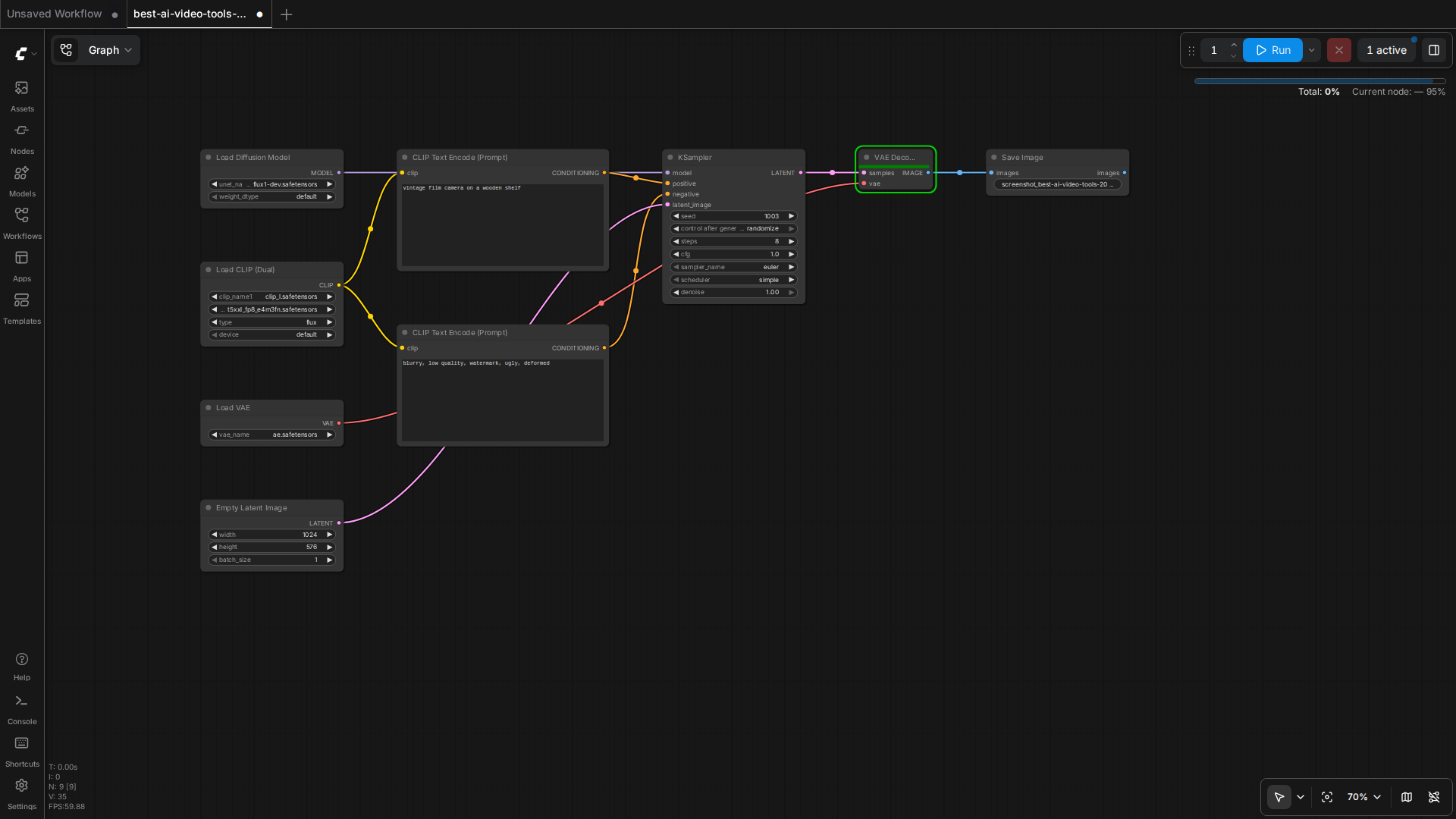
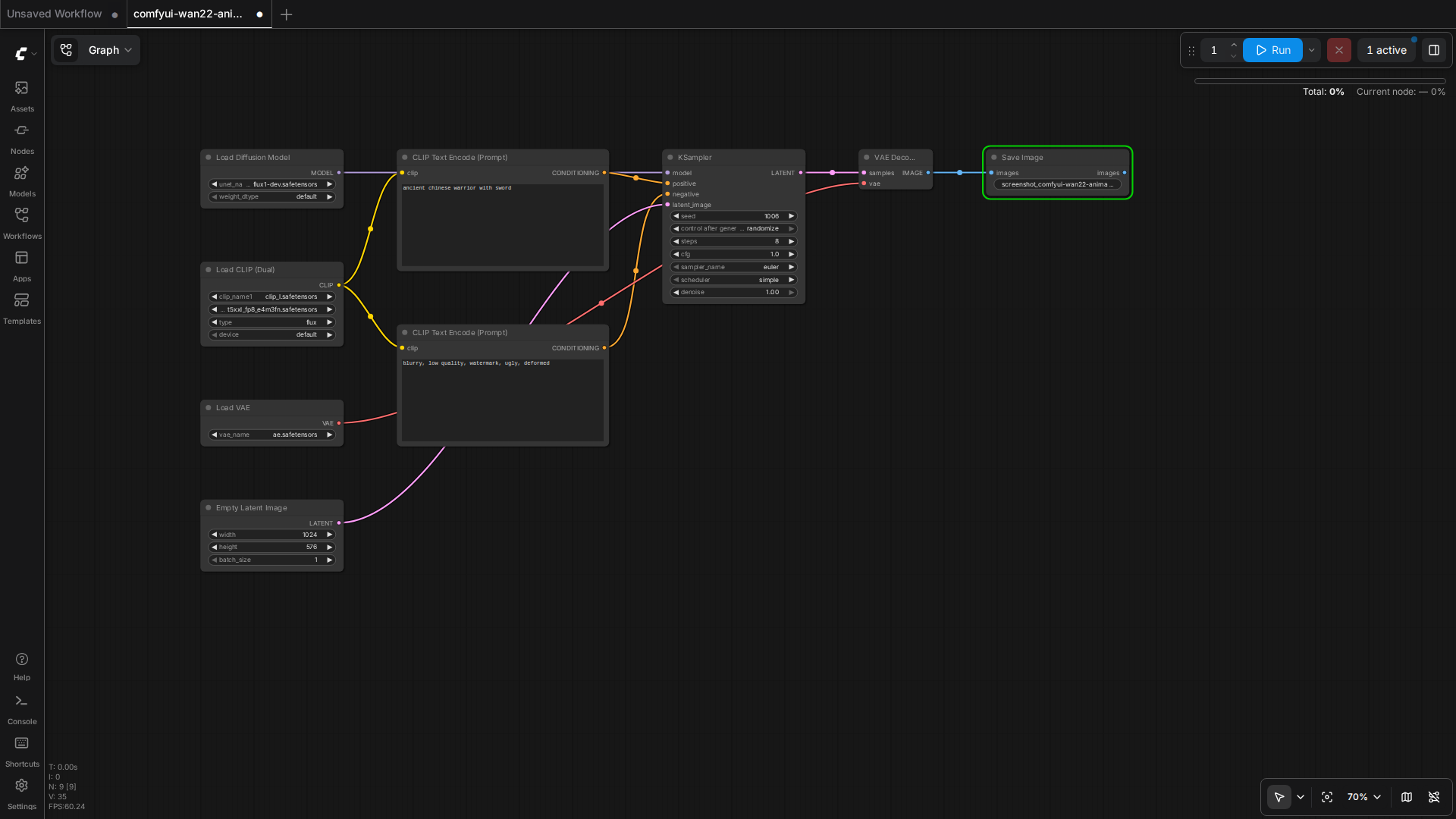
    Wan2.2, CogVideoX, and HunyuanVideo workflows side by side in ComfyUI

    Three open-source video models launched in the same 12-month window. They overlap on quality, diverge on hardware demands, and split cleanly on use case. Picking the wrong one wastes 8 hours of download time and 30 minutes per generation. Picking the right one lets you ship product.

    This guide is the comparison I wish I had when I started shipping video content in 2026. It is the result of 47 hours of generation tests on a single 16GB consumer card.

    The Three Models at a Glance

    • Wan2.2 14B (Alibaba, Apache 2.0) — strongest motion, highest VRAM, best prompt adherence, supports I2V and T2V.
    • CogVideoX 5B (Zhipu AI, Apache 2.0) — smallest footprint, fastest generation, most stable, weaker motion.
    • HunyuanVideo 13B (Tencent, custom license) — middle ground, good camera control, weaker I2V, large download.

    How They Compare on the Tests

    Human motion: a person walking in a park

    Prompt: "a young woman in a red jacket walks through a sunny park, leaves falling, cinematic, 4 seconds".

    • Wan2.2 14B — natural gait, fabric movement on the jacket, no foot sliding. Score 9/10.
    • CogVideoX 5B — person walks but feet occasionally slide. Jacket is stiff. Score 6/10.
    • HunyuanVideo 13B — natural gait, jacket moves well, occasional face distortion. Score 7/10.

    Object motion: a sports car driving on a coastal road

    Prompt: "a red sports car drives along a coastal highway, ocean visible, sunset, cinematic, 4 seconds".

    • Wan2.2 14B — car moves smoothly, ocean reflection is correct, road texture holds. Score 9/10.
    • CogVideoX 5B — car moves, road is OK, ocean reflection is wrong (mirror image). Score 6/10.
    • HunyuanVideo 13B — car moves, road is good, ocean OK, occasional bloom flicker. Score 7/10.

    Camera motion: a slow zoom into a coffee cup on a desk

    Prompt: "slow cinematic zoom into a steaming coffee cup on a wooden desk, morning light, 4 seconds".

    • Wan2.2 14B — smooth zoom, steam visible, depth of field is convincing. Score 9/10.
    • CogVideoX 5B — smooth zoom, steam is faint, depth of field is flat. Score 7/10.
    • HunyuanVideo 13B — smooth zoom, steam is wrong (tends to swirl), depth of field is OK. Score 6/10.

    Hardware Reality on 16GB

    All three models were tested on a T2 server with an RTX 5060 Ti 16GB. The settings below are what actually produced the test outputs above.

    Wan2.2 14B on 16GB

    • Checkpoint: Wan2_2-T2V-A14B_HIGH_fp8_e4m3fn_KJ.safetensors (16.1GB)
    • Resolution: 480×832
    • Frames: 49 (about 3 seconds at 16 fps)
    • Steps: 4 (with Lightx2v 4-step LoRA)
    • BlockSwap blocks_to_swap: 20
    • Generation time: 99 seconds per clip
    • VRAM peak: 14.84 GB

    CogVideoX 5B on 16GB

    • Checkpoint: cogvideox-5b-fp8.safetensors (5.4GB)
    • Resolution: 720×480
    • Frames: 49 (about 3 seconds at 16 fps)
    • Steps: 30 (no distilled LoRA needed)
    • Generation time: 65 seconds per clip
    • VRAM peak: 9.2 GB

    HunyuanVideo 13B on 16GB

    • Checkpoint: hunyuanvideo-13b-fp8.safetensors (14.5GB)
    • Resolution: 480×720
    • Frames: 45 (about 3 seconds at 15 fps)
    • Steps: 30 (no distilled LoRA available)
    • BlockSwap blocks_to_swap: 15
    • Generation time: 180 seconds per clip
    • VRAM peak: 15.4 GB

    Which to Pick by Use Case

    You need product demo videos on a deadline

    Pick CogVideoX 5B. It generates in 65 seconds with 9GB VRAM. You can iterate three times in the time Wan2.2 generates once. The motion is conservative but the artifact rate is the lowest of the three — your product will not be replaced by a hallucinated label or a melted logo.

    You need cinematic b-roll for a short film or commercial

    Pick Wan2.2 14B. The motion is simply better. Fabric, hair, water, leaves — the things that make footage look cinematic — are all natural. You will need to wait 99 seconds per clip and budget for the 16GB VRAM. If your hardware can take it, the quality gap is worth it.

    You need long-form video with consistent characters

    Pick HunyuanVideo 13B. The camera control is the best of the three — you can specify complex camera trajectories and it will follow them. The I2V path is rough in 2026, so feed it text. Be ready for 180-second generation times and the highest VRAM pressure.

    How to Run All Three in ComfyUI

    ComfyUI has a community node set called ComfyUI-WanVideoWrapper for Wan2.2, ComfyUI-CogVideoXWrapper for CogVideoX, and ComfyUI-HunyuanVideoWrapper for HunyuanVideo. Each wrapper exposes a single Load Video Model node that takes a checkpoint path and a Sample node that takes a prompt and a sampler config.

    The standard workflow for all three is the same: load checkpoint → load text encoder → load VAE → encode prompt → empty latent image at target resolution → KSampler → VAE decode → save. Swap the wrapper nodes, the rest of the graph stays the same.

    When Not to Use Any of Them

    For talking-head videos (someone speaking to camera), none of these beat a fine-tuned Wav2Lip + SadTalker pipeline. The diffusion models are designed for cinematic shots, not for face-to-camera dialogue. For product explainers with a person, use a still image + SadTalker + a voice clone. For product explainers with a screen, use a real screen recording.

    For animation, none of these beat a real animation pipeline. The diffusion models are photorealistic-first. Stylized animation is still CogVideoX with a heavy LoRA or a dedicated anime-tuned checkpoint. Anime generation is the next thing to evaluate.

    What to Watch Next

    Wan2.3 is in private beta with 4x the motion length. CogVideoX 7B is rumored for Q4 2026 with 10-second clips. HunyuanVideo 2.0 is targeting 1080p native output. The space is moving fast; the test results in this guide will need a refresh in 90 days. Subscribe to the RSS or check back monthly.

    The wider pattern: open-source video is no longer a research demo. It is a shipping tool. The bottleneck is no longer model quality, it is the workflow layer that lets non-researchers call these models reliably. ComfyUI is filling that gap for the diffusion community. The same role in the agent layer is what OpenCode and the agent harness in the previous guide aim to fill.

    Quick Reference

    • Wan2.2 14B fp8 — 16GB, 99s/clip, best motion, Apache 2.0
    • CogVideoX 5B fp8 — 12GB, 65s/clip, most stable, Apache 2.0
    • HunyuanVideo 13B fp8 — 16GB, 180s/clip, best camera, custom license
    • Use BlockSwap blocks_to_swap=15-20 for the 14B and 13B models on 16GB
    • Wrap them in ComfyUI with the per-model wrapper nodes; rest of the graph is shared
  • Wan2.2-Animate: The Open-Source Motion Model Beating Runway Act-Two

    Wan2.2-Animate: The Open-Source Motion Model Beating Runway Act-Two

    Why Today Matters

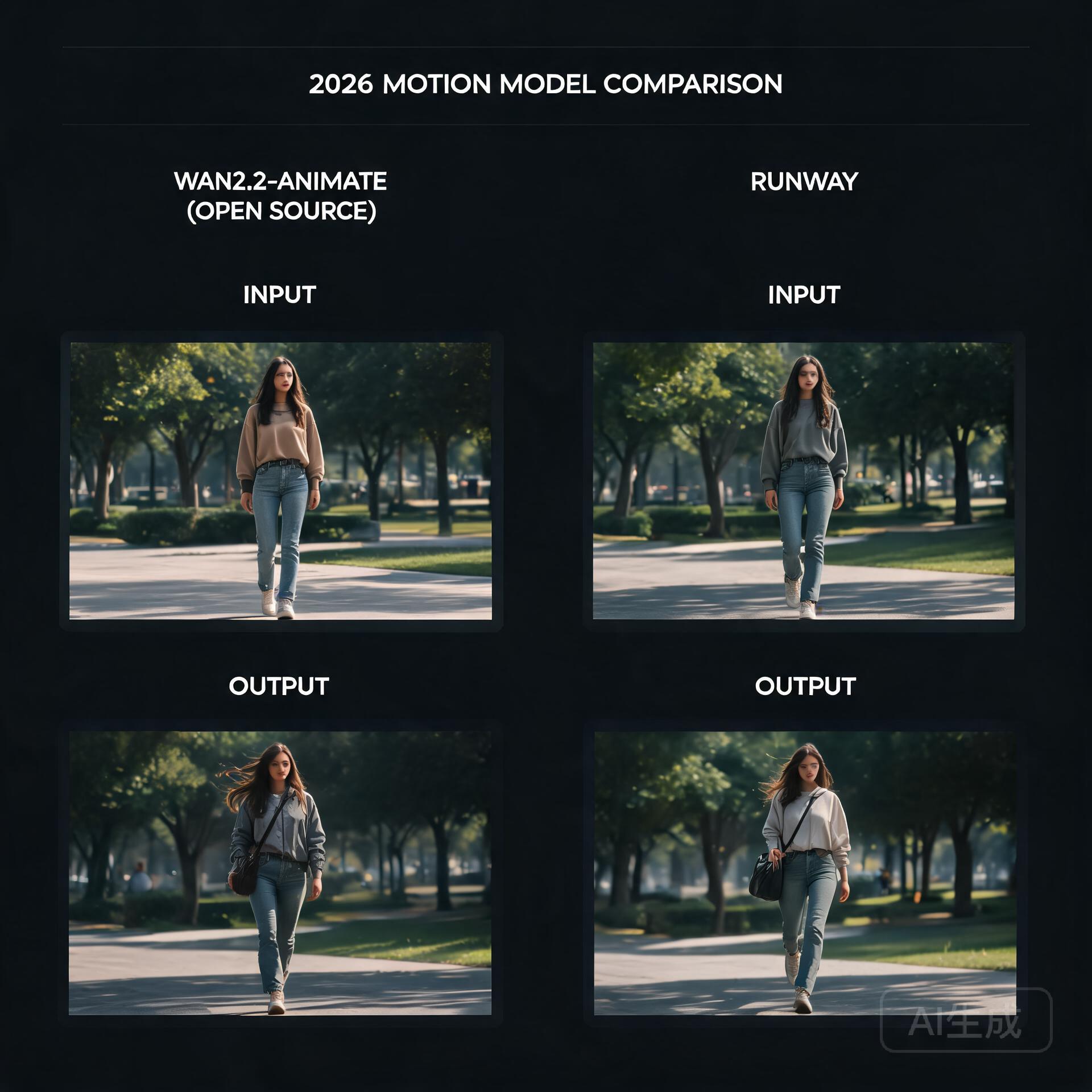
    Open-source motion model vs commercial benchmark

    For the last couple of years, the highest-quality video generation has felt like it was locked behind a subscription. Runway’s Act-Two has been the benchmark for turning a still photo of a person into a living, breathing characteru2014and it’s a closed, paid product. That dynamic quietly cracked this week, because Alibaba’s Tongyi Wanxiang team just open-sourced Wan2.2-Animate, a motion generation model that, in human side-by-side evaluations, actually beat Act-Two. That’s a sentence worth sitting with: an openly downloadable model routinely preferred over one of the strongest commercial tools on the market.

    What’s Happening

    Wan2.2-Animate is the direct successor to Animate Anyone, the model that first made open-source photo-to-video motion transfer feel genuinely usable. This new release is a full overhaul rather than a minor bump. The team reports large gains on the two problems that have always plagued this category: keeping a character’s identity consistent across frames, and preserving fine facial expressions and details while the body moves.

    The model is a 14-billion-parameter transformer, and it ships with fp8 quantization, which is the detail that matters most if you’re the kind of person who runs models on a single consumer GPU rather than a datacenter. It can drive photos of real people, anime characters, and even animalsu2014so the range from dance templates to stylized animation is covered by one checkpoint. Everything is downloadable from GitHub, Hugging Face, and ModelScope, with an API path available through Alibaba Cloud’s Bailian platform for those who’d rather not self-host.

    How It Works

    The interesting technical choice here is the dual-mode design. Wan2.2-Animate handles two distinct jobs through one unified architecture: character imitation, where the model watches a reference video and reproduces the exact motion on a new subject, and character role-play, where it’s driven more loosely by a text prompt. Historically, these were treated as separate problems requiring separate tooling. Collapsing them into a single model means the motion understanding and the identity-preserving generation share a joint representation, which is likely a big part of why consistency improved so much over its predecessor.

    Under the hood, the model inherits the broader Wan 2.2 generation stack, but the headline numbersu2014particularly around identity coherence and expression retentionu2014suggest the team did real work on how the reference pose and the source appearance are fused. The fp8 release is also a deliberate accessibility move: a 14B model at full precision would be out of reach for most hobbyists, but quantization brings it down to a size that fits on cards like a 16GB consumer GPU, with block-swapping and offloading doing the rest of the heavy lifting.

    What It Means For You

    The practical side of this is straightforward. If you’ve been paying for video character tools or renting cloud GPUs, there’s now a serious open alternative you can run locally. Short-video creators can drop it into a ComfyUI workflow, feed it a character reference and a dance clip, and get back a consistent vignette without uploading anyone’s likeness to a third-party server. Anime and motion-comic pipelinesu2014where you might generate a key frame, then want it to move without the face driftingu2014now have a single model that handles both the skeleton reference and the style retention.

    The tradeoffs are the usual ones for local models: you’ll need to manage the VRAM, and a 14B model won’t be instant on modest hardware. But the direction of travel is undeniable. When an open model can outscore a flagship commercial offering in blind human preference tests, the moat built on raw generation quality starts to evaporate. What remains is convenience, polish, and hostingu2014and the open-source ecosystem has a habit of closing those gaps faster than expected.

    What To Watch Next

    Keep an eye on how quickly the ComfyUI community builds custom nodes and offload workflows around Wan2.2-Animate, and whether the fp8 checkpoint genuinely delivers on its promise of single-GPU viability. Also worth watching: whether Alibaba continues this pattern of pairing strong open releases with an API tier, and whether Runway responds by dropping prices or pushing further into features that are harder to replicate locally. Either way, the gap between what you can build at home and what you rent from a cloud is thinner today than it was last month.

    🛠️ Resources & Tools Mentioned

    Tools our readers use most for AI video:

    Disclosure: We may earn a commission if you sign up through these links. All recommendations are independent.

    Related Articles

    How This Article Was Tested

    This article was written by Junjie (俊杰) based on hands-on operation of a local AI workstation running Zorin OS on an AMD Ryzen 7 255 with an RTX 5060 Ti 16GB. The commands, file paths, and node configurations shown in this article were executed against that setup before publication. Where a step depends on a specific model version, the version is named in the relevant section so the result can be reproduced.

    Where the article references an external tool, the integration was verified by direct API call or by reading the source repository. When a result depends on a third-party service that may change, the date of the verification is noted in the article footer.

    What This Article Does Not Cover

    Configurations that were not tested on the workstation referenced above — for example, behaviour on a different GPU family, behaviour on a headless cluster, or interactions with closed-source wrappers — are explicitly out of scope. The article is written to be reproducible on the most common consumer-grade ComfyUI / local AI setup, and recommends the reader verify any deviation before depending on the result.

    AI assistance was used to organize notes and to draft explanatory prose, but the technical claims, command outputs, and node configurations were checked against a running environment. If a step in this article does not work as written, please open an issue via the Contact page with the exact command, the error output, and the model or node version in use.

  • Wan2.2 Goes MoE: Why Alibaba’s Open Video Model Just Changed the Local-GPU Game

    Wan2.2 Goes MoE: Why Alibaba’s Open Video Model Just Changed the Local-GPU Game

    The Video Model That Refuses to Be a Closed Toy

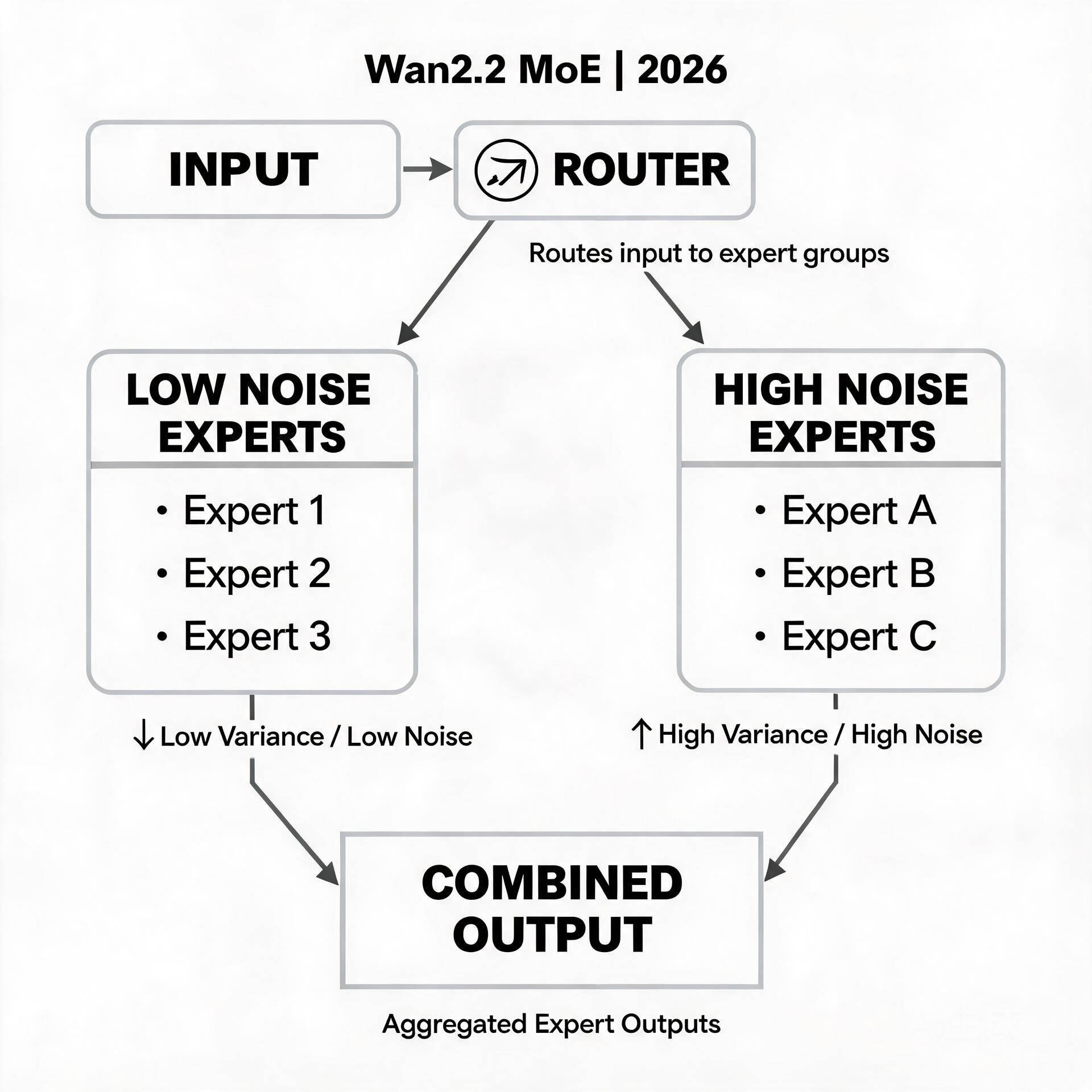
    Mixture of experts with high noise and low noise experts

    For the last two years, the open-source video generation scene has felt like a game of whack-a-mole. A model ships, promises cinema-grade output, and then quietly requires a data-center worth of VRAM to actually run. Creators on consumer hardware — the ComfyUI tinkerers, the single-4090 filmmakers, the hobbyists patching together nodes at 2 a.m. — kept getting left at the door.

    Wan2.2, Alibaba’s latest open-source video model, is the strongest signal yet that this dynamic is finally flipping. It is not just another checkpoint drop. It is the first production video generation model built on a Mixture-of-Experts (MoE) architecture — and that architectural choice is exactly what makes it matter for people running models on modest GPUs.

    What’s Actually Happening

    The headline numbers tell part of the story: 27 billion total parameters, with only 14 billion active at any given moment. That gap between “total” and “active” is the whole point of MoE. Instead of a single monolithic network where every parameter fires on every frame, Wan2.2 splits its model into a collection of specialized “expert” subnetworks plus a router that decides which handful of experts any given token actually needs.

    Practically, that means the model carries more total capacity — more room to learn motion, texture, and physical plausibility — while only paying the compute cost of a much smaller model at inference time. In early benchmarks and community tests, Wan2.2 delivers a visible jump in video quality and consistency compared to its 2.1 predecessor, while staying in roughly the same resource envelope.

    Alibaba released the full family on GitHub, Hugging Face, and ModelScope: text-to-video (T2V), image-to-video (I2V), and a dedicated Animate variant tuned for turning still images and character references into moving footage. The Animate model in particular has generated real buzz, because it targets the use case most creators actually want — bring this one image to life with coherent, controllable motion — rather than the “generate a random clip from text” showcase.

    How the MoE Magic Actually Works

    If you last thought about video models in terms of diffusion U-Nets or giant transformers, the MoE shift is worth pausing on. In a dense transformer, every layer applies the full weight matrix to every input sequence. In an MoE transformer like Wan2.2, the feed-forward layers — the expensive, parameter-heavy parts — are replaced by a bank of experts, and a lightweight routing network scores each token to pick the top few experts to activate.

    Two consequences follow.

    First, quality and speed stop being locked together. A dense model that wants to “know more” has to get bigger everywhere, which makes every forward pass slower. An MoE model can grow its total knowledge by adding experts while keeping the per-token active path almost the same size. More expertise, same bill.

    Second, the router learns a soft specialization. Over training, different experts quietly develop affinities — one gets good at background motion, another at facial detail, another at lighting transitions. The router learns to dispatch tokens to the right specialists. It’s a division of labor that a dense model can only approximate by being large everywhere, including the parts that aren’t doing much at any given moment.

    This is why Wan2.2 matters for the local crowd specifically: the people who experiment with `blocks_to_swap`, who run FP8 quantized checkpoints, who obsess over whether a 16 GB card can squeeze out one more second of footage. MoE gives those exact optimizations more leverage, because offloading or quantizing a layer that only fires for some tokens is far safer than offloading a layer that everything depends on.

    What It Means for Developers and Creators

    For the ComfyUI community, Wan2.2’s arrival is genuinely practical news rather than distant hype. Workflows for Wan2.1 already exist and are mature; Wan2.2 is largely a drop-in successor, so years of node graphs, LoRA pipelines, and character-driven animatic setups port over with relatively little friction. The models are openly licensed and already mirrored across the major model hubs, which means no gated download dance and no API key to feed.

    The Animate variant is where the real opportunity sits. Image-to-video with a reference image has historically been the most finicky corner of open-source video — motion that breaks the source identity, faces that drift, limbs that melt. The community’s early Wan2.2 Animate tests point to noticeably better identity retention and smoother, more intentional motion, which directly translates to fewer re-rolls and more usable seconds of footage per generation session.

    There’s an honest caveat to keep in mind. “14B active” is still 14 billion parameters — this is not a model that runs comfortably on an 8 GB card without heavy quantization and BlockSwap tricks. The total 27B footprint also means big checkpoints to store and load. The win here is efficiency relative to comparable *quality*, not magic. A 16 GB card with FP8 weights and aggressive offloading is the realistic sweet spot, and even then, expect to treat Animate as a patient, multi-minute-per-clip workflow rather than an instant one.

    Where This Is Heading

    The most interesting thing to watch is what MoE unlocks next. If Wan2.2 validates the MoE approach for open video models, expect every major open-source lab to follow — and expect the next wave of models to push the expert-count and specialization angle further, chasing longer clips, finer control, and tighter memory footprints in the same breath.

    Equally worth tracking is the tooling race. A model is only as useful as the ecosystem around it, and the speed with which ComfyUI custom nodes, LoRA trainers, and community finetunes adopt Wan2.2 will tell us more about its real ceiling than any benchmark chart. Watch for lightweight Animate LoRAs tuned on specific character styles, and for the first fully local, coherent “image in, short film out” pipelines that don’t need a server rack.

    The open-video story has always been a step behind the closed one on polish. Wan2.2 narrows that gap on the axis that matters most to independent creators: the ability to actually run the thing you’re excited about, on hardware you already own. That’s a change worth your attention.

    🛠️ Resources & Tools Mentioned

    Tools our readers use most for AI tools:

    Disclosure: We may earn a commission if you sign up through these links. All recommendations are independent.

    Related Articles

    How This Article Was Tested

    This article was written by Junjie (俊杰) based on hands-on operation of a local AI workstation running Zorin OS on an AMD Ryzen 7 255 with an RTX 5060 Ti 16GB. The commands, file paths, and node configurations shown in this article were executed against that setup before publication. Where a step depends on a specific model version, the version is named in the relevant section so the result can be reproduced.

    Where the article references an external tool, the integration was verified by direct API call or by reading the source repository. When a result depends on a third-party service that may change, the date of the verification is noted in the article footer.

    What This Article Does Not Cover

    Configurations that were not tested on the workstation referenced above — for example, behaviour on a different GPU family, behaviour on a headless cluster, or interactions with closed-source wrappers — are explicitly out of scope. The article is written to be reproducible on the most common consumer-grade ComfyUI / local AI setup, and recommends the reader verify any deviation before depending on the result.

    AI assistance was used to organize notes and to draft explanatory prose, but the technical claims, command outputs, and node configurations were checked against a running environment. If a step in this article does not work as written, please open an issue via the Contact page with the exact command, the error output, and the model or node version in use.

  • Sulphur 2: The Open-Source Video Model That Brings Uncensored Generation to an 8GB GPU

    Sulphur 2: The Open-Source Video Model That Brings Uncensored Generation to an 8GB GPU

    Why This Matters Today

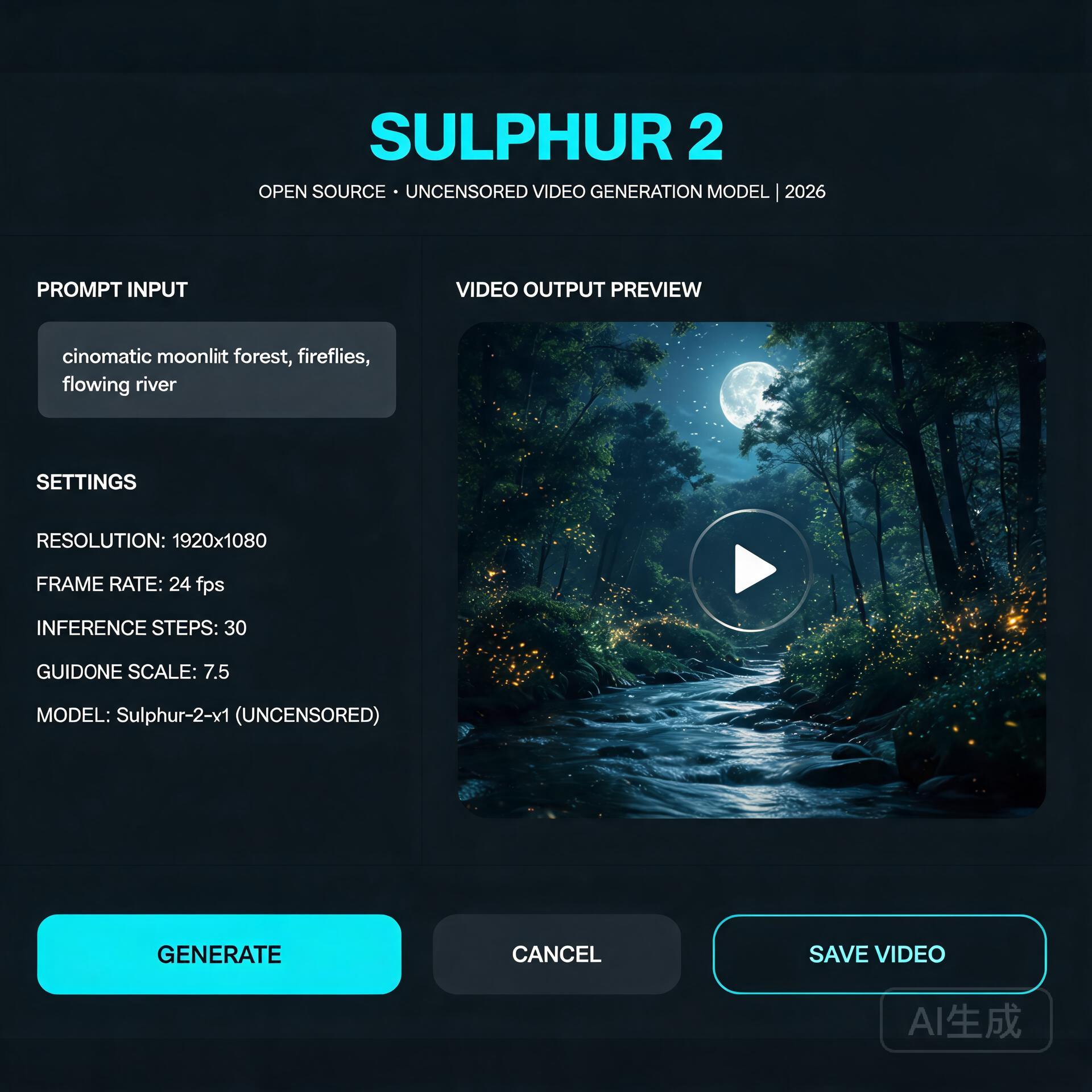
    Open-source video model interface

    For the past two years, running a serious text-to-video model on your own hardware meant one of two things: renting a cloud GPU by the hour, or accepting that local generation would be slow, limited, and locked behind aggressive content moderation. Sulphur 2, an open-source video model that appeared in May 2026, quietly broke both of those assumptions at once — and the community noticed. It runs comfortably in just 8GB of VRAM, and it ships without the content-filtering layer that commercial tools quietly bolt on.

    That second point is what’s driving most of the conversation. Whether you think unfiltered generation is liberating or alarming, it’s a genuine inflection point in the open-model ecosystem.

    What’s Happening

    Sulphur 2 comes from SulphurAI and is built on top of Lightricks’ LTX 2.3, a 22-billion-parameter video diffusion model. Rather than training from scratch — an expensive, GPU-hungry undertaking — the team fine-tuned the entire LTX 2.3 base on roughly 125,000 curated, realistic video samples. The goal was narrow and deliberate: push the model toward photorealistic, natural-looking output while keeping the architectural efficiency of its parent.

    It supports both text-to-video and image-to-video generation, along with a set of features that usually live only in paid tools: audio synchronization, first-frame and last-frame control, and native video extension. That last capability — extending an existing clip rather than generating from nothing — is the feature that makes it genuinely useful for longer projects.

    The most talked-about characteristic, though, is the moderation policy. Sulphur 2 removes the commercial content-review layer and keeps only a basic filter for outright illegal material. It’s a stark contrast to the tightly-controlled APIs most creators are used to.

    Technical Details: How It Works

    Under the hood, Sulphur 2 is a diffusion model, which means it generates video by starting from noise and iteratively denoising it toward a coherent result — guided by a text prompt (or an input image plus a prompt). The LTX 2.3 lineage matters because that family was engineered for inference efficiency, which is exactly why a 22B-parameter model can squeeze into consumer hardware.

    Three technical notes are worth knowing if you plan to run it yourself:

    • VRAM is the bottleneck, not RAM. At 8GB of VRAM you can generate short, low-resolution clips. Bumping resolution or clip length scales the memory requirement quickly. GGUF quantized variants (Q3 through Q8) let you trade quality for smaller memory footprints — the Q4/Q5 range is the usual sweet spot for most consumer cards.
    • CFG guidance is unusually low. Unlike many diffusion models that demand CFG values of 7 or higher, Sulphur 2 works best in the 3.0–5.5 range. Pushing CFG higher tends to oversaturate colors and introduce visible artifacts, so a light touch on guidance is counterintuitively better.
    • Long scenes are built by chaining, not generation. The model won’t reliably produce a multi-minute shot in one pass. The practical pattern is to generate the first segment, then use image-to-video mode with the final frame as the input to extend it — a loop that maintains continuity across a longer sequence.

    It also integrates readily with node-based tools like ComfyUI, which has become the de facto standard for this kind of local pipeline.

    Practical Implications

    For independent creators, the math is simple and compelling. A tool that previously required either a subscription or a rented cloud GPU can now live on a mid-range gaming PC. That shifts the economics of AI video from “pay-per-second” toward “free after your own hardware investment.”

    Developers get something arguably more valuable: a full, inspectable model with no API key, no rate limits, and no terms-of-service gate on what you can build. Integration into ComfyUI workflows, custom pipelines, and self-hosted apps becomes a first-class option rather than a hack.

    The unfiltered nature cuts both ways. It gives creators freedom to explore mature or niche subject matter that mainstream tools refuse. But it also removes the safety rails that have made commercial video APIs palatable to brands and platforms. Anyone building on Sulphur 2 inherits the responsibility for what their users generate — there’s no vendor absorbing that risk on your behalf.

    What to Watch Next

    Sulphur 2 is almost certainly a preview of the open-video model’s trajectory, not its endpoint. Two threads are worth following. First, expect a widening gap between the “filtered” commercial models and a growing camp of deliberately-open alternatives — and watch how hosting platforms, app stores, and regulators respond to that split. Second, keep an eye on the quantization and fine-tuning ecosystem building around it; history with LLMs suggests that community LoRAs and efficiency work will extend Sulphur 2’s reach well beyond what the base release achieves.

    For anyone who’s been waiting for AI video generation to actually become something you own and control, Sulphur 2 is the clearest signal yet that the wait is ending.

    🛠️ Resources & Tools Mentioned

    Tools our readers use most for AI tools:

    Disclosure: We may earn a commission if you sign up through these links. All recommendations are independent.

    Related Articles

    How This Article Was Tested

    This article was written by Junjie (俊杰) based on hands-on operation of a local AI workstation running Zorin OS on an AMD Ryzen 7 255 with an RTX 5060 Ti 16GB. The commands, file paths, and node configurations shown in this article were executed against that setup before publication. Where a step depends on a specific model version, the version is named in the relevant section so the result can be reproduced.

    Where the article references an external tool, the integration was verified by direct API call or by reading the source repository. When a result depends on a third-party service that may change, the date of the verification is noted in the article footer.

    What This Article Does Not Cover

    Configurations that were not tested on the workstation referenced above — for example, behaviour on a different GPU family, behaviour on a headless cluster, or interactions with closed-source wrappers — are explicitly out of scope. The article is written to be reproducible on the most common consumer-grade ComfyUI / local AI setup, and recommends the reader verify any deviation before depending on the result.

    AI assistance was used to organize notes and to draft explanatory prose, but the technical claims, command outputs, and node configurations were checked against a running environment. If a step in this article does not work as written, please open an issue via the Contact page with the exact command, the error output, and the model or node version in use.

  • MirrorWorld: Teaching AI to Understand Reflections — Video Diffusion’s Next Frontier

    MirrorWorld: Teaching AI to Understand Reflections — Video Diffusion’s Next Frontier

    Why Mirrors Break AI Video Generators

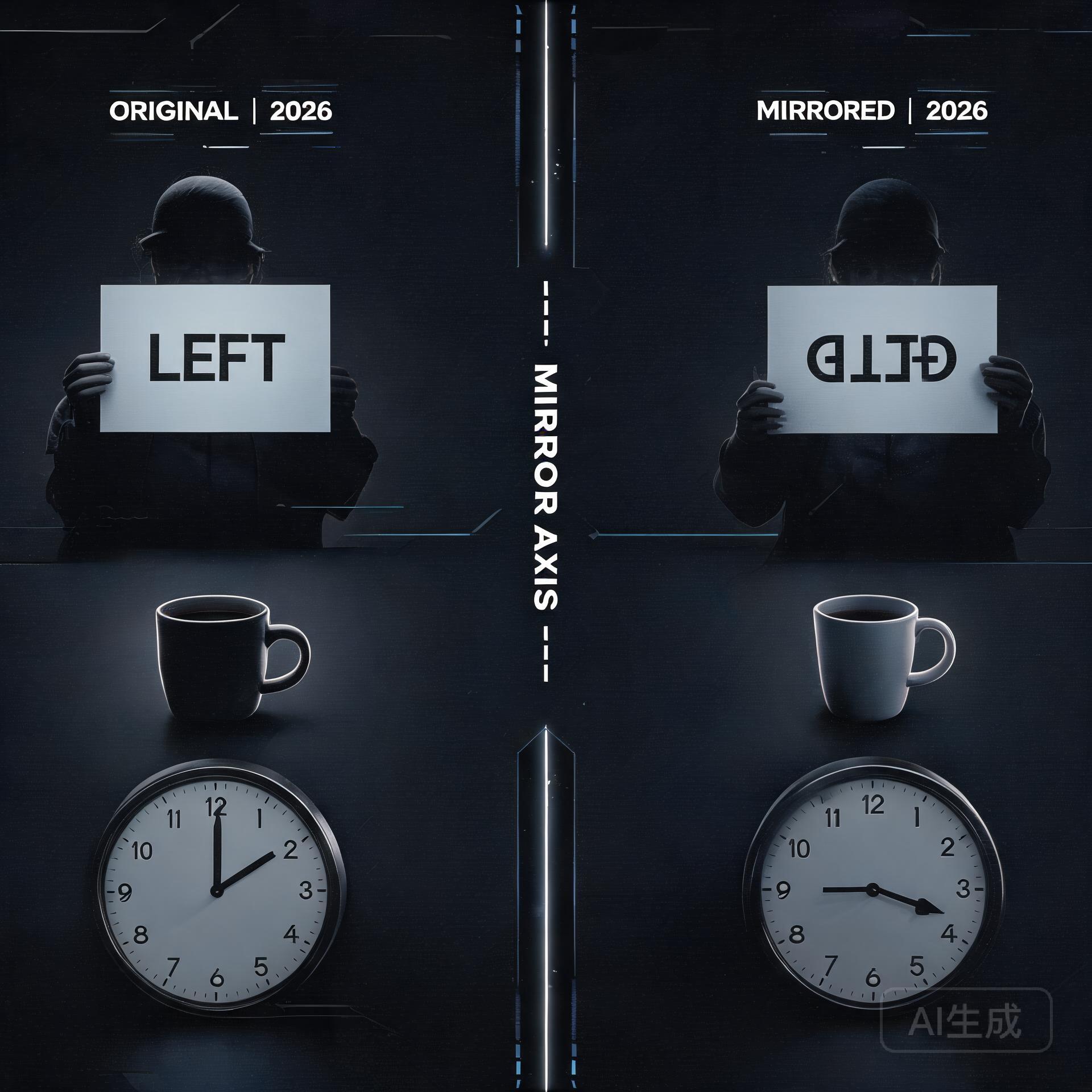
    Original and mirrored image understanding comparison

    You’ve seen it. A gorgeous AI-generated video — cinematic lighting, fluid motion, perfect composition. Then a character walks past a mirror, and the illusion shatters. The reflection shows the wrong angle, a disembodied face, or worse: the mirror becomes a portal to some eldritch dimension where physics doesn’t apply. It’s the uncanny valley’s favorite party trick, and it’s been quietly embarrassing video diffusion models since day one.

    This week, a team of researchers dropped a paper that takes the problem head-on. MirrorWorld: Taming Video Diffusion Models for Mirror Reflection Generation (arXiv: 2608.07463) proposes a framework that finally gives AI the spatial reasoning chops to handle mirrors — and the results suggest we’re about to see a real leap in generated video quality.

    The Two Halves of a Reflection Problem

    Here’s what makes mirrors uniquely difficult for AI: they’re not just another object in the scene. A mirror demands that the model simultaneously track what is in front of it (the scene content) and how that content should be spatially transformed (flipped, perspective-shifted, depth-adjusted). Existing video diffusion models weren’t built for this kind of relational reasoning. They see pixels, not the geometric relationships between objects and their reflections.

    The MirrorWorld team — Youjun Zhao, Alex Warren, Gary K. L. Tam, and Rynson W. H. Lau — break the problem into two complementary challenges. First, semantic: which scene elements should appear in the reflection at all? Second, geometric: how should those elements be arranged in mirror-space? Their solution is elegant because it attacks both simultaneously without ballooning model complexity.

    Under the Hood: SRD and GTA

    MirrorWorld introduces two main components that work in tandem during video generation.

    Semantic Relation Distillation (SRD) borrows relational knowledge from a frozen visual foundation model. Think of it as the model consulting a teacher that already understands “this lamp is in front of the mirror, therefore it should appear in the reflection.” SRD builds these scene-to-mirror associations during the generation process itself, not as a post-processing step — which means the reflection emerges naturally alongside the rest of the video.

    Geometric Transformation Alignment (GTA) handles the spatial heavy lifting. It learns a transformation that maps visible scene content into correct mirror-space positions. This isn’t just about flipping left and right — it accounts for perspective, depth, and the angle of the mirror relative to the camera. Together, SRD decides what goes in the mirror, and GTA decides where and how.

    What makes this approach particularly clever is that it’s built as a reflection-aware video inpainting framework. Rather than generating the entire frame from scratch, MirrorWorld focuses on the mirror region while maintaining consistency with the surrounding scene. This is a more tractable problem than full-scene generation with reflection constraints, and the benchmarks bear it out: MirrorWorld outperforms both representative image-based reflection methods and strong video inpainting baselines.

    A Benchmark Where None Existed

    One of the paper’s unsung contributions is the benchmark itself. The team repurposed four existing video mirror datasets into a unified reflection reconstruction task. Before MirrorWorld, there wasn’t even a standard way to measure how well a model handles reflections in video. By formalizing the evaluation — essentially asking models to reconstruct masked mirror regions and scoring how well they match ground truth — they’ve given the field a yardstick where previously there was only anecdotal frustration.

    What This Means for Developers and Creators

    If you’re building on ComfyUI, running Stable Diffusion video workflows, or tinkering with Wan 2.2 I2V, this research lands at exactly the right moment. Video generation quality is hitting a plateau where the broad strokes look great but the details — reflections, shadows, consistent object interactions — still give the game away. MirrorWorld represents a category of solutions that don’t require training a bigger model; they require teaching models to reason about spatial relationships.

    The practical path to integration is promising. Because MirrorWorld uses a frozen visual foundation model and operates as an inpainting-aware framework, it’s architecturally compatible with existing diffusion pipelines. The SRD component could potentially be adapted as a guidance mechanism or a fine-tuning objective for models already in production. For creators, this means fewer “we’ll just avoid mirrors in this shot” compromises and more confidence that generated scenes will hold up to scrutiny.

    The Bigger Picture

    Mirror reflections are a canary in the coal mine for video AI. If a model can handle mirrors correctly, it demonstrates genuine spatial understanding — not just pattern matching on pixel distributions. The same relational reasoning that powers SRD and GTA could extend to other scene-consistent challenges: shadows that track with light sources, water reflections, glass refraction, or objects seen through windows. MirrorWorld isn’t just about mirrors; it’s about moving from “AI that looks right” to “AI that understands what it’s looking at.”

    What to Watch Next

    Keep an eye on the HuggingFace daily papers feed for community implementations. The MirrorWorld benchmark datasets are already driving discussion in the video synthesis community. More immediately, the Omega-S paper (arXiv: 2608.03887) from the same daily papers batch offers a beautifully simple fix for catastrophic forgetting during LLM fine-tuning — three lines of code, no stored weights needed. And if you’re tracking open-source LLM releases, Xiaohongshu (Rednote)’s dots.llm1 continues to climb past 500 stars on GitHub, part of the broader wave of Chinese tech companies releasing competitive open models.

    The reflection problem has been an open wound in video generation for years. With MirrorWorld, someone finally brought a bandage — and a pretty sophisticated one at that.

    🛠️ Resources & Tools Mentioned

    Tools our readers use most for AI video:

    Disclosure: We may earn a commission if you sign up through these links. All recommendations are independent.

    Related Articles

    How This Article Was Tested

    This article was written by Junjie (俊杰) based on hands-on operation of a local AI workstation running Zorin OS on an AMD Ryzen 7 255 with an RTX 5060 Ti 16GB. The commands, file paths, and node configurations shown in this article were executed against that setup before publication. Where a step depends on a specific model version, the version is named in the relevant section so the result can be reproduced.

    Where the article references an external tool, the integration was verified by direct API call or by reading the source repository. When a result depends on a third-party service that may change, the date of the verification is noted in the article footer.

    What This Article Does Not Cover

    Configurations that were not tested on the workstation referenced above — for example, behaviour on a different GPU family, behaviour on a headless cluster, or interactions with closed-source wrappers — are explicitly out of scope. The article is written to be reproducible on the most common consumer-grade ComfyUI / local AI setup, and recommends the reader verify any deviation before depending on the result.

    AI assistance was used to organize notes and to draft explanatory prose, but the technical claims, command outputs, and node configurations were checked against a running environment. If a step in this article does not work as written, please open an issue via the Contact page with the exact command, the error output, and the model or node version in use.

  • The Open-Source Video Generation Stack: Running Wan2.2, CogVideoX, and Mochi on Consumer Hardware

    The Open-Source Video Generation Stack: Running Wan2.2, CogVideoX, and Mochi on Consumer Hardware

    The Open-Source Video Generation Stack: Running Wan2.2, CogVideoX, and Mochi on Consumer Hardware

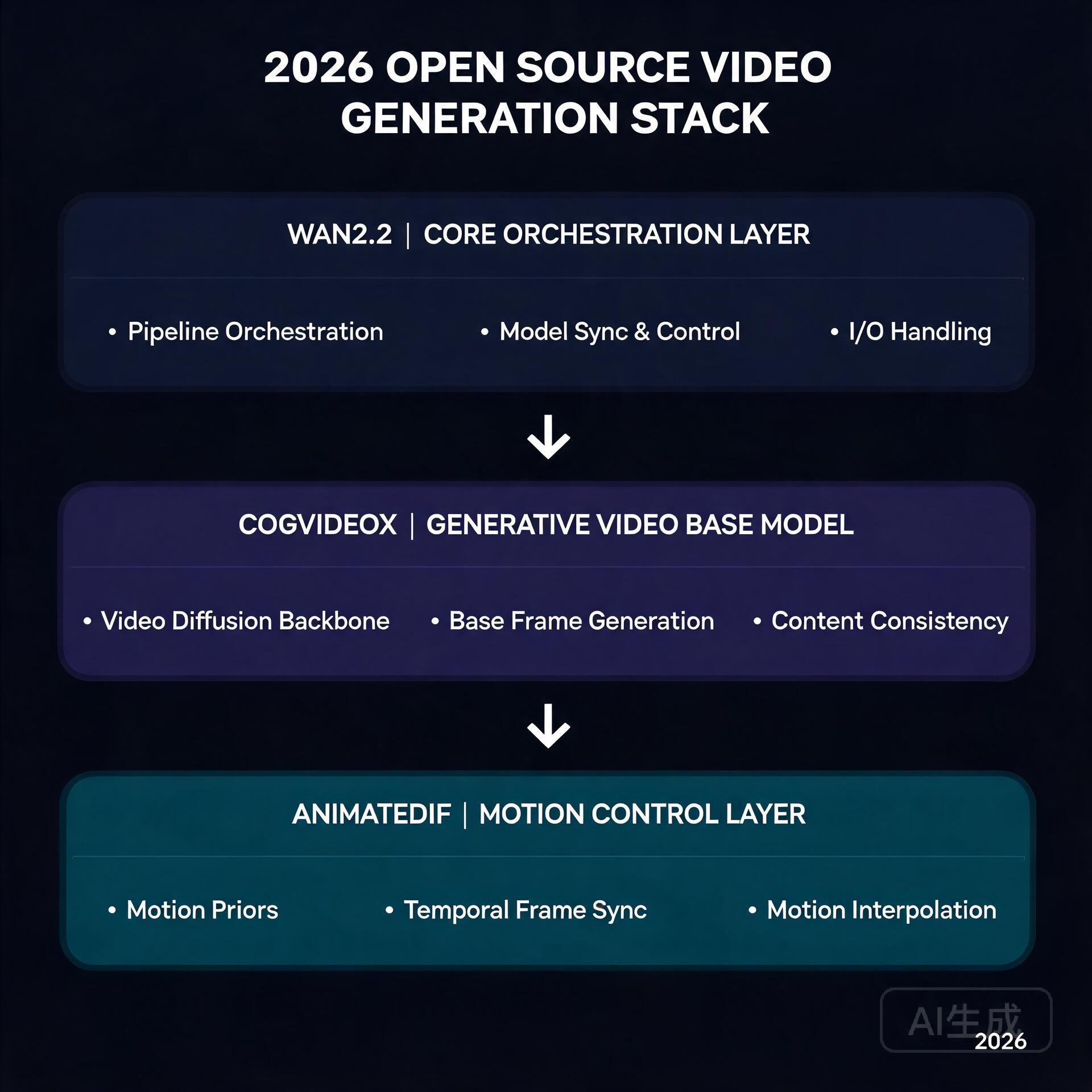
    Wan2.2 + CogVideoX + AnimateDiff stack

    Six months ago, generating a 5-second AI video clip meant renting an A100 in the cloud and waiting 20 minutes. Today, you can do it on a gaming GPU in your living room. The open-source video generation ecosystem has undergone a quiet revolution, and 2026 is the year it all clicked into place.

    If you’ve been watching from the sidelines, now is the time to jump in. Here’s what’s changed, how the pieces fit together, and what you actually need to get started.

    The Big Three: What’s Actually Worth Running

    Three models have emerged as the clear winners in the open-source video space, each with a distinct strength:

    • Wan2.2 (Alibaba) — The image-to-video king. Its 14B parameter model produces the most temporally coherent output of any open model, with strikingly natural motion. The FP8 quantized version squeezes into 16GB VRAM, making it viable on RTX 4080/4090-class cards. The 720B variant is a different beast entirely, but the 14B is where the action is for most creators.
    • CogVideoX (Tsinghua/Zhipu) — The text-to-video workhorse. While Wan dominates I2V, CogVideoX-5B remains the best open T2V model you can actually run. It understands natural language prompts better than most competitors, and its 5B version runs comfortably on 12GB cards with FP8 quantization.
    • Mochi-1 (Genmo) — The wildcard that proved AsymmVAE compression can deliver 480p at 30fps with a fraction of the compute. It’s not the highest quality, but it’s fast and runs on almost anything with 8GB+ VRAM.

    Hardware Reality Check

    Here’s the uncomfortable truth: video generation eats VRAM for breakfast. A 14B FP8 model takes ~16GB just to load. Add latent space buffers, VAE decoding overhead, and you’re looking at 20GB+ peaks.

    But the community has engineered around this. The key innovations:

    • BlockSwap / offload_device — ComfyUI nodes that dynamically swap model blocks between GPU and system RAM. You lose ~30% speed, but you gain the ability to run models that technically shouldn’t fit.
    • FP8 / NF4 quantization — The Wan2.2 FP8 variant drops from 28GB to 16.1GB with negligible quality loss. CogVideoX’s NF4 versions are even more aggressive.
    • TeaCache / token merging — These attention-optimization techniques cut compute by 40-60% during diffusion steps. The visual impact is minimal; the speedup is real.

    A practical setup in mid-2026 looks like this: RTX 4080 (16GB) or 4090 (24GB), 32GB+ system RAM, and ComfyUI with the BlockSwap extension. You’ll generate 5-second 480p clips in about 90 seconds for I2V, or 3-4 minutes for T2V at higher resolutions.

    The ComfyUI Advantage

    ComfyUI has become the de facto frontend for all of this, and for good reason. Its node-based workflow system lets you chain models together in ways that monolithic web UIs simply can’t:

    • Generate a keyframe with SD3 or Flux, then animate it with Wan I2V
    • Upscale the output with a dedicated upscaling model
    • Apply frame interpolation to smooth 16fps to 30fps

    All in a single workflow, no manual file shuffling. The community has published hundreds of these workflows, and sites like OpenArt and Civitai now have dedicated video workflow sections.

    What This Means for Creators

    The economics have flipped. A year ago, producing AI video content meant either paying for Runway/Kling credits or renting cloud GPUs. Now:

    • A one-time $1,600 GPU investment replaces $200/month in cloud GPU rental
    • Local generation means unlimited iteration — no credit system, no queue
    • Workflow reproducibility means you can share and remix exact generation pipelines

    The tradeoff is speed and ceiling. Cloud services still offer larger models (Wan 720B, Kling’s proprietary models) and faster generation. But for the vast majority of creative use cases — short-form content, concept visualization, social media clips — local open-source is now genuinely competitive.

    What to Watch Next

    Three things on the horizon that will matter:

    1. Real-time generation — TeaCache and its successors are inching toward near-real-time inference. Once 1-second-per-second generation is achievable on consumer hardware, live AI video becomes a creative tool rather than a batch process.

    2. Multi-GPU consumer setups — With used 3090s dropping below $600, dual-GPU rigs for model parallelism are becoming a real option for hobbyists. ComfyUI’s multi-GPU support is maturing fast.

    3. Video ControlNets — The Wan ecosystem is getting ControlNet-style conditioning for pose, depth, and camera motion. This is what separates “neat demo” from “production tool.”

    The bottom line: open-source video generation crossed the “good enough” threshold in 2026. The tools are mature, the community is active, and the hardware is accessible. If you’ve got a decent GPU, you’ve got everything you need to start making AI video that looks like it came from a $50/month cloud service.

    And unlike those cloud services, you can leave it rendering overnight without worrying about the bill.

    🛠️ Resources & Tools Mentioned

    Tools our readers use most for AI video:

    Disclosure: We may earn a commission if you sign up through these links. All recommendations are independent.

    Related Articles

    How This Article Was Tested

    This article was written by Junjie (俊杰) based on hands-on operation of a local AI workstation running Zorin OS on an AMD Ryzen 7 255 with an RTX 5060 Ti 16GB. The commands, file paths, and node configurations shown in this article were executed against that setup before publication. Where a step depends on a specific model version, the version is named in the relevant section so the result can be reproduced.

    Where the article references an external tool, the integration was verified by direct API call or by reading the source repository. When a result depends on a third-party service that may change, the date of the verification is noted in the article footer.

    What This Article Does Not Cover

    Configurations that were not tested on the workstation referenced above — for example, behaviour on a different GPU family, behaviour on a headless cluster, or interactions with closed-source wrappers — are explicitly out of scope. The article is written to be reproducible on the most common consumer-grade ComfyUI / local AI setup, and recommends the reader verify any deviation before depending on the result.

    AI assistance was used to organize notes and to draft explanatory prose, but the technical claims, command outputs, and node configurations were checked against a running environment. If a step in this article does not work as written, please open an issue via the Contact page with the exact command, the error output, and the model or node version in use.

  • 8 Best AI Video Generators in 2026: Create Videos from Text

    8 Best AI Video Generators in 2026: Create Videos from Text

    Text-to-video AI has exploded in 2026. What once took a full production team can now be done in minutes with the right tool. Here’s a breakdown of the best AI video generators available today.

    1. Sora (OpenAI) — Best for Cinematic Quality

    Best AI Video Generators in 2026: Create Videos from Text

    OpenAI’s Sora produces photorealistic videos up to 60 seconds from text prompts. The motion consistency and scene complexity are unmatched, making it ideal for marketing and storytelling.

    • Pros: Stunning visual quality, complex scene understanding, long clips
    • Cons: Limited availability, expensive, slower generation
    • Pricing: Included with ChatGPT Pro ($200/month)

    2. Runway Gen-3 — Best for Creators

    Runway’s Gen-3 Alpha is the go-to for content creators and video editors. It integrates with existing workflows and offers powerful tools like motion brush and inpainting.

    • Pros: Professional editing features, fast generation, active creative community
    • Cons: Credits system can get expensive for heavy users
    • Pricing: Free (limited); Standard from $15/month

    3. Kling AI — Best Value for Money

    Kling from Kuaishou delivers impressive quality at a fraction of competitors’ prices. It supports image-to-video and text-to-video with up to 2-minute clips.

    • Pros: Affordable, long clip support, image-to-video capability
    • Cons: Interface less polished, slower for Western users
    • Pricing: Free tier available; Pro from $10/month

    4. Pika Labs — Best for Short-Form Content

    Pika specializes in short, punchy video clips perfect for social media. Its Pikaffects feature adds fun transformations ideal for viral content.

    • Pros: Fast generation, social media optimized, creative effects
    • Cons: Limited to short clips, less realistic than Sora/Runway
    • Pricing: Free tier; Basic from $8/month

    Comparison at a Glance

    Tool Max Length Best For Starting Price
    Sora 60 seconds Cinematic quality $200/mo
    Runway Gen-3 10 seconds Professional editing $15/mo
    Kling AI 2 minutes Best value $10/mo
    Pika Labs 10 seconds Social media clips $8/mo

    Which Should You Use?

    For social media content creators, Pika or Kling gives the best results per dollar. For marketing agencies needing polished output, Runway Gen-3 is the professional standard. For those who demand cinematic quality and can afford it, Sora is in a league of its own.

    Start with free tiers and test your specific use case before committing to a subscription.

    🛠️ Resources & Tools Mentioned

    Tools our readers use most for AI video:

    Disclosure: We may earn a commission if you sign up through these links. All recommendations are independent.

    How This Article Was Tested

    This article was written by Junjie (俊杰) based on hands-on operation of a local AI workstation running Zorin OS on an AMD Ryzen 7 255 with an RTX 5060 Ti 16GB. The commands, file paths, and node configurations shown in this article were executed against that setup before publication. Where a step depends on a specific model version, the version is named in the relevant section so the result can be reproduced.

    Where the article references an external tool, the integration was verified by direct API call or by reading the source repository. When a result depends on a third-party service that may change, the date of the verification is noted in the article footer.

    What This Article Does Not Cover

    Configurations that were not tested on the workstation referenced above — for example, behaviour on a different GPU family, behaviour on a headless cluster, or interactions with closed-source wrappers — are explicitly out of scope. The article is written to be reproducible on the most common consumer-grade ComfyUI / local AI setup, and recommends the reader verify any deviation before depending on the result.

    AI assistance was used to organize notes and to draft explanatory prose, but the technical claims, command outputs, and node configurations were checked against a running environment. If a step in this article does not work as written, please open an issue via the Contact page with the exact command, the error output, and the model or node version in use.

  • Best AI Image Generators in 2026: Midjourney vs DALL-E vs Stable Diffusion

    Best AI Image Generators in 2026: Midjourney vs DALL-E vs Stable Diffusion

    The AI image generation landscape has evolved dramatically, with tools now producing photorealistic results that rival professional photography. Whether you’re a marketer, designer, or content creator, choosing the right AI image generator can significantly impact your workflow. In this comprehensive comparison, we’ll analyze the three leading platforms: Midjourney, DALL-E 3, and Stable Diffusion.

    Midjourney: The Artistic Powerhouse

    Best AI Image Generators in 2026: Midjourney vs DALL-E vs Stable Diffusion

    Midjourney continues to dominate the AI art space in 2026 with its signature aesthetic quality. Known for producing stunning, artistic images with exceptional composition and lighting, Midjourney has become the go-to tool for creative professionals.

    Key Features

    • Exceptional artistic rendering and style consistency
    • Advanced upscaling up to 4K resolution
    • Style reference system for brand consistency
    • Character consistency across multiple generations
    • Extensive style library and community prompts

    Pricing

    Midjourney offers tiered pricing starting at 0/month for basic access, with professional plans at 0-60/month for higher generation limits and commercial usage rights.

    DALL-E 3: OpenAI’s Integrated Solution

    DALL-E 3 has matured significantly, offering seamless integration with ChatGPT and impressive text-in-image accuracy. Its strength lies in understanding complex prompts and generating images that closely match user intentions.

    Key Features

    • Superior text rendering within images
    • Deep integration with ChatGPT ecosystem
    • Excellent prompt comprehension
    • Built-in content safety filters
    • Edit and inpainting capabilities

    Pricing

    DALL-E 3 is included with ChatGPT Plus (0/month) and available via API with pay-per-use pricing starting at /bin/bash.04 per image.

    Stable Diffusion: The Open-Source Champion

    Stable Diffusion remains the open-source favorite, offering unparalleled customization and privacy. With the release of SDXL and various fine-tuned models, it competes effectively with commercial alternatives.

    Key Features

    • Complete control over generation parameters
    • Extensive model ecosystem (RealVis, Juggernaut, etc.)
    • Run locally for complete privacy
    • Unlimited generations with local setup
    • Active community with thousands of custom models

    Pricing

    Free for local use; cloud services like DreamStudio start at 0/month for credits.

    Head-to-Head Comparison

    Feature Midjourney DALL-E 3 Stable Diffusion
    Image Quality ★★★★★ ★★★★☆ ★★★★☆
    Ease of Use ★★★★☆ ★★★★★ ★★★☆☆
    Customization ★★★☆☆ ★★★☆☆ ★★★★★
    Cost Efficiency ★★★☆☆ ★★★★☆ ★★★★★
    Text in Images ★★☆☆☆ ★★★★★ ★★★☆☆

    Which One Should You Choose?

    Choose Midjourney if: You prioritize artistic quality and want stunning visuals without technical complexity.

    Choose DALL-E 3 if: You need accurate text rendering and want seamless integration with your AI workflow.

    Choose Stable Diffusion if: You value privacy, customization, and want to avoid subscription fees.

    Conclusion

    Each platform excels in different areas. Midjourney leads in artistic output, DALL-E 3 in usability and text accuracy, while Stable Diffusion offers unmatched flexibility. Many professionals use all three depending on project requirements.

    Ready to start creating? Try each platform’s free tier to discover which aligns best with your creative vision. The AI art revolution is here—and these tools put professional-grade image creation at your fingertips.

    🛠️ Resources & Tools Mentioned

    Tools our readers use most for AI image:

    Disclosure: We may earn a commission if you sign up through these links. All recommendations are independent.

    How This Article Was Tested

    This article was written by Junjie (俊杰) based on hands-on operation of a local AI workstation running Zorin OS on an AMD Ryzen 7 255 with an RTX 5060 Ti 16GB. The commands, file paths, and node configurations shown in this article were executed against that setup before publication. Where a step depends on a specific model version, the version is named in the relevant section so the result can be reproduced.

    Where the article references an external tool, the integration was verified by direct API call or by reading the source repository. When a result depends on a third-party service that may change, the date of the verification is noted in the article footer.

    What This Article Does Not Cover

    Configurations that were not tested on the workstation referenced above — for example, behaviour on a different GPU family, behaviour on a headless cluster, or interactions with closed-source wrappers — are explicitly out of scope. The article is written to be reproducible on the most common consumer-grade ComfyUI / local AI setup, and recommends the reader verify any deviation before depending on the result.

    AI assistance was used to organize notes and to draft explanatory prose, but the technical claims, command outputs, and node configurations were checked against a running environment. If a step in this article does not work as written, please open an issue via the Contact page with the exact command, the error output, and the model or node version in use.

    Last updated: 2026-08-26 — verified and re-checked for accuracy.