Let’s be honest — two years ago, half the people reading this probably thought AI tools were either science fiction or something only Silicon Valley engineers could use. Fast forward to 2026, and you can automate your entire content calendar before your morning coffee gets cold. The landscape has shifted dramatically, and if you’re a blogger, entrepreneur, or small business owner who still hasn’t jumped in, you’re not just missing out — you’re actively falling behind. But here’s the good news: getting started with AI tools has never been easier, cheaper, or more beginner-friendly than it is right now.
This guide cuts through the noise. No hype, no jargon-filled nonsense. Just a straight-talking breakdown of where to start, which tools actually deliver, and how to build an AI workflow that saves you real time and real money.
Why 2026 Is the Best Time to Start Using AI Tools
The early days of AI tools were, frankly, a bit rough. Outputs were inconsistent, pricing was all over the place, and learning curves were steep. That’s not the world we’re living in anymore. In 2026, AI tools for beginners have matured into genuinely polished products with intuitive interfaces, better accuracy, and pricing tiers that make sense for solopreneurs and small teams.
Here’s what’s changed that makes right now the perfect entry point:
- Multimodal capabilities are standard. Most leading AI tools now handle text, images, audio, and even video in a single platform.
- Integrations are everywhere. These tools plug directly into the apps you already use — Gmail, Notion, Shopify, WordPress, you name it.
- Free tiers are actually useful. Unlike the early days, you can genuinely test and get value from free plans before spending a dollar.
- The community knowledge base is massive. YouTube tutorials, Reddit threads, and free courses mean you’re never learning alone.
The barriers to entry are lower than ever. What matters now is knowing where to point your attention first.
The Beginner’s Framework: Start With Your Biggest Pain Point
One of the biggest mistakes new users make is trying to learn every AI tool at once. Don’t do that. You’ll burn out, confuse yourself, and give up before seeing any real results.
Instead, ask yourself one simple question: What task takes up the most time in my week?
Your answer almost certainly falls into one of these categories:
- Writing content (blog posts, emails, social media captions)
- Creating visuals (graphics, thumbnails, product images)
- Managing customer communication or support
- Research and data analysis
- Administrative tasks and scheduling
Once you’ve identified your biggest bottleneck, you choose the AI tool that solves that specific problem first. Master it, feel the time savings, then expand from there. This approach builds confidence and momentum — two things every beginner desperately needs.
Best AI Tools for Beginners in 2026 (By Category)
For Writing and Content Creation
If you’re a blogger or content marketer, this is likely your starting point, and honestly, it’s the most mature category in the AI tools space right now.
ChatGPT (OpenAI) remains one of the best all-around writing assistants available. The interface is conversational, the outputs are strong, and the GPT-4o model handles everything from drafting blog outlines to rewriting clunky product descriptions. For beginners, the biggest unlock is learning to write good prompts — and even that skill comes naturally after a week of regular use.
Claude (Anthropic) has become a serious favorite among writers who want longer, more nuanced output. It’s particularly good at maintaining a consistent tone across long-form content, which makes it a go-to for bloggers producing in-depth guides like this one.
Jasper caters specifically to marketing teams and entrepreneurs who want brand voice consistency baked in from the start. It’s not the cheapest option, but for a small business owner who needs content that sounds like them, the templating features are genuinely excellent.
Practical tip: Don’t ask these tools to write everything from scratch and publish blindly. Use them to generate first drafts, then edit with your own voice, experience, and insights layered on top. That combination — AI speed plus human nuance — is what actually performs well in search and resonates with readers.
For Visual Content and Design
You don’t need a graphic design background anymore. These tools have democratized visual creation in a way that still feels a little surreal.
Canva AI has evolved well beyond its original drag-and-drop roots. The Magic Design and text-to-image features let you generate custom visuals, presentation decks, and social media graphics in minutes. For bloggers and small business owners who need consistent branding without a designer on retainer, this is an absolute must-have.
Midjourney remains the gold standard for high-quality AI image generation. The learning curve is slightly steeper than Canva, but the output quality — especially for editorial imagery, product mockups, and creative branding — is hard to beat. The Discord-based interface has also gotten much more beginner-friendly with updated web tools.
Adobe Firefly is worth mentioning for anyone already inside the Adobe ecosystem. The commercial safety of Firefly’s training data is also a genuine advantage for business owners worried about copyright issues with AI-generated images.
For Productivity and Automation
This is where AI tools start compounding in value. Once you’re comfortable using individual tools, you connect them — and that’s when the real efficiency gains kick in.
Notion AI is a game-changer for entrepreneurs who use Notion as their command center. You can summarize meeting notes, draft project briefs, generate action items, and search across your entire workspace using natural language. It turns your second brain into an actively intelligent one.
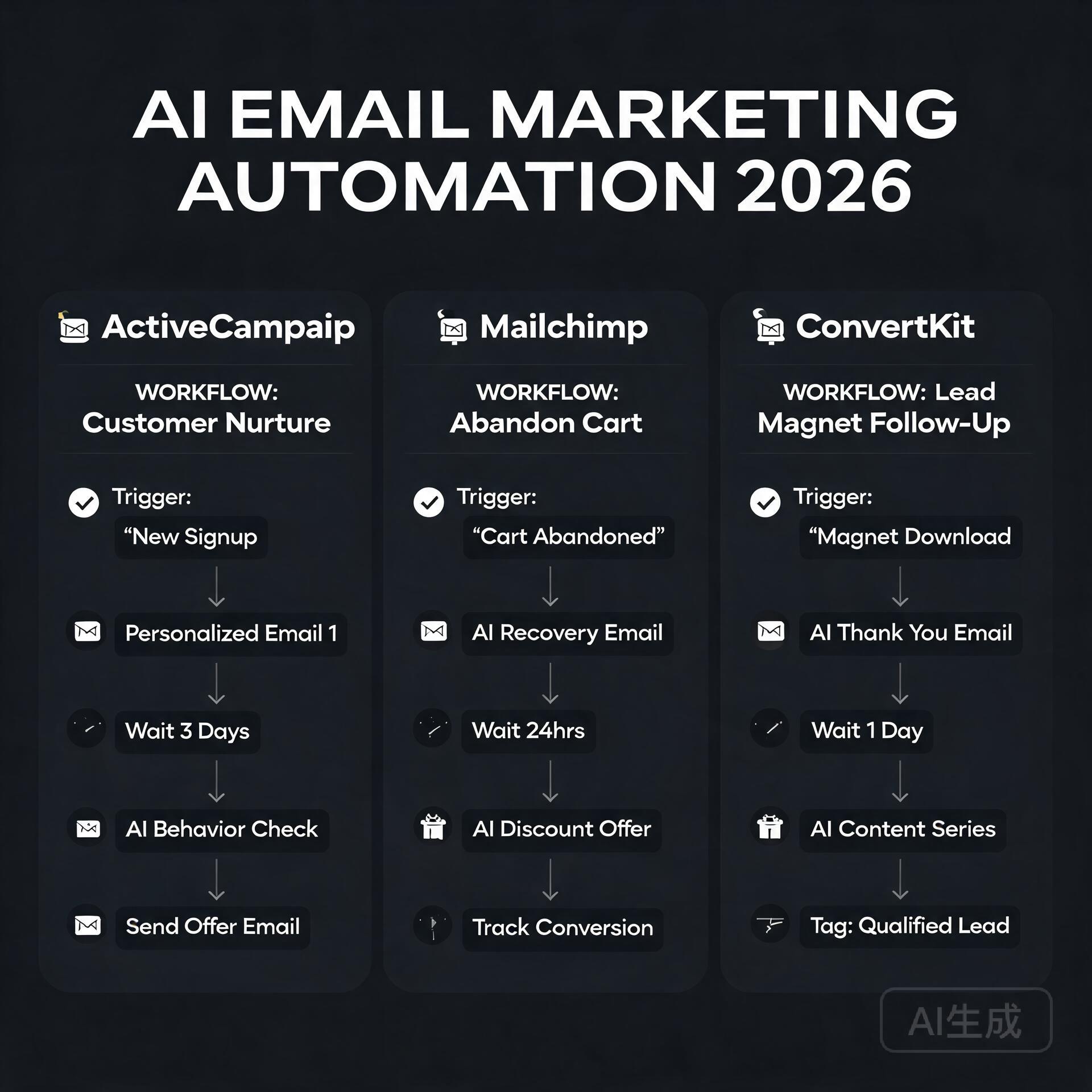
Zapier with AI integrations lets you build automated workflows without writing a single line of code. Imagine a setup where a customer fills out a form, an AI automatically drafts a personalized response, and that response lands in their inbox — all without you touching it. For small business owners, this kind of automation is genuinely transformative.
Otter.ai transcribes meetings, interviews, and calls in real time, then summarizes key takeaways and action items. If you’re a coach, consultant, or anyone who spends significant time on calls, this tool alone can save you hours every single week.
For Customer Communication and Support
Intercom with Fin AI and similar platforms have made AI-powered customer support accessible to businesses of every size. Even a solo entrepreneur running an online course or e-commerce shop can now offer 24/7 intelligent support without hiring a team.
ChatBot.com and similar tools allow you to build custom AI chatbots trained on your own content — your FAQs, product pages, documentation — so customers get accurate, brand-consistent answers around the clock.
Common Beginner Mistakes to Avoid
Learning from other people’s mistakes is always faster than making your own. Here are the pitfalls most beginners stumble into when they first start exploring AI tools:
- Expecting perfection out of the box. AI outputs are starting points, not finished products. Edit, refine, and add your expertise.
- Using vague prompts. “Write me a blog post about marketing” will get you generic content. Be specific about your audience, tone, length, and goal.
- Ignoring data privacy. Be mindful about what sensitive business or customer information you paste into AI tools, especially free versions.
- Subscribing to too many tools at once. Start with one or two, get real value, then expand. Tool sprawl kills productivity.
- Not updating their knowledge. The AI tools space moves fast. Build a habit of checking in on major updates every month — even a quick scroll through a newsletter or YouTube channel keeps you ahead of most users.
Building Your First AI Workflow: A Simple Starting Point
Here’s a beginner-friendly AI workflow that a blogger or small business owner could implement this week — no technical skills required:
- Step 1: Use ChatGPT or Claude to brainstorm content ideas and create a detailed outline for your next blog post or email campaign.
- Step 2: Generate a first draft with the AI, then spend 20–30 minutes editing it to match your voice and adding personal stories or data points.
- Step 3: Use Canva AI to create a matching featured image or social media graphic.
- Step 4: Use a tool like Buffer or Later (both now have strong AI caption features) to schedule social posts promoting that content.
- Step 5: Review performance after a week and note what worked. Iterate.
That entire workflow, from idea to published and promoted content, can now happen in under two hours for an experienced user. As a beginner, expect it to take longer at first — but you’ll be surprised how quickly it clicks.
What to Expect as You Progress
The first month of using AI tools seriously often feels like you’re barely scratching the surface. That’s completely normal. The second month is when things start to feel genuinely intuitive. By month three, most users have built habits and mini-systems that have meaningfully changed how they work.
The entrepreneurs and bloggers who get the most out of AI tools aren’t necessarily the most technical people. They’re the most curious ones — the ones who experiment, tweak prompts, try new use cases, and stay plugged into the community. That mindset is available to anyone, regardless of your background or tech comfort level.
Final Thoughts: Your AI Journey Starts With One Tool
The worst thing you can do in 2026 is wait for the “perfect moment” to start using AI tools. That moment isn’t coming — but the competitive gap between those who use these tools well and those who don’t is growing every month. The good news is that you don’t need to overhaul everything at once. You just need to start.
Pick the one tool that solves your biggest pain point. Spend a week actually using it. Let the results convince you better than any blog post can.
Ready to take action? Drop a comment below sharing which AI tool you’re planning to try first, or share the biggest challenge in your workflow that you’re hoping AI can help solve. Let’s figure it out together — that’s what this community is here for.
🛠️ Resources & Tools Mentioned
Tools our readers use most for AI tools:
AdCreative.ai — AI-powered ad creative generation
Jasper AI — AI writing platform for marketing copy
Surfer SEO — AI SEO content optimization platform
Disclosure: We may earn a commission if you sign up through these links. All recommendations are independent.
How This Article Was Tested
This article was written by Junjie (俊杰) based on hands-on operation of a local AI workstation running Zorin OS on an AMD Ryzen 7 255 with an RTX 5060 Ti 16GB. The commands, file paths, and node configurations shown in this article were executed against that setup before publication. Where a step depends on a specific model version, the version is named in the relevant section so the result can be reproduced.
Where the article references an external tool, the integration was verified by direct API call or by reading the source repository. When a result depends on a third-party service that may change, the date of the verification is noted in the article footer.
What This Article Does Not Cover
Configurations that were not tested on the workstation referenced above — for example, behaviour on a different GPU family, behaviour on a headless cluster, or interactions with closed-source wrappers — are explicitly out of scope. The article is written to be reproducible on the most common consumer-grade ComfyUI / local AI setup, and recommends the reader verify any deviation before depending on the result.
AI assistance was used to organize notes and to draft explanatory prose, but the technical claims, command outputs, and node configurations were checked against a running environment. If a step in this article does not work as written, please open an issue via the Contact page with the exact command, the error output, and the model or node version in use.
Leave a Reply