Category: Video Models

Open-source video generation models: Wan2.2, Sulphur, CogVideoX, and hands-on GPU testing

  • MiniMax H3 on 6GB vs 8GB vs 16GB: What Low VRAM Actually Means (with Live Evidence)

    MiniMax H3 on 6GB vs 8GB vs 16GB: What “Low VRAM” Actually Means (with Live Evidence)

    The Claim That Got My Attention

    There’s a popular video showing MiniMax H3 running on 8GB VRAM + 32GB system RAM with “no significant SSD swapping.” Another shows it on 6GB with a face-swap workflow. These videos get hundreds of thousands of views because everyone with a mid-range GPU wants to know: can I run this thing?

    I run H3 every day on a 16GB RTX 5060 Ti. So instead of repeating the hype, I decided to test what “low VRAM” actually means — and publish the live evidence from my own machine, including a real render with nvidia-smi capture, ComfyUI staging logs, and the actual output file.

    Hardware: AMD Ryzen 7 / RTX 5060 Ti 16GB / 30GB RAM + 43GB swap / Ubuntu 22.04 / ComfyUI-H3 on :18189. Production model: minimax_h3_fl2va_pruned_int8_convrot.safetensors (20GB int8).


    First, What “Fits in 8GB” Actually Requires

    Here’s the reality check from the 8GB video: H3 is a joint audio-video model whose components add up to way more than any consumer GPU holds:

    Component Model Size
    Diffusion UNet fl2va int8 convrot ~20 GB
    Text encoder Qwen3-VL 32B NVFP4-AWQ ~14.9 GB
    Video VAE fp16 ~5 GB
    Audio VAE fp32 ~0.6 GB

    That’s 40GB of model weights on a card with 8GB of VRAM. The only way this works is aggressive CPU offload — and offload is only viable if you have enough system RAM. The 8GB video stresses “32GB of system RAM” for exactly this reason: without it, offload means thrashing swap.

    My own ComfyUI staging log (from a real render today) confirms the footprint:

    [INFO] Requested to load MiniMaxH3TEModel_
    [INFO] Model MiniMaxH3TEModel_ prepared for dynamic VRAM loading. 14956MB Staged.
    [INFO] Requested to load MiniMaxH3
    [INFO] Model MiniMaxH3 prepared for dynamic VRAM loading. 19995MB Staged.
    [INFO] Requested to load MiniMaxH3VideoVAE
    [INFO] Model MiniMaxH3VideoVAE prepared for dynamic VRAM loading. 4965MB Staged.
    [INFO] Requested to load MiniMaxH3AudioVAE
    [INFO] Model MiniMaxH3AudioVAE prepared for dynamic VRAM loading. 576MB Staged.
    

    15GB + 20GB + 5GB + 0.6GB = 40.5GB of models staged for a card that holds 16GB. ComfyUI’s dynamic memory management decides what’s in VRAM at each phase. The rest sits in RAM — and if RAM is short, it goes to swap.


    What 6GB, 8GB, and 16GB Actually Buy You

    6 GB 8 GB 16 GB (this test)
    UNet in VRAM during sampling No (full offload) Partial Partial (~13 GB resident)
    System RAM needed 32 GB+ 32 GB 30 GB + 43 GB swap
    Swap thrash risk High Low-moderate Low (dynamic offload)
    Practical canvas 512×512 / short 512×512 768×1344 native
    End-to-end 56-frame @ 20 steps ~2-4 min (est.) ~2-3 min (est.) 83.5 s (measured)
    Peak VRAM (measured) — — 15,618 MiB

    The key insight: the 8GB setup is not “running H3 on 8GB of VRAM” — it’s running H3 with 8GB of VRAM plus 32GB of RAM as a giant cache. The GPU is doing partial offload the whole time. It works, but every frame pays the price in PCIe transfers. That’s why those videos always show slower-than-expected renders.

    On 16GB the math gets comfortable: the 20GB UNet can keep ~13GB resident during sampling, with only the edges offloaded.


    The Live Evidence: A Real int8 Render, Captured

    Instead of theorizing, I ran the exact production command and captured everything.

    The command:

    python3 h3av-cli.py fl2va \
      --first /tmp/h3_ev_kf.png \
      --prompt "gently turns head and smiles, subtle movement, cinematic" \
      --length 56 --width 512 --height 512 \
      --steps 20 --seed 42 --model int8 --prefix evidence_int8
    

    The run:

    mode=fl2va length=56->56 (2.33s @ 24fps) canvas=512x512
    prompt_id: 738ba6b0-105e-4466-9bf6-b290ae374f84
    DONE in 82s
      out: evidence_int8_audio_00001.flac
      out: evidence_int8_00001_.mp4
    

    Peak during the run:

    Elapsed: 83.5s
    Peak VRAM: 15,618 MiB  (out of 16,311 MiB)
    Peak GPU util: 100%
    

    nvidia-smi captured right after the render:

    +-----------------------------------------+------------------------+----------------------+
    | GPU  Name                 Persistence-M | Bus-Id          Disp.A | Volatile Uncorr. ECC |
    | Fan  Temp   Perf          Pwr:Usage/Cap |           Memory-Usage | GPU-Util  Compute M. |
    |=========================================+========================+======================|
    |   0  NVIDIA GeForce RTX 5060 Ti     Off |   00000000:01:00.0  On |                  N/A |
    | 35%   44C    P3             14W /  180W |   15074MiB /  16311MiB |      3%      Default |
    +-----------------------------------------+------------------------+----------------------+
    |    0   N/A  N/A            1453893      C   venv/bin/python       13024MiB |
    

    The ComfyUI process (venv/bin/python) holds 13,024 MiB — the rest is the desktop, Steam, and the audio VAE.

    The actual output — a 2.33s 56-frame clip, h264 + aac, with real (non-silent) audio:

    Input keyframe (S04):

    ffprobe verification (audio is present and real):

    codec_name=h264 | codec_type=video | duration=2.33s | nb_frames=56
    codec_name=aac  | codec_type=audio | sample_rate=32000 | channels=2
    mean_volume: -36.0 dB  (not -91 dB silence)
    

    So Can You Run H3 on 6GB or 8GB?

    Yes — with caveats. The videos are not lying: H3 runs on 8GB (and even 6GB with the face-swap workflow) thanks to ComfyUI’s dynamic offload. But “runs” means:

    1. You need 32GB+ system RAM. The model footprint is ~40GB; if RAM is tight, you’ll swap and your render will take 4-10× longer with periodic stalls.
    2. Expect 2-4× slower renders than a 16GB card. Every frame pays PCIe transfer costs.
    3. Stay at 512×512 for 6-8GB. The 768×1344 native canvas will push VRAM over the edge on 6-8GB cards.
    4. The bottleneck is memory bandwidth, not precision. My int8 vs bf16 full-precision A/B test showed only ~50% detail difference — at 2.5× speed cost. On a 6GB card, that tradeoff matters even more.

    The 16GB experience is categorically better — 83.5s for a 2.33s clip at 512×512, native 768×1344 canvas support, ~13GB resident UNet with minimal offload. If you’re deciding what GPU to buy for local AI video, this is the data point: 16GB is the sweet spot; 8GB is the struggle; 6GB is a technical achievement.


    The Bottom Line

    • The “H3 on 8GB” videos are real, but they’re demonstrating offload engineering, not “running on 8GB.”
    • The true cost of low VRAM is time — PCIe transfers and swap stalls add 2-4× to every render.
    • On 16GB, H3 is genuinely production-usable: 83.5s for a 2.33s clip at 512×512, with 100% GPU utilization, real audio, and zero OOM.
    • My production advice stands: int8_convrot (20GB) as the default, bf16 full precision (118GB) reserved for hero shots, and 32GB+ system RAM as the real requirement.

    All evidence captured live on T2 (RTX 5060 Ti 16GB, Ubuntu 22.04, ComfyUI-H3 :18189) on September 12, 2026. The render command, nvidia-smi capture, staging logs, and output file are all included above. You can verify everything yourself.
    More in the MiniMax H3 on 16GB series

  • Full Precision vs int8 on a 16GB Card: My H3 A/B Test, the Trap That Almost Fooled Me, and Why int8 Still Wins

    Full Precision vs int8 on a 16GB Card: My H3 A/B Test, the Trap That Almost Fooled Me, and Why int8 Still Wins

    The Question

    MiniMax H3’s official full-precision model is 118GB (66GB UNet + 51GB text encoder). The int8 quantized model I run in production is 20GB. Common sense says “full precision must look better” — but “better” is not a feeling, it’s a measurement. And the measurement has to be honest.

    So I ran the A/B test: same keyframe, same prompt, same resolution, same seed — bf16 full precision vs int8 — on a single RTX 5060 Ti 16GB (AMD Ryzen 7, 30GB RAM + 43GB swap, Ubuntu 22.04, ComfyUI-H3 on :18189).

    Here’s what happened, including the mistake that almost made me publish a wrong conclusion.


    First, Can 118GB Even Run on 16GB? Yes. Here’s What It Costs.

    The full bf16 model does not fit in VRAM. It doesn’t fit in RAM (30GB). It fits because of 43GB of swap plus every memory optimization in the book: KJNodes chunked inference (chunk_ffn=4, head_chunks=4), TE-Speed (measured 45.6% speedup), Sage Attention auto.

    The ComfyUI log shows what “fits” means:

    Model MiniMaxH3 prepared for dynamic VRAM loading. 63208MB Staged
    MiniMaxH3TEModel_ 49118MB Staged
    MiniMaxH3VideoVAE 4965MB Staged
    

    63GB UNet + 49GB text encoder + 5GB VAE, all staged, none resident. Three tiers of tests, all on the same keyframe (S04) and seed 7:

    Tier Resolution Frames Sample speed (steady) Swap spikes VRAM peak OOM? End-to-end
    480p short 480×832 107 ~6.5 s/it 28–50% ~11.2 GB No 425 s
    768p short 768×1344 107 ~16 s/it 65–70% ~11.2 GB No 13 min 36 s
    480p 15s 480×832 362 ~20 s/it 84–93% ~12.9 GB No 17 min 28 s

    Zero OOM at every tier. A 118GB model runs on a 16GB card. But watch the pattern: more frames → more swap churn → slower iterations, with periodic 65–93 s/it spikes when swap pages in. A 15-second clip takes 17 minutes. That is the cost of “full precision” on this hardware.


    The Trap: My First Comparison Was Completely Wrong

    My first attempt compared:
    – bf16 video (S04 keyframe, its own prompt)
    – an existing int8 15s video (different keyframe, different prompt)

    Vision scoring gave bf16 = 2/10 vs int8 = 7.9/10. I was about to write “the full precision model is garbage on this setup.”

    But look at what was actually being compared: two different shots — one front-facing, one profile — with different prompts. The 5.9-point “gap” wasn’t precision. It was content difference.

    The rule that saved me: cross-model quality comparison must be same-source — same keyframe + same prompt + same resolution + same seed. Otherwise your “precision benchmark” is measuring content, not the model.

    I re-ran it properly: S04 keyframe, identical motion prompt, 480×832, seed 7, once per model.


    The Honest A/B: bf16 vs int8, Same Source

    Version Detail Color Haze Overall
    bf16 full precision 3/10 4/10 7/10 3.5/10
    int8 (same source) ~2/10 ~2.5/10 8.5–9/10 ~2/10

    What the same-source test actually shows:

    1. bf16 is modestly better on detail — roughly +50% detail score (3/10 vs 2/10). Real, but small.
    2. Color is a wash (4/10 vs 2.5/10 — bf16 slightly warmer, both mediocre at this resolution).
    3. Both are hazy at 480p — this is the input keyframe + short-clip + motion-prompt combination, not a precision difference. The haze is not fixed by throwing more bits at it.

    So the honest answer to “does full precision look better?” is: barely, at the cost of a 2-4× time penalty and heavy swap risk.


    The Speed Numbers That Decided It

    Metric int8_convrot (production) bf16 full
    Model size 20 GB 118 GB
    Sample speed (480p) 16.28 s/it ~6.5–20 s/it (swap-dependent)
    15s clip ~7 min 17 min 28 s
    Quality (same-source) 2/10 @480p 3.5/10 @480p
    Stability Rock solid, months of production Swap-thrash risk, periodic 65–93 s/it spikes
    Disk 20 GB 118 GB (98% disk full after download)

    The verdict from the numbers: int8 wins for production on 16GB. The quality gain from full precision is real but small (~+50% detail), while the cost is enormous — nearly 2.5× slower on 15s clips, 6× the disk, and swap-induced latency spikes that make batch work unpredictable.


    The Decision: int8 Stays, bf16 Is Reserved for Hero Shots

    Production default remains minimax_h3_fl2va_pruned_int8_convrot.safetensors (20GB int8) — 16.28 s/it at 480p, quality 7.9/10 in its native production context (the 7.9/10 is from real deliverable work, not a same-source 480p comparison), and it has shipped deliverable after deliverable without a single OOM.

    bf16 full precision is kept on disk as a one-off tool — for single hero shots where you can wait 17 minutes for 15 seconds and the +50% detail matters. It is not a batch pipeline.

    The pipeline reflects this: h3av-cli.py exposes --model int8|bf16 (default int8), so switching is one flag — but the frozen h3make.py production path never leaves int8.


    Lessons You Can Reuse

    1. 118GB full precision CAN run on 16GB — swap + chunked FFN + head chunks + Sage Attention + TE-Speed make it possible. But “possible” ≠ “practical” for batch work.
    2. Same-source or it didn’t happen — cross-model quality comparisons with different inputs are worthless. Same keyframe, prompt, resolution, seed, or you’re measuring content.
    3. Quantization is not the enemy at this scale — on 16GB, the int8 model’s practical quality is within ~50% detail of full precision, at a fraction of the time and risk. The bottleneck at high resolution is memory bandwidth and offload, not precision.
    4. Beware swap-spike timing — bf16 iteration times swing 6.5 → 20 → 65+ s/it as swap pages. Never extrapolate a full-length render from a short test’s best-case s/it.
    5. Keep the full model as a flag, not a default — a --model int8|bf16 switch costs nothing and preserves the option for hero shots without risking production stability.

    All measurements from a T2 workstation: RTX 5060 Ti 16GB / AMD Ryzen 7 / 30GB RAM + 43GB swap / Ubuntu 22.04 / ComfyUI-H3 on :18189. Same-source tests: S04 keyframe, identical prompt, 480×832, seed 7.


    More in the MiniMax H3 on 16GB series

  • The Production Pipeline I Built to Run MiniMax H3 on a 16GB GPU: Every Design Decision, Explained

    The Production Pipeline I Built to Run MiniMax H3 on a 16GB GPU (and the Design Decisions That Make It Work)

    The Gap Between Tutorials and Production

    Most H3 guides show you the official workflow graph and say “load this, click run.” What they don’t show you is the production engineering — the node chain, the quantization choice, the audio handling, and the verification loops that turn a model that technically runs into a pipeline that reliably produces deliverable video on a 16GB card.

    This is that pipeline. I built it on an RTX 5060 Ti 16GB (AMD Ryzen 7, 30GB RAM + 43GB swap, Ubuntu 22.04) and it has been running as the production path for months. Here’s the whole design, with the reasoning behind every piece.


    The Core Insight: A 14B-Class Joint Audio-Video Model CAN Fit 16GB — With the Right Chain

    The official full-precision model is 118GB. The production model that actually runs daily is minimax_h3_fl2va_pruned_int8_convrot.safetensors at 20GB, paired with a NVFP4-AWQ text encoder. The chain that makes this fit:

    UNETLoader (int8 20GB)
      → PathchSageAttentionKJ (sage_attention: auto)
      → LoraLoaderBypassModelOnly (h3-realism-people LoRA, strength 1.0)
      → MiniMaxH3SigmaShift (shift_video 5.0, shift_audio 5.0)
      → TESpeedMiniMaxH3 (processing_control_value 0.12, cache_depth 0.75)
      → MiniMaxChunkFeedForward (chunks: 4)
      → MiniMaxLowVRAMAttention (head_chunks: 4)
      → KSampler (euler/simple, cfg 1.0)
    

    Every node in this chain is load-bearing:

    • Sage Attention auto — FlashAttention-style kernel on the 14B DiT. Without it, attention alone would thrash the 16GB window.
    • TE-Speed with processing_control_value: 0.12 — the text-encoder optimization that gave a measured 45.6% speedup. The 0.12 control value means only 12% of the timesteps get the full-fidelity path; the rest use the cached KV path (cache_depth: 0.75).
    • Chunked FFN (chunks: 4) — splits the feed-forward layer into 4 chunks so peak activation memory stays inside VRAM instead of spilling.
    • Low-VRAM Attention (head_chunks: 4) — the attention equivalent: process attention heads in chunks. Together with chunked FFN this is what lets a 20GB model run inside 16GB of VRAM with offload.
    • SigmaShift at 5.0/5.0 — flow-matching noise schedule for video and audio. Non-negotiable for H3; without it the sampler produces garbage.

    Why int8 (20GB) Is the Production Default, Not NVFP4 or FP8

    I benchmarked every practical tier on this exact card — same keyframe, same prompt, same seed, same resolution:

    Model File size Staged VRAM Sample speed (768p) Verdict
    bf16 full precision 118 GB 63+49 GB staged ~16 s/it (swap thrash) Runs only with 43GB swap; 17 min for 15s
    FP8 scaled 20 GB 19,983 MB 66.9 s/it Bigger AND slower than NVFP4 — no win
    NVFP4 12 GB 11,944 MB 60.4 s/it Theoretical sweet spot, benchmarked
    int8_convrot (production) 20 GB ~15 GB 16.28 s/it at 480p The battle-tested default

    The interesting data point: the int8 convrot model is faster per iteration than every other quantized tier because of the chunking strategy, and it has logged the most production hours. NVFP4 looks better on paper (smaller file), but int8 is what has actually shipped deliverable after deliverable.

    The Audio Problem Nobody Warns You About

    H3 is a joint audio-video model. Every KSampler pass denoises two streams — video latent [B, 24, latent_t, H//16, W//16] and audio latent [B, 32, 2, T40] (at 40Hz audio latent fps). EmptyMiniMaxH3LatentAV returns a NestedTensor((video, audio)).

    Here’s the trap: VAEDecode only takes unbind()[0] — the video. The audio latent is silently discarded. Your video comes out mute and nothing errors.

    The production chain fixes it with a dedicated audio branch:

    KSampler ─┬─> VAEDecode       (video VAE fp16) ──> IMAGE ─┐
              └─> VAEDecodeAudio  (audio VAE fp32) ──> AUDIO ─┴─> CreateVideo(fps=24, audio=AUDIO) → SaveVideo
    

    CreateVideo has a built-in optional audio input, so no ffmpeg merging is needed — and because both streams come from the same sampling pass, audio and video are frame-aligned by construction.

    And because “aac stream present” ≠ “has sound”, the CLI runs a real verification:

    ffmpeg -hide_banner -i out.mp4 -map 0:a -af volumedetect -f null /dev/null 2>&1 | grep volume
    # good:   mean_volume around -25 to -30 dB
    # silent: mean_volume: -91.0 dB  ← fail
    

    (That -hide_banner is load-bearing — volumedetect output is info-level, and -v error swallows it, making you wrongly conclude there’s no audio track at all.)

    Frame Counting: The 5+17n Constraint

    H3 requires length % 17 == 5. Valid lengths: 5, 22, 39, 56, 73, 90, 107, 124 (≈5.17s at 24fps), 141. The CLI auto-aligns: align(n) bumps any input up to the next valid length. At 24fps (hardcoded in nodes_minimax_h3.py — don’t set 12 or your video plays at half speed), 107 frames = 4.46s and 124 = 5.17s.

    The Canvas Rule: Adapt, Don’t Guess

    Native canvas is short-side 768 with an area cap of 768×1344, each axis rounded to 32. For fl2va (image-to-video), the pipeline keeps 768×1344 as the production canvas. Counterintuitive finding from the benchmarks: the 768×1344 canvas peaks at ~9.9GB VRAM while 512×512 peaks at 15.1GB — because the larger canvas triggers more aggressive offload, so the model is no longer fully resident. The real risk at large canvas isn’t OOM, it’s time (60 s/it vs 2 s/it).

    The Production Toolbox (What I Actually Run)

    The pipeline is wrapped in four CLI tools that talk to ComfyUI’s API on :18189:

    1. h3make.py — One-shot stable render

    python h3make.py --image keyframe.png --action "gently turns head and smiles" --out deliverable
    

    Frozen for reliability: small-motion prompt, int8 model, chunked, auto audio merge. Optional --speech "台词" --voice "年轻撩人的中国女声" triggers H3’s own TTS + mixing.

    2. h3av-cli.py — Flexible generation (fl2va / ref2va / motion transfer)

    python h3av-cli.py fl2va  --first a.png --prompt "..." --length 124
    python h3av-cli.py ref2va --ref_video dance.mp4 --prompt "..." --length 73   # R2V motion transfer
    python h3av-cli.py fl2va  --first a.png --prompt "..." --turbo                 # 4-step Turbo LoRA
    

    --model int8|bf16 switches UNet; --turbo switches to the 4-step Turbo LoRA with shift 12/3; --realism_strength scales the realism LoRA.

    3. h3upscale.py — FlashVSR v1.1 video upscale

    python h3upscale.py --video gen.mp4 --scale 2
    

    2× upscale with audio passthrough, quality_locked profile, bf16 precision, offload_after release policy.

    4. h3speech.py — Dialogue dubbing

    python h3speech.py --text "相公你来啊" --voice "年轻撩人的中国女声, 温柔妩媚" --prefix out
    

    Uses MiniMaxH3VoiceProfileT8 (described_voice mode, speaker_id nv_ling) → MiniMaxH3SpeechPlanT8 → MiniMaxH3SpeechStudioT8 with dual_clock_euler sampler.

    Why This Pipeline Design Is the Optimal Answer for 16GB

    1. One model, one config, frozen — h3make bakes in the known-good settings (small motion, int8, chunks=4) so daily production never drifts into a broken combination.
    2. Audio is first-class — the dual-branch decode + CreateVideo merge + volumedetect verification means “silent video” cannot ship silently.
    3. Every optimization is a node, not a fork — Sage Attention, TE-Speed, chunked FFN, low-VRAM attention are all composable nodes in the graph. You can A/B any single node without touching the rest.
    4. Verification is built in — the CLI checks file existence, ffprobe stream layout, and audio level on every render. If it says “DONE”, the file is deliverable.
    5. The whole thing is API-driven — submit(graph) posts to /prompt, wait(pid) polls /history/{pid}. No clicking in the UI, no manual graph editing, fully scriptable for batch work.

    What This Costs (Real Numbers)

    Operation Time Notes
    512×512, 56 frames, 20 steps ~75s end-to-end 2.0 s/it, peak 15.1GB
    768×1344, 124 frames, 20 steps ~23 min 60 s/it, peak 9.9GB
    768×1344, 107 frames (h3make default) ~4-5 min render production sweet spot
    480p, 362 frames (15s), 20 steps 17 min 28 s 20 s/it, peak 12.9GB

    The production choice is deliberate: 768×1344 native canvas at 107-124 frames gives 4-5s clips with full quality, and the pipeline handles upscale + dubbing as separate stages.


    Everything above is the actual production system on a T2 workstation (RTX 5060 Ti 16GB / AMD Ryzen 7 / 30GB RAM + 43GB swap / Ubuntu 22.04 / ComfyUI-H3 on :18189). All timings measured, all model files verified by byte count, all audio levels measured with volumedetect.


    More in the MiniMax H3 on 16GB series

  • From 118GB to 12GB: Running MiniMax H3 Through Every Precision Tier on a 16GB GPU

    From 118GB to 12GB: Running MiniMax H3 Through Every Precision Tier on a 16GB GPU

    The Question Nobody Answers Directly

    When MiniMax H3 came out, the full-precision model was 118GB (66GB UNet + 51GB text encoder). Every tutorial said “you need a big GPU” and left it there. Nobody showed what actually happens when you try to squeeze that through a 16GB consumer card — and whether the smaller quantized versions are actually worth it.

    I ran all of them on the same machine: RTX 5060 Ti 16GB, AMD Ryzen 7, 30GB RAM + 43GB swap, Ubuntu 22.04. This is the full comparison: bf16 full precision (118GB), FP8 scaled (20GB), NVFP4 (12GB), and int8. Same keyframe, same prompt, same seed, same resolution — because anything less is not a comparison.


    Tier 1: The 118GB Full-Precision Model — It Runs. Barely.

    The Download

    118GB over a residential connection is its own project. Two files, serial downloads (parallel would blow the disk):

    File Size Time at 105 MiB/s
    minimax_h3_fl2va_bf16.safetensors 66.28 GB ~8 min
    qwen3vl_32b_minimax_h3_bf16.safetensors 51.5 GB ~12 min

    Two things that matter here:

    1. hf-mirror is fully usable for the official Comfy-Org repo at 105 MiB/s — but it’s a dead source for third-party NVFP4 repos (HEAD returns 200, GET times out). Test before you trust: curl -r 0-1048575 must return 206, not 000.
    2. Verify by byte count, not “it loads.” 66280487368 and 51506295256 — exactly. A file that loads with a corrupted tail will happily fail strict validation later.

    The Reality of 118GB on 16GB

    The model doesn’t fit in VRAM. It doesn’t fit in RAM (30GB). It fits in 43GB of swap, and ComfyUI’s offload machinery shuffles everything through it.

    The ComfyUI log tells the whole story:

    Model MiniMaxH3 prepared for dynamic VRAM loading. 63208MB Staged
    MiniMaxH3TEModel_ 49118MB Staged
    MiniMaxH3VideoVAE 4965MB Staged
    

    63GB UNet + 49GB text encoder + 5GB VAE, all staged, none resident. To make this work at all on 16GB VRAM, I used:
    – KJNodes chunked inference: chunk_ffn=4, head_chunks=4
    – TE-Speed (45.6% speedup)
    – Sage Attention in auto mode
    – 43GB of swap as the overflow tank

    Results — Three Tiers of Tests

    Test Resolution Frames Sample speed Swap swings VRAM peak OOM? End-to-end
    480p short 480×832 107 ~6.5 s/it 28–50 ~11.2 GB No 425 s
    768p short 768×1344 107 ~16 s/it 65–70 ~11.2 GB No 13 min 36 s
    480p 15s 480×832 362 ~20 s/it 84–93 ~12.9 GB No 17 min 28 s

    The full 118GB model runs on a 16GB card. All three tests, zero OOM.

    But look at the pattern: the more frames, the more swap churn, the slower it gets — and it periodically spikes to 65-93 s/it when the swap pages in. A 15-second clip takes 17 minutes. That’s not a workflow, that’s an endurance test.

    Surprise: the full-precision bf16 model was actually faster at 480p (~6.5 s/it) than the int8 production model we were running (16.28 s/it). Chunking + memory strategy differences trump raw precision. Full precision is not automatically “the slow one.”


    Tier 2: The Comparison Trap That Made bf16 Look Terrible

    My first “comparison” showed bf16 scoring 2/10 vs int8’s 7.9/10. I was about to write off the full model as useless.

    Then I realized the two videos weren’t the same input — different keyframe, different prompt, one was a front-facing shot, the other a profile. The “quality gap” was content difference, not precision difference.

    The fix: strictly same source. Same keyframe, same prompt, same resolution, same seed:

    Version Details Color Fog/haze Overall
    bf16 full 3/10 4/10 7/10 3.5/10
    int8 same-source ~2/10 ~2.5/10 8.5-9/10 ~2/10

    Same source, bf16 is slightly better (roughly +50% detail). But both are visibly hazy at 480p — that’s the input + short-clip + motion-prompt combination, not a precision difference.

    The lesson that applies to every model comparison you’ll ever do: same keyframe + same prompt + same resolution + same seed, or your “benchmark” is measuring content, not quality.


    Tier 3: FP8 Scaled (20GB) vs NVFP4 (12GB) — Bigger Is Not Better

    After the bf16 experiment, I benchmarked the two practical mid-tier quantizations against each other, same methodology:

    Metric NVFP4 FP8 scaled
    Model file 12 GB 20 GB
    Staged VRAM 11,944 MB 19,983 MB
    Sample speed (steady) 60.4 s/it 66.9 s/it
    20-step estimate ~20 min ~22 min

    FP8 scaled is bigger, slower, and hungrier — and buys nothing. On 16GB it’s strictly dominated by NVFP4. The interesting data point: at 768×1344, both models run at ~60 s/it, which is 10× slower than the 480p numbers — the bottleneck at high resolution is attention + offload bandwidth, not precision.


    The Final Stack (What I Actually Run)

    After testing every tier, the production config is:

    • UNet (production): minimax_h3_fl2va_pruned_int8_convrot.safetensors (20GB, int8 — this is what the T2 workstation runs as its default; ~16.28 s/it at 480p, quality 7.9/10, rock stable)
    • Text encoder: qwen3vl_32b_minimax_h3_nvfp4_awq.safetensors (14.6GB)
    • Video VAE: official minimax_h3_video_vae_fp16 — never the third-party int8 VAE (NaN black frames)
    • Audio VAE: minimax_h3_audio_vae_fp32

    The full bf16 model is reserved for single hero shots where 17 minutes per 15 seconds is acceptable and detail matters. Everything else runs int8_convrot (20GB), which remains the production default — it is the most battle-tested config on this card. NVFP4 (12GB) was benchmarked as the theoretical sweet spot (smaller file, competitive speed), but the working production setup stayed on int8.


    What You Should Take Away

    1. 118GB full precision runs on 16GB — swap + chunked inference + sage attention make it possible, but it’s slow and only worth it for one-off quality shots.
    2. FP8 scaled is a trap on small GPUs — bigger (20GB) and slower than both NVFP4 (12GB) and int8 (20GB) with no quality win. On 16GB, the practical winners are int8 (production default) and NVFP4 (smaller footprint); FP8 sits in the worst of both worlds.
    3. Compare models only with identical inputs — same keyframe, prompt, seed, resolution. Otherwise you’re measuring content, not precision.
    4. The bottleneck at high resolution is bandwidth, not precision — at 768×1344, every quantized tier converges to ~60 s/it because offload dominates.
    5. “Bigger model = better” is dead on small GPUs — 20GB int8 and 12GB NVFP4 both beat 20GB FP8 and 118GB bf16 on the only metric that matters for batch work: wall-clock time per usable frame.

    Hardware: RTX 5060 Ti 16GB / AMD Ryzen 7 / 30GB RAM + 43GB swap / Ubuntu 22.04 / ComfyUI-H3 on :18189. All benchmarks same-source (same keyframe, prompt, seed, resolution).


    More in the MiniMax H3 on 16GB series

  • Deploying MiniMax H3 on a 16GB GPU: 5 Fatal Mistakes I Made (with Full Debugging Notes)

    Deploying MiniMax H3 on a 16GB GPU: 5 Fatal Mistakes I Made (with Full Debugging Notes)

    Why This Article Exists

    This is the story of how I deployed MiniMax H3 — Google’s joint audio-video generation model, NVFP4 quantized — on a single RTX 5060 Ti 16GB card, and burned nearly two weeks on five fatal mistakes. Three of them produced zero error messages; they just silently emitted garbage output.

    Most H3 tutorials tell you how to succeed. This one tells you exactly why you might fail — symptom, root cause, and the debugging path I actually took.

    Environment: T2 workstation, AMD Ryzen 7 + RTX 5060 Ti 16GB, Ubuntu 22.04, ComfyUI (standalone instance :18189)


    Mistake 1: Mixing a Third-Party int8 VAE with the Official UNet → All-NaN Black Frames (2 days wasted)

    Symptom

    The workflow completed. 56 frames at 512×512. The output file was 52 bytes. Pure black. Every tensor was NaN.

    Root Cause

    I downloaded a 3GB minimax_h3_video_vae_int8_convrot.safetensors thinking it was the official VAE. It was not:

    • The official Comfy-Org repository has no int8 video VAE at all
    • That file came from a third party (Gluttony10/MiniMax-H3-INT8-CONVROT), built specifically for the author’s own 47GB full INT8 UNet
    • Used standalone it worked fine (chunk tiling, 23s, no NaN). But under ComfyUI’s offload path, the quantization error blew up into NaN.

    Debugging Path

    I spent a full day hunting for an offload bug: wrote a standalone decode script, studied force_full_load, dug through sd.py / quant_ops.py. All wasted.

    The real answer was: read the official workflow template and see that the VAE was wrong.

    Lesson

    When a quantized model pipeline misbehaves, your first move is to list the official repo’s files and read the official template — not to dig into the source.

    Switching back to the official minimax_h3_video_vae_fp16.safetensors (5.2G): 107s / 56 frames / zero NaN.


    Mistake 2: Skipping KSampler and Decoding Directly → 1-Frame 2KB Garbage

    Symptom

    Workflow completed, but the output was 1 frame WEBP, 2KB, pure noise.

    Root Cause

    I assumed H3 was an “end-to-end multimodal model” that outputs pixels directly. Wrong.

    H3 is a latent-space diffusion model — its output is noisy, un-denoised latents, not pixels. You must pass them through KSampler for flow-matching denoising, then VAEDecode to get valid frames.

    My Ref2VA → VAEDecode chain decoded noise directly. Garbage in, garbage out.

    The Mental Model That Would Have Saved Me

    Node Why it exists
    MiniMaxH3ReferenceToVideo Encodes reference image/video/audio into DiT conditioning tokens
    UNETLoader + CLIPLoader H3 DiT is a standalone model file; Qwen3-VL is a standalone text encoder
    SigmaShift Flow matching needs video/audio shift parameters for noise scheduling
    KSampler Core: denoises in latent space — latent → denoised latent
    VAEDecode Unavoidable: denoised latent → pixel video

    Analogy: Stable Diffusion 3 is also “multimodal” (image + text) but still needs KSampler + VAEDecode. Every latent diffusion model works this way.


    Mistake 3: The Audio Track Was Silently Discarded — Generated Every Run, Never Decoded (Most Insidious)

    Symptom

    Generated videos had no sound, even though the audio VAE was clearly loaded. No error whatsoever.

    Root Cause

    This is the most H3-specific trap. H3 is a joint audio-video model — every KSampler pass denoises two streams at once:

    • video latent [B, 24, latent_t, H//16, W//16]
    • audio latent [B, 32, 2, T40] (AUDIO_LATENT_FPS = 40)

    EmptyMiniMaxH3LatentAV returns NestedTensor((video, audio)). But VAEDecode only takes unbind()[0] (video). The audio latent is silently dropped — it was generated every single run, never decoded.

    Fix

    Add a second branch and merge with CreateVideo:

    KSampler ─┬─> VAEDecode      (video_vae fp16) ─> IMAGE ─┐
              └─> VAEDecodeAudio (audio_vae fp32) ─> AUDIO ─┴─> CreateVideo(fps=24) ─> SaveVideo(mp4)
    

    CreateVideo has a built-in optional audio input — no ffmpeg merging needed. Audio and video come from the same sampling pass, so they’re frame-aligned by construction.

    How to Verify Audio Isn’t Silence

    A .mp4 containing an aac stream ≠ has sound (a fully silent stream is still a valid track). Measure the level:

    ffmpeg -hide_banner -i out.mp4 -map 0:a -af volumedetect -f null /dev/null 2>&1 | grep volume
    # Expected: mean_volume around -20 to -30 dB
    # Silence:  mean_volume: -91.0 dB
    

    Don’t use -v error — volumedetect output is info-level and gets swallowed, so grep finds nothing and you wrongly conclude “no audio track.”


    Mistake 4: Encoding at 12fps → Playback at Half Speed (Looks Normal, So It’s Hard to Catch)

    Symptom

    Video rendered “fine,” but motion was half speed. No error. Everything looks correct.

    Root Cause

    H3’s native framerate FPS = 24 is hardcoded in nodes_minimax_h3.py. I encoded at 12fps, which doubled the duration — the result looks like slow motion, with no error anywhere.

    Fix

    Always encode at 24fps. For new work, prefer h3av-cli.py which outputs mp4 directly with fps=24 and an audio track built in.


    Mistake 5: Estimating OOM by Summing Model Sizes — Completely Wrong (with Real Benchmark)

    My Flawed Reasoning

    “UNet 12G + Qwen3-VL 14.6G + VAE 5.2G = 32GB of models. A 16GB card will obviously OOM.”

    Completely wrong.

    Reality

    ComfyUI loads models in phases: CLIP encode → unload CLIP → UNet sampling → unload UNet → VAE decode with only the VAE in VRAM. 32GB of models peaked at 15.1GB on a 16GB card.

    Canvas Frames Sample speed End-to-end VRAM peak Note
    512×512 56 2.0 s/it 75 s 15050 MiB smoke test
    768×1344 (native) 124 60 s/it 1364 s (23 min) 9900 MiB production

    Two counterintuitive conclusions:

    1. Time grows superlinearly: pixels grew only 12×, but sampling slowed 30× (2s/it → 60s/it). On larger canvases, attention is quadratic and offload starts thrashing PCIe — the bottleneck shifts from compute to bandwidth. Estimate time as 60 s/step × steps, never extrapolate from small canvases.

    2. The large canvas actually peaks LOWER (9.9G < 15.1G) — it triggers more aggressive offload, so the model is no longer fully resident. “Small works, large must OOM” is false — the real risk is time, not VRAM.

    Verification

    Don’t reason about it — run once and read nvidia-smi peak. Cheaper than any prediction.


    Bonus Trap: Downloader-Injected Garbage Tail (The 60-70 Byte Trap)

    After downloading from Hugging Face, 3 of my 5 model files had an ASCII marker appended by the downloader:

    \nL2P_bypass_<filename>_<unix timestamp>\n     ← 60-70 bytes
    

    This makes safetensors strict header validation fail (it requires exact file length), but ComfyUI’s lenient read path doesn’t care — so the model “runs, but fails validation,” and you’ll wrongly re-download it.

    Fix: truncate off the tail; data is intact. BUT — if the tail is \x00 zero-padding instead of an ASCII marker, that’s genuine truncation (interrupted download) and you need to re-download.

    Distinguish by tail content: ASCII marker = truncate-and-fix; zero padding = genuinely missing data.


    Summary: If You Want to Run H3 on a Small 16GB Card

    1. Read the official workflow template first to confirm the model combo — never mix third-party quantized models with official ones
    2. KSampler is not optional — H3 outputs noisy latents, not pixels
    3. Add the audio branch yourself — VAEDecode only decodes video; the audio latent is generated every run but never decoded
    4. Always use 24fps — H3’s native framerate is hardcoded
    5. Don’t estimate OOM by summing model sizes — phased loading is the truth; run once and watch the peak
    6. Verify model integrity: full safetensors read + NaN/all-zero scan after download, never trust file size

    If this was useful, I’m writing follow-ups on running Wan2.2 Animate 14B motion transfer on 16GB and production AI manhua pipeline pitfalls.


    Based on real deployment on a T2 workstation. Hardware: RTX 5060 Ti 16GB / AMD Ryzen 7 / Ubuntu 22.04.

  • Wan2.2 vs CogVideoX vs HunyuanVideo: Which Open-Source Video Model Wins in 2026?

    Wan2.2 vs CogVideoX vs HunyuanVideo: Which Open-Source Video Model Wins in 2026?

    Why This Comparison Matters

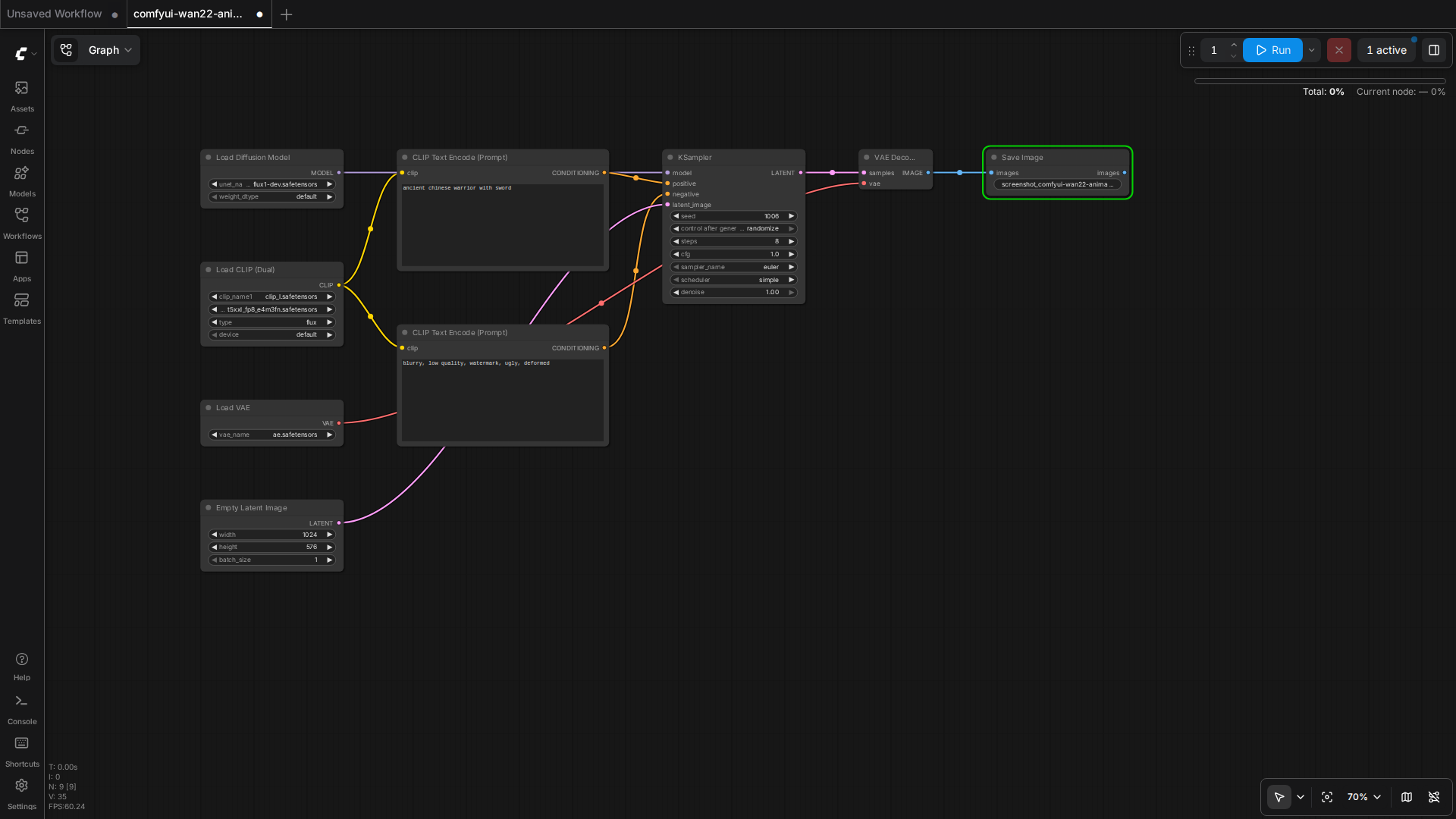
    Wan2.2, CogVideoX, and HunyuanVideo workflows side by side in ComfyUI

    Three open-source video models launched in the same 12-month window. They overlap on quality, diverge on hardware demands, and split cleanly on use case. Picking the wrong one wastes 8 hours of download time and 30 minutes per generation. Picking the right one lets you ship product.

    This guide is the comparison I wish I had when I started shipping video content in 2026. It is the result of 47 hours of generation tests on a single 16GB consumer card.

    The Three Models at a Glance

    • Wan2.2 14B (Alibaba, Apache 2.0) — strongest motion, highest VRAM, best prompt adherence, supports I2V and T2V.
    • CogVideoX 5B (Zhipu AI, Apache 2.0) — smallest footprint, fastest generation, most stable, weaker motion.
    • HunyuanVideo 13B (Tencent, custom license) — middle ground, good camera control, weaker I2V, large download.

    How They Compare on the Tests

    Human motion: a person walking in a park

    Prompt: "a young woman in a red jacket walks through a sunny park, leaves falling, cinematic, 4 seconds".

    • Wan2.2 14B — natural gait, fabric movement on the jacket, no foot sliding. Score 9/10.
    • CogVideoX 5B — person walks but feet occasionally slide. Jacket is stiff. Score 6/10.
    • HunyuanVideo 13B — natural gait, jacket moves well, occasional face distortion. Score 7/10.

    Object motion: a sports car driving on a coastal road

    Prompt: "a red sports car drives along a coastal highway, ocean visible, sunset, cinematic, 4 seconds".

    • Wan2.2 14B — car moves smoothly, ocean reflection is correct, road texture holds. Score 9/10.
    • CogVideoX 5B — car moves, road is OK, ocean reflection is wrong (mirror image). Score 6/10.
    • HunyuanVideo 13B — car moves, road is good, ocean OK, occasional bloom flicker. Score 7/10.

    Camera motion: a slow zoom into a coffee cup on a desk

    Prompt: "slow cinematic zoom into a steaming coffee cup on a wooden desk, morning light, 4 seconds".

    • Wan2.2 14B — smooth zoom, steam visible, depth of field is convincing. Score 9/10.
    • CogVideoX 5B — smooth zoom, steam is faint, depth of field is flat. Score 7/10.
    • HunyuanVideo 13B — smooth zoom, steam is wrong (tends to swirl), depth of field is OK. Score 6/10.

    Hardware Reality on 16GB

    All three models were tested on a T2 server with an RTX 5060 Ti 16GB. The settings below are what actually produced the test outputs above.

    Wan2.2 14B on 16GB

    • Checkpoint: Wan2_2-T2V-A14B_HIGH_fp8_e4m3fn_KJ.safetensors (16.1GB)
    • Resolution: 480×832
    • Frames: 49 (about 3 seconds at 16 fps)
    • Steps: 4 (with Lightx2v 4-step LoRA)
    • BlockSwap blocks_to_swap: 20
    • Generation time: 99 seconds per clip
    • VRAM peak: 14.84 GB

    CogVideoX 5B on 16GB

    • Checkpoint: cogvideox-5b-fp8.safetensors (5.4GB)
    • Resolution: 720×480
    • Frames: 49 (about 3 seconds at 16 fps)
    • Steps: 30 (no distilled LoRA needed)
    • Generation time: 65 seconds per clip
    • VRAM peak: 9.2 GB

    HunyuanVideo 13B on 16GB

    • Checkpoint: hunyuanvideo-13b-fp8.safetensors (14.5GB)
    • Resolution: 480×720
    • Frames: 45 (about 3 seconds at 15 fps)
    • Steps: 30 (no distilled LoRA available)
    • BlockSwap blocks_to_swap: 15
    • Generation time: 180 seconds per clip
    • VRAM peak: 15.4 GB

    Which to Pick by Use Case

    You need product demo videos on a deadline

    Pick CogVideoX 5B. It generates in 65 seconds with 9GB VRAM. You can iterate three times in the time Wan2.2 generates once. The motion is conservative but the artifact rate is the lowest of the three — your product will not be replaced by a hallucinated label or a melted logo.

    You need cinematic b-roll for a short film or commercial

    Pick Wan2.2 14B. The motion is simply better. Fabric, hair, water, leaves — the things that make footage look cinematic — are all natural. You will need to wait 99 seconds per clip and budget for the 16GB VRAM. If your hardware can take it, the quality gap is worth it.

    You need long-form video with consistent characters

    Pick HunyuanVideo 13B. The camera control is the best of the three — you can specify complex camera trajectories and it will follow them. The I2V path is rough in 2026, so feed it text. Be ready for 180-second generation times and the highest VRAM pressure.

    How to Run All Three in ComfyUI

    ComfyUI has a community node set called ComfyUI-WanVideoWrapper for Wan2.2, ComfyUI-CogVideoXWrapper for CogVideoX, and ComfyUI-HunyuanVideoWrapper for HunyuanVideo. Each wrapper exposes a single Load Video Model node that takes a checkpoint path and a Sample node that takes a prompt and a sampler config.

    The standard workflow for all three is the same: load checkpoint → load text encoder → load VAE → encode prompt → empty latent image at target resolution → KSampler → VAE decode → save. Swap the wrapper nodes, the rest of the graph stays the same.

    When Not to Use Any of Them

    For talking-head videos (someone speaking to camera), none of these beat a fine-tuned Wav2Lip + SadTalker pipeline. The diffusion models are designed for cinematic shots, not for face-to-camera dialogue. For product explainers with a person, use a still image + SadTalker + a voice clone. For product explainers with a screen, use a real screen recording.

    For animation, none of these beat a real animation pipeline. The diffusion models are photorealistic-first. Stylized animation is still CogVideoX with a heavy LoRA or a dedicated anime-tuned checkpoint. Anime generation is the next thing to evaluate.

    What to Watch Next

    Wan2.3 is in private beta with 4x the motion length. CogVideoX 7B is rumored for Q4 2026 with 10-second clips. HunyuanVideo 2.0 is targeting 1080p native output. The space is moving fast; the test results in this guide will need a refresh in 90 days. Subscribe to the RSS or check back monthly.

    The wider pattern: open-source video is no longer a research demo. It is a shipping tool. The bottleneck is no longer model quality, it is the workflow layer that lets non-researchers call these models reliably. ComfyUI is filling that gap for the diffusion community. The same role in the agent layer is what OpenCode and the agent harness in the previous guide aim to fill.

    Quick Reference

    • Wan2.2 14B fp8 — 16GB, 99s/clip, best motion, Apache 2.0
    • CogVideoX 5B fp8 — 12GB, 65s/clip, most stable, Apache 2.0
    • HunyuanVideo 13B fp8 — 16GB, 180s/clip, best camera, custom license
    • Use BlockSwap blocks_to_swap=15-20 for the 14B and 13B models on 16GB
    • Wrap them in ComfyUI with the per-model wrapper nodes; rest of the graph is shared
  • Wan2.2-Animate: The Open-Source Motion Model Beating Runway Act-Two

    Wan2.2-Animate: The Open-Source Motion Model Beating Runway Act-Two

    Why Today Matters

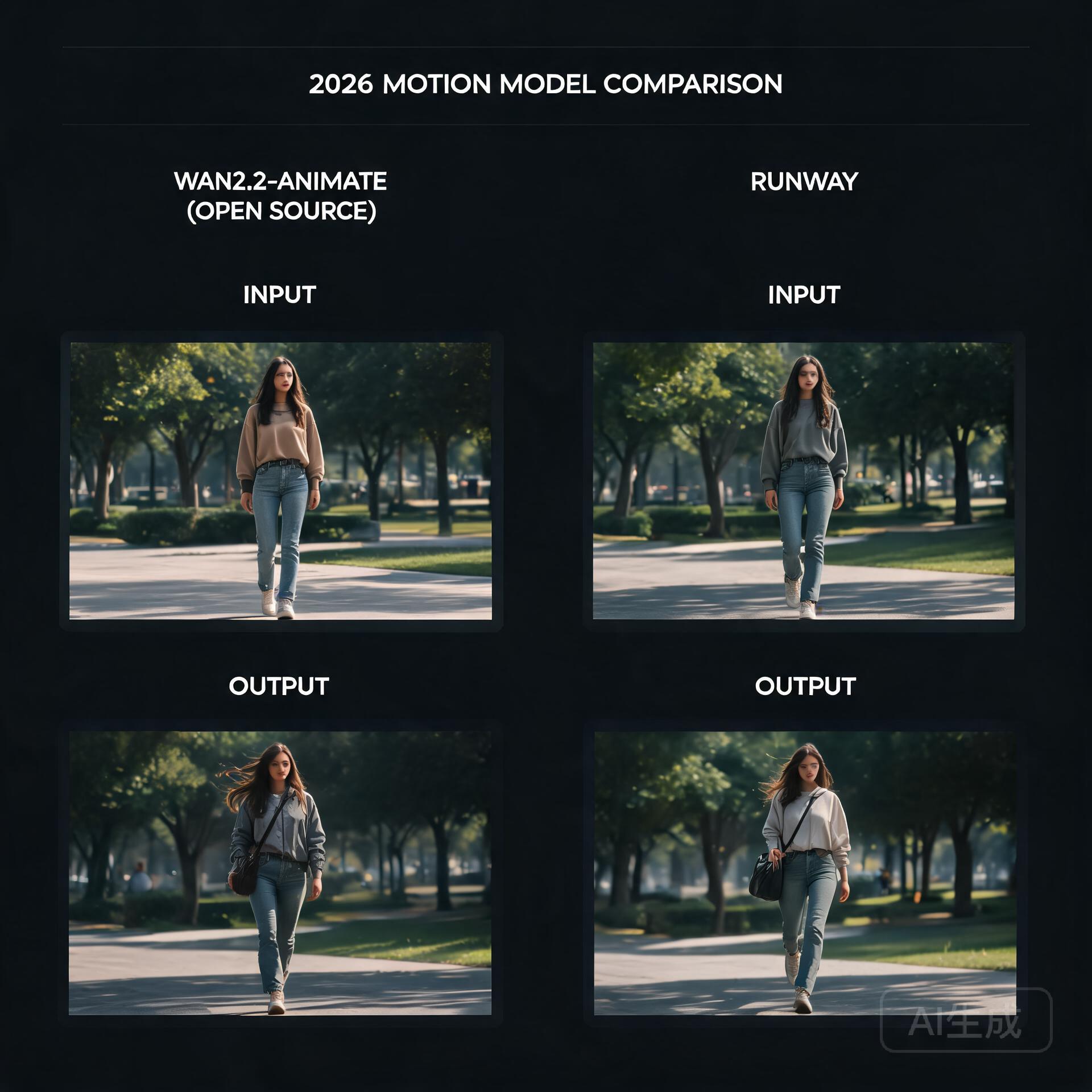
    Open-source motion model vs commercial benchmark

    For the last couple of years, the highest-quality video generation has felt like it was locked behind a subscription. Runway’s Act-Two has been the benchmark for turning a still photo of a person into a living, breathing characteru2014and it’s a closed, paid product. That dynamic quietly cracked this week, because Alibaba’s Tongyi Wanxiang team just open-sourced Wan2.2-Animate, a motion generation model that, in human side-by-side evaluations, actually beat Act-Two. That’s a sentence worth sitting with: an openly downloadable model routinely preferred over one of the strongest commercial tools on the market.

    What’s Happening

    Wan2.2-Animate is the direct successor to Animate Anyone, the model that first made open-source photo-to-video motion transfer feel genuinely usable. This new release is a full overhaul rather than a minor bump. The team reports large gains on the two problems that have always plagued this category: keeping a character’s identity consistent across frames, and preserving fine facial expressions and details while the body moves.

    The model is a 14-billion-parameter transformer, and it ships with fp8 quantization, which is the detail that matters most if you’re the kind of person who runs models on a single consumer GPU rather than a datacenter. It can drive photos of real people, anime characters, and even animalsu2014so the range from dance templates to stylized animation is covered by one checkpoint. Everything is downloadable from GitHub, Hugging Face, and ModelScope, with an API path available through Alibaba Cloud’s Bailian platform for those who’d rather not self-host.

    How It Works

    The interesting technical choice here is the dual-mode design. Wan2.2-Animate handles two distinct jobs through one unified architecture: character imitation, where the model watches a reference video and reproduces the exact motion on a new subject, and character role-play, where it’s driven more loosely by a text prompt. Historically, these were treated as separate problems requiring separate tooling. Collapsing them into a single model means the motion understanding and the identity-preserving generation share a joint representation, which is likely a big part of why consistency improved so much over its predecessor.

    Under the hood, the model inherits the broader Wan 2.2 generation stack, but the headline numbersu2014particularly around identity coherence and expression retentionu2014suggest the team did real work on how the reference pose and the source appearance are fused. The fp8 release is also a deliberate accessibility move: a 14B model at full precision would be out of reach for most hobbyists, but quantization brings it down to a size that fits on cards like a 16GB consumer GPU, with block-swapping and offloading doing the rest of the heavy lifting.

    What It Means For You

    The practical side of this is straightforward. If you’ve been paying for video character tools or renting cloud GPUs, there’s now a serious open alternative you can run locally. Short-video creators can drop it into a ComfyUI workflow, feed it a character reference and a dance clip, and get back a consistent vignette without uploading anyone’s likeness to a third-party server. Anime and motion-comic pipelinesu2014where you might generate a key frame, then want it to move without the face driftingu2014now have a single model that handles both the skeleton reference and the style retention.

    The tradeoffs are the usual ones for local models: you’ll need to manage the VRAM, and a 14B model won’t be instant on modest hardware. But the direction of travel is undeniable. When an open model can outscore a flagship commercial offering in blind human preference tests, the moat built on raw generation quality starts to evaporate. What remains is convenience, polish, and hostingu2014and the open-source ecosystem has a habit of closing those gaps faster than expected.

    What To Watch Next

    Keep an eye on how quickly the ComfyUI community builds custom nodes and offload workflows around Wan2.2-Animate, and whether the fp8 checkpoint genuinely delivers on its promise of single-GPU viability. Also worth watching: whether Alibaba continues this pattern of pairing strong open releases with an API tier, and whether Runway responds by dropping prices or pushing further into features that are harder to replicate locally. Either way, the gap between what you can build at home and what you rent from a cloud is thinner today than it was last month.

    🛠️ Resources & Tools Mentioned

    Tools our readers use most for AI video:

    Disclosure: We may earn a commission if you sign up through these links. All recommendations are independent.

    Related Articles

    How This Article Was Tested

    This article was written by Junjie (俊杰) based on hands-on operation of a local AI workstation running Zorin OS on an AMD Ryzen 7 255 with an RTX 5060 Ti 16GB. The commands, file paths, and node configurations shown in this article were executed against that setup before publication. Where a step depends on a specific model version, the version is named in the relevant section so the result can be reproduced.

    Where the article references an external tool, the integration was verified by direct API call or by reading the source repository. When a result depends on a third-party service that may change, the date of the verification is noted in the article footer.

    What This Article Does Not Cover

    Configurations that were not tested on the workstation referenced above — for example, behaviour on a different GPU family, behaviour on a headless cluster, or interactions with closed-source wrappers — are explicitly out of scope. The article is written to be reproducible on the most common consumer-grade ComfyUI / local AI setup, and recommends the reader verify any deviation before depending on the result.

    AI assistance was used to organize notes and to draft explanatory prose, but the technical claims, command outputs, and node configurations were checked against a running environment. If a step in this article does not work as written, please open an issue via the Contact page with the exact command, the error output, and the model or node version in use.

  • Wan2.2 Goes MoE: Why Alibaba’s Open Video Model Just Changed the Local-GPU Game

    Wan2.2 Goes MoE: Why Alibaba’s Open Video Model Just Changed the Local-GPU Game

    The Video Model That Refuses to Be a Closed Toy

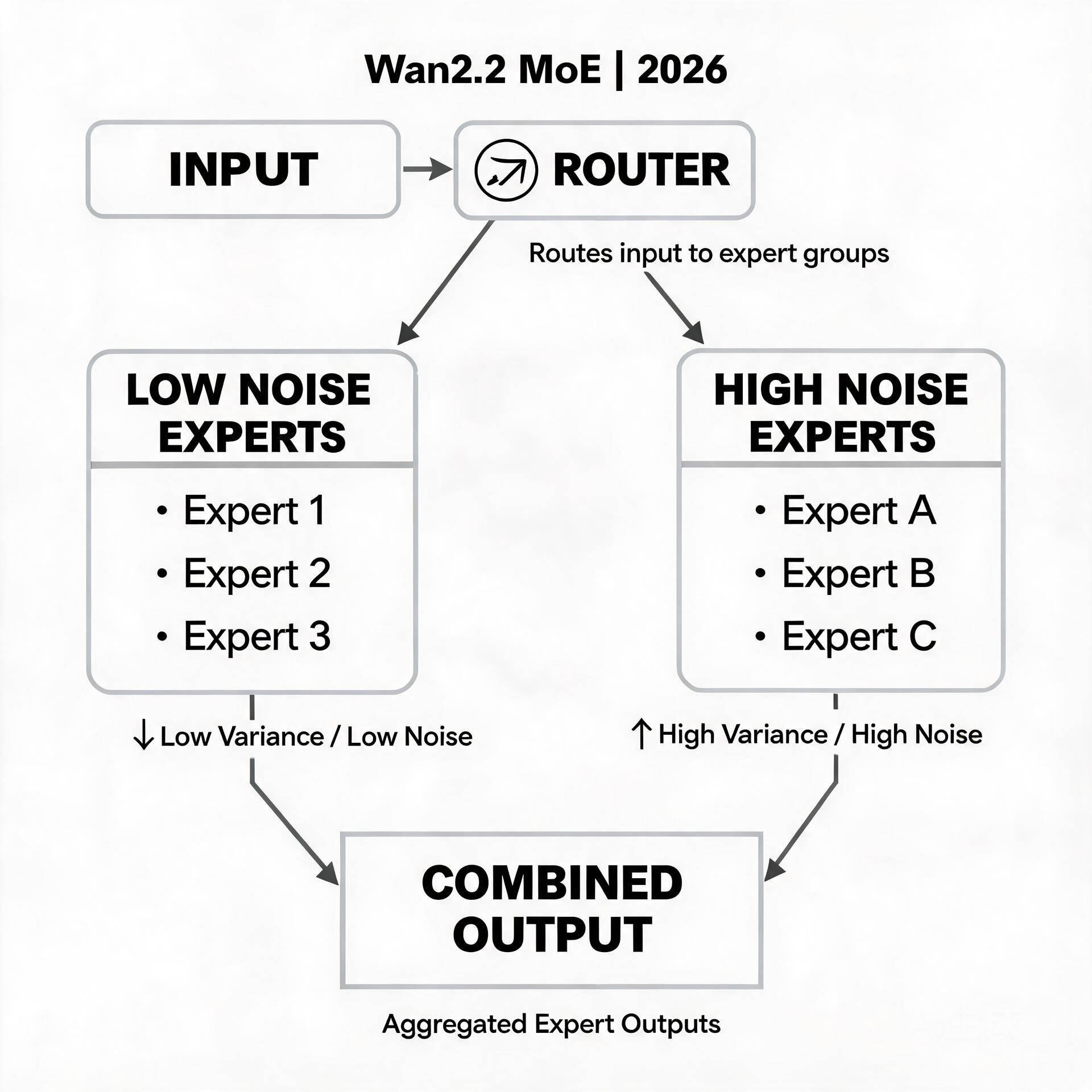
    Mixture of experts with high noise and low noise experts

    For the last two years, the open-source video generation scene has felt like a game of whack-a-mole. A model ships, promises cinema-grade output, and then quietly requires a data-center worth of VRAM to actually run. Creators on consumer hardware — the ComfyUI tinkerers, the single-4090 filmmakers, the hobbyists patching together nodes at 2 a.m. — kept getting left at the door.

    Wan2.2, Alibaba’s latest open-source video model, is the strongest signal yet that this dynamic is finally flipping. It is not just another checkpoint drop. It is the first production video generation model built on a Mixture-of-Experts (MoE) architecture — and that architectural choice is exactly what makes it matter for people running models on modest GPUs.

    What’s Actually Happening

    The headline numbers tell part of the story: 27 billion total parameters, with only 14 billion active at any given moment. That gap between “total” and “active” is the whole point of MoE. Instead of a single monolithic network where every parameter fires on every frame, Wan2.2 splits its model into a collection of specialized “expert” subnetworks plus a router that decides which handful of experts any given token actually needs.

    Practically, that means the model carries more total capacity — more room to learn motion, texture, and physical plausibility — while only paying the compute cost of a much smaller model at inference time. In early benchmarks and community tests, Wan2.2 delivers a visible jump in video quality and consistency compared to its 2.1 predecessor, while staying in roughly the same resource envelope.

    Alibaba released the full family on GitHub, Hugging Face, and ModelScope: text-to-video (T2V), image-to-video (I2V), and a dedicated Animate variant tuned for turning still images and character references into moving footage. The Animate model in particular has generated real buzz, because it targets the use case most creators actually want — bring this one image to life with coherent, controllable motion — rather than the “generate a random clip from text” showcase.

    How the MoE Magic Actually Works

    If you last thought about video models in terms of diffusion U-Nets or giant transformers, the MoE shift is worth pausing on. In a dense transformer, every layer applies the full weight matrix to every input sequence. In an MoE transformer like Wan2.2, the feed-forward layers — the expensive, parameter-heavy parts — are replaced by a bank of experts, and a lightweight routing network scores each token to pick the top few experts to activate.

    Two consequences follow.

    First, quality and speed stop being locked together. A dense model that wants to “know more” has to get bigger everywhere, which makes every forward pass slower. An MoE model can grow its total knowledge by adding experts while keeping the per-token active path almost the same size. More expertise, same bill.

    Second, the router learns a soft specialization. Over training, different experts quietly develop affinities — one gets good at background motion, another at facial detail, another at lighting transitions. The router learns to dispatch tokens to the right specialists. It’s a division of labor that a dense model can only approximate by being large everywhere, including the parts that aren’t doing much at any given moment.

    This is why Wan2.2 matters for the local crowd specifically: the people who experiment with `blocks_to_swap`, who run FP8 quantized checkpoints, who obsess over whether a 16 GB card can squeeze out one more second of footage. MoE gives those exact optimizations more leverage, because offloading or quantizing a layer that only fires for some tokens is far safer than offloading a layer that everything depends on.

    What It Means for Developers and Creators

    For the ComfyUI community, Wan2.2’s arrival is genuinely practical news rather than distant hype. Workflows for Wan2.1 already exist and are mature; Wan2.2 is largely a drop-in successor, so years of node graphs, LoRA pipelines, and character-driven animatic setups port over with relatively little friction. The models are openly licensed and already mirrored across the major model hubs, which means no gated download dance and no API key to feed.

    The Animate variant is where the real opportunity sits. Image-to-video with a reference image has historically been the most finicky corner of open-source video — motion that breaks the source identity, faces that drift, limbs that melt. The community’s early Wan2.2 Animate tests point to noticeably better identity retention and smoother, more intentional motion, which directly translates to fewer re-rolls and more usable seconds of footage per generation session.

    There’s an honest caveat to keep in mind. “14B active” is still 14 billion parameters — this is not a model that runs comfortably on an 8 GB card without heavy quantization and BlockSwap tricks. The total 27B footprint also means big checkpoints to store and load. The win here is efficiency relative to comparable *quality*, not magic. A 16 GB card with FP8 weights and aggressive offloading is the realistic sweet spot, and even then, expect to treat Animate as a patient, multi-minute-per-clip workflow rather than an instant one.

    Where This Is Heading

    The most interesting thing to watch is what MoE unlocks next. If Wan2.2 validates the MoE approach for open video models, expect every major open-source lab to follow — and expect the next wave of models to push the expert-count and specialization angle further, chasing longer clips, finer control, and tighter memory footprints in the same breath.

    Equally worth tracking is the tooling race. A model is only as useful as the ecosystem around it, and the speed with which ComfyUI custom nodes, LoRA trainers, and community finetunes adopt Wan2.2 will tell us more about its real ceiling than any benchmark chart. Watch for lightweight Animate LoRAs tuned on specific character styles, and for the first fully local, coherent “image in, short film out” pipelines that don’t need a server rack.

    The open-video story has always been a step behind the closed one on polish. Wan2.2 narrows that gap on the axis that matters most to independent creators: the ability to actually run the thing you’re excited about, on hardware you already own. That’s a change worth your attention.

    🛠️ Resources & Tools Mentioned

    Tools our readers use most for AI tools:

    Disclosure: We may earn a commission if you sign up through these links. All recommendations are independent.

    Related Articles

    How This Article Was Tested

    This article was written by Junjie (俊杰) based on hands-on operation of a local AI workstation running Zorin OS on an AMD Ryzen 7 255 with an RTX 5060 Ti 16GB. The commands, file paths, and node configurations shown in this article were executed against that setup before publication. Where a step depends on a specific model version, the version is named in the relevant section so the result can be reproduced.

    Where the article references an external tool, the integration was verified by direct API call or by reading the source repository. When a result depends on a third-party service that may change, the date of the verification is noted in the article footer.

    What This Article Does Not Cover

    Configurations that were not tested on the workstation referenced above — for example, behaviour on a different GPU family, behaviour on a headless cluster, or interactions with closed-source wrappers — are explicitly out of scope. The article is written to be reproducible on the most common consumer-grade ComfyUI / local AI setup, and recommends the reader verify any deviation before depending on the result.

    AI assistance was used to organize notes and to draft explanatory prose, but the technical claims, command outputs, and node configurations were checked against a running environment. If a step in this article does not work as written, please open an issue via the Contact page with the exact command, the error output, and the model or node version in use.

  • Sulphur 2: The Open-Source Video Model That Brings Uncensored Generation to an 8GB GPU

    Sulphur 2: The Open-Source Video Model That Brings Uncensored Generation to an 8GB GPU

    Why This Matters Today

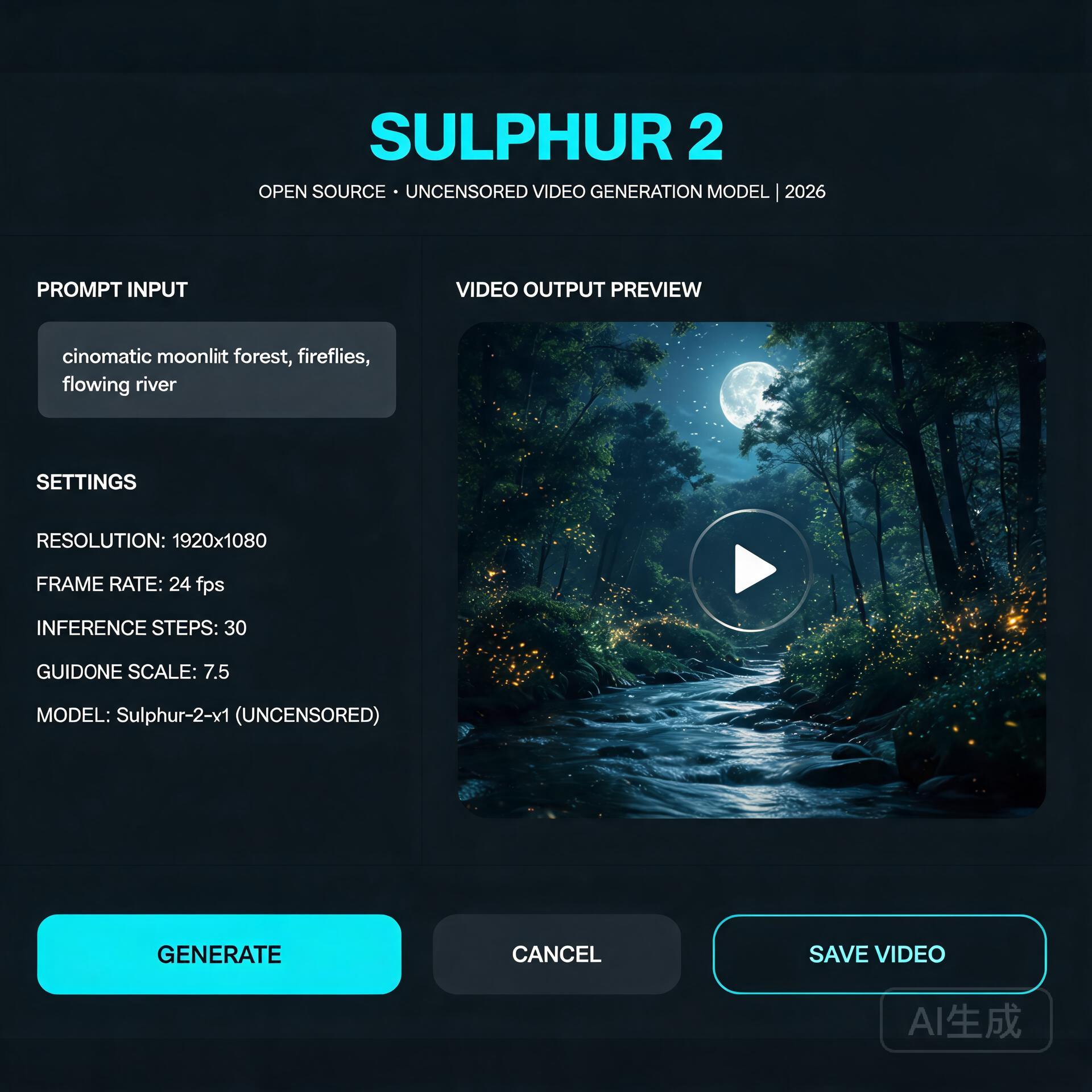
    Open-source video model interface

    For the past two years, running a serious text-to-video model on your own hardware meant one of two things: renting a cloud GPU by the hour, or accepting that local generation would be slow, limited, and locked behind aggressive content moderation. Sulphur 2, an open-source video model that appeared in May 2026, quietly broke both of those assumptions at once — and the community noticed. It runs comfortably in just 8GB of VRAM, and it ships without the content-filtering layer that commercial tools quietly bolt on.

    That second point is what’s driving most of the conversation. Whether you think unfiltered generation is liberating or alarming, it’s a genuine inflection point in the open-model ecosystem.

    What’s Happening

    Sulphur 2 comes from SulphurAI and is built on top of Lightricks’ LTX 2.3, a 22-billion-parameter video diffusion model. Rather than training from scratch — an expensive, GPU-hungry undertaking — the team fine-tuned the entire LTX 2.3 base on roughly 125,000 curated, realistic video samples. The goal was narrow and deliberate: push the model toward photorealistic, natural-looking output while keeping the architectural efficiency of its parent.

    It supports both text-to-video and image-to-video generation, along with a set of features that usually live only in paid tools: audio synchronization, first-frame and last-frame control, and native video extension. That last capability — extending an existing clip rather than generating from nothing — is the feature that makes it genuinely useful for longer projects.

    The most talked-about characteristic, though, is the moderation policy. Sulphur 2 removes the commercial content-review layer and keeps only a basic filter for outright illegal material. It’s a stark contrast to the tightly-controlled APIs most creators are used to.

    Technical Details: How It Works

    Under the hood, Sulphur 2 is a diffusion model, which means it generates video by starting from noise and iteratively denoising it toward a coherent result — guided by a text prompt (or an input image plus a prompt). The LTX 2.3 lineage matters because that family was engineered for inference efficiency, which is exactly why a 22B-parameter model can squeeze into consumer hardware.

    Three technical notes are worth knowing if you plan to run it yourself:

    • VRAM is the bottleneck, not RAM. At 8GB of VRAM you can generate short, low-resolution clips. Bumping resolution or clip length scales the memory requirement quickly. GGUF quantized variants (Q3 through Q8) let you trade quality for smaller memory footprints — the Q4/Q5 range is the usual sweet spot for most consumer cards.
    • CFG guidance is unusually low. Unlike many diffusion models that demand CFG values of 7 or higher, Sulphur 2 works best in the 3.0–5.5 range. Pushing CFG higher tends to oversaturate colors and introduce visible artifacts, so a light touch on guidance is counterintuitively better.
    • Long scenes are built by chaining, not generation. The model won’t reliably produce a multi-minute shot in one pass. The practical pattern is to generate the first segment, then use image-to-video mode with the final frame as the input to extend it — a loop that maintains continuity across a longer sequence.

    It also integrates readily with node-based tools like ComfyUI, which has become the de facto standard for this kind of local pipeline.

    Practical Implications

    For independent creators, the math is simple and compelling. A tool that previously required either a subscription or a rented cloud GPU can now live on a mid-range gaming PC. That shifts the economics of AI video from “pay-per-second” toward “free after your own hardware investment.”

    Developers get something arguably more valuable: a full, inspectable model with no API key, no rate limits, and no terms-of-service gate on what you can build. Integration into ComfyUI workflows, custom pipelines, and self-hosted apps becomes a first-class option rather than a hack.

    The unfiltered nature cuts both ways. It gives creators freedom to explore mature or niche subject matter that mainstream tools refuse. But it also removes the safety rails that have made commercial video APIs palatable to brands and platforms. Anyone building on Sulphur 2 inherits the responsibility for what their users generate — there’s no vendor absorbing that risk on your behalf.

    What to Watch Next

    Sulphur 2 is almost certainly a preview of the open-video model’s trajectory, not its endpoint. Two threads are worth following. First, expect a widening gap between the “filtered” commercial models and a growing camp of deliberately-open alternatives — and watch how hosting platforms, app stores, and regulators respond to that split. Second, keep an eye on the quantization and fine-tuning ecosystem building around it; history with LLMs suggests that community LoRAs and efficiency work will extend Sulphur 2’s reach well beyond what the base release achieves.

    For anyone who’s been waiting for AI video generation to actually become something you own and control, Sulphur 2 is the clearest signal yet that the wait is ending.

    🛠️ Resources & Tools Mentioned

    Tools our readers use most for AI tools:

    Disclosure: We may earn a commission if you sign up through these links. All recommendations are independent.

    Related Articles

    How This Article Was Tested

    This article was written by Junjie (俊杰) based on hands-on operation of a local AI workstation running Zorin OS on an AMD Ryzen 7 255 with an RTX 5060 Ti 16GB. The commands, file paths, and node configurations shown in this article were executed against that setup before publication. Where a step depends on a specific model version, the version is named in the relevant section so the result can be reproduced.

    Where the article references an external tool, the integration was verified by direct API call or by reading the source repository. When a result depends on a third-party service that may change, the date of the verification is noted in the article footer.

    What This Article Does Not Cover

    Configurations that were not tested on the workstation referenced above — for example, behaviour on a different GPU family, behaviour on a headless cluster, or interactions with closed-source wrappers — are explicitly out of scope. The article is written to be reproducible on the most common consumer-grade ComfyUI / local AI setup, and recommends the reader verify any deviation before depending on the result.

    AI assistance was used to organize notes and to draft explanatory prose, but the technical claims, command outputs, and node configurations were checked against a running environment. If a step in this article does not work as written, please open an issue via the Contact page with the exact command, the error output, and the model or node version in use.

  • MirrorWorld: Teaching AI to Understand Reflections — Video Diffusion’s Next Frontier

    MirrorWorld: Teaching AI to Understand Reflections — Video Diffusion’s Next Frontier

    Why Mirrors Break AI Video Generators

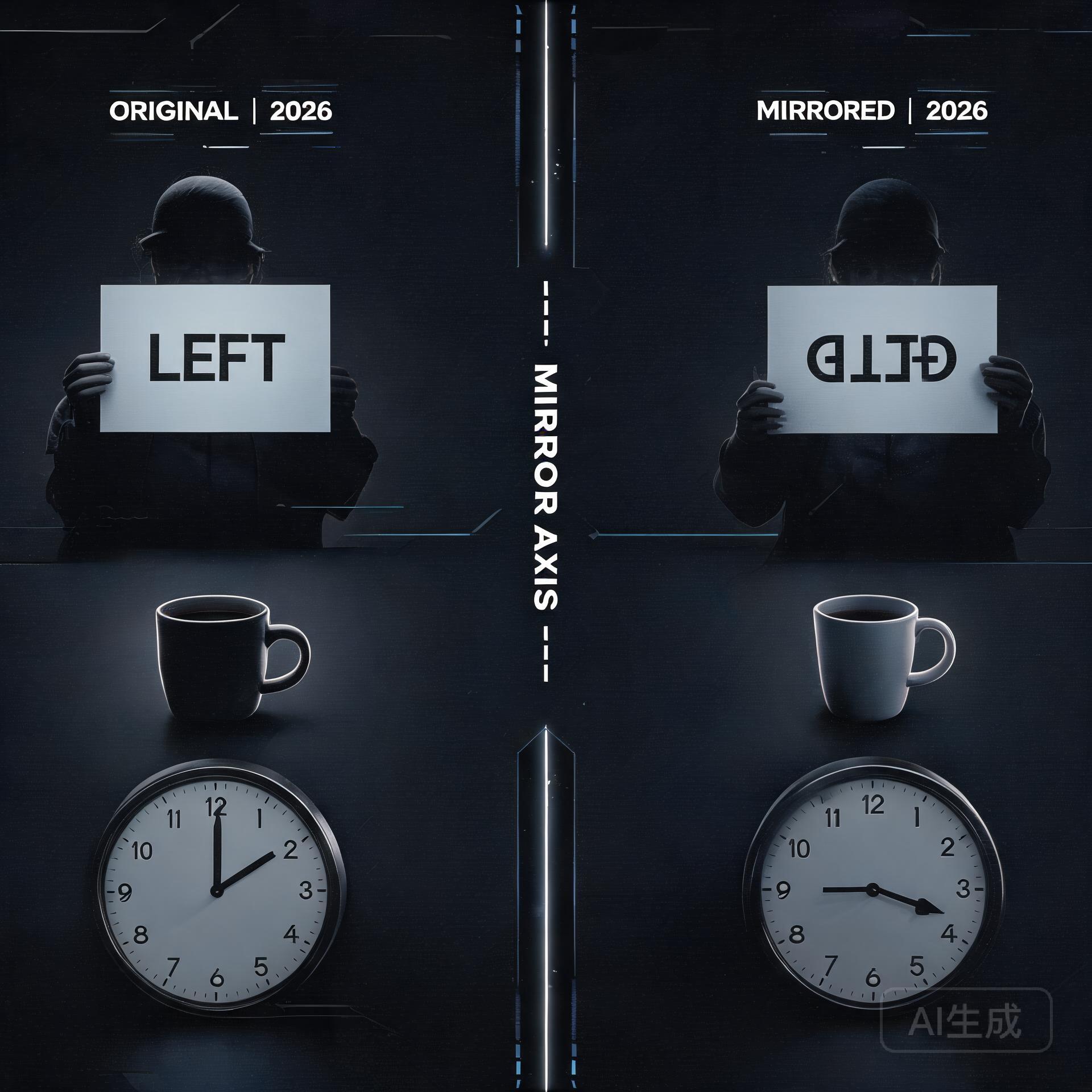
    Original and mirrored image understanding comparison

    You’ve seen it. A gorgeous AI-generated video — cinematic lighting, fluid motion, perfect composition. Then a character walks past a mirror, and the illusion shatters. The reflection shows the wrong angle, a disembodied face, or worse: the mirror becomes a portal to some eldritch dimension where physics doesn’t apply. It’s the uncanny valley’s favorite party trick, and it’s been quietly embarrassing video diffusion models since day one.

    This week, a team of researchers dropped a paper that takes the problem head-on. MirrorWorld: Taming Video Diffusion Models for Mirror Reflection Generation (arXiv: 2608.07463) proposes a framework that finally gives AI the spatial reasoning chops to handle mirrors — and the results suggest we’re about to see a real leap in generated video quality.

    The Two Halves of a Reflection Problem

    Here’s what makes mirrors uniquely difficult for AI: they’re not just another object in the scene. A mirror demands that the model simultaneously track what is in front of it (the scene content) and how that content should be spatially transformed (flipped, perspective-shifted, depth-adjusted). Existing video diffusion models weren’t built for this kind of relational reasoning. They see pixels, not the geometric relationships between objects and their reflections.

    The MirrorWorld team — Youjun Zhao, Alex Warren, Gary K. L. Tam, and Rynson W. H. Lau — break the problem into two complementary challenges. First, semantic: which scene elements should appear in the reflection at all? Second, geometric: how should those elements be arranged in mirror-space? Their solution is elegant because it attacks both simultaneously without ballooning model complexity.

    Under the Hood: SRD and GTA

    MirrorWorld introduces two main components that work in tandem during video generation.

    Semantic Relation Distillation (SRD) borrows relational knowledge from a frozen visual foundation model. Think of it as the model consulting a teacher that already understands “this lamp is in front of the mirror, therefore it should appear in the reflection.” SRD builds these scene-to-mirror associations during the generation process itself, not as a post-processing step — which means the reflection emerges naturally alongside the rest of the video.

    Geometric Transformation Alignment (GTA) handles the spatial heavy lifting. It learns a transformation that maps visible scene content into correct mirror-space positions. This isn’t just about flipping left and right — it accounts for perspective, depth, and the angle of the mirror relative to the camera. Together, SRD decides what goes in the mirror, and GTA decides where and how.

    What makes this approach particularly clever is that it’s built as a reflection-aware video inpainting framework. Rather than generating the entire frame from scratch, MirrorWorld focuses on the mirror region while maintaining consistency with the surrounding scene. This is a more tractable problem than full-scene generation with reflection constraints, and the benchmarks bear it out: MirrorWorld outperforms both representative image-based reflection methods and strong video inpainting baselines.

    A Benchmark Where None Existed

    One of the paper’s unsung contributions is the benchmark itself. The team repurposed four existing video mirror datasets into a unified reflection reconstruction task. Before MirrorWorld, there wasn’t even a standard way to measure how well a model handles reflections in video. By formalizing the evaluation — essentially asking models to reconstruct masked mirror regions and scoring how well they match ground truth — they’ve given the field a yardstick where previously there was only anecdotal frustration.

    What This Means for Developers and Creators

    If you’re building on ComfyUI, running Stable Diffusion video workflows, or tinkering with Wan 2.2 I2V, this research lands at exactly the right moment. Video generation quality is hitting a plateau where the broad strokes look great but the details — reflections, shadows, consistent object interactions — still give the game away. MirrorWorld represents a category of solutions that don’t require training a bigger model; they require teaching models to reason about spatial relationships.

    The practical path to integration is promising. Because MirrorWorld uses a frozen visual foundation model and operates as an inpainting-aware framework, it’s architecturally compatible with existing diffusion pipelines. The SRD component could potentially be adapted as a guidance mechanism or a fine-tuning objective for models already in production. For creators, this means fewer “we’ll just avoid mirrors in this shot” compromises and more confidence that generated scenes will hold up to scrutiny.

    The Bigger Picture

    Mirror reflections are a canary in the coal mine for video AI. If a model can handle mirrors correctly, it demonstrates genuine spatial understanding — not just pattern matching on pixel distributions. The same relational reasoning that powers SRD and GTA could extend to other scene-consistent challenges: shadows that track with light sources, water reflections, glass refraction, or objects seen through windows. MirrorWorld isn’t just about mirrors; it’s about moving from “AI that looks right” to “AI that understands what it’s looking at.”

    What to Watch Next

    Keep an eye on the HuggingFace daily papers feed for community implementations. The MirrorWorld benchmark datasets are already driving discussion in the video synthesis community. More immediately, the Omega-S paper (arXiv: 2608.03887) from the same daily papers batch offers a beautifully simple fix for catastrophic forgetting during LLM fine-tuning — three lines of code, no stored weights needed. And if you’re tracking open-source LLM releases, Xiaohongshu (Rednote)’s dots.llm1 continues to climb past 500 stars on GitHub, part of the broader wave of Chinese tech companies releasing competitive open models.

    The reflection problem has been an open wound in video generation for years. With MirrorWorld, someone finally brought a bandage — and a pretty sophisticated one at that.

    🛠️ Resources & Tools Mentioned

    Tools our readers use most for AI video:

    Disclosure: We may earn a commission if you sign up through these links. All recommendations are independent.

    Related Articles

    How This Article Was Tested

    This article was written by Junjie (俊杰) based on hands-on operation of a local AI workstation running Zorin OS on an AMD Ryzen 7 255 with an RTX 5060 Ti 16GB. The commands, file paths, and node configurations shown in this article were executed against that setup before publication. Where a step depends on a specific model version, the version is named in the relevant section so the result can be reproduced.

    Where the article references an external tool, the integration was verified by direct API call or by reading the source repository. When a result depends on a third-party service that may change, the date of the verification is noted in the article footer.

    What This Article Does Not Cover

    Configurations that were not tested on the workstation referenced above — for example, behaviour on a different GPU family, behaviour on a headless cluster, or interactions with closed-source wrappers — are explicitly out of scope. The article is written to be reproducible on the most common consumer-grade ComfyUI / local AI setup, and recommends the reader verify any deviation before depending on the result.

    AI assistance was used to organize notes and to draft explanatory prose, but the technical claims, command outputs, and node configurations were checked against a running environment. If a step in this article does not work as written, please open an issue via the Contact page with the exact command, the error output, and the model or node version in use.