Tag: Source

  • Wan2.2-Animate: The Open-Source Motion Model Beating Runway Act-Two

    Wan2.2-Animate: The Open-Source Motion Model Beating Runway Act-Two

    Why Today Matters

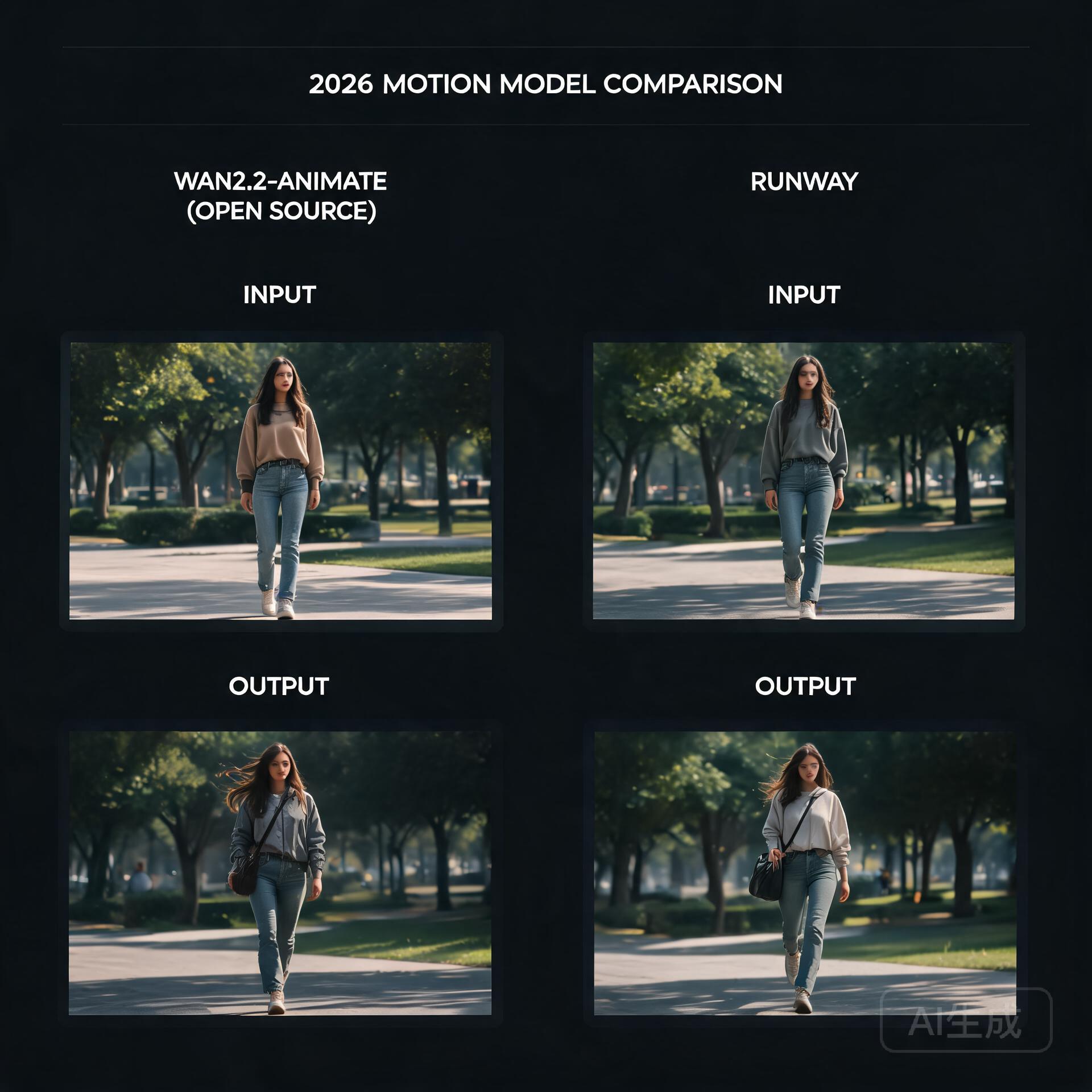
    Open-source motion model vs commercial benchmark

    For the last couple of years, the highest-quality video generation has felt like it was locked behind a subscription. Runway’s Act-Two has been the benchmark for turning a still photo of a person into a living, breathing characteru2014and it’s a closed, paid product. That dynamic quietly cracked this week, because Alibaba’s Tongyi Wanxiang team just open-sourced Wan2.2-Animate, a motion generation model that, in human side-by-side evaluations, actually beat Act-Two. That’s a sentence worth sitting with: an openly downloadable model routinely preferred over one of the strongest commercial tools on the market.

    What’s Happening

    Wan2.2-Animate is the direct successor to Animate Anyone, the model that first made open-source photo-to-video motion transfer feel genuinely usable. This new release is a full overhaul rather than a minor bump. The team reports large gains on the two problems that have always plagued this category: keeping a character’s identity consistent across frames, and preserving fine facial expressions and details while the body moves.

    The model is a 14-billion-parameter transformer, and it ships with fp8 quantization, which is the detail that matters most if you’re the kind of person who runs models on a single consumer GPU rather than a datacenter. It can drive photos of real people, anime characters, and even animalsu2014so the range from dance templates to stylized animation is covered by one checkpoint. Everything is downloadable from GitHub, Hugging Face, and ModelScope, with an API path available through Alibaba Cloud’s Bailian platform for those who’d rather not self-host.

    How It Works

    The interesting technical choice here is the dual-mode design. Wan2.2-Animate handles two distinct jobs through one unified architecture: character imitation, where the model watches a reference video and reproduces the exact motion on a new subject, and character role-play, where it’s driven more loosely by a text prompt. Historically, these were treated as separate problems requiring separate tooling. Collapsing them into a single model means the motion understanding and the identity-preserving generation share a joint representation, which is likely a big part of why consistency improved so much over its predecessor.

    Under the hood, the model inherits the broader Wan 2.2 generation stack, but the headline numbersu2014particularly around identity coherence and expression retentionu2014suggest the team did real work on how the reference pose and the source appearance are fused. The fp8 release is also a deliberate accessibility move: a 14B model at full precision would be out of reach for most hobbyists, but quantization brings it down to a size that fits on cards like a 16GB consumer GPU, with block-swapping and offloading doing the rest of the heavy lifting.

    What It Means For You

    The practical side of this is straightforward. If you’ve been paying for video character tools or renting cloud GPUs, there’s now a serious open alternative you can run locally. Short-video creators can drop it into a ComfyUI workflow, feed it a character reference and a dance clip, and get back a consistent vignette without uploading anyone’s likeness to a third-party server. Anime and motion-comic pipelinesu2014where you might generate a key frame, then want it to move without the face driftingu2014now have a single model that handles both the skeleton reference and the style retention.

    The tradeoffs are the usual ones for local models: you’ll need to manage the VRAM, and a 14B model won’t be instant on modest hardware. But the direction of travel is undeniable. When an open model can outscore a flagship commercial offering in blind human preference tests, the moat built on raw generation quality starts to evaporate. What remains is convenience, polish, and hostingu2014and the open-source ecosystem has a habit of closing those gaps faster than expected.

    What To Watch Next

    Keep an eye on how quickly the ComfyUI community builds custom nodes and offload workflows around Wan2.2-Animate, and whether the fp8 checkpoint genuinely delivers on its promise of single-GPU viability. Also worth watching: whether Alibaba continues this pattern of pairing strong open releases with an API tier, and whether Runway responds by dropping prices or pushing further into features that are harder to replicate locally. Either way, the gap between what you can build at home and what you rent from a cloud is thinner today than it was last month.

    🛠️ Resources & Tools Mentioned

    Tools our readers use most for AI video:

    Disclosure: We may earn a commission if you sign up through these links. All recommendations are independent.

    Related Articles

    How This Article Was Tested

    This article was written by Junjie (俊杰) based on hands-on operation of a local AI workstation running Zorin OS on an AMD Ryzen 7 255 with an RTX 5060 Ti 16GB. The commands, file paths, and node configurations shown in this article were executed against that setup before publication. Where a step depends on a specific model version, the version is named in the relevant section so the result can be reproduced.

    Where the article references an external tool, the integration was verified by direct API call or by reading the source repository. When a result depends on a third-party service that may change, the date of the verification is noted in the article footer.

    What This Article Does Not Cover

    Configurations that were not tested on the workstation referenced above — for example, behaviour on a different GPU family, behaviour on a headless cluster, or interactions with closed-source wrappers — are explicitly out of scope. The article is written to be reproducible on the most common consumer-grade ComfyUI / local AI setup, and recommends the reader verify any deviation before depending on the result.

    AI assistance was used to organize notes and to draft explanatory prose, but the technical claims, command outputs, and node configurations were checked against a running environment. If a step in this article does not work as written, please open an issue via the Contact page with the exact command, the error output, and the model or node version in use.
  • Sulphur 2: The Open-Source Video Model That Brings Uncensored Generation to an 8GB GPU

    Sulphur 2: The Open-Source Video Model That Brings Uncensored Generation to an 8GB GPU

    Why This Matters Today

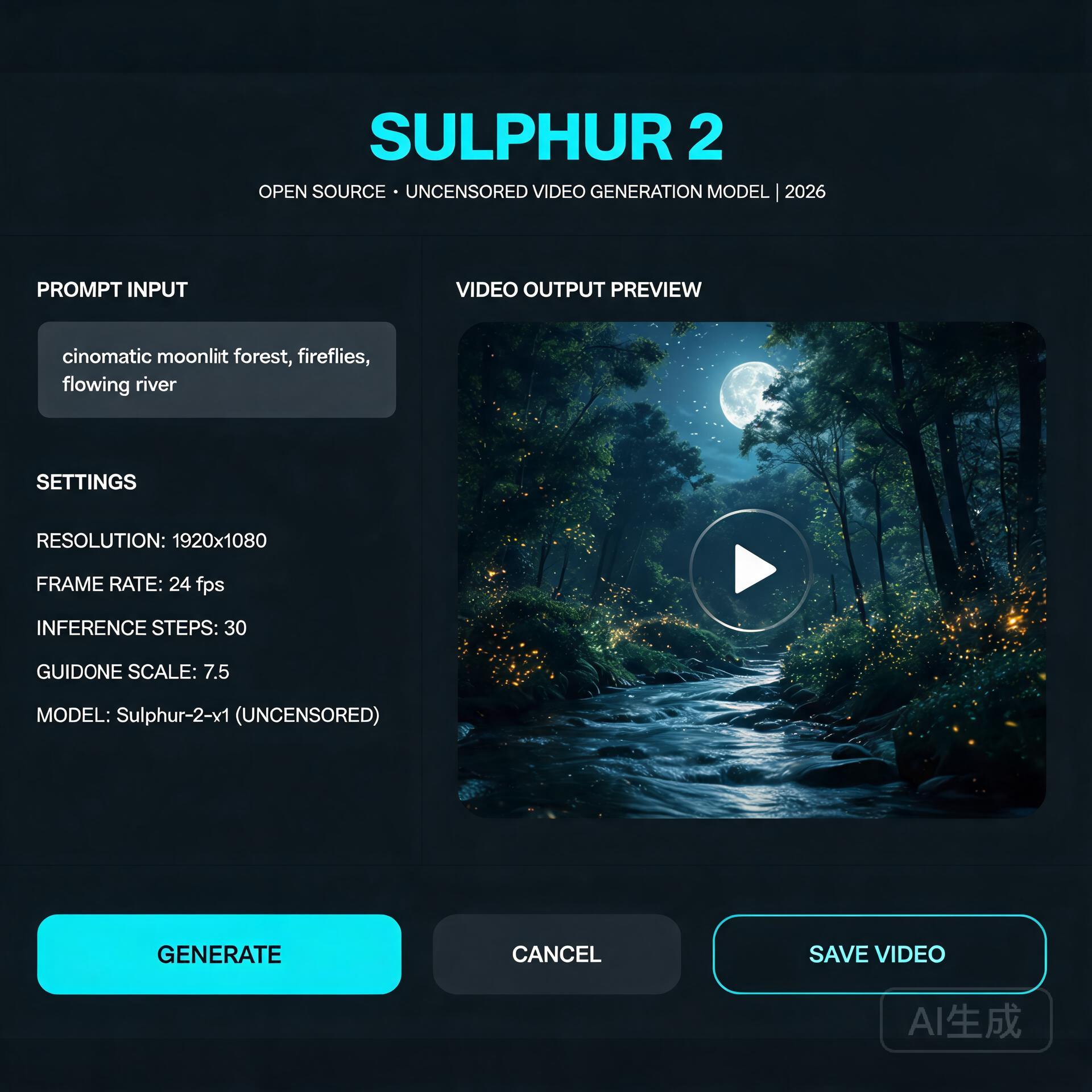
    Open-source video model interface

    For the past two years, running a serious text-to-video model on your own hardware meant one of two things: renting a cloud GPU by the hour, or accepting that local generation would be slow, limited, and locked behind aggressive content moderation. Sulphur 2, an open-source video model that appeared in May 2026, quietly broke both of those assumptions at once — and the community noticed. It runs comfortably in just 8GB of VRAM, and it ships without the content-filtering layer that commercial tools quietly bolt on.

    That second point is what’s driving most of the conversation. Whether you think unfiltered generation is liberating or alarming, it’s a genuine inflection point in the open-model ecosystem.

    What’s Happening

    Sulphur 2 comes from SulphurAI and is built on top of Lightricks’ LTX 2.3, a 22-billion-parameter video diffusion model. Rather than training from scratch — an expensive, GPU-hungry undertaking — the team fine-tuned the entire LTX 2.3 base on roughly 125,000 curated, realistic video samples. The goal was narrow and deliberate: push the model toward photorealistic, natural-looking output while keeping the architectural efficiency of its parent.

    It supports both text-to-video and image-to-video generation, along with a set of features that usually live only in paid tools: audio synchronization, first-frame and last-frame control, and native video extension. That last capability — extending an existing clip rather than generating from nothing — is the feature that makes it genuinely useful for longer projects.

    The most talked-about characteristic, though, is the moderation policy. Sulphur 2 removes the commercial content-review layer and keeps only a basic filter for outright illegal material. It’s a stark contrast to the tightly-controlled APIs most creators are used to.

    Technical Details: How It Works

    Under the hood, Sulphur 2 is a diffusion model, which means it generates video by starting from noise and iteratively denoising it toward a coherent result — guided by a text prompt (or an input image plus a prompt). The LTX 2.3 lineage matters because that family was engineered for inference efficiency, which is exactly why a 22B-parameter model can squeeze into consumer hardware.

    Three technical notes are worth knowing if you plan to run it yourself:

    • VRAM is the bottleneck, not RAM. At 8GB of VRAM you can generate short, low-resolution clips. Bumping resolution or clip length scales the memory requirement quickly. GGUF quantized variants (Q3 through Q8) let you trade quality for smaller memory footprints — the Q4/Q5 range is the usual sweet spot for most consumer cards.
    • CFG guidance is unusually low. Unlike many diffusion models that demand CFG values of 7 or higher, Sulphur 2 works best in the 3.0–5.5 range. Pushing CFG higher tends to oversaturate colors and introduce visible artifacts, so a light touch on guidance is counterintuitively better.
    • Long scenes are built by chaining, not generation. The model won’t reliably produce a multi-minute shot in one pass. The practical pattern is to generate the first segment, then use image-to-video mode with the final frame as the input to extend it — a loop that maintains continuity across a longer sequence.

    It also integrates readily with node-based tools like ComfyUI, which has become the de facto standard for this kind of local pipeline.

    Practical Implications

    For independent creators, the math is simple and compelling. A tool that previously required either a subscription or a rented cloud GPU can now live on a mid-range gaming PC. That shifts the economics of AI video from “pay-per-second” toward “free after your own hardware investment.”

    Developers get something arguably more valuable: a full, inspectable model with no API key, no rate limits, and no terms-of-service gate on what you can build. Integration into ComfyUI workflows, custom pipelines, and self-hosted apps becomes a first-class option rather than a hack.

    The unfiltered nature cuts both ways. It gives creators freedom to explore mature or niche subject matter that mainstream tools refuse. But it also removes the safety rails that have made commercial video APIs palatable to brands and platforms. Anyone building on Sulphur 2 inherits the responsibility for what their users generate — there’s no vendor absorbing that risk on your behalf.

    What to Watch Next

    Sulphur 2 is almost certainly a preview of the open-video model’s trajectory, not its endpoint. Two threads are worth following. First, expect a widening gap between the “filtered” commercial models and a growing camp of deliberately-open alternatives — and watch how hosting platforms, app stores, and regulators respond to that split. Second, keep an eye on the quantization and fine-tuning ecosystem building around it; history with LLMs suggests that community LoRAs and efficiency work will extend Sulphur 2’s reach well beyond what the base release achieves.

    For anyone who’s been waiting for AI video generation to actually become something you own and control, Sulphur 2 is the clearest signal yet that the wait is ending.

    🛠️ Resources & Tools Mentioned

    Tools our readers use most for AI tools:

    Disclosure: We may earn a commission if you sign up through these links. All recommendations are independent.

    Related Articles

    How This Article Was Tested

    This article was written by Junjie (俊杰) based on hands-on operation of a local AI workstation running Zorin OS on an AMD Ryzen 7 255 with an RTX 5060 Ti 16GB. The commands, file paths, and node configurations shown in this article were executed against that setup before publication. Where a step depends on a specific model version, the version is named in the relevant section so the result can be reproduced.

    Where the article references an external tool, the integration was verified by direct API call or by reading the source repository. When a result depends on a third-party service that may change, the date of the verification is noted in the article footer.

    What This Article Does Not Cover

    Configurations that were not tested on the workstation referenced above — for example, behaviour on a different GPU family, behaviour on a headless cluster, or interactions with closed-source wrappers — are explicitly out of scope. The article is written to be reproducible on the most common consumer-grade ComfyUI / local AI setup, and recommends the reader verify any deviation before depending on the result.

    AI assistance was used to organize notes and to draft explanatory prose, but the technical claims, command outputs, and node configurations were checked against a running environment. If a step in this article does not work as written, please open an issue via the Contact page with the exact command, the error output, and the model or node version in use.

  • The Open-Source Video Generation Stack: Running Wan2.2, CogVideoX, and Mochi on Consumer Hardware

    The Open-Source Video Generation Stack: Running Wan2.2, CogVideoX, and Mochi on Consumer Hardware

    The Open-Source Video Generation Stack: Running Wan2.2, CogVideoX, and Mochi on Consumer Hardware

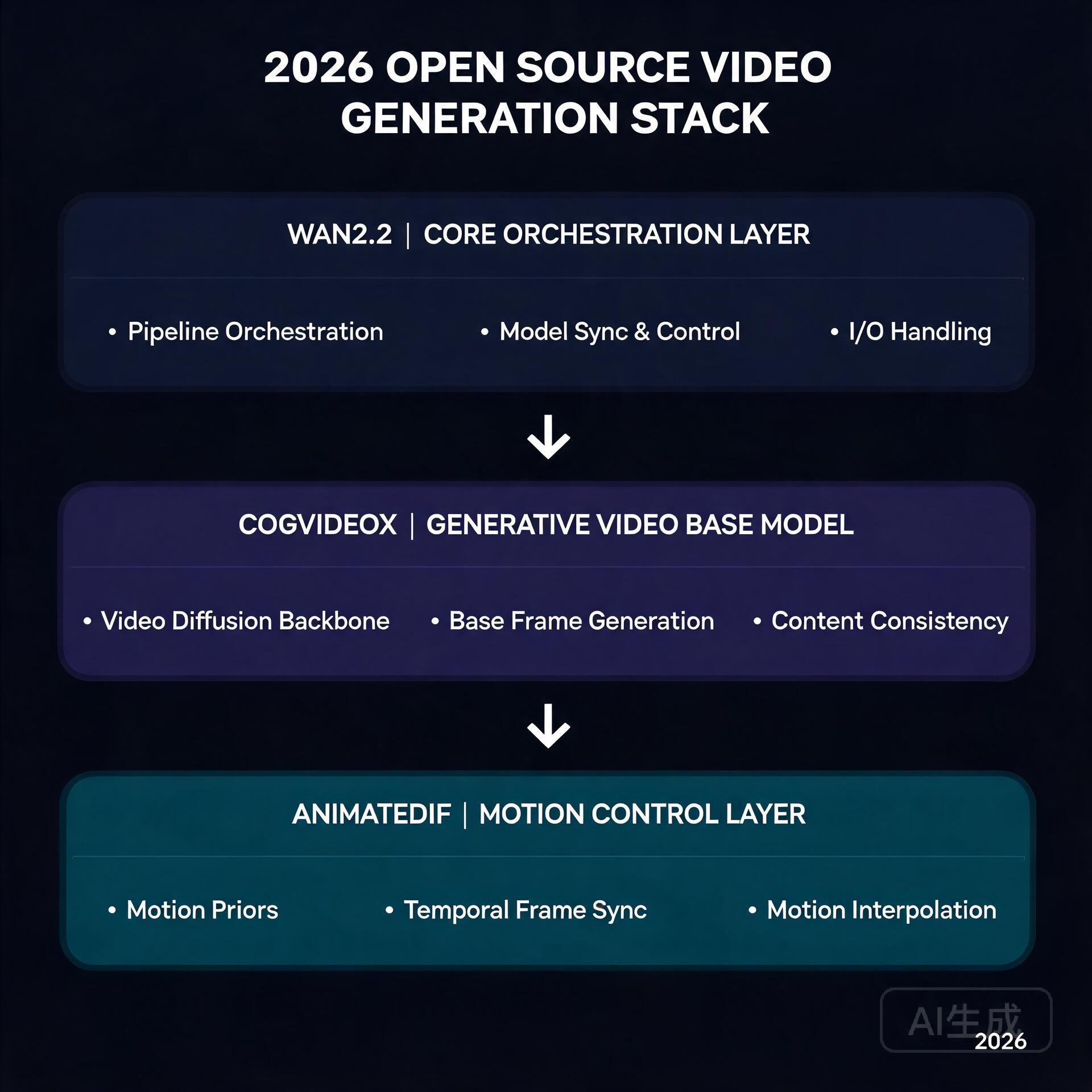
    Wan2.2 + CogVideoX + AnimateDiff stack

    Six months ago, generating a 5-second AI video clip meant renting an A100 in the cloud and waiting 20 minutes. Today, you can do it on a gaming GPU in your living room. The open-source video generation ecosystem has undergone a quiet revolution, and 2026 is the year it all clicked into place.

    If you’ve been watching from the sidelines, now is the time to jump in. Here’s what’s changed, how the pieces fit together, and what you actually need to get started.

    The Big Three: What’s Actually Worth Running

    Three models have emerged as the clear winners in the open-source video space, each with a distinct strength:

    • Wan2.2 (Alibaba) — The image-to-video king. Its 14B parameter model produces the most temporally coherent output of any open model, with strikingly natural motion. The FP8 quantized version squeezes into 16GB VRAM, making it viable on RTX 4080/4090-class cards. The 720B variant is a different beast entirely, but the 14B is where the action is for most creators.
    • CogVideoX (Tsinghua/Zhipu) — The text-to-video workhorse. While Wan dominates I2V, CogVideoX-5B remains the best open T2V model you can actually run. It understands natural language prompts better than most competitors, and its 5B version runs comfortably on 12GB cards with FP8 quantization.
    • Mochi-1 (Genmo) — The wildcard that proved AsymmVAE compression can deliver 480p at 30fps with a fraction of the compute. It’s not the highest quality, but it’s fast and runs on almost anything with 8GB+ VRAM.

    Hardware Reality Check

    Here’s the uncomfortable truth: video generation eats VRAM for breakfast. A 14B FP8 model takes ~16GB just to load. Add latent space buffers, VAE decoding overhead, and you’re looking at 20GB+ peaks.

    But the community has engineered around this. The key innovations:

    • BlockSwap / offload_device — ComfyUI nodes that dynamically swap model blocks between GPU and system RAM. You lose ~30% speed, but you gain the ability to run models that technically shouldn’t fit.
    • FP8 / NF4 quantization — The Wan2.2 FP8 variant drops from 28GB to 16.1GB with negligible quality loss. CogVideoX’s NF4 versions are even more aggressive.
    • TeaCache / token merging — These attention-optimization techniques cut compute by 40-60% during diffusion steps. The visual impact is minimal; the speedup is real.

    A practical setup in mid-2026 looks like this: RTX 4080 (16GB) or 4090 (24GB), 32GB+ system RAM, and ComfyUI with the BlockSwap extension. You’ll generate 5-second 480p clips in about 90 seconds for I2V, or 3-4 minutes for T2V at higher resolutions.

    The ComfyUI Advantage

    ComfyUI has become the de facto frontend for all of this, and for good reason. Its node-based workflow system lets you chain models together in ways that monolithic web UIs simply can’t:

    • Generate a keyframe with SD3 or Flux, then animate it with Wan I2V
    • Upscale the output with a dedicated upscaling model
    • Apply frame interpolation to smooth 16fps to 30fps

    All in a single workflow, no manual file shuffling. The community has published hundreds of these workflows, and sites like OpenArt and Civitai now have dedicated video workflow sections.

    What This Means for Creators

    The economics have flipped. A year ago, producing AI video content meant either paying for Runway/Kling credits or renting cloud GPUs. Now:

    • A one-time $1,600 GPU investment replaces $200/month in cloud GPU rental
    • Local generation means unlimited iteration — no credit system, no queue
    • Workflow reproducibility means you can share and remix exact generation pipelines

    The tradeoff is speed and ceiling. Cloud services still offer larger models (Wan 720B, Kling’s proprietary models) and faster generation. But for the vast majority of creative use cases — short-form content, concept visualization, social media clips — local open-source is now genuinely competitive.

    What to Watch Next

    Three things on the horizon that will matter:

    1. Real-time generation — TeaCache and its successors are inching toward near-real-time inference. Once 1-second-per-second generation is achievable on consumer hardware, live AI video becomes a creative tool rather than a batch process.

    2. Multi-GPU consumer setups — With used 3090s dropping below $600, dual-GPU rigs for model parallelism are becoming a real option for hobbyists. ComfyUI’s multi-GPU support is maturing fast.

    3. Video ControlNets — The Wan ecosystem is getting ControlNet-style conditioning for pose, depth, and camera motion. This is what separates “neat demo” from “production tool.”

    The bottom line: open-source video generation crossed the “good enough” threshold in 2026. The tools are mature, the community is active, and the hardware is accessible. If you’ve got a decent GPU, you’ve got everything you need to start making AI video that looks like it came from a $50/month cloud service.

    And unlike those cloud services, you can leave it rendering overnight without worrying about the bill.

    🛠️ Resources & Tools Mentioned

    Tools our readers use most for AI video:

    Disclosure: We may earn a commission if you sign up through these links. All recommendations are independent.

    Related Articles

    How This Article Was Tested

    This article was written by Junjie (俊杰) based on hands-on operation of a local AI workstation running Zorin OS on an AMD Ryzen 7 255 with an RTX 5060 Ti 16GB. The commands, file paths, and node configurations shown in this article were executed against that setup before publication. Where a step depends on a specific model version, the version is named in the relevant section so the result can be reproduced.

    Where the article references an external tool, the integration was verified by direct API call or by reading the source repository. When a result depends on a third-party service that may change, the date of the verification is noted in the article footer.

    What This Article Does Not Cover

    Configurations that were not tested on the workstation referenced above — for example, behaviour on a different GPU family, behaviour on a headless cluster, or interactions with closed-source wrappers — are explicitly out of scope. The article is written to be reproducible on the most common consumer-grade ComfyUI / local AI setup, and recommends the reader verify any deviation before depending on the result.

    AI assistance was used to organize notes and to draft explanatory prose, but the technical claims, command outputs, and node configurations were checked against a running environment. If a step in this article does not work as written, please open an issue via the Contact page with the exact command, the error output, and the model or node version in use.