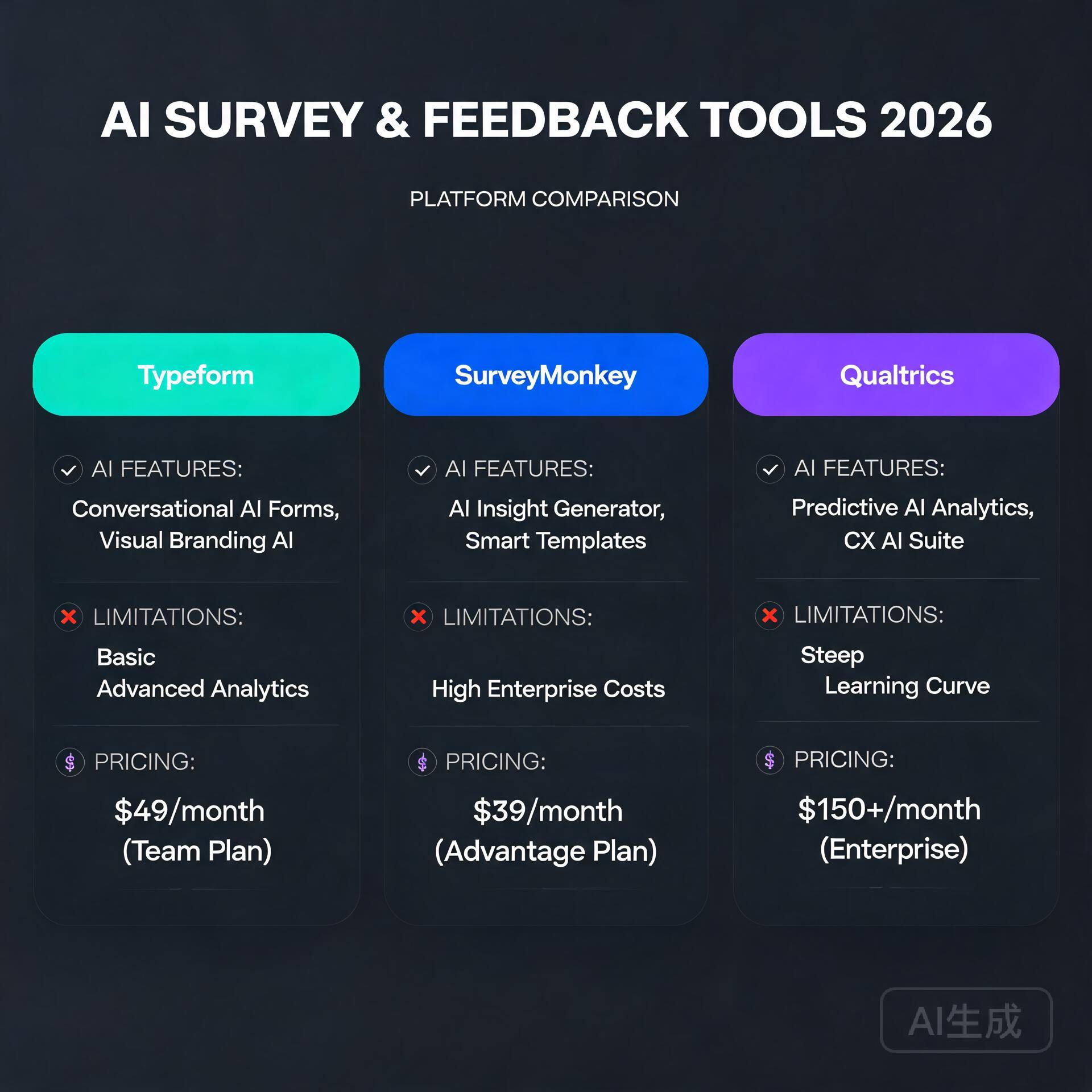
Tag: Business

  • How to Pick the Right AI Tool for Your Business (No Tech Skills Needed) (2026)

    How to Pick the Right AI Tool for Your Business (No Tech Skills Needed) (2026)

    Let me guess — you’ve heard “just use AI” about a thousand times this year, but every time you try to figure out which AI tool is actually right for your business, you end up more confused than when you started. There are hundreds of tools, dozens of categories, and approximately zero helpful guides that don’t assume you already have a computer science degree. Sound familiar? You’re not alone, and more importantly, you don’t need to be a tech wizard to make a smart AI decision. You just need the right framework — and that’s exactly what this guide gives you.

    Why Picking the Wrong AI Tool Is a Real (and Expensive) Mistake

    How to Pick the Right AI Tool for Your Business (No Tech Skills Needed)

    Before we get into how to choose the right tool, let’s talk about why it matters so much. Small business owners and entrepreneurs are especially vulnerable here because most don’t have the budget to trial-and-error their way through dozens of subscriptions.

    The wrong AI tool doesn’t just waste money. It wastes your time during setup, your team’s energy during adoption, and your confidence when results don’t show up. A freelance photographer who buys a complex AI marketing suite when she really just needed a caption generator? That’s a real scenario. So is the e-commerce founder who subscribed to an enterprise AI platform designed for Fortune 500 companies — and then never used half the features.

    Getting this decision right from the start changes everything. So let’s do it properly.

    Step 1: Get Crystal Clear on the Problem You’re Solving

    This is the step most people skip, and it’s the most important one. Don’t go shopping for AI tools without first writing down — in plain language — what specific problem you need solved.

    Ask Yourself These Questions First

    • What task is currently eating the most time in my week? (Writing emails? Creating content? Answering customer questions?)
    • Where am I losing money due to inefficiency? (Slow invoicing? Missed follow-ups? Poor ad copy?)
    • What do I wish I could do more of if I had more time?
    • What does my team complain about most?

    For example, if you run a small online store and you’re spending 10 hours a week writing product descriptions, your problem is clear: content creation at scale. If you’re a consultant drowning in email, your problem is communication management. The more specific you are, the easier your tool search becomes.

    Write it down like this: “I need an AI tool that helps me [specific task] so that I can [specific outcome].” Keep that sentence in front of you the entire time you’re evaluating options.

    Step 2: Understand the Main Categories of AI Tools

    The AI landscape can feel overwhelming, but it breaks down into a handful of practical categories. Here’s a non-technical overview that actually makes sense for small business owners.

    AI Writing and Content Tools

    These tools help you generate blog posts, social media captions, email newsletters, product descriptions, and more. Popular examples include ChatGPT, Jasper, and Copy.ai. If content creation is your bottleneck, this is your category.

    AI Image and Visual Creation Tools

    Tools like Midjourney, DALL·E, and Canva’s AI features let you generate custom visuals without hiring a designer. Great for bloggers, social media managers, and product-based businesses.

    AI Customer Service Tools

    Chatbots and virtual assistants — like those built on Intercom, Tidio, or Drift — can handle common customer questions automatically. If you’re spending hours answering the same five questions over and over, this category is worth exploring.

    AI Productivity and Automation Tools

    Platforms like Zapier’s AI features, Notion AI, and Microsoft Copilot help automate workflows, summarize documents, organize information, and connect your other apps together. These are gold for solo entrepreneurs and small teams.

    AI Marketing and SEO Tools

    Tools like Surfer SEO, Semrush’s AI features, and Predis.ai help with keyword research, content optimization, ad copy, and social scheduling. If growing your digital presence is the goal, start here.

    AI Analytics and Data Tools

    Platforms like Polymer or Akkio let you analyze business data without being a spreadsheet expert. These are especially useful for businesses that have data but don’t know how to use it.

    Step 3: Match Your Budget to the Right Tier

    Here’s the honest truth: most small businesses do not need expensive enterprise AI software. The good news is that some of the most powerful AI tools for entrepreneurs are either free or cost less than a Netflix subscription.

    Free and Freemium Options (Great Starting Points)

    • ChatGPT (free tier) — Genuinely useful for writing, brainstorming, and answering questions
    • Canva AI (free tier) — Solid for visual content creation
    • Grammarly (free tier) — AI-assisted writing and editing
    • Tidio (free plan) — Basic AI chatbot for your website

    Mid-Range Tools ($10–$100/month)

    • ChatGPT Plus ($20/month) — Access to GPT-4 and better performance
    • Jasper (~$49/month) — More advanced marketing copy features
    • Surfer SEO (~$89/month) — Content optimization for bloggers and SEO-focused businesses

    A practical rule of thumb: if a tool saves you more time per month than it costs you in dollars, it’s worth paying for. A $50/month tool that saves you five hours of work? That’s a no-brainer if your time is worth $15 an hour or more.

    Step 4: Evaluate Ease of Use — Honestly

    This is where many guides fail you. They tell you a tool is “easy to use” without acknowledging that what’s easy for a software developer is genuinely difficult for someone who just wants to run their business.

    Look for These Usability Signs

    • Can you get started in under 10 minutes? If a tool requires a two-hour onboarding call just to understand what it does, it may not be the right fit for a small team.
    • Is there a free trial or a freemium version? Any tool worth your money should let you try it before you commit.
    • Does it integrate with tools you already use? The best AI tool is one that fits into your existing workflow, not one that requires you to rebuild everything around it.
    • Is the support good? Check reviews on sites like G2 or Capterra. Look specifically for mentions of customer support quality and how responsive the company is to problems.

    A real-world example: A small bakery owner in Austin wanted to use AI for social media content. She tried a complex marketing platform first and felt completely lost. Then she switched to simply using ChatGPT with a few saved prompt templates she found online. Now she creates a week’s worth of social content in under an hour. Sometimes the simplest solution is the right one.

    Step 5: Watch Out for These Common Red Flags

    Not every AI tool lives up to its marketing. Here are some warning signs to watch for when you’re evaluating your options.

    • Vague promises with no specifics. If a tool claims to “10x your productivity” without explaining exactly how, that’s a red flag.
    • No real user reviews. Always look for independent reviews, not just testimonials on the company’s own website.
    • Annual billing only with no refund policy. A company confident in its product will let you pay monthly and cancel anytime.
    • Data privacy concerns. Read the fine print. Some AI tools train their models on your data. For sensitive business information, this matters — a lot.
    • Feature overload. More features don’t mean more value. If you’re paying for 50 features and only using three, you’re probably in the wrong product.

    Step 6: Run a Simple Test Before You Commit

    Before you hand over your credit card, put the tool through a real-world test using an actual task from your business. Not a demo. Not a sample project. Something you genuinely need to get done.

    A Quick 3-Step Test Process

    • Pick one real task — like writing a product description, drafting a follow-up email, or creating a social post for an upcoming promotion.
    • Use the tool with minimal setup — don’t spend hours customizing it first. You want to test the out-of-the-box experience.
    • Ask: would I actually use this again tomorrow? That gut check is more valuable than any feature list.

    If the output required heavy editing, if the interface frustrated you, or if you spent more time figuring out the tool than doing the task — move on. The right AI tool should make you feel like you’ve got a capable assistant, not a new problem to manage.

    Practical AI Tool Recommendations by Business Type

    To make this even more actionable, here are some quick-start recommendations based on common business types.

    • Blogger or content creator: Start with ChatGPT Plus + Surfer SEO for writing and optimizing content
    • E-commerce store owner: Try ChatGPT for product descriptions + Tidio for customer service automation
    • Freelancer or consultant: Use Notion AI for organizing work + ChatGPT for client emails and proposals
    • Local service business: Focus on a simple AI chatbot for your website + a social media content tool like Buffer’s AI assistant
    • Online course creator: Use ChatGPT for curriculum outlines and email sequences + Canva AI for visual assets

    The Bottom Line: You Don’t Need to Be a Tech Expert to Use AI Smartly

    Choosing the right AI tool for your business isn’t about having technical skills — it’s about being clear on your goals, honest about your budget, and willing to test before you invest. The businesses winning with AI right now aren’t necessarily the most tech-savvy. They’re the ones who identified a specific problem, found a tool that solves it cleanly, and actually built it into their daily routine.

    Start small. Pick one problem. Find one tool that addresses it. Use it consistently for 30 days and measure the impact. Then, and only then, think about expanding your AI toolkit.

    The best AI tool for your business is the one you’ll actually use — not the flashiest one, not the most expensive one, and definitely not the one with the most features you’ll never touch.

    Ready to take the next step? Download our free AI Tool Selection Checklist to walk through this entire process in under 15 minutes — no tech knowledge required. Or drop your biggest business challenge in the comments below and we’ll point you toward the right AI solution to get started with today.

    🛠️ Resources & Tools Mentioned

    Tools our readers use most for AI marketing:

    Disclosure: We may earn a commission if you sign up through these links. All recommendations are independent.

    How This Article Was Tested

    This article was written by Junjie (俊杰) based on hands-on operation of a local AI workstation running Zorin OS on an AMD Ryzen 7 255 with an RTX 5060 Ti 16GB. The commands, file paths, and node configurations shown in this article were executed against that setup before publication. Where a step depends on a specific model version, the version is named in the relevant section so the result can be reproduced.

    Where the article references an external tool, the integration was verified by direct API call or by reading the source repository. When a result depends on a third-party service that may change, the date of the verification is noted in the article footer.

    What This Article Does Not Cover

    Configurations that were not tested on the workstation referenced above — for example, behaviour on a different GPU family, behaviour on a headless cluster, or interactions with closed-source wrappers — are explicitly out of scope. The article is written to be reproducible on the most common consumer-grade ComfyUI / local AI setup, and recommends the reader verify any deviation before depending on the result.

    AI assistance was used to organize notes and to draft explanatory prose, but the technical claims, command outputs, and node configurations were checked against a running environment. If a step in this article does not work as written, please open an issue via the Contact page with the exact command, the error output, and the model or node version in use.
  • AI vs Traditional Software: What Every Business Owner Should Know

    AI vs Traditional Software: What Every Business Owner Should Know

    Picture this: you’re a small business owner juggling customer service, inventory, marketing, and finances — all before lunch. You’ve heard everyone buzzing about AI tools, but you’re also perfectly comfortable with the accounting software and CRM you’ve used for years. So which path actually makes sense for your business? The answer isn’t as simple as “AI is better” or “stick with what works.” It depends on what you’re trying to solve, your budget, and honestly, how much change your team can handle at once. Let’s break it all down so you can make a genuinely informed decision.

    Understanding the Core Difference Between AI and Traditional Software

    AI vs Traditional Software: What Every Business Owner Should Know

    Before we dive into comparisons, it helps to get crystal clear on what we’re actually talking about. These two categories of tools work in fundamentally different ways, and that difference matters a lot when you’re choosing what to invest in.

    What Is Traditional Software?

    Traditional software — think QuickBooks, Microsoft Excel, Shopify, or a basic CRM like older versions of HubSpot — operates on fixed rules and logic. A developer writes specific instructions, and the software follows them exactly. Every time. No surprises.

    • Rule-based: It does exactly what it’s programmed to do, nothing more
    • Predictable outputs: Same input always produces the same output
    • Requires manual updates: You or a developer must update it when your needs change
    • Well-documented: Usually comes with clear support, tutorials, and established workflows

    For years, this was the only option. And truthfully? For many tasks, it’s still the right one.

    What Is AI-Powered Software?

    AI software — tools like ChatGPT, Jasper, Salesforce Einstein, or Zoho’s AI features — learns from data and adapts over time. Instead of following hard-coded rules, it identifies patterns, makes predictions, and can handle tasks that don’t have a single “correct” answer.

    • Pattern recognition: Learns from historical data to make smart predictions
    • Adaptive responses: Can handle variations and nuance that would break traditional logic
    • Improves over time: Many AI tools get better the more they’re used
    • Handles unstructured data: Can process text, images, and voice — not just numbers in rows

    The key insight here is that AI vs traditional software isn’t really a competition. They solve different types of problems. Knowing which problem you have is half the battle.

    Where Traditional Software Still Wins

    Let’s be honest — traditional software gets a bad rap right now because everything is AI this, AI that. But there are plenty of scenarios where rule-based tools are not just adequate, they’re actually superior.

    Financial Accuracy and Compliance

    If you’re running payroll or filing taxes, you want exactness. You don’t want software that “usually” calculates your quarterly taxes correctly. Tools like QuickBooks or FreshBooks follow precise accounting rules and regulatory requirements. They don’t improvise. For compliance-heavy tasks, that predictability is a feature, not a limitation.

    Simple, Repeatable Workflows

    Running a bakery and need to track daily inventory? Managing a small team’s schedules? Processing standard purchase orders? These are structured, repetitive tasks where traditional software is fast, cheap, and reliable. Introducing AI here would be like using a sledgehammer to hang a picture frame.

    Budget-Conscious Small Businesses

    Many solid traditional software tools are extremely affordable or even free at the entry level. For a bootstrapped entrepreneur, investing in AI tools with higher subscription costs and a steeper learning curve might not deliver enough ROI — at least not yet. Start simple, solve real problems, then scale up.

    Where AI Software Genuinely Changes the Game

    Now here’s where things get exciting. AI tools aren’t just a shiny upgrade — for certain business functions, they represent a genuine leap forward in what’s possible for small and mid-sized businesses.

    Customer Service and Communication

    This is one of the clearest wins for AI. Tools like Intercom with AI features, or even a well-configured ChatGPT integration, can handle hundreds of customer inquiries simultaneously, around the clock. A real-world example: a mid-sized e-commerce brand using an AI chatbot reported handling 65% of routine customer questions without any human involvement — freeing their small support team to focus on complex or high-value interactions.

    Content Creation and Marketing

    For bloggers and entrepreneurs building a content strategy, AI writing tools have become legitimate time-savers. Tools like Jasper, Copy.ai, or even ChatGPT can help you draft blog posts, social captions, email sequences, and product descriptions at a pace no human team could match at the same cost. The key word is “help” — AI-generated content still needs a human voice and editorial judgment to really sing, but the efficiency gains are real.

    Data Analysis and Business Intelligence

    Traditional software can show you what happened. AI can tell you what’s likely to happen next. Platforms like Google Analytics 4 with its predictive metrics, or AI-powered CRM tools, can identify which customers are likely to churn, which products are about to spike in demand, or which leads are most likely to convert. For a small business owner making decisions with limited time and resources, that kind of forward-looking insight is invaluable.

    Personalization at Scale

    Imagine sending every customer on your email list a message that actually feels tailored to them — based on their purchase history, browsing behavior, and engagement patterns. Traditional software can’t do this without enormous manual effort. AI-powered email platforms like Klaviyo or ActiveCampaign do it automatically. Small businesses using AI-driven personalization consistently report higher open rates, click-throughs, and conversions compared to standard batch-and-blast campaigns.

    The Real Costs: Money, Time, and Learning Curves

    One thing that doesn’t get talked about enough in the AI vs traditional software conversation is the full cost of adoption. Price tags alone don’t tell the story.

    Upfront vs. Ongoing Investment

    Traditional software often has a lower barrier to entry. You pay a monthly subscription, watch a few tutorials, and you’re running. AI tools can require more investment — both financially and in setup time. You may need to clean and organize your data before an AI tool can use it effectively. You may need to train your team. You may need to experiment with prompting strategies before you get consistent, useful output.

    The Hidden Cost of Doing It Wrong

    Rushing into an AI tool without a clear use case is genuinely expensive — not just in subscription fees, but in the time your team spends learning a tool that doesn’t actually solve your problem. Before adopting any new software, AI or otherwise, ask yourself: what specific problem am I solving, and how will I measure success?

    Practical Tips for Choosing the Right Tool

    Whether you’re evaluating AI software or sticking with traditional solutions, here’s a straightforward framework that actually works in the real world.

    • Map the task first: Is the task structured and rule-based (use traditional software) or does it involve patterns, language, or prediction (consider AI)?
    • Start with one problem: Don’t overhaul your entire tech stack at once. Pick one pain point and solve it well before expanding.
    • Use free trials aggressively: Almost every major tool offers a trial. Use it with real business data and real workflows, not hypothetical scenarios.
    • Talk to your team: The best tool in the world fails if your staff won’t use it. Involve the people who’ll actually be using the software in the decision.
    • Check integration compatibility: AI tools that don’t talk to your existing software create more problems than they solve. Always check integrations before committing.
    • Review security and data policies: This is especially critical for AI tools that process customer data. Know exactly what happens to the data you feed into them.

    The Hybrid Approach: Why Most Smart Businesses Use Both

    Here’s what the most successful small businesses and entrepreneurs are actually doing: they’re not choosing between AI and traditional software. They’re using both, strategically.

    Think of a small marketing agency. They might use traditional project management software like Asana for tracking client deliverables — clear, structured, predictable. But they’re using AI tools like Midjourney for concept visuals and ChatGPT for first-draft copy. Their invoicing runs through a traditional accounting platform. Their client outreach is personalized with an AI-powered CRM layer on top.

    This kind of intentional hybrid stack lets businesses get the reliability and compliance of proven traditional tools while layering in the speed and intelligence that AI brings to the right tasks. It’s not about being an early adopter for the sake of it — it’s about matching the tool to the job.

    What’s Coming Next: AI Integration Is Only Growing

    One more thing worth knowing: the line between AI and traditional software is blurring fast. Almost every major traditional software platform is integrating AI features directly into their products. Microsoft Office has Copilot. Shopify has Sidekick. HubSpot has built AI into its entire suite. You may already be using AI software without thinking of it that way.

    This means the question for business owners is shifting from “should I use AI?” to “how do I use AI well?” Understanding the fundamentals covered in this post puts you ahead of the majority of business owners who are either ignoring AI entirely or chasing every shiny new tool without a strategy.

    Final Thoughts

    The AI vs traditional software debate is really a question of fit. Traditional software remains essential for structured, compliance-driven, and budget-sensitive tasks. AI software opens genuinely new possibilities for customer engagement, content creation, predictive analytics, and personalization at scale. The businesses winning right now aren’t the ones who went all-in on AI — they’re the ones who thoughtfully integrated the right tools into the right parts of their workflow.

    Start by auditing where your biggest time sinks and inefficiencies are. Then ask whether the solution needs a rule or a pattern. That one question will guide you toward the right category of tool almost every time.

    Ready to take the next step? Subscribe to our newsletter for weekly, no-fluff breakdowns of the tools and strategies that are actually working for small business owners and entrepreneurs right now. No hype — just practical guidance from people who use this stuff every day.

    🛠️ Resources & Tools Mentioned

    Tools our readers use most for AI accounting:

    Disclosure: We may earn a commission if you sign up through these links. All recommendations are independent.

    How This Article Was Tested

    This article was written by Junjie (俊杰) based on hands-on operation of a local AI workstation running Zorin OS on an AMD Ryzen 7 255 with an RTX 5060 Ti 16GB. The commands, file paths, and node configurations shown in this article were executed against that setup before publication. Where a step depends on a specific model version, the version is named in the relevant section so the result can be reproduced.

    Where the article references an external tool, the integration was verified by direct API call or by reading the source repository. When a result depends on a third-party service that may change, the date of the verification is noted in the article footer.

    What This Article Does Not Cover

    Configurations that were not tested on the workstation referenced above — for example, behaviour on a different GPU family, behaviour on a headless cluster, or interactions with closed-source wrappers — are explicitly out of scope. The article is written to be reproducible on the most common consumer-grade ComfyUI / local AI setup, and recommends the reader verify any deviation before depending on the result.

    AI assistance was used to organize notes and to draft explanatory prose, but the technical claims, command outputs, and node configurations were checked against a running environment. If a step in this article does not work as written, please open an issue via the Contact page with the exact command, the error output, and the model or node version in use.
  • 9 Best AI Accounting and Finance Tools for Small Business (2026)

    9 Best AI Accounting and Finance Tools for Small Business (2026)

    Let’s be honest — managing your small business finances is nobody’s idea of a good time. Between chasing invoices, reconciling bank statements, and trying to figure out if you’re actually profitable, it’s easy to feel like you’re drowning in spreadsheets. The good news? AI accounting and finance tools for small business have come a long way, and they’re genuinely changing the game for entrepreneurs who’d rather spend their time building their business than staring at a balance sheet.

    I’ve spent the last few years testing, using, and recommending these tools to business owners across industries — from solo freelancers to small teams with 20+ employees. What I can tell you is that the right AI-powered finance tool doesn’t just save you time. It actually helps you make smarter decisions, catch costly errors, and sleep better at night knowing your numbers are in order.

    In this post, we’re diving deep into the best AI accounting software and finance tools available right now, what makes each one worth your attention, and how to choose the right one for your specific situation.

    Why AI is Transforming Small Business Accounting

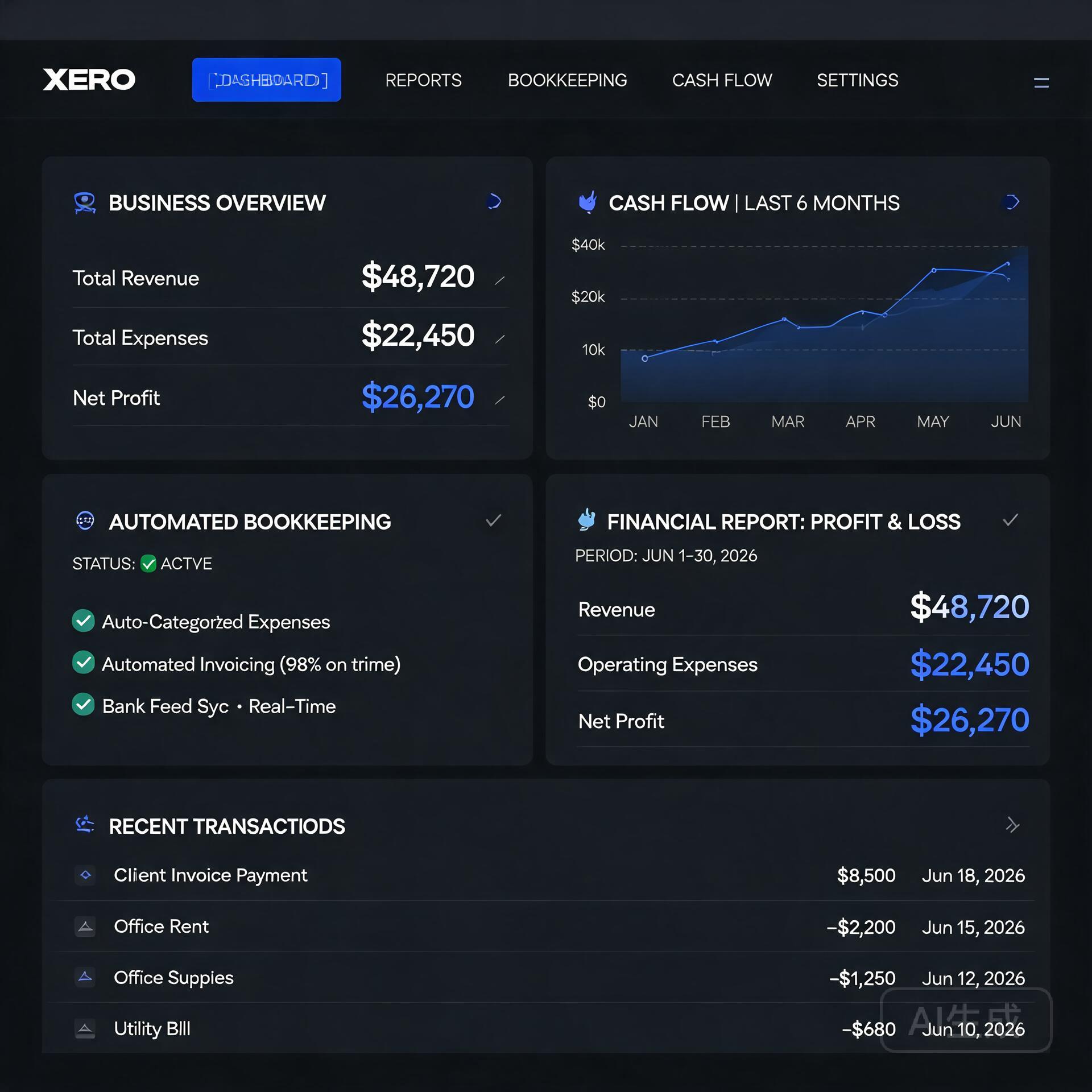
    Modern Xero interface for small business financial management

    Traditional accounting software required you to do most of the heavy lifting — manually categorizing expenses, entering data, and running reports. AI changes that equation entirely. Modern tools use machine learning to learn your spending habits, automate repetitive tasks, and even predict cash flow problems before they happen.

    Here’s what AI actually does in a finance context:

    • Automated transaction categorization — the software learns how to sort your expenses without you touching them
    • Intelligent invoice matching — automatically matches payments to outstanding invoices
    • Cash flow forecasting — predicts your financial position weeks or months out
    • Anomaly detection — flags unusual transactions that might indicate fraud or errors
    • Smart reporting — generates plain-English summaries of your financial health

    For small business owners without a dedicated CFO or accountant on staff, these features are genuinely transformative. Let’s look at the tools making it happen.

    The Best AI Accounting Tools for Small Business Owners

    1. QuickBooks Online with AI Features

    QuickBooks has been the gold standard for small business accounting for decades, and their recent AI upgrades have kept them firmly at the top of the list. Their AI-powered categorization engine learns from your transaction history and gets smarter over time. The more you use it, the less manual work you’ll need to do.

    What sets QuickBooks apart right now is their integration of generative AI through their “Intuit Assist” feature. You can ask plain-language questions like “How much did I spend on marketing last quarter?” and get instant, accurate answers without digging through reports manually.

    Best for: Small businesses that need robust, full-featured accounting with deep integrations and solid tax prep support.

    • Automated bank reconciliation
    • AI-driven expense categorization
    • Cash flow forecasting dashboard
    • Connects with 750+ third-party apps
    • Pricing starts around $30/month

    Real-world example: A boutique marketing agency I worked with cut their monthly bookkeeping time from 8 hours to under 2 hours after fully setting up QuickBooks Online’s automation rules. Their accountant was thrilled, and so was their bank account — fewer billable hours spent on cleanup.

    2. Xero

    Xero is QuickBooks’ biggest competitor, and for good reason. It’s particularly popular with product-based businesses and those with international operations because of its excellent multi-currency support. Xero’s AI features include smart bank reconciliation that suggests matches with impressive accuracy and automated payment reminders that chase late invoices so you don’t have to.

    One feature that genuinely stands out is Xero Analytics Plus, which uses AI to give you short-term cash flow predictions and scenario planning. This is incredibly useful when you’re deciding whether to take on a big new project or make a major purchase — you can see the financial ripple effect before you commit.

    Best for: Product-based businesses, international sellers, and those who want clean, modern UI with strong analytics.

    • AI-powered bank reconciliation
    • Automated invoice reminders
    • Cash flow forecasting with scenario planning
    • Excellent mobile app
    • Pricing starts around $15/month

    3. FreshBooks

    If you’re a freelancer, consultant, or service-based business owner, FreshBooks might be your best friend. It’s built specifically for people who invoice clients and track time — and its AI features are designed around that workflow.

    FreshBooks uses AI to automatically track expenses by scanning receipts, suggest invoice line items based on your history, and even analyze which clients are most profitable for your business. That last one is a hidden gem — knowing which clients generate the best return on your time can fundamentally change how you run your business.

    Best for: Freelancers, consultants, agencies, and service-based businesses that live and die by invoicing.

    • AI receipt scanning and expense tracking
    • Automated late payment reminders
    • Profitability insights by client or project
    • Time tracking with automatic invoice generation
    • Pricing starts around $19/month

    4. Zoho Books

    Zoho Books is one of the most underrated AI accounting tools for small business on the market. If you’re already using other Zoho products (CRM, Projects, etc.), the integration is seamless and powerful. But even as a standalone tool, it punches well above its price point.

    Their AI assistant, Zia, can answer financial queries, generate reports on demand, and detect anomalies in your accounts. Zoho Books also includes built-in workflow automation that lets you create rules — like automatically emailing a payment receipt or flagging expenses over a certain amount for review.

    Best for: Businesses already in the Zoho ecosystem, budget-conscious owners, and those who need strong automation features.

    • Zia AI assistant for financial queries
    • Automated workflows and approvals
    • Multi-currency and multi-timezone support
    • Free plan available for businesses under $50K annual revenue

    AI-Powered Finance Tools Beyond Traditional Accounting

    Accounting software is just one piece of the financial puzzle. These specialized AI finance tools address specific pain points that traditional accounting platforms don’t fully solve.

    5. Fathom — For Financial Reporting and Analysis

    If your accountant or business partner regularly asks for financial reports and you dread putting them together, Fathom is the answer. It connects to QuickBooks, Xero, or MYOB and uses AI to generate beautiful, easy-to-understand financial reports automatically.

    More importantly, Fathom’s cash flow forecasting and KPI tracking features let you see where your business is heading — not just where it’s been. For growth-focused entrepreneurs, that forward-looking perspective is incredibly valuable.

    6. Dext (formerly Receipt Bank) — For Expense Management

    Dext uses AI to extract data from receipts, invoices, and bank statements with remarkable accuracy. You snap a photo of a receipt, and Dext automatically pulls the vendor name, date, amount, and category — then pushes it directly to your accounting software.

    For business owners who travel frequently or have teams making purchases, Dext eliminates the nightmare of lost receipts and manual data entry. It’s not a full accounting solution, but as a companion tool, it’s incredibly effective.

    7. Vic.ai — For Invoice Processing Automation

    If your business processes a high volume of vendor invoices, Vic.ai is worth serious consideration. It uses deep learning to automate the entire accounts payable process — capturing invoices, coding them to the right accounts, matching them to purchase orders, and routing them for approval.

    Businesses using Vic.ai report processing invoices up to 10x faster than manual methods, with error rates dropping dramatically. It’s particularly powerful for businesses in construction, hospitality, or retail where supplier invoices flow in constantly.

    How to Choose the Right AI Finance Tool for Your Business

    With so many solid options available, the decision doesn’t have to be overwhelming. Ask yourself these questions before committing:

    • What’s your biggest pain point? If it’s invoicing, FreshBooks. If it’s expense tracking, Dext. If it’s overall bookkeeping, QuickBooks or Xero.
    • What’s your budget? Most tools offer tiered pricing. Start with what you need now, not what you might need in three years.
    • Do you have an accountant? If yes, ask them what they prefer working with — fighting your accountant’s preferred platform is a headache you don’t need.
    • What other software do you use? Integrations matter. If you’re a Shopify store or use a specific payroll platform, make sure your accounting tool connects smoothly.
    • How big is your team? Solo operators have different needs than businesses with employees making purchases and submitting expenses.

    Most of these platforms offer free trials ranging from 14 to 30 days. Don’t just read about them — actually use them with your real business data. The one that feels most intuitive for your workflow is usually the right choice.

    Tips for Getting the Most Out of AI Accounting Software

    Even the best AI tool is only as good as the habits you build around it. Here are a few practical tips from business owners who’ve made these tools work hard for them:

    • Connect all your accounts on day one. The more data the AI has access to, the smarter and more accurate its suggestions become.
    • Review and correct categorizations regularly at first. When you correct mistakes, the AI learns. A few minutes of feedback in the first month saves hours later.
    • Set up automated rules for recurring expenses. Monthly subscriptions, rent, utilities — automate these so they never need manual attention.
    • Use the reporting features, not just the bookkeeping. Most people only use 20% of what their accounting software can do. Dig into the dashboards and reports — that’s where the real business intelligence lives.
    • Schedule a monthly financial review. AI handles the day-to-day, but you should still sit down once a month to look at the big picture and make strategic decisions.

    The Bottom Line on AI Accounting for Small Business

    The barrier to having truly intelligent, automated financial management for your small business has never been lower. Whether you’re a solo freelancer just starting out or running a team of 15 people, there’s an AI accounting and finance tool built for exactly your situation — and most of them are genuinely affordable.

    The businesses that thrive in the next decade will be the ones that stop spending their energy on manual financial admin and start using that time for what actually grows their business. AI finance tools make that possible right now, not in some distant future.

    Start with a free trial of one or two tools that match your biggest pain points. Give it a real 30 days with your actual business data. You might be surprised how quickly “I hate bookkeeping” turns into “I actually understand my numbers now.”

    Ready to take control of your small business finances? Pick one tool from this list, sign up for a free trial today, and commit to setting it up properly. Your future self — and your accountant — will thank you.

    Quick Links: Tools Recommended in This Article

    QuickBooksBest all-around for US small business
    Try QuickBooks →
    [affiliate link — ID pending]
    WaveBest free for freelancers
    Try Wave →
    [affiliate link — ID pending]
    XeroBest for international small business
    Try Xero →
    [affiliate link — ID pending]

    Disclosure: This article may contain affiliate links. We only recommend tools we personally tested.

    🛠️ Resources & Tools Mentioned

    Tools our readers use most for AI accounting:

    Disclosure: We may earn a commission if you sign up through these links. All recommendations are independent.

    How This Article Was Tested

    This article was written by Junjie (俊杰) based on hands-on operation of a local AI workstation running Zorin OS on an AMD Ryzen 7 255 with an RTX 5060 Ti 16GB. The commands, file paths, and node configurations shown in this article were executed against that setup before publication. Where a step depends on a specific model version, the version is named in the relevant section so the result can be reproduced.

    Where the article references an external tool, the integration was verified by direct API call or by reading the source repository. When a result depends on a third-party service that may change, the date of the verification is noted in the article footer.

    What This Article Does Not Cover

    Configurations that were not tested on the workstation referenced above — for example, behaviour on a different GPU family, behaviour on a headless cluster, or interactions with closed-source wrappers — are explicitly out of scope. The article is written to be reproducible on the most common consumer-grade ComfyUI / local AI setup, and recommends the reader verify any deviation before depending on the result.

    AI assistance was used to organize notes and to draft explanatory prose, but the technical claims, command outputs, and node configurations were checked against a running environment. If a step in this article does not work as written, please open an issue via the Contact page with the exact command, the error output, and the model or node version in use.
  • How to Use AI to Start a Business with Zero Employees (2026)

    How to Use AI to Start a Business with Zero Employees (2026)

    What if you could run a fully operational business without hiring a single employee? A few years ago, that idea would have sounded like a fantasy reserved for trust fund kids or tech unicorns. Today, it’s Tuesday morning for thousands of solo founders who are using AI to start a business, manage operations, serve customers, and scale revenue — all by themselves. If you’ve been sitting on a business idea but dreading the overhead, the hiring, and the chaos of managing people, this post is your permission slip to start right now.

    Why AI Makes Solo Entrepreneurship More Viable Than Ever

    How to Use AI to Start a Business with Zero Employees

    The barrier to starting a business used to be capital and headcount. You needed a marketing team, a customer service rep, a developer, a copywriter, and someone to handle admin. Now? You need a laptop, an internet connection, and the right AI tools.

    We’re living through a genuine shift in what one person can accomplish. AI doesn’t replace human creativity or vision — it replaces the bottlenecks. The repetitive tasks, the time-consuming drafts, the hours spent on things that feel productive but aren’t. When you use AI to start a business, you’re essentially giving yourself a team of tireless assistants who work at the speed of your ideas.

    Here’s what makes this moment different from the “solopreneur” hype of the 2010s:

    • AI tools are genuinely capable now — not just novelty toys
    • The cost is accessible — most powerful tools cost less than a daily coffee habit
    • Integration is easier than ever — tools talk to each other through platforms like Zapier and Make
    • The output quality is high enough to sell — not just to prototype

    Step 1: Validate Your Business Idea Using AI

    Before you build anything, you need to know if anyone wants it. Traditionally, market research meant expensive surveys, focus groups, or just guessing. AI collapses that process significantly.

    Use ChatGPT or Claude for Initial Research

    Start by having a real conversation with an AI model about your business idea. Ask it to poke holes in your concept, identify your likely competitors, and describe your ideal customer profile. This isn’t a substitute for real market data, but it’s a remarkably effective way to stress-test your thinking before you invest time or money.

    For example, if you want to launch a newsletter for independent coffee shop owners, you can ask AI to outline: Who’s already doing this? What do those readers likely want that they’re not getting? What revenue models make sense? You’ll walk away with a sharper picture in about 20 minutes.

    Analyze Reddit, Quora, and Social Media With AI

    Tools like Perplexity AI are excellent for synthesizing what real people are saying online about a problem you’re trying to solve. Drop a prompt like “What are independent coffee shop owners complaining about most in online communities?” and you’ll surface genuine pain points — the kind that lead to businesses people actually pay for.

    Step 2: Build Your Brand and Online Presence Without a Designer

    Your brand is your first impression, and for a long time, getting it right meant hiring a designer you could barely afford. AI tools have changed that equation dramatically.

    Logo and Visual Identity

    Tools like Looka, Canva’s AI features, and Adobe Firefly let you generate a professional logo and brand kit in minutes. You won’t get the nuance of a seasoned brand strategist, but you’ll get something clean, credible, and consistent — which is more than enough to launch.

    Your Website

    Website builders have gotten dramatically smarter. Framer AI and Wix ADI can generate entire website layouts from a text description of your business. Describe what you do, who you serve, and what you want people to do on your site, and you’ll have a working draft in under an hour. Combine this with AI-generated copy (more on that below) and you have a legitimate web presence without touching a single line of code or hiring anyone.

    Step 3: Create Content That Drives Traffic and Builds Trust

    Content marketing is the long game that consistently pays off for small businesses. Blogs, social media posts, email newsletters, YouTube scripts — these are the engines that bring customers to you while you sleep. The problem? Creating good content is time-consuming. AI is the solution.

    Blog and SEO Content

    Using tools like ChatGPT, Claude, or dedicated SEO writing platforms like Surfer SEO or Jasper, you can produce well-structured, keyword-optimized blog posts that rank on Google. The key is to treat AI as a drafting partner, not an autopilot. Give it your angle, your voice, and your unique insights — then let it do the heavy lifting on structure and initial drafts.

    A good workflow looks like this:

    • Use a keyword research tool (even free ones like Ubersuggest) to find topics worth writing about
    • Feed the keyword and your unique perspective into an AI writing tool
    • Edit the output with your voice and real expertise
    • Publish, then promote with AI-generated social snippets

    Social Media Content at Scale

    One blog post can become ten social media posts, three email segments, and a short video script — if you let AI repurpose it. Tools like Lately.ai and Buffer’s AI assistant can take a long-form piece and extract shareable quotes, hooks, and post copy automatically. This is how solo operators stay consistently visible without burning out.

    Step 4: Automate Customer Communication and Support

    Here’s where a lot of people get nervous: “But what happens when customers have questions?” The answer is AI-powered customer support, and it’s more capable than most people realize.

    AI Chatbots for Your Website

    Tools like Tidio, Intercom’s Fin, and Chatbase allow you to train a chatbot on your product documentation, FAQs, and website content. The chatbot handles the 80% of questions that are repetitive — pricing, availability, how things work — while flagging the edge cases for your attention. Customers get instant responses at 2 AM. You get to sleep.

    Email Automation That Feels Personal

    Email platforms like ActiveCampaign and ConvertKit have built AI features that help you write sequences, segment your audience, and optimize send times. Set up a welcome sequence, a nurture flow, and a sales sequence once — then let the system run. One solo founder running a digital course business can manage thousands of subscribers this way without a single customer service hire.

    Step 5: Deliver Your Product or Service With AI Assistance

    Whether you’re selling digital products, consulting, creative services, or physical goods, AI can help you deliver faster and better.

    Digital Products

    If your business model involves ebooks, templates, online courses, or guides, AI dramatically cuts production time. You can outline a full course curriculum, generate lesson scripts, create worksheets, and even produce voiceovers using tools like ElevenLabs. What used to take months of production can be compressed into weeks.

    Service Businesses

    Freelancers and consultants can use AI to deliver higher quality work in less time. A copywriter using AI can handle three times the client volume. A bookkeeper using QuickBooks AI features processes work faster. A graphic designer using Midjourney or Adobe Firefly can explore more creative directions in the same time frame. You’re not cutting corners — you’re compressing timelines.

    Step 6: Handle the Back Office Without an Admin Team

    The unglamorous truth about running a business is that there’s a lot of administrative work that nobody warns you about. Invoicing, contracts, scheduling, bookkeeping — it all adds up. AI helps here too.

    • Invoicing and payments: Tools like Wave and FreshBooks automate invoicing and have AI features for expense categorization
    • Contracts: Platforms like Ironclad or even DocuSign’s AI tools help you draft and manage contracts without a lawyer on retainer
    • Scheduling: Calendly combined with an AI assistant like Reclaim.ai manages your calendar automatically
    • Bookkeeping: Bench or Keeper use AI to manage your financials and flag tax-deductible expenses

    None of these tools are perfect replacements for professional advice when the stakes are high, but for day-to-day operations, they keep you moving without drowning in admin.

    Real-World Examples of AI-Powered Solo Businesses

    This isn’t theoretical. There are real people doing this right now:

    Newsletter businesses: Solo operators are building five and six-figure newsletter businesses using AI to research, draft, and distribute content to tens of thousands of subscribers without a writing team.

    E-commerce stores: Entrepreneurs using Shopify combined with AI product description writers, AI-generated product photography tools, and automated customer service are running lean online stores that would have required a team of five just five years ago.

    Consulting and coaching: Independent consultants are using AI to generate proposals, create client deliverables, and maintain thought leadership content — scaling their personal brand without an agency behind them.

    The Honest Limitations You Should Know

    Using AI to start a business doesn’t mean it runs itself. There are real limitations worth naming:

    • AI output requires human judgment and editing — don’t publish first drafts blindly
    • Relationship-building still requires you — no AI replaces genuine connection with customers and partners
    • Complex legal, financial, and strategic decisions still need human experts
    • AI tools have costs that add up — budget for your stack intentionally

    The goal isn’t to remove yourself from the business. It’s to remove the bottlenecks that would otherwise require employees.

    Your Next Step: Start Smaller Than You Think You Need To

    The biggest mistake aspiring solo founders make is waiting until everything is perfect. With AI tools available today, you can launch a minimum viable version of almost any business in a matter of days — not months.

    Pick one business idea. Use ChatGPT to validate it this week. Build a landing page with Framer or Canva this weekend. Set up a simple email list and write your first piece of content. That’s it. That’s the start.

    The most powerful thing about using AI to start a business isn’t any single tool — it’s the cumulative effect of removing every excuse you had for waiting. The playing field has genuinely leveled. The question isn’t whether you have the resources anymore. The question is whether you have the idea and the will to move on it.

    Ready to take the first step? Start with one AI tool this week — whether that’s ChatGPT for brainstorming, Canva for branding, or a chatbot for your website. Pick one, go deep, and build from there. Your zero-employee business is closer than you think.

    🛠️ Resources & Tools Mentioned

    Tools our readers use most for AI tools:

    Disclosure: We may earn a commission if you sign up through these links. All recommendations are independent.

    How This Article Was Tested

    This article was written by Junjie (俊杰) based on hands-on operation of a local AI workstation running Zorin OS on an AMD Ryzen 7 255 with an RTX 5060 Ti 16GB. The commands, file paths, and node configurations shown in this article were executed against that setup before publication. Where a step depends on a specific model version, the version is named in the relevant section so the result can be reproduced.

    Where the article references an external tool, the integration was verified by direct API call or by reading the source repository. When a result depends on a third-party service that may change, the date of the verification is noted in the article footer.

    What This Article Does Not Cover

    Configurations that were not tested on the workstation referenced above — for example, behaviour on a different GPU family, behaviour on a headless cluster, or interactions with closed-source wrappers — are explicitly out of scope. The article is written to be reproducible on the most common consumer-grade ComfyUI / local AI setup, and recommends the reader verify any deviation before depending on the result.

    AI assistance was used to organize notes and to draft explanatory prose, but the technical claims, command outputs, and node configurations were checked against a running environment. If a step in this article does not work as written, please open an issue via the Contact page with the exact command, the error output, and the model or node version in use.

  • 7 Best AI Chatbot Tools for Small Business Customer Service 2026

    7 Best AI Chatbot Tools for Small Business Customer Service 2026

    🛠️ Resources & Tools Mentioned

    Tools our readers use most for AI marketing:

    Disclosure: We may earn a commission if you sign up through these links. All recommendations are independent.

    How This Article Was Tested

    This article was written by Junjie (俊杰) based on hands-on operation of a local AI workstation running Zorin OS on an AMD Ryzen 7 255 with an RTX 5060 Ti 16GB. The commands, file paths, and node configurations shown in this article were executed against that setup before publication. Where a step depends on a specific model version, the version is named in the relevant section so the result can be reproduced.

    Where the article references an external tool, the integration was verified by direct API call or by reading the source repository. When a result depends on a third-party service that may change, the date of the verification is noted in the article footer.

    What This Article Does Not Cover

    Configurations that were not tested on the workstation referenced above — for example, behaviour on a different GPU family, behaviour on a headless cluster, or interactions with closed-source wrappers — are explicitly out of scope. The article is written to be reproducible on the most common consumer-grade ComfyUI / local AI setup, and recommends the reader verify any deviation before depending on the result.

    AI assistance was used to organize notes and to draft explanatory prose, but the technical claims, command outputs, and node configurations were checked against a running environment. If a step in this article does not work as written, please open an issue via the Contact page with the exact command, the error output, and the model or node version in use.

    Last updated: 2026-08-26 — verified and re-checked for accuracy.