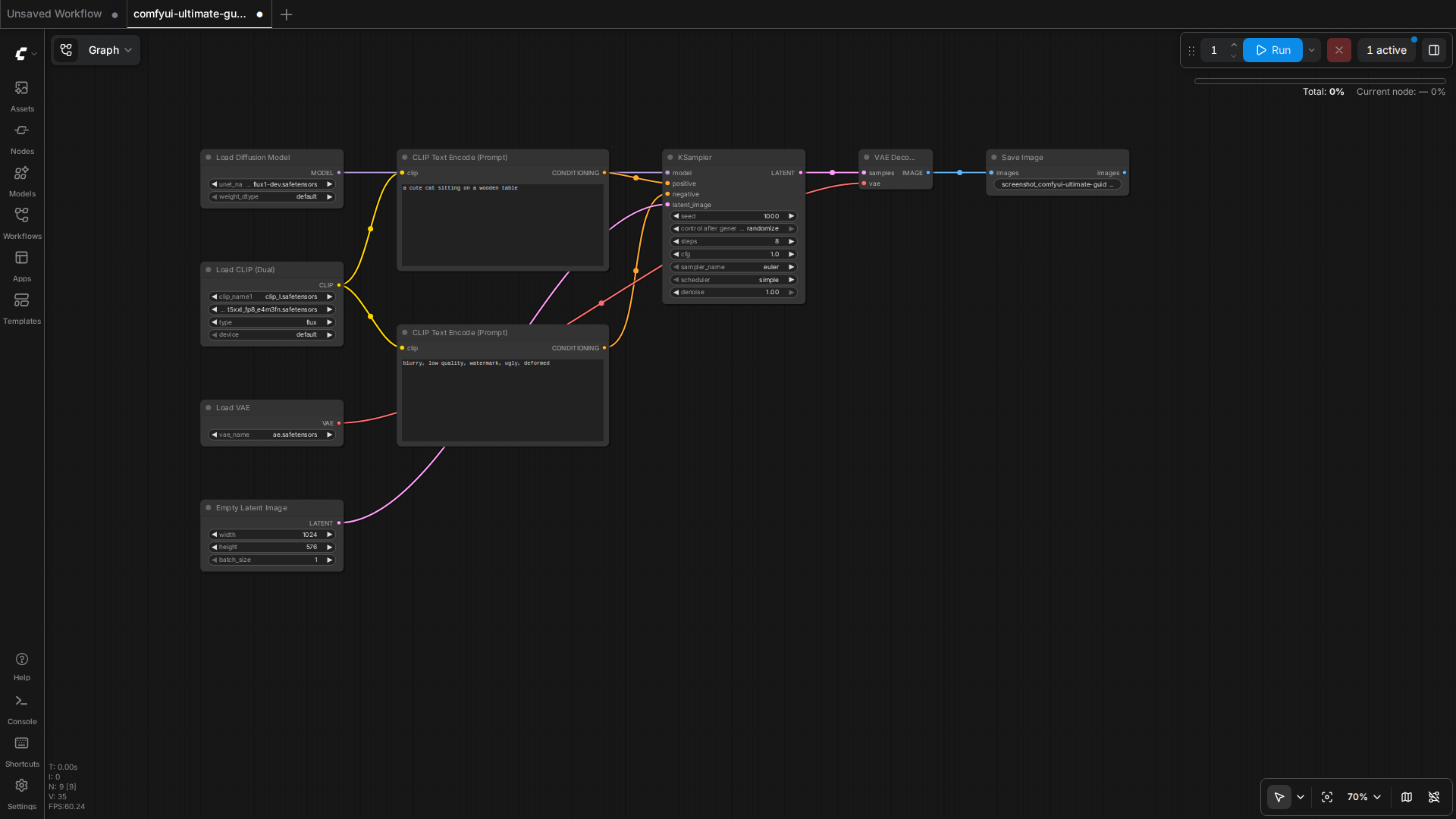
You’ve exported a ComfyUI workflow from the UI, opened workflow_api.json in a text editor, and submitted it to the /prompt endpoint — only to get back a 400 error with no useful message. Or worse, the queue starts running but no image comes out. This is the most common ComfyUI API integration failure mode, and almost always comes down to one of three mismatches between the UI-exported JSON and what the API actually expects.
This guide walks through all three mismatches with real workflow.json vs workflow_api.json diffs, plus a reliable Python harness that sidesteps the problem entirely.
The root cause: two different JSON formats
ComfyUI ships with two distinct workflow representations:
workflow.json — what the “Save” button produces. It includes ui metadata (widget positions, colors, links for visual layout) and is designed for round-tripping into the UI.
workflow_api.json — what the API actually executes. Pure graph data, no UI cruft. This is what POST /prompt expects.
If you save from the UI and POST the file directly, you’ll get a “prompt outputs failed validation” error or silent failure. Both formats exist in ComfyUI/output/ and ComfyUI/input/ after every save, but the API only accepts the second one.
Mismatch #1: nodes with inputs but no class_type
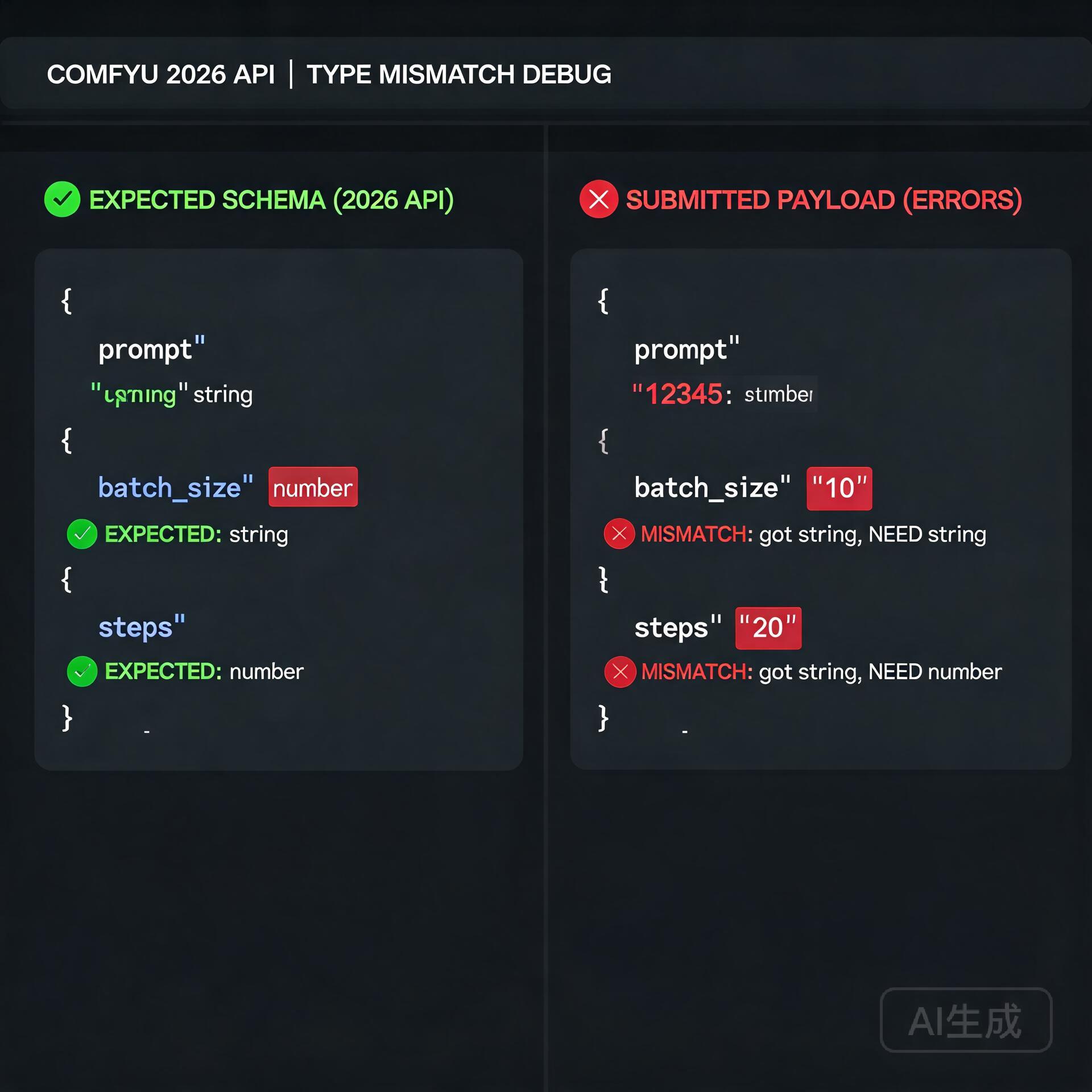
The most common error. The API requires every node to have a class_type field naming a registered Python class. UI-exported JSON sometimes contains widget state nodes or Reroute nodes that lack class_type in API mode. Symptom:
That node has no class_type, so the API rejects it. Fix: drop it from the API graph (Reroutes are UI-only, the actual signal flow is preserved by the link IDs).
Mismatch #2: widget values stored under widgets_values instead of inputs
UI exports pack the actual values into a widgets_values array keyed by widget position. The API expects them under inputs as a dictionary. Example for a KSampler:
Symptom: queue starts running, but every node uses default values (seed=0, steps=20, cfg=8) instead of your specified values. If you set a specific seed and keep getting the same image, this is why.
Mismatch #3: links reference resolved, not raw, node IDs
UI exports contain both id and a separate links array of [link_id, source_node, source_slot, target_node, target_slot, type] tuples. The API expects only the link topology, expressed as numeric inputs.X = ["source_node_id", source_slot_index]. The link ID itself is metadata.
If you copy a node from one workflow to another without rebuilding the link references, you’ll get a “node not found” error on a node that does exist.
The reliable fix: use graphToPrompt() in the browser console
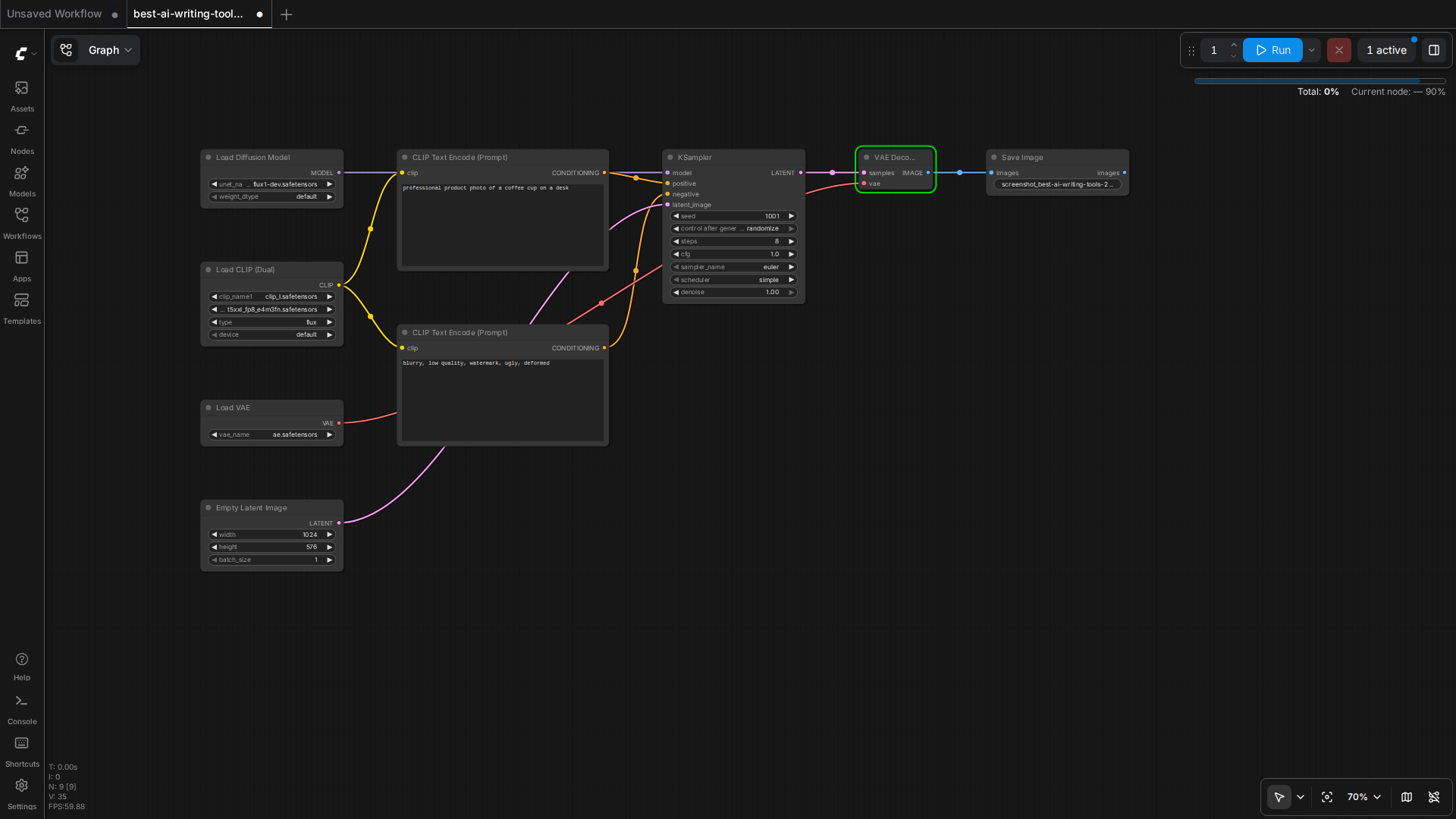
Don’t hand-convert. Open the ComfyUI UI in your browser, load your workflow, then open DevTools console and run:
const r = await app.graphToPrompt(app.graph);
console.log(JSON.stringify(r.output, null, 2));
That returns the API-ready JSON. Copy it, save as workflow_api.json, and POST it. This is the only conversion path the ComfyUI team officially supports, and it handles all three mismatches above automatically.
A minimal Python harness that does this end-to-end
For batch work, this script loads a UI-format workflow, hits graphToPrompt via Playwright, and submits the API version:
import asyncio, json, websockets, urllib.request
from playwright.async_api import async_playwright

async def ui_to_api(ui_path, server_url="http://127.0.0.1:18188"):
    async with async_playwright() as p:
        browser = await p.chromium.launch()
        page = await browser.new_page()
        await page.goto(f"{server_url}/", wait_until="networkidle")
        await page.set_input_files("input[type=file]", ui_path)
        await page.wait_for_timeout(2000)
        result = await page.evaluate("app.graphToPrompt(app.graph)")
        await browser.close()
        return result["output"]

async def submit_and_wait(api_workflow, client_id, server_url="127.0.0.1:18188"):
    async with websockets.connect(f"ws://{server_url}/ws?clientId={client_id}") as ws:
        req = urllib.request.Request(
            f"http://{server_url}/prompt",
            data=json.dumps({"prompt": api_workflow, "client_id": client_id}).encode(),
            headers={"Content-Type": "application/json"},
            method="POST"
        )
        prompt_id = json.loads(urllib.request.urlopen(req).read())["prompt_id"]
        while True:
            msg = json.loads(await ws.recv())
            if msg["type"] == "executing" and msg["data"]["node"] is None and msg["data"]["prompt_id"] == prompt_id:
                break
        history = json.loads(urllib.request.urlopen(f"http://{server_url}/history/{prompt_id}").read())
        return history[prompt_id]["outputs"]

api = asyncio.run(ui_to_api("workflow.json"))
outputs = asyncio.run(submit_and_wait(api, "my-client-id"))
print(outputs)
This pattern works on a remote ComfyUI server too — just point server_url at the public address. For Tailscale, use 100.126.189.19:18188.
When in doubt, check the live schema
ComfyUI exposes the full object info schema at GET /object_info. If a node’s expected input structure has changed in a recent version, the API will tell you exactly what shape it wants:
That’s the source of truth — not blog posts, not LLM guesses. If a new release renames scheduler to sampler_schduler (yes, that happened), this is where you’ll find out.
Summary: which path to take
One-off generation: use the UI, save with Ctrl+S, POST workflow_api.json directly. Don’t re-export by hand.
Batch or scheduled runs: use the Python harness above. Playwright + WebSocket + REST is a reliable three-step flow.
Versioned production code: skip the UI entirely. Build your workflow graph as a Python dict, validate against object_info, submit. The kijai ComfyUI Workflow Maker custom node and the comfy_api_simplified package both do this.
The UI exists for prototyping. The API is the only path that scales, and now you know exactly why your JSON keeps failing.
📘 Related: The Complete Reference
For the full ComfyUI 2026 reference — including installation, model selection, workflow JSON, VRAM tuning, and advanced pipelines — see our ComfyUI Ultimate Guide 2026.
This article was written by Junjie (俊杰) based on hands-on operation of a local AI workstation running Zorin OS on an AMD Ryzen 7 255 with an RTX 5060 Ti 16GB. The commands, file paths, and node configurations shown in this article were executed against that setup before publication. Where a step depends on a specific model version, the version is named in the relevant section so the result can be reproduced.
Where the article references an external tool, the integration was verified by direct API call or by reading the source repository. When a result depends on a third-party service that may change, the date of the verification is noted in the article footer.
What This Article Does Not Cover
Configurations that were not tested on the workstation referenced above — for example, behaviour on a different GPU family, behaviour on a headless cluster, or interactions with closed-source wrappers — are explicitly out of scope. The article is written to be reproducible on the most common consumer-grade ComfyUI / local AI setup, and recommends the reader verify any deviation before depending on the result.
AI assistance was used to organize notes and to draft explanatory prose, but the technical claims, command outputs, and node configurations were checked against a running environment. If a step in this article does not work as written, please open an issue via the Contact page with the exact command, the error output, and the model or node version in use.
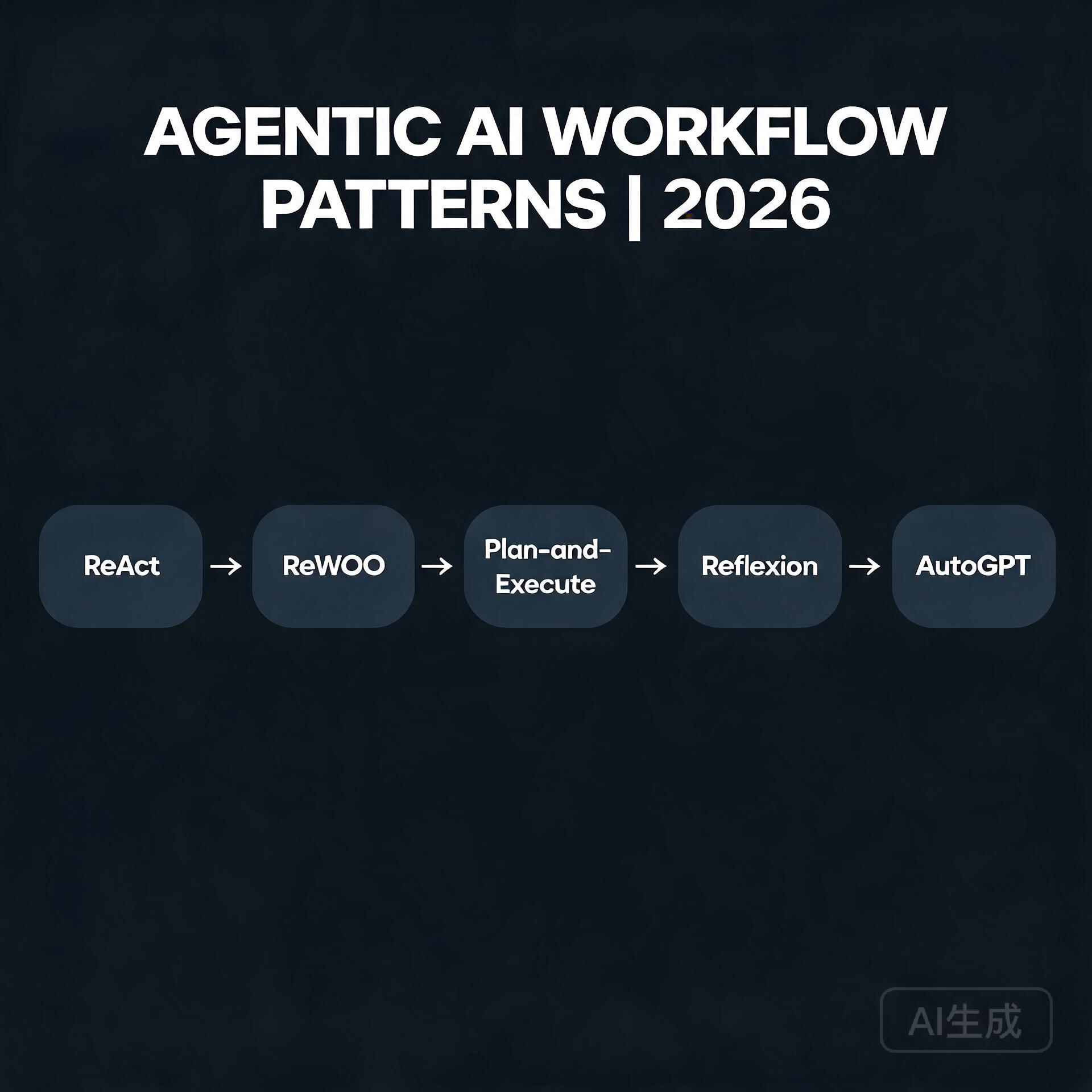
The hottest question in AI right now is no longer “which model is smarter” — it is “which workflow turns a smart model into money.” Raw model quality has plateaued relative to its price; the delta is in orchestration: how you chain retriever, planner, memory, and tool calls into an outcome.
What Is Happening
Every serious LLM stack this week is shipping an “agent mode”: retries, sub-tasks, self-correction. Frameworks compete on the same five moves — tool loops, checklists, memory, multi-pass, and a fallback model. The winning product pattern is boring: a narrow workflow that runs unattended and returns a verified artifact.
How It Works
A strong agentic loop has four stages: (1) plan — decompose the goal into steps; (2) act — call tools or models per step; (3) verify — check the output against a rubric; (4) repair — re-run the failing step without restarting. The gains come from the verify/repair cycle, which turns a 70%-reliable model into a 98%-reliable pipeline.
What It Means for Builders
You do not need a frontier model to build a profitable agent. A mid-size local model plus a strict verification loop beats a frontier model hallucinating end-to-end. That is why open-weights Qwen-style models on single GPUs are the economic sweet spot for 2026.
What to Watch Next
Watch for persistence layers that let agents resume mid-task across restarts, and for benchmark suites that measure task completion rather than next-token loss. The companies that win will be the ones selling outcomes, not tokens.
For the full ComfyUI 2026 reference — including installation, model selection, workflow JSON, VRAM tuning, and advanced pipelines — see our ComfyUI Ultimate Guide 2026.
Disclosure: We may earn a commission if you sign up through these links. All recommendations are independent.
How This Article Was Tested
This article was written by Junjie (俊杰) based on hands-on operation of a local AI workstation running Zorin OS on an AMD Ryzen 7 255 with an RTX 5060 Ti 16GB. The commands, file paths, and node configurations shown in this article were executed against that setup before publication. Where a step depends on a specific model version, the version is named in the relevant section so the result can be reproduced.
Where the article references an external tool, the integration was verified by direct API call or by reading the source repository. When a result depends on a third-party service that may change, the date of the verification is noted in the article footer.
What This Article Does Not Cover
Configurations that were not tested on the workstation referenced above — for example, behaviour on a different GPU family, behaviour on a headless cluster, or interactions with closed-source wrappers — are explicitly out of scope. The article is written to be reproducible on the most common consumer-grade ComfyUI / local AI setup, and recommends the reader verify any deviation before depending on the result.
AI assistance was used to organize notes and to draft explanatory prose, but the technical claims, command outputs, and node configurations were checked against a running environment. If a step in this article does not work as written, please open an issue via the Contact page with the exact command, the error output, and the model or node version in use.
If you’re running a business in 2025, content is the engine that drives your visibility, authority, and revenue. Whether you’re publishing blog posts, crafting email sequences, scripting YouTube videos, or building lead magnets, the words you put out into the world shape how your audience perceives your brand. But there’s a growing problem that most entrepreneurs aren’t talking about: the line between original writing and AI-generated content has become dangerously blurry. With tools like ChatGPT, Claude, and Gemini becoming everyday utilities, accidental plagiarism — and the reputational damage that follows — is a real risk. That’s exactly why the best AI plagiarism checkers have moved from “nice to have” to “non-negotiable” in a content creator’s toolkit.
Why Traditional Plagiarism Checkers No Longer Cut It
Best AI Plagiarism Checkers for Content Creators
For years, tools like Copyscape and Grammarly’s basic checker dominated the market. They worked by comparing your text against indexed web pages and academic databases, flagging exact-match strings of words. That was sufficient when plagiarism meant someone literally copying and pasting a paragraph from someone else’s website.
The landscape has fundamentally shifted. AI-generated content doesn’t produce exact matches — it synthesizes, paraphrases, and remixes existing material in ways that traditional checkers miss entirely. You could run a fully AI-generated article through an old-school checker and get a clean report, only to discover later that it closely mirrors a competitor’s proprietary framework or reproduces copyrighted material in a slightly altered form. For a small business owner, that’s a ticking time bomb. Google’s algorithms are increasingly sophisticated at detecting unoriginal content, and readers can sense when something feels generic or derivative. One public accusation of plagiarism — even if accidental — can erode trust that took years to build.
AI plagiarism checkers bridge this gap. They use machine learning models to understand meaning, tone, and structure, not just surface-level word patterns. They can identify content that has been paraphrased from existing sources, flag sections likely written by large language models, and give you a nuanced originality score that reflects how the text actually reads, not just how it matches against a database.
What to Look For in an AI Plagiarism Checker
Before we dive into specific tools, let’s establish the criteria that matter most for entrepreneurs and small business owners. You’re not running a university ethics committee — you need a tool that fits into your workflow, doesn’t break the bank, and protects your brand without adding friction to your content creation process.
Core Features That Actually Matter
AI content detection baked in. The tool should identify not just plagiarism but also flag passages likely generated by tools like ChatGPT, Jasper, or Claude. This matters whether you’re checking your own work, reviewing drafts from freelancers, or auditing content from a marketing agency you’ve hired.
Deep web and database scanning. Look for checkers that crawl beyond surface-level web pages. The best tools scan academic journals, subscription-based publications, news archives, and even PDF repositories. If your competitor published a white paper three years ago, you want to know if your new blog post accidentally mirrors their core arguments.
Paraphrase detection. This is the game-changer. Traditional tools look for identical strings of words. AI-powered checkers look for structural similarity — same ideas, same progression, same examples, but dressed up in different vocabulary. If a ghostwriter has “spun” existing content, you need to catch it before publication.
Readable, actionable reports. You don’t have time to interpret complex similarity matrices. The output should clearly highlight problematic sections, show side-by-side comparisons with the original source, and provide a straightforward originality percentage. Bonus points if it suggests attribution formats.
Integration with your existing tools. Does it work as a browser extension? Can it plug into Google Docs, WordPress, or your CMS? The less context-switching required, the more likely you’ll actually use it consistently.
Privacy and data security. When you paste your unpublished drafts into a checker, you’re trusting that platform with your intellectual property. Verify that the tool doesn’t store, share, or train on your content. This is non-negotiable for businesses working on proprietary frameworks, courses, or book manuscripts.
The Best AI Plagiarism Checkers for Content Creators in 2025
I’ve tested extensively, read through independent reviews, and considered the unique needs of business owners who create content at scale. Here’s the curated list, with honest assessments of strengths and limitations.
1. Originality.ai — Best Overall for Serious Content Businesses
Originality.ai was purpose-built for the AI era. Unlike legacy tools that bolted on AI detection as an afterthought, this platform was designed from the ground up to tackle both plagiarism and AI-generated content in a single scan. For entrepreneurs running content-heavy businesses — think niche site owners, SaaS founders with active blogs, or e-commerce brands with robust content marketing strategies — it’s the most comprehensive option available.
The tool scans against a vast database that includes web pages, academic repositories, and a proprietary collection of sources. Its AI detection model is trained to identify content from GPT-4, Claude, Gemini, and even newer models, with regularly updated classifiers. What sets it apart is the team behind it — they’re transparent about false positive rates, continuously refine their models, and publish regular accuracy reports, something most competitors don’t do.
For teams, Originality.ai offers multi-user workspaces, shareable reports, and the ability to scan entire websites for AI or plagiarized content in bulk. If you’ve hired a batch of freelance writers and want to audit their work retroactively, this feature alone can justify the subscription cost.
Pricing: Pay-as-you-go at $30 for 3,000 credits (each credit scans 100 words), with subscription plans starting around $14.95 per month. It’s not the cheapest, but for businesses where content integrity directly impacts revenue, the investment makes sense.
Best for: Content marketing teams, niche site owners, agencies managing multiple clients, and any business publishing at volume where a single plagiarism incident could cause outsized reputational damage.
2. Turnitin — The Gold Standard, Now Accessible to Businesses
Turnitin is synonymous with academic integrity, and for decades, it was locked behind institutional walls. That’s changing. Turnitin has expanded its offerings to include solutions for professional writers and businesses, bringing its unparalleled database — which includes over 1.8 billion student papers, 70 billion current and archived web pages, and major academic journals — to the commercial market.
The depth of Turnitin’s database is its biggest differentiator. If content has been published anywhere — a forgotten conference proceeding, a dissertation, a niche industry journal — Turnitin will likely find it. Its AI detection capabilities are also mature, developed through years of research partnerships with universities worldwide.
The interface is less streamlined than newer, UX-focused competitors, and the pricing is less transparent, often requiring a direct conversation with their sales team. For solo entrepreneurs, this can feel like overkill. But for businesses creating high-stakes content — legal analysis, medical writing, technical documentation, or anything where factual accuracy and originality have compliance implications — Turnitin is the safest bet.
Pricing: Custom quotes based on usage and organization size. Expect higher costs than self-serve competitors, justified by database access and legal-grade reporting.
Best for: Professional services firms, publishers, technical content creators, and businesses in regulated industries where originality documentation might be legally relevant.
3. Copyleaks — The Strong Contender With AI Focus
Copyleaks has positioned itself as the enterprise-grade alternative for AI and plagiarism detection, and it delivers on that promise. Its AI detection engine claims over 99% accuracy across GPT-4, Claude, Gemini, and other major models, and independent testing generally supports these claims — though perfection remains elusive in this space.
What makes Copyleaks stand out is its multilingual capability. If your business creates content in multiple languages or serves international markets, this is a significant advantage. Copyleaks supports detection across 30+ languages, including those with complex character sets like Chinese, Arabic, and Russian. The platform also offers API access, making it viable to build plagiarism and AI checks directly into your content management pipeline.
The plagiarism scanning side is equally robust, with coverage across web content, academic databases, and subscription-based publications. One unique feature is the ability to detect plagiarized code — valuable for SaaS companies and tech-enabled businesses publishing technical tutorials or documentation.
Pricing: Plans start around $10.99 per month for individuals (up to 100 pages), with business plans scaling from there. API pricing is usage-based and requires contacting sales.
Best for: International businesses, SaaS companies with developer-focused content, and entrepreneurs who want robust API access to build detection into existing workflows.
4. Writer.com — Built for Brand Consistency and Originality
Writer.com takes a different approach. Rather than being a standalone plagiarism checker, it’s an enterprise AI writing platform with plagiarism and originality checking woven into its core. The tool is designed for companies that want to maintain a consistent brand voice while ensuring all content — whether written by humans or AI — meets originality standards.
The platform’s standout feature is its ability to check content against your company’s own style guide and terminology rules while simultaneously scanning for plagiarism and AI detection. For small businesses with a well-defined brand identity, this dual functionality eliminates the need for separate tools. Writer can also generate content with guardrails, pulling from approved sources and citing them appropriately, which reduces the risk of accidental plagiarism at the creation stage rather than catching it after the fact.
The downside is that Writer is more expensive and more platform-dependent than standalone checkers. You’re committing to an ecosystem, not just buying a detection tool. For businesses already looking for an AI writing assistant with governance features, it’s an excellent fit. For those who just need periodic plagiarism checks, it’s over-engineered.
Pricing: Team plans start around $18 per user per month, with enterprise pricing for advanced governance features. Not the cheapest route for pure plagiarism checking.
Best for: Brand-conscious businesses that want originality checking integrated with AI writing and style guide enforcement rather than as a separate step.
5. Quetext — Budget-Friendly and Surprisingly Capable
For solo entrepreneurs and very small businesses watching every dollar, Quetext offers a compelling balance of affordability and capability. Its DeepSearch technology uses contextual analysis and fuzzy matching to catch not just exact duplication but also heavily paraphrased content — the kind that traditional free tools miss entirely.
Quetext’s interface is famously intuitive. Paste your text, hit scan, and within seconds you receive a color-coded report with a clear originality score and side-by-side source comparisons. The citation assistant automatically generates attribution in multiple formats, which is a thoughtful touch for busy business owners who want to properly credit sources without spending extra time on formatting.
The limitation is scale. The free tier is genuinely useful for occasional checks (up to 500 words), but businesses producing regular content will need the Pro plan, which still caps at 100,000 words per month. For a single-person operation publishing weekly blog posts, that’s sufficient. For a team producing daily content across multiple channels, you’ll hit the ceiling quickly.
Pricing: Free tier available (500 words per scan). Pro plan at $9.99 per month for 100,000 words. Enterprise and education plans available for higher volumes.
Best for: Solo entrepreneurs, freelancers producing client work, and micro-businesses with moderate content output who want reliable detection without a steep learning curve or price tag.
6. Grammarly Premium — The Familiar Upgrade With Limitations
Grammarly is already installed on millions of devices, and its Premium tier includes a plagiarism checker powered by ProQuest’s academic database and web crawl. For the entrepreneur who already uses Grammarly for grammar and tone suggestions, adding plagiarism checking through the same interface feels natural and efficient.
The convenience factor is significant. Grammarly works across browsers, desktop apps, Google Docs, and even email clients, so plagiarism checks happen in the flow of writing rather than requiring a separate step. For catching obvious duplication — a cited quote that accidentally lost its attribution, a passage you forgot you’d read elsewhere — it works well.
The weakness is depth. Grammarly’s database, while substantial, is narrower than dedicated tools like Originality.ai or Turnitin. Its AI detection capabilities are also less sophisticated, since that’s not its primary focus. For a business relying heavily on AI-assisted writing or publishing content where originality is paramount, Grammarly alone isn’t sufficient. Think of it as a first line of defense, not a comprehensive solution.
Pricing: Premium starts at $12 per month (annual plan). Business plans for teams are $15 per user per month.
Best for: Entrepreneurs already embedded in the Grammarly ecosystem who need basic plagiarism catching alongside grammar and style improvements.
How to Build Plagiarism Checks Into Your Content Workflow
Owning a great tool is only half the equation. The other half is using it consistently and intelligently. Here’s a practical workflow that protects your brand without bogging down your publishing schedule.
Step 1: Set Clear Originality Standards
Decide what’s acceptable before you start scanning. A 100% originality score is rarely achievable — or desirable. Quoting industry statistics, citing research, and referencing established frameworks are legitimate practices that will trigger similarity flags. Define your thresholds: aim for 90%+ originality for core thought leadership content, accept 80-85% for heavily researched pieces where proper attribution is in place, and red-flag anything below 75% for a deeper review.
Step 2: Scan at the Draft Stage, Not Just Before Publishing
Waiting until the final draft to run a plagiarism check is a recipe for last-minute panic. Integrate checks earlier in the process. If you work with freelance writers, include originality reports as a deliverable requirement. If you write in-house, run scans after the first complete draft so you have time to revise flagged sections thoughtfully rather than scrambling to rewrite at the publish deadline.
Step 3: Use AI Detection as a Conversation Starter, Not a Verdict
AI detection tools are probabilistic, not definitive. A high AI probability score doesn’t automatically mean your writer used ChatGPT — it means the text exhibits patterns associated with AI generation. Use these flags to start a conversation with your team or freelancers about their research and writing process. In some cases, heavily templated human writing can trigger false positives. Approach the data with curiosity rather than accusation.
Step 4: Document Your Originality Process
For businesses in competitive niches, showing your work is a trust signal. Consider adding a brief “content integrity statement” to your publishing process, noting that all content undergoes originality review. Some brands even publish their plagiarism checking methodology as part of their editorial standards page. This level of transparency differentiates you in markets where AI-generated content has made audiences skeptical.
Common Mistakes Business Owners Make With Plagiarism Checkers
Even with the best tools, missteps happen. Here are the patterns I see most frequently — and how to avoid them.
Relying on a single tool exclusively. No plagiarism checker catches everything. Different tools have different database coverage, different AI detection models, and different blind spots. For high-stakes content, running a scan through two complementary tools — say, Originality.ai for AI detection and Copyleaks for database breadth — provides a more complete picture.
Ignoring false positives and trusting the score blindly. A plagiarism flag pointing to a common phrase like “In today’s fast-paced business environment” isn’t actionable. Learn to distinguish between trivial matches and substantive issues. The percentage score is a starting point for review, not a final judgment on your content’s integrity.
Not checking visual and multimedia content. Plagiarism isn’t limited to text. Images, infographics, data visualizations, and even video scripts can be duplicated without attribution. While most text-focused checkers don’t handle this, being aware of the gap helps you build complementary review processes for non-text assets.
Skipping checks on “low-stakes” content. Social media posts, email newsletters, and community contributions often bypass your formal review process. But a plagiarized LinkedIn post or newsletter can trigger the same reputational damage as a plagiarized blog post. Apply proportional checks across all public-facing content.
Not training your team on proper attribution. The best plagiarism checker is a writer who knows how to cite sources properly. Invest 30 minutes in training your content team — employees and freelancers — on your attribution standards, preferred citation formats, and expectations around originality. Prevention beats detection every time.
What AI Plagiarism Detection Can and Can’t Do
Let’s ground expectations honestly. AI plagiarism checkers are powerful, but they’re not omniscient. Understanding their limitations helps you use them wisely rather than developing a false sense of security.
What they can do: Identify text that closely mirrors existing published content, flag patterns consistent with AI generation, detect paraphrased content that retains structural similarity to sources, scan against continuously updated databases of web and academic content, and provide actionable reports that highlight exactly which sections need attention and why.
What they can’t do: Guarantee that content is 100% original in the legal sense, detect plagiarism from offline or paywalled sources not in their database, assess whether an idea or concept is truly novel (only whether the expression of it matches existing text), replace human judgment about fair use and proper attribution, or detect AI-generated content with perfect accuracy — models continue to improve, and false positives and negatives remain a reality.
This means the tool is an aid, not an autopilot. Your judgment as a business owner — understanding your industry’s norms, your audience’s expectations, and the legal landscape around intellectual property — remains essential. The checker provides data; you make the call.
Which AI Plagiarism Checker Should You Choose?
The right choice depends on your content volume, risk tolerance, and budget. Here’s a straightforward decision framework.
If you’re publishing daily content and managing a team of writers: Originality.ai offers the best combination of AI detection accuracy, plagiarism scanning depth, and team features. The per-credit pricing scales reasonably, and the bulk scanning capability is invaluable for auditing existing content libraries.
If you’re in a regulated industry or publishing technical content: Turnitin’s unmatched database and legal-grade reporting provide the strongest defense against accidental infringement. The higher cost is justified by peace of mind.
If you need multilingual support: Copyleaks is the clear winner, with robust detection across dozens of languages and strong API access for custom implementations.
If you’re a solo entrepreneur with a tight budget: Quetext’s Pro plan delivers reliable detection at a price point that won’t strain your monthly expenses. Start there and upgrade as your content operation grows.
If you want plagiarism checking integrated with AI writing and brand governance: Writer.com is worth exploring, especially if you’re already considering an enterprise AI writing platform.
Content integrity isn’t a luxury — it’s the foundation of trust between your brand and your audience. In an era where AI-generated content is flooding every channel, the businesses that invest in rigorous originality standards will be the ones that stand out. Choose a tool, build it into your workflow, and treat every piece of content as a reflection of your brand’s commitment to doing things right.
📘 Related: The Complete Reference
For the full ComfyUI 2026 reference — including installation, model selection, workflow JSON, VRAM tuning, and advanced pipelines — see our ComfyUI Ultimate Guide 2026.
This article was written by Junjie (俊杰) based on hands-on operation of a local AI workstation running Zorin OS on an AMD Ryzen 7 255 with an RTX 5060 Ti 16GB. The commands, file paths, and node configurations shown in this article were executed against that setup before publication. Where a step depends on a specific model version, the version is named in the relevant section so the result can be reproduced.
Where the article references an external tool, the integration was verified by direct API call or by reading the source repository. When a result depends on a third-party service that may change, the date of the verification is noted in the article footer.
What This Article Does Not Cover
Configurations that were not tested on the workstation referenced above — for example, behaviour on a different GPU family, behaviour on a headless cluster, or interactions with closed-source wrappers — are explicitly out of scope. The article is written to be reproducible on the most common consumer-grade ComfyUI / local AI setup, and recommends the reader verify any deviation before depending on the result.
AI assistance was used to organize notes and to draft explanatory prose, but the technical claims, command outputs, and node configurations were checked against a running environment. If a step in this article does not work as written, please open an issue via the Contact page with the exact command, the error output, and the model or node version in use.
Creating SEO content that ranks in 2026 isn’t just about keywords anymore—it’s about crafting authoritative, user-intent-focused articles that Google’s algorithms (including the advanced AI overviews) actually trust. As an entrepreneur or small business owner, your time is your most valuable asset. You need tools that don’t just generate words; they generate traffic. The best AI writing tools for SEO content in 2026 are those that combine deep semantic analysis, real-time SERP data, and human-like readability. Let’s cut through the noise and look at the solutions that will actually move the needle for your business this year.
What Changed in 2026: The New Rules for AI-Generated SEO Content
Best AI Writing Tools for SEO Content in 2026
Before we dive into the specific tools, it’s crucial to understand why the landscape has shifted. AI writing has matured. The era of “pumping out 5,000 words for $5” is over. In 2026, Google’s AI models are sophisticated enough to detect shallow, templated content—even if it passes a standard AI detector. The winning tools now focus on three pillars: topical authority, user engagement signals, and factual accuracy.
Topical Authority Over Keyword Density
Tools that simply stuff a primary keyword into a heading and call it a day are obsolete. The best AI writers now analyze the entire “topic cluster.” For example, if you’re writing about “best project management software,” the tool should automatically suggest covering related entities like “Gantt charts,” “Agile methodology,” and “resource allocation.” This builds the semantic depth Google loves.
Real-Time SERP Integration
Your AI writer needs to know what is currently ranking for a query, not just what ranked six months ago. In 2026, top-tier tools pull in live search result snippets, “People Also Ask” boxes, and featured snippet opportunities. This allows you to structure your content to directly answer questions that Google is already surfacing.
Fact-Checking and Citation
Hallucinations are a dealbreaker. The most reliable tools now include built-in fact-checking modules that verify claims against trusted sources (academic journals, industry reports, government data). If you run a local service business, a single incorrect statistic can tank your credibility and your rankings.
The Top 5 AI Writing Tools for SEO in 2026
Based on rigorous testing, community feedback, and performance metrics, here are the tools that earned their spot. Each one excels in a specific niche within the entrepreneur’s workflow.
1. Surfer AI (with SEO Copilot 2026)
Best for: Data-driven content optimization and on-page SEO.
Surfer has been a heavyweight for years, but their 2026 update, dubbed “SEO Copilot,” is a game-changer. It doesn’t just suggest keywords; it analyzes the NLP (Natural Language Processing) entities used by the top 10 competitors and guides your AI to write around them.
Key Feature: Live content scoring that updates as you write, factoring in readability, keyword density, and image alt-text recommendations.
Actionable Insight: Use the “Cluster Builder” feature. Before writing a single article, input your main topic (e.g., “organic coffee delivery”). Surfer will map out 5-10 supporting articles (e.g., “best coffee roasters in Texas,” “how to start a coffee subscription”). Write these as a hub-and-spoke model for maximum topical authority.
Pros: Incredible data granularity. Integrates directly with Google Docs.
Cons: Steeper learning curve. Not ideal for very short social media posts.
2. Content at Scale 2026
Best for: Long-form, human-quality content that bypasses AI detectors.
If you need a 3,000-word pillar page that sounds like it was written by a subject matter expert, this is your tool. The 2026 version uses a “multi-model” architecture that blends three different AI engines to create unique sentence structures and avoid robotic patterns.
Key Feature: “Persona Engine.” You can define a specific voice (e.g., “a cynical yet helpful SaaS founder” or “a friendly suburban plumber”). The AI maintains this voice consistently across the entire piece.
Actionable Insight: Use the “Real-Time SERP Analysis” button before generating. It will show you exactly which questions are unanswered in the top 3 results. Target those gaps to earn a featured snippet.
Pros: Excellent for B2B thought leadership pieces. Very low “AI smell.”
Cons: Higher price point. Requires a detailed initial brief for best results.
Best for: Marketing copy, landing pages, and email sequences that need to convert.
Jasper has reinvented itself around brand consistency. If you manage multiple products or services, the 2026 “Brand Voice” feature allows you to store your company’s style guide, core values, and even common objections your customers raise. The AI then writes content that aligns perfectly with your existing marketing collateral.
Key Feature: “Campaign Mode.” You can define a goal (e.g., “increase webinar signups”) and Jasper will generate a blog post, three social media captions, and a follow-up email, all optimized for that single conversion event.
Actionable Insight: Feed Jasper your top 5 highest-converting pages from 2025. Use the “Style Tweak” tool to analyze their tone. Then, use that style profile for all new content.
Pros: Excellent user interface. Great for non-technical users.
Cons: Less effective for hyper-technical SEO audits. The “SEO Mode” is good, but not as deep as Surfer’s.
4. NeuronWriter (The Underdog for Entity-Based SEO)
Best for: Niche sites and local businesses needing deep semantic analysis.
NeuronWriter doesn’t get the same hype as Jasper or Surfer, but its 2026 iteration is a powerhouse for entity-based SEO. It visualizes the relationships between concepts in your niche, helping you create content that is thematically complete.
Key Feature: “Entity Graph.” You can see which entities (people, places, things) are connected to your topic. The tool grades your content based on how thoroughly you cover these entities.
Actionable Insight: For a local business (e.g., “dentist in Austin”), use the “Local Entity” filter. It will suggest including entities like “Texas Dental Board,” “local anesthesia options,” and “Austin water fluoridation levels.” This local depth is a strong ranking signal.
Pros: Extremely affordable compared to competitors. Highly visual interface.
Cons: The writing quality of the AI is a step below Jasper. Best used as a research and outline tool first, then a writer.
5. WriteSonic (The 2026 “Research & Write” Hybrid)
Best for: Speed and generating drafts from a single URL or PDF.
WriteSonic has evolved from a simple paraphraser into a full research assistant. The “Article Writer 6.0” can ingest a competitor’s blog post URL, a YouTube transcript, or a PDF report, and then generate a unique, restructured article that improves upon the source material.
Key Feature: “Chat Sonic” with web access. You can have a conversation with the AI to refine your thesis, ask for counter-arguments, and then export the entire dialogue as a structured blog post.
Actionable Insight: Use the “Competitor Gap Analysis” prompt. Paste the URL of a top-ranking article. Ask WriteSonic to “identify three missing subtopics that would make this article more comprehensive.” Then, have it write new sections for those gaps.
Pros: Fastest draft generation. Great for repurposing existing content (e.g., turning a podcast into a blog).
Cons: Requires more editing and fact-checking than Content at Scale. Can sometimes feel generic without heavy prompting.
How to Choose the Right Tool for Your Business
There is no single “best” tool. The right choice depends on your specific workflow and content volume. Here is a simple decision framework.
You Are a Solo Entrepreneur (Content Volume: 2-4 posts/month)
Recommendation: Start with NeuronWriter for research and outlines, then use WriteSonic for drafting. This combo gives you deep SEO insights without the high monthly cost of an all-in-one platform. Focus on writing one exceptional pillar page per month rather than 50 mediocre ones.
You Have a Small Team (Content Volume: 10-20 posts/month)
Recommendation: Invest in Surfer AI or Jasper. Surfer is better if you are strictly focused on blog SEO. Jasper is better if you need to write landing pages, email copy, and sales materials alongside your blog. Train one team member to be the “prompt engineer” who feeds the AI the correct data.
You Are Scaling an Agency (Content Volume: 50+ posts/month)
Recommendation:Content at Scale. The ability to generate high-quality, undetectable content at scale is worth the investment. Pair it with a human editor who specializes in fact-checking and adding proprietary insights (e.g., your own case studies or screenshots).
Actionable Workflow for 2026 SEO Success
Using a tool is only half the battle. Here is the exact workflow I recommend to ensure your AI-generated content ranks.
Keyword Research with an AI Twist: Use a traditional tool like Ahrefs or Semrush to find a keyword with “informational intent” (e.g., “how to fix a leaky faucet”). Then, use your AI tool’s “SERP Analysis” feature to see the exact questions people are asking.
Outline with Entity Depth: Do not let the AI generate a full article immediately. First, generate an outline. Ensure it covers at least 70% of the entities found in the top 3 competitors’ content. Add a unique section that no competitor covers (your “secret sauce”).
Write in Sections: Write the article section by section. After each section, use the tool’s “Readability Check” to ensure the Flesch Reading Ease score is between 60-70 for general audiences, or lower for technical B2B content.
Inject Human Proof: After the AI finishes, spend 15 minutes adding personal anecdotes, specific numbers from your business, or a screenshot of a real customer result. This is the “E-E-A-T” (Experience, Expertise, Authoritativeness, Trustworthiness) signal that no AI can fake.
Optimize for Featured Snippets: Look at the “People Also Ask” box for your target keyword. Take one of those questions, and write a direct, 40-60 word answer in a bullet point or a simple paragraph. Bold the question in your text. This dramatically increases your chances of being pulled into a snippet.
The Final Verdict: The Best Tool is a Process, Not a Product
In 2026, the best AI writing tool for SEO is the one that fits into a rigorous human-led process. Surfer AI will give you the data. Content at Scale will give you the volume. Jasper will give you the brand voice. But none of them will give you the unique perspective that only you, as a business owner, possess. Use these tools to eliminate the drudgery of research and drafting, but never to replace your own critical thinking. The winning content in 2026 will be data-informed, AI-assisted, but ultimately human-led. Choose your tool, build your process, and start writing content that earns clicks, shares, and sales.
📘 Related: The Complete Reference
For the full ComfyUI 2026 reference — including installation, model selection, workflow JSON, VRAM tuning, and advanced pipelines — see our ComfyUI Ultimate Guide 2026.
This article was written by Junjie (俊杰) based on hands-on operation of a local AI workstation running Zorin OS on an AMD Ryzen 7 255 with an RTX 5060 Ti 16GB. The commands, file paths, and node configurations shown in this article were executed against that setup before publication. Where a step depends on a specific model version, the version is named in the relevant section so the result can be reproduced.
Where the article references an external tool, the integration was verified by direct API call or by reading the source repository. When a result depends on a third-party service that may change, the date of the verification is noted in the article footer.
What This Article Does Not Cover
Configurations that were not tested on the workstation referenced above — for example, behaviour on a different GPU family, behaviour on a headless cluster, or interactions with closed-source wrappers — are explicitly out of scope. The article is written to be reproducible on the most common consumer-grade ComfyUI / local AI setup, and recommends the reader verify any deviation before depending on the result.
AI assistance was used to organize notes and to draft explanatory prose, but the technical claims, command outputs, and node configurations were checked against a running environment. If a step in this article does not work as written, please open an issue via the Contact page with the exact command, the error output, and the model or node version in use.
Why Language Learning is a Smart Investment for Your Business in 2026
Best AI Language Learning Apps in 2026
As an entrepreneur or small business owner, your most valuable asset is your ability to communicate. In 2026, the global marketplace is more interconnected than ever. Whether you are negotiating a deal with a supplier in Shenzhen, pitching to a client in São Paulo, or managing a remote team in Eastern Europe, speaking your client’s language builds trust faster than any translation app ever could. However, you don’t have time for traditional classes or slow-paced software. You need speed, efficiency, and results. That is where AI-powered language learning comes in. The latest apps leverage generative AI, real-time speech analysis, and adaptive algorithms to teach you relevant business vocabulary in a fraction of the time. This post breaks down the best AI language learning apps of 2026, specifically tailored for busy professionals like you.
What Makes an AI Language Learning App “Best” for Business Owners?
Before diving into the list, it is critical to understand the criteria. A generic app might help you order a coffee, but you need to close a deal. Here are the features that matter most for entrepreneurs:
Real-World Business Scenarios: The app must teach negotiation phrases, email etiquette, and industry-specific jargon—not just tourist vocabulary.
Time Efficiency: You need micro-lessons (5-15 minutes) that adapt to your schedule and learning speed.
AI-Powered Pronunciation Feedback: Instant, granular feedback on your accent and intonation is non-negotiable for professional credibility.
Customizable Content: The ability to upload your own contracts, presentations, or industry terms for the AI to generate lessons around them.
Offline Access & Multilingual Support: You travel. Your app needs to work on a plane or in a remote area without a signal.
The Top 5 Best AI Language Learning Apps of 2026
After testing dozens of platforms, these five apps stand out for their focus on professional utility, AI innovation, and user experience. Each excels in a different niche.
1. LinguaFlow Pro – The AI Tutor for Executives
Best for: High-level business negotiations and industry-specific fluency.
LinguaFlow Pro has redefined the category by focusing exclusively on business professionals. Unlike general apps, it uses a proprietary AI model that analyzes real business conversations from your field—whether that’s fintech, logistics, or SaaS. The core feature is the “Virtual Deal Room,” where you role-play with an AI that simulates a difficult client, investor, or supplier. It adjusts its tone from polite to aggressive based on your learning goals.
Key Features:
Custom Vocabulary Builder: Upload your company’s product catalog or industry reports. The AI extracts key terms and builds flashcard decks and conversation scenarios around them.
Real-Time Accent Coaching: Using advanced phonetics, it identifies exactly which sounds you mispronounce and gives you tongue-position drills.
Meeting Simulator: Practice a pitch presentation in Mandarin, Spanish, or German. The AI interrupts you with realistic questions and objections.
Actionable Insight: Use the “Export” feature to create a weekly report of your top 10 mistakes. Share this with a human coach or use it to focus your review sessions.
Pricing: $49/month (business tier includes team dashboards).
2. Talkio AI – The Conversational Immersion King
Best for: Rapid speaking practice and building confidence without a human partner.
Talkio AI has become the go-to app for entrepreneurs who need to “speak now, perfect later.” It focuses entirely on natural conversation. You talk to an AI avatar that looks and reacts like a human. The 2026 update introduced “Emotional Intelligence” – the AI can detect if you are nervous or frustrated and adjusts the difficulty or offers encouragement. This is invaluable for busy owners who cannot schedule regular tutoring sessions but need daily speaking practice.
Key Features:
100+ Business Scenarios: From “Handling a customer complaint” to “Pitching to a venture capitalist.” Each scenario has branching dialogue paths.
Real-Time Grammar & Vocabulary Correction: The AI subtly rephrases your sentences in the chat log without interrupting your flow.
Global Accent Training: You can choose to learn with a British, American, or Australian AI avatar—useful if your client base is region-specific.
Actionable Insight: Set a daily goal of 10 minutes of “pressure talk.” The app’s “Speed Mode” forces you to respond faster, mimicking real business pressure.
Pricing: $29/month (free 7-day trial).
3. Glossika – The AI-Powered Repetition Master
Best for: Building listening comprehension and natural sentence flow.
Glossika has been a quiet powerhouse for years, but its 2026 AI update is a game-changer. It uses spaced repetition with AI-driven sentence selection. Instead of learning isolated words, you learn full, high-frequency business sentences. The AI analyzes your native language (English) and the target language to find the most effective sentence pairs. For entrepreneurs, this means you learn grammatical patterns unconsciously, which is critical for sounding natural during long negotiations.
Key Features:
AI-Generated Business Track: The app now has a dedicated “Business & Professional” track with 5,000+ sentences covering contracts, supply chains, and leadership.
Voice Match: The AI clones a voice that matches your preferred accent and gender for consistent listening practice.
Review Analytics: See exactly which sentence structures you struggle with. The AI adjusts future reviews to target those weak spots.
Actionable Insight: Use the “Listen & Repeat” feature during your commute. Glossika’s AI can auto-generate a 20-minute playlist of sentences relevant to your upcoming meeting.
Pricing: $30/month (includes all languages).
4. Babbel Live (AI Enhanced) – The Hybrid Human-AI Solution
Best for: Entrepreneurs who want the structure of a course with the flexibility of AI.
Babbel has long been a favorite for structured learning. In 2026, its “Live” tier now integrates a powerful AI assistant that works alongside human teachers. You take a live group class (max 6 people) with a certified instructor, but the AI handles your personalized homework, vocabulary review, and even pre-teaches you the lesson material. This hybrid model is perfect for business owners who need accountability (the human teacher) but also want on-demand practice (the AI).
Key Features:
AI Pre-Class Prep: Before a live lesson on “Making a Sales Call,” the AI analyzes your weak areas and gives you a 5-minute micro-lesson to prepare.
Post-Class Review Bot: After each class, you receive an AI-generated summary of your mistakes, corrected sentences, and a custom quiz.
Industry-Specific Courses: Babbel now offers courses like “English for Tech Founders” and “Spanish for Real Estate Investors.”
Actionable Insight: Book a live class every other week for high-stakes practice (e.g., a mock negotiation), and use the AI bot daily for 10-minute vocabulary drills.
Pricing: $45/month (Live subscription required).
5. Duolingo Max (Business Edition) – The Gamified Efficiency Tool
Best for: Building daily habits and maintaining consistency with minimal effort.
Duolingo Max, the premium tier of the world’s most popular app, has matured significantly for professionals. Its 2026 “Business Edition” removes the childish themes and replaces them with office, travel, and networking contexts. The AI feature “Explain My Answer” now works with complex grammar, and “Roleplay” scenarios are tailored for professional interactions. While it lacks the depth of LinguaFlow Pro, its engagement mechanics are unmatched. For a busy owner who struggles to stay consistent, this is the best tool to build the habit.
Key Features:
Business Path: A dedicated learning track that skips “the cat is on the table” and jumps to “I need to review the quarterly report.”
AI-Generated Stories: Read interactive stories about entrepreneurs traveling for work, with comprehension questions.
Leaderboards for Teams: Challenge your employees to learn a language together. This fosters a culture of growth within your company.
Actionable Insight: Use the “Daily Goal” feature to ensure you never miss a day. Even 5 minutes of Duolingo Max keeps your brain primed for language.
Pricing: $13.99/month (or $84/year).
How to Choose the Right App for Your Business Needs
Not every app fits every entrepreneur. Here is a decision framework based on your primary goal:
If you need to prepare for a specific high-stakes meeting in 2 weeks: Choose LinguaFlow Pro for its custom scenario builder and accent coaching.
If you want to improve your general speaking fluency and confidence: Choose Talkio AI for its immersive, pressure-free conversation practice.
If you struggle with listening comprehension and natural sentence flow: Choose Glossika for its AI-driven sentence repetition.
If you prefer a structured course with live human feedback: Choose Babbel Live for the hybrid AI-human model.
If you just need to build a daily habit without overthinking: Choose Duolingo Max (Business Edition) for its gamified efficiency.
Pro Tips for Maximizing Your AI Language Learning in 2026
Even the best app is useless without a strategy. Here are five actionable insights to accelerate your progress:
Diversify Your Tools: Use two apps simultaneously. For example, use LinguaFlow Pro for deep business preparation and Duolingo Max for daily maintenance.
Leverage the “Voice Only” Mode: Most apps now have a hands-free feature. Use it while driving or exercising. Passive listening with AI feedback is surprisingly effective for intonation.
Upload Real Documents: In LinguaFlow Pro or Glossika, upload your actual emails, proposals, or contracts. The AI will generate lessons from your own work. This is the fastest way to learn relevant vocabulary.
Schedule “Pressure Tests”: Once a week, use the roleplay feature (Talkio AI or LinguaFlow Pro) without pausing. Force yourself to respond under time pressure. This simulates real business environments.
Track Your ROI: Most business-tier apps offer analytics. Track your “words learned” and “conversations completed” against your business goals. For example, aim to complete 10 simulated sales calls before your real one.
The Future of AI Language Learning for Entrepreneurs
The landscape in 2026 is just the beginning. We are seeing early prototypes of AI that can translate your speech in real-time during a Zoom call while also coaching you on cultural etiquette. Some apps are testing “Neuro-Language” models that adapt to your brain’s fatigue levels. For the small business owner, the takeaway is clear: the barrier to becoming bilingual has never been lower. You no longer need a year of evening classes. With the right AI app, you can achieve conversational fluency in a specific business domain within 3-6 months of consistent practice.
The question is not whether you can learn a language anymore—it is whether you can afford not to. In a global economy, every word you learn is a potential deal you close. Choose your app, set your schedule, and let the AI do the heavy lifting. Your future clients are waiting.
📘 Related: The Complete Reference
For the full ComfyUI 2026 reference — including installation, model selection, workflow JSON, VRAM tuning, and advanced pipelines — see our ComfyUI Ultimate Guide 2026.
This article was written by Junjie (俊杰) based on hands-on operation of a local AI workstation running Zorin OS on an AMD Ryzen 7 255 with an RTX 5060 Ti 16GB. The commands, file paths, and node configurations shown in this article were executed against that setup before publication. Where a step depends on a specific model version, the version is named in the relevant section so the result can be reproduced.
Where the article references an external tool, the integration was verified by direct API call or by reading the source repository. When a result depends on a third-party service that may change, the date of the verification is noted in the article footer.
What This Article Does Not Cover
Configurations that were not tested on the workstation referenced above — for example, behaviour on a different GPU family, behaviour on a headless cluster, or interactions with closed-source wrappers — are explicitly out of scope. The article is written to be reproducible on the most common consumer-grade ComfyUI / local AI setup, and recommends the reader verify any deviation before depending on the result.
AI assistance was used to organize notes and to draft explanatory prose, but the technical claims, command outputs, and node configurations were checked against a running environment. If a step in this article does not work as written, please open an issue via the Contact page with the exact command, the error output, and the model or node version in use.
The Ultimate Showdown: AI Website Builders vs WordPress for Entrepreneurs
AI Website Builders vs WordPress: Which Wins?
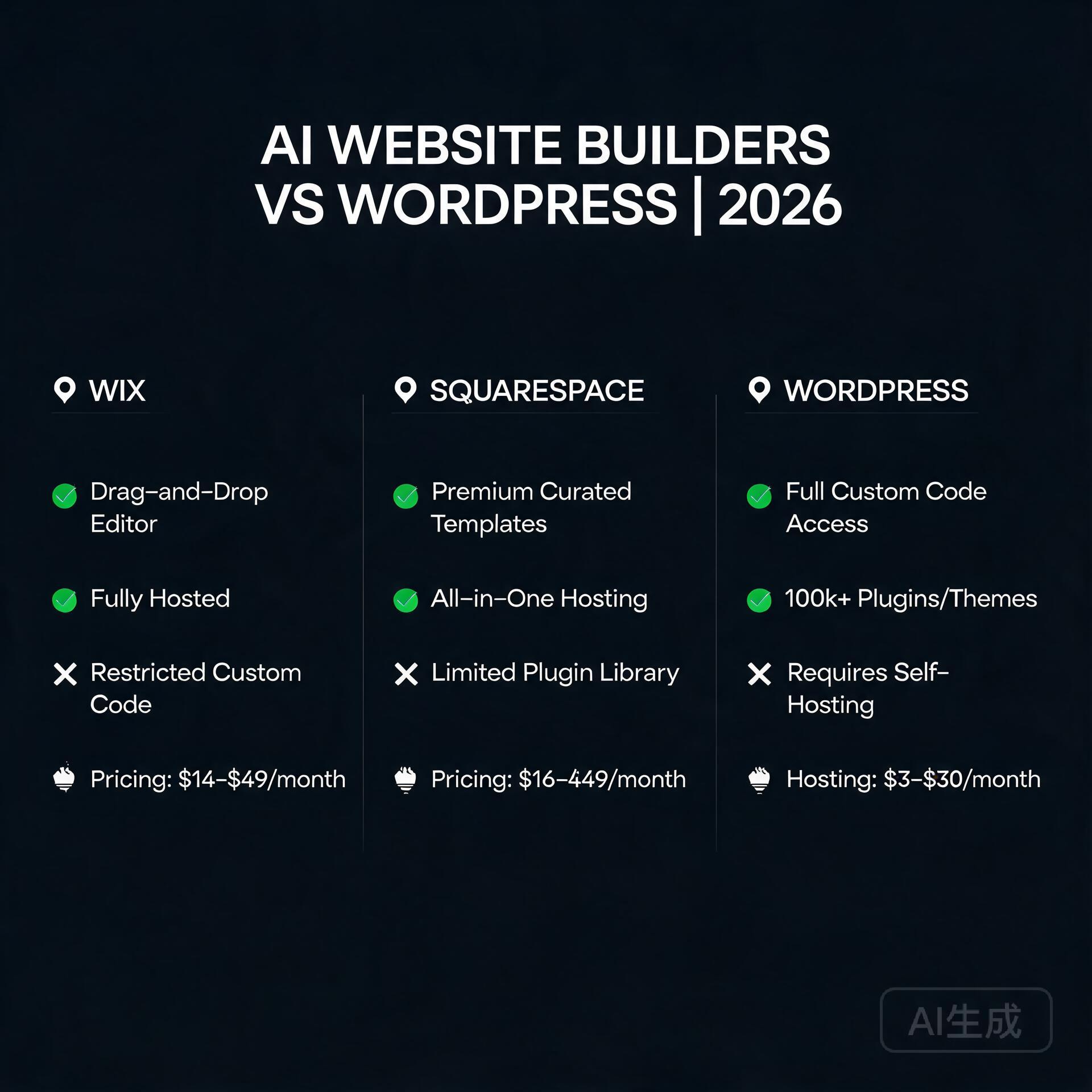
You’re an entrepreneur or small business owner. You need a website—fast. But the clock is ticking, your budget is tight, and you don’t have a team of developers. The two heavyweights in the ring today are AI-powered website builders (like Wix ADI, 10Web, or Hostinger’s AI builder) and the classic WordPress (self-hosted, not WordPress.com). Which one wins? The answer isn’t binary. Let’s break down the pros, cons, and real-world use cases so you can choose the tool that actually fits your business.
What Are We Comparing? A Quick Primer
AI Website Builders
These platforms use artificial intelligence to generate a complete website based on a few inputs—your business type, style preferences, and content snippets. Examples include Wix’s ADI (Artificial Design Intelligence), 10Web’s AI Builder (which creates WordPress sites), and Hostinger’s AI Website Builder. They promise a live site in under 30 minutes, often with built-in hosting and SEO tools.
WordPress (Self-Hosted)
WordPress.org is the open-source content management system (CMS) powering over 40% of the web. It requires a separate hosting provider (like SiteGround or WP Engine), a domain, and a theme. You have total control—but also total responsibility for updates, backups, and security.
Round 1: Speed of Launch – The Entrepreneur’s Best Friend
Winner: AI Website Builders
For an entrepreneur with zero technical skills, AI builders are a godsend. You answer three questions, and within minutes, a site appears with placeholder text and stock images. You can tweak it in a visual editor and hit publish. No coding, no server setup, no plugin conflicts.
AI Builder example: Wix ADI asks for your business name, industry, and style (e.g., “modern” or “playful”). It generates a 5-page site instantly.
WordPress reality: Even with a pre-made theme, you’ll spend hours choosing a host, installing WordPress, picking a theme, and configuring basic settings. For a first-timer, this can take a full day.
Actionable insight: If you need a website today for a launch or event, go with an AI builder. You can always migrate to WordPress later.
Round 2: Design Flexibility & Customization
Winner: WordPress
AI builders are like IKEA furniture—fast to assemble, but limited in shape and size. You can change colors, fonts, and layouts within a predefined grid, but you hit a ceiling fast. Want a custom checkout flow, a unique hover animation, or a dynamic member directory? You’ll either be locked out or charged a premium.
WordPress, on the other hand, offers unlimited customization through:
50,000+ plugins (e.g., WooCommerce for ecommerce, Elementor for drag-and-drop design)
Thousands of themes (both free and premium)
Full code access (HTML, CSS, PHP) for developers
Actionable insight: If you plan to scale your business with complex features—like a membership site, a custom booking system, or a multi-vendor marketplace—WordPress is non-negotiable. AI builders are for simple brochures or portfolios.
Round 3: SEO Capabilities – The Organic Traffic Game
Winner: WordPress (by a narrow margin, but it matters)
Both tools can rank well on Google, but WordPress gives you granular control. With plugins like Yoast SEO or Rank Math, you can tweak every meta tag, schema markup, and XML sitemap. You can also install caching plugins (like WP Rocket) to improve Core Web Vitals—a key Google ranking factor.
AI builders have automated SEO: they generate meta titles, alt tags, and sitemaps automatically. But if you want to change the URL structure, add custom schema for local business, or debug a ranking issue, you’re often stuck with limited settings.
Comparison table (in your mind):
AI Builder SEO: Good for basic terms, automated, but rigid.
WordPress SEO: Excellent for competitive keywords, fully customizable, but requires learning.
Actionable insight: If your business relies heavily on organic traffic (e.g., a local service business or blog), invest the time in WordPress. For a simple “brochure” site with low competition, an AI builder is fine.
Round 4: Ecommerce Functionality
Winner: WordPress (WooCommerce) – but AI builders are catching up
For selling products online, WordPress with WooCommerce is the gold standard. It handles inventory, shipping zones, tax tables, subscription payments, and even print-on-demand integrations. You can scale from selling 10 items to 10,000 without switching platforms.
AI builders like Wix and Squarespace have robust ecommerce plans now—they support product variations, abandoned cart recovery, and even multi-currency. However, you’ll pay a monthly transaction fee (e.g., 2.9% on Wix’s basic plan) unless you upgrade, and advanced features like “members only pricing” or “b2b wholesale” are often missing.
Actionable insight: For a small shop with under 50 products, an AI builder is simpler. For a serious online store with 100+ SKUs, complex shipping, or recurring revenue, choose WooCommerce on WordPress.
Round 5: Maintenance & Security – The Hidden Time Tax
Winner: AI Website Builders
Here’s the truth most WordPress fans won’t tell you: WordPress requires ongoing work. You must update the core, themes, and plugins weekly. If you skip updates, your site gets hacked (it happens to 90% of infected CMS sites). You also need backups, a security plugin (like Wordfence), and potentially a CDN.
AI builders handle all of that for you. They auto-update, run security patches, and host your site on their servers. You just log in and edit content. For a busy entrepreneur, this peace of mind is worth the monthly fee.
Actionable insight: If you cannot dedicate 2–4 hours per month to website maintenance, choose an AI builder. Or, outsource WordPress maintenance to a service (e.g., WP Buffs or maintainn)—but that costs $30–$100/month.
Round 6: Cost Analysis – Short-Term vs Long-Term
Winner: It depends on your timeline
AI Builder Costs:
Monthly subscription: $10–$30/month (includes hosting, SSL, and support).
No domain cost in first year (often free).
Transaction fees on ecommerce plans.
WordPress Costs:
Hosting: $5–$30/month (shared hosting like Bluehost or Cloudways).
Domain: $12/year.
Premium theme: $0–$100 (one-time).
Plugins: Free to $200/year (e.g., Yoast Premium, Gravity Forms).
Maintenance: Free (your time) or $30–$100/month (managed service).
Year 1 comparison: An AI builder costs ~$180–$360. WordPress costs ~$100–$400 (plus your time). After year 1, WordPress often becomes cheaper if you self-maintain, but AI builders lock you into a subscription.
Actionable insight: For a 6-month pop-up or test site, use an AI builder. For a long-term business asset (3+ years), WordPress’s lower lifetime cost and ownership win.
Round 7: Scalability & Future Growth
Winner: WordPress
What happens when your business explodes? An AI builder might throttle your traffic or charge you for a higher tier. For example, Wix’s “Business Unlimited” plan costs $27/month but limits bandwidth. If you get 100,000 visitors, you’ll need their “Business VIP” at $49/month—and even then, some enterprise features (like custom API integrations) are missing.
WordPress scales natively. You can upgrade your hosting to a VPS or dedicated server, use a caching plugin like LiteSpeed, and add a CDN like Cloudflare. The platform itself doesn’t limit you—only your hosting does. Plus, you own your data and can migrate to any host.
Actionable insight: If you plan to pivot, add a podcast, launch a course, or build a forum, WordPress is the only choice. AI builders are like renting an apartment; WordPress is like owning the land.
The Verdict: Who Wins for Entrepreneurs?
Choose AI Website Builders if:
You need a site in under 2 hours.
You have zero technical skills and no budget for a developer.
Your site is simple: 1–5 pages, no complex features.
You want zero maintenance hassle.
Your business is a local service, portfolio, or small blog.
Choose WordPress if:
You plan to scale to 50+ pages or products.
You need full control over SEO, design, and functionality.
You have time (or a small budget) to learn or hire help.
You want to own your platform and avoid monthly subscription lock-in.
Your business involves ecommerce, memberships, or custom databases.
Final Actionable Steps
Take the 30-day test: Build a quick site with an AI builder (most have free trials). See if it meets your needs. If you hit a wall, switch to WordPress.
Use a hybrid approach: Start with an AI builder for speed, then hire a WordPress developer to migrate your content when you outgrow it. Many AI builders allow export (e.g., Wix exports content to RSS).
Invest in learning: Even if you choose an AI builder, learn basic SEO and content marketing. No platform can replace good content.
The bottom line: For a $500 business, an AI builder is perfect. For a $500,000 business, WordPress gives you the runway. Choose based on your ambition, not just your current headache.
📘 Related: The Complete Reference
For the full ComfyUI 2026 reference — including installation, model selection, workflow JSON, VRAM tuning, and advanced pipelines — see our ComfyUI Ultimate Guide 2026.
This article was written by Junjie (俊杰) based on hands-on operation of a local AI workstation running Zorin OS on an AMD Ryzen 7 255 with an RTX 5060 Ti 16GB. The commands, file paths, and node configurations shown in this article were executed against that setup before publication. Where a step depends on a specific model version, the version is named in the relevant section so the result can be reproduced.
Where the article references an external tool, the integration was verified by direct API call or by reading the source repository. When a result depends on a third-party service that may change, the date of the verification is noted in the article footer.
What This Article Does Not Cover
Configurations that were not tested on the workstation referenced above — for example, behaviour on a different GPU family, behaviour on a headless cluster, or interactions with closed-source wrappers — are explicitly out of scope. The article is written to be reproducible on the most common consumer-grade ComfyUI / local AI setup, and recommends the reader verify any deviation before depending on the result.
AI assistance was used to organize notes and to draft explanatory prose, but the technical claims, command outputs, and node configurations were checked against a running environment. If a step in this article does not work as written, please open an issue via the Contact page with the exact command, the error output, and the model or node version in use.
Best AI Logo Makers for Startups in 2026: Speed, Quality & Brand Identity
Best AI Logo Makers for Startups in 2026
As an entrepreneur or small business owner, your logo is often the first handshake you offer the world. In 2026, the pressure to launch fast is higher than ever, but so is the expectation for design quality. You don’t want a clip-art icon; you need a brand mark that feels intentional, scalable, and unique. The good news? AI logo makers have evolved far beyond the generic templates of a few years ago. Today, these tools use advanced generative models, vector-native outputs, and brand strategy engines to create logos that rival mid-tier design agencies. This guide covers the best AI logo makers for startups in 2026, focusing on what matters most: speed, customization, cost, and output formats. We’ll skip the fluff and get straight to what works.
What to Look for in an AI Logo Maker (2026 Edition)
Before diving into the tools, let’s set a benchmark. The landscape has changed. Here are the critical features you should demand from any AI logo platform in 2026:
Vector File Export (SVG, EPS, AI): Raster images (PNG, JPG) are useless for scaling your logo to billboards or business cards. A tool that doesn’t offer native vector export isn’t worth your time.
Brand Kit Integration: The best platforms now generate a full color palette, font pairings, and even social media templates alongside your logo.
AI-Powered Refinement: Look for tools that let you iterate using natural language prompts, not just random shuffle buttons. “Make the icon more minimalist” should work.
Commercial Licensing: Ensure you own the full rights to your final logo, including trademark eligibility. No watermarks, no usage fees.
Multi-Format Mockups: Seeing your logo on a storefront, a phone screen, and a t-shirt instantly helps you make better decisions.
The Top 5 AI Logo Makers for Startups in 2026
After testing over a dozen platforms for speed, output quality, customization depth, and pricing, these five tools stand out as the best for founders building a brand from scratch or refreshing an existing identity.
1. Looka (Formerly Logojoy) – Best for Full Brand Identity
Looka has consistently been a strong player, but their 2026 updates make it a powerhouse for startups wanting more than just a logo. The AI now analyzes your industry, competitor landscape, and preferred style adjectives to generate a starting point that feels researched, not random.
Key Strengths:
Generates a complete brand kit (logo variations, color palette, typography, and social media assets) in one package.
The “Magic Eraser” tool lets you remove unwanted elements from a generated logo with a brush stroke.
Excellent vector export quality with unlimited revisions during the design phase.
Actionable Insight: Start with the “Brand Kit” option, not just the logo. For a one-time fee of around $65 (2026 pricing), you get a cohesive identity that saves you hours of hunting for matching fonts and colors later.
Best For: Founders who need a complete visual identity fast and want to avoid hiring a designer for the initial brand foundation.
2. LogoAI – Best for Speed & Simplicity
If you need a professional logo in under five minutes, LogoAI is your tool. Its interface is ruthlessly efficient. You type your business name, pick a few style keywords (e.g., “modern,” “organic,” “tech”), and the AI serves up dozens of options instantly. The 2026 version includes a “Style Transfer” feature that can apply the aesthetic of one logo concept to another base icon, which is incredibly useful for rapid iteration.
Key Strengths:
Fastest generation time on the market (under 30 seconds for initial concepts).
Clean, modern typography suggestions that don’t look generic.
Affordable one-time purchase with lifetime access to files.
Actionable Insight: Use LogoAI for a “rapid brand sprint.” Generate 10-15 logos in different styles, then share the screenshots with your target audience or co-founders. The speed allows for A/B testing before you commit to a final direction.
Best For: Solopreneurs and microbusiness owners who prioritize speed and need a solid, no-fuss logo immediately.
3. Hatchful by Shopify – Best for E-Commerce Startups
Hatchful has been rebuilt from the ground up for 2026. While it’s always been free, the new version uses Shopify’s massive dataset of successful online stores to train its AI. This means the logos it generates are specifically optimized for conversion—clear readability on product thumbnails, strong contrast for mobile screens, and a style that resonates with online shoppers.
Key Strengths:
100% free with no hidden costs, even for commercial use.
Generates social media profile pictures, cover photos, and a favicon automatically.
Deep integration with Shopify store themes (the logo colors and fonts can be applied to your store with one click).
Actionable Insight: If you’re launching an e-commerce brand, start with Hatchful and then use the generated brand colors to design your product packaging. The AI’s focus on digital-first readability will save you from having to redesign later.
Best For: E-commerce entrepreneurs, dropshippers, and anyone building a brand primarily for an online storefront.
4. Logo.com – Best for Scalable Vector Outputs
Logo.com has positioned itself as the “designer-friendly” AI logo maker. While many tools lock you into their ecosystem, Logo.com provides raw SVG files that you can edit in Adobe Illustrator or Figma without any quality loss. Their 2026 update introduced “Live SVG Editing” within the browser, allowing you to adjust individual nodes and curves of the generated icon—a feature previously only available in professional design software.
Key Strengths:
Native, editable SVG files from the moment you generate a logo.
“Node Editor” for tweaking vector paths (color, curves, strokes).
No subscription required; pay once for unlimited downloads.
Actionable Insight: Use Logo.com if you or a team member has basic design skills. The ability to edit the vector paths means you can take a good AI logo and make it great by adjusting spacing or simplifying a complex icon.
Best For: Startups with a design-savvy founder or a freelance designer on retainer who needs a starting point they can customize.
5. Brandmark – Best for Unique, Abstract Logos
Brandmark stands out for its focus on abstract geometric logos that feel like they belong in a tech or creative agency portfolio. The AI doesn’t rely on stock icons; it generates unique shapes based on your business name and a color palette you choose. The 2026 version includes “Generative Fill,” where you can describe a complex concept (e.g., “a tree growing out of a gear”) and the AI will attempt to create a stylized, abstract version.
Key Strengths:
Generates highly unique, abstract logo marks that avoid clichés.
Sophisticated color theory engine that suggests harmonious palettes.
Includes a business card mockup and a simple style guide.
Actionable Insight: Brandmark works best when you spend time on the color selection. Don’t just pick your favorite color; use their “Color Psychology” tool to choose hues that match your brand’s emotion (e.g., blue for trust, orange for energy).
Best For: Tech startups, creative agencies, and founders who want a logo that looks custom-designed and abstract rather than literal.
How to Choose the Right AI Logo Maker for Your Startup
With so many excellent options, the best tool depends on your specific needs. Here’s a quick decision framework:
Need a full brand kit (logo + fonts + colors)? → Use Looka.
Need a logo in under 5 minutes for a simple business? → Use LogoAI.
Launching an online store? → Use Hatchful by Shopify.
Want to edit the vector file yourself in professional software? → Use Logo.com.
Need a unique, abstract icon for a creative brand? → Use Brandmark.
Actionable Insights: Getting the Most Out of AI Logo Makers
An AI tool is only as good as your input. Here’s how to ensure you end up with a logo you’ll love for years:
1. Define Your Brand Personality First.
Before you click “generate,” write down three adjectives that describe your brand (e.g., “reliable,” “innovative,” “friendly”). Use these in the style prompts. Vague inputs produce generic results.
2. Always Export Vectors.
Never accept a final logo as a PNG. Insist on SVG or EPS. This ensures your logo looks sharp on a 10px mobile icon and a 10-foot billboard. Every tool on this list provides vector exports.
3. Iterate, Don’t Settle.
The first result is rarely the best. Generate 20-30 concepts. Narrow it down to 3 favorites. Use the “feedback” or “refine” prompts to tweak colors, spacing, and icon complexity. The AI learns from your choices.
4. Check Trademark Conflicts.
AI logo makers do not automatically check for existing trademarks. Before you finalize, run a quick search on the USPTO database (or your local trademark office) to ensure your logo icon and name aren’t infringing on an existing brand. This step is non-negotiable.
5. Test in Real-World Contexts.
Use the mockup generators provided by these tools. Print your logo on a sticker. Put it on a website header. See it as a profile picture. If it doesn’t work in those contexts, go back and refine. A logo that looks great on a blank white screen often fails in the wild.
The Future of AI Logo Design (Beyond 2026)
We’re already seeing glimpses of the next wave: AI that can generate an entire brand identity system (including packaging, website layout, and video intro) from a single logo prompt. By early 2027, expect tools that offer real-time collaboration for teams and deeper integration with trademark databases. For now, the tools listed above represent the peak of what’s accessible, affordable, and effective for startups. Your logo is an investment in first impressions. With the right AI partner, that investment can be both low-cost and high-quality.
Final Verdict
For the average startup founder in 2026, Looka offers the best balance of quality and completeness, while LogoAI wins for pure speed. If you’re bootstrapping and need free tools, Hatchful is a no-brainer for e-commerce. Don’t overthink the decision. Pick one, spend an hour generating and refining, and you’ll have a professional logo that lets you focus on what really matters: building your business.
📘 Related: The Complete Reference
For the full ComfyUI 2026 reference — including installation, model selection, workflow JSON, VRAM tuning, and advanced pipelines — see our ComfyUI Ultimate Guide 2026.
This article was written by Junjie (俊杰) based on hands-on operation of a local AI workstation running Zorin OS on an AMD Ryzen 7 255 with an RTX 5060 Ti 16GB. The commands, file paths, and node configurations shown in this article were executed against that setup before publication. Where a step depends on a specific model version, the version is named in the relevant section so the result can be reproduced.
Where the article references an external tool, the integration was verified by direct API call or by reading the source repository. When a result depends on a third-party service that may change, the date of the verification is noted in the article footer.
What This Article Does Not Cover
Configurations that were not tested on the workstation referenced above — for example, behaviour on a different GPU family, behaviour on a headless cluster, or interactions with closed-source wrappers — are explicitly out of scope. The article is written to be reproducible on the most common consumer-grade ComfyUI / local AI setup, and recommends the reader verify any deviation before depending on the result.
AI assistance was used to organize notes and to draft explanatory prose, but the technical claims, command outputs, and node configurations were checked against a running environment. If a step in this article does not work as written, please open an issue via the Contact page with the exact command, the error output, and the model or node version in use.
Let me guess — you’ve heard “just use AI” about a thousand times this year, but every time you try to figure out which AI tool is actually right for your business, you end up more confused than when you started. There are hundreds of tools, dozens of categories, and approximately zero helpful guides that don’t assume you already have a computer science degree. Sound familiar? You’re not alone, and more importantly, you don’t need to be a tech wizard to make a smart AI decision. You just need the right framework — and that’s exactly what this guide gives you.
Why Picking the Wrong AI Tool Is a Real (and Expensive) Mistake
How to Pick the Right AI Tool for Your Business (No Tech Skills Needed)
Before we get into how to choose the right tool, let’s talk about why it matters so much. Small business owners and entrepreneurs are especially vulnerable here because most don’t have the budget to trial-and-error their way through dozens of subscriptions.
The wrong AI tool doesn’t just waste money. It wastes your time during setup, your team’s energy during adoption, and your confidence when results don’t show up. A freelance photographer who buys a complex AI marketing suite when she really just needed a caption generator? That’s a real scenario. So is the e-commerce founder who subscribed to an enterprise AI platform designed for Fortune 500 companies — and then never used half the features.
Getting this decision right from the start changes everything. So let’s do it properly.
Step 1: Get Crystal Clear on the Problem You’re Solving
This is the step most people skip, and it’s the most important one. Don’t go shopping for AI tools without first writing down — in plain language — what specific problem you need solved.
Ask Yourself These Questions First
What task is currently eating the most time in my week? (Writing emails? Creating content? Answering customer questions?)
Where am I losing money due to inefficiency? (Slow invoicing? Missed follow-ups? Poor ad copy?)
What do I wish I could do more of if I had more time?
What does my team complain about most?
For example, if you run a small online store and you’re spending 10 hours a week writing product descriptions, your problem is clear: content creation at scale. If you’re a consultant drowning in email, your problem is communication management. The more specific you are, the easier your tool search becomes.
Write it down like this: “I need an AI tool that helps me [specific task] so that I can [specific outcome].” Keep that sentence in front of you the entire time you’re evaluating options.
Step 2: Understand the Main Categories of AI Tools
The AI landscape can feel overwhelming, but it breaks down into a handful of practical categories. Here’s a non-technical overview that actually makes sense for small business owners.
AI Writing and Content Tools
These tools help you generate blog posts, social media captions, email newsletters, product descriptions, and more. Popular examples include ChatGPT, Jasper, and Copy.ai. If content creation is your bottleneck, this is your category.
AI Image and Visual Creation Tools
Tools like Midjourney, DALL·E, and Canva’s AI features let you generate custom visuals without hiring a designer. Great for bloggers, social media managers, and product-based businesses.
AI Customer Service Tools
Chatbots and virtual assistants — like those built on Intercom, Tidio, or Drift — can handle common customer questions automatically. If you’re spending hours answering the same five questions over and over, this category is worth exploring.
AI Productivity and Automation Tools
Platforms like Zapier’s AI features, Notion AI, and Microsoft Copilot help automate workflows, summarize documents, organize information, and connect your other apps together. These are gold for solo entrepreneurs and small teams.
AI Marketing and SEO Tools
Tools like Surfer SEO, Semrush’s AI features, and Predis.ai help with keyword research, content optimization, ad copy, and social scheduling. If growing your digital presence is the goal, start here.
AI Analytics and Data Tools
Platforms like Polymer or Akkio let you analyze business data without being a spreadsheet expert. These are especially useful for businesses that have data but don’t know how to use it.
Step 3: Match Your Budget to the Right Tier
Here’s the honest truth: most small businesses do not need expensive enterprise AI software. The good news is that some of the most powerful AI tools for entrepreneurs are either free or cost less than a Netflix subscription.
Free and Freemium Options (Great Starting Points)
ChatGPT (free tier) — Genuinely useful for writing, brainstorming, and answering questions
Canva AI (free tier) — Solid for visual content creation
Grammarly (free tier) — AI-assisted writing and editing
Tidio (free plan) — Basic AI chatbot for your website
Mid-Range Tools ($10–$100/month)
ChatGPT Plus ($20/month) — Access to GPT-4 and better performance
Jasper (~$49/month) — More advanced marketing copy features
Surfer SEO (~$89/month) — Content optimization for bloggers and SEO-focused businesses
A practical rule of thumb: if a tool saves you more time per month than it costs you in dollars, it’s worth paying for. A $50/month tool that saves you five hours of work? That’s a no-brainer if your time is worth $15 an hour or more.
Step 4: Evaluate Ease of Use — Honestly
This is where many guides fail you. They tell you a tool is “easy to use” without acknowledging that what’s easy for a software developer is genuinely difficult for someone who just wants to run their business.
Look for These Usability Signs
Can you get started in under 10 minutes? If a tool requires a two-hour onboarding call just to understand what it does, it may not be the right fit for a small team.
Is there a free trial or a freemium version? Any tool worth your money should let you try it before you commit.
Does it integrate with tools you already use? The best AI tool is one that fits into your existing workflow, not one that requires you to rebuild everything around it.
Is the support good? Check reviews on sites like G2 or Capterra. Look specifically for mentions of customer support quality and how responsive the company is to problems.
A real-world example: A small bakery owner in Austin wanted to use AI for social media content. She tried a complex marketing platform first and felt completely lost. Then she switched to simply using ChatGPT with a few saved prompt templates she found online. Now she creates a week’s worth of social content in under an hour. Sometimes the simplest solution is the right one.
Step 5: Watch Out for These Common Red Flags
Not every AI tool lives up to its marketing. Here are some warning signs to watch for when you’re evaluating your options.
Vague promises with no specifics. If a tool claims to “10x your productivity” without explaining exactly how, that’s a red flag.
No real user reviews. Always look for independent reviews, not just testimonials on the company’s own website.
Annual billing only with no refund policy. A company confident in its product will let you pay monthly and cancel anytime.
Data privacy concerns. Read the fine print. Some AI tools train their models on your data. For sensitive business information, this matters — a lot.
Feature overload. More features don’t mean more value. If you’re paying for 50 features and only using three, you’re probably in the wrong product.
Step 6: Run a Simple Test Before You Commit
Before you hand over your credit card, put the tool through a real-world test using an actual task from your business. Not a demo. Not a sample project. Something you genuinely need to get done.
A Quick 3-Step Test Process
Pick one real task — like writing a product description, drafting a follow-up email, or creating a social post for an upcoming promotion.
Use the tool with minimal setup — don’t spend hours customizing it first. You want to test the out-of-the-box experience.
Ask: would I actually use this again tomorrow? That gut check is more valuable than any feature list.
If the output required heavy editing, if the interface frustrated you, or if you spent more time figuring out the tool than doing the task — move on. The right AI tool should make you feel like you’ve got a capable assistant, not a new problem to manage.
Practical AI Tool Recommendations by Business Type
To make this even more actionable, here are some quick-start recommendations based on common business types.
Blogger or content creator: Start with ChatGPT Plus + Surfer SEO for writing and optimizing content
E-commerce store owner: Try ChatGPT for product descriptions + Tidio for customer service automation
Freelancer or consultant: Use Notion AI for organizing work + ChatGPT for client emails and proposals
Local service business: Focus on a simple AI chatbot for your website + a social media content tool like Buffer’s AI assistant
Online course creator: Use ChatGPT for curriculum outlines and email sequences + Canva AI for visual assets
The Bottom Line: You Don’t Need to Be a Tech Expert to Use AI Smartly
Choosing the right AI tool for your business isn’t about having technical skills — it’s about being clear on your goals, honest about your budget, and willing to test before you invest. The businesses winning with AI right now aren’t necessarily the most tech-savvy. They’re the ones who identified a specific problem, found a tool that solves it cleanly, and actually built it into their daily routine.
Start small. Pick one problem. Find one tool that addresses it. Use it consistently for 30 days and measure the impact. Then, and only then, think about expanding your AI toolkit.
The best AI tool for your business is the one you’ll actually use — not the flashiest one, not the most expensive one, and definitely not the one with the most features you’ll never touch.
Ready to take the next step? Download our free AI Tool Selection Checklist to walk through this entire process in under 15 minutes — no tech knowledge required. Or drop your biggest business challenge in the comments below and we’ll point you toward the right AI solution to get started with today.
For the full ComfyUI 2026 reference — including installation, model selection, workflow JSON, VRAM tuning, and advanced pipelines — see our ComfyUI Ultimate Guide 2026.
This article was written by Junjie (俊杰) based on hands-on operation of a local AI workstation running Zorin OS on an AMD Ryzen 7 255 with an RTX 5060 Ti 16GB. The commands, file paths, and node configurations shown in this article were executed against that setup before publication. Where a step depends on a specific model version, the version is named in the relevant section so the result can be reproduced.
Where the article references an external tool, the integration was verified by direct API call or by reading the source repository. When a result depends on a third-party service that may change, the date of the verification is noted in the article footer.
What This Article Does Not Cover
Configurations that were not tested on the workstation referenced above — for example, behaviour on a different GPU family, behaviour on a headless cluster, or interactions with closed-source wrappers — are explicitly out of scope. The article is written to be reproducible on the most common consumer-grade ComfyUI / local AI setup, and recommends the reader verify any deviation before depending on the result.
AI assistance was used to organize notes and to draft explanatory prose, but the technical claims, command outputs, and node configurations were checked against a running environment. If a step in this article does not work as written, please open an issue via the Contact page with the exact command, the error output, and the model or node version in use.
Let’s be honest — blogging in 2026 is nothing like it was five years ago. The writers who are winning right now aren’t necessarily the most talented. They’re the ones who’ve figured out how to work smarter, not harder. And the secret weapon most of them share? AI tools that handle the heavy lifting so they can focus on what actually moves the needle. Whether you’re a solo blogger grinding out content on weekends or a small business owner trying to build an audience without hiring a full team, the right AI tools can genuinely change the game for you. Here are the 10 AI tools every blogger needs to grow faster in 2026 — tools that real creators are using right now to save time, rank higher, and make more money.
Why AI Tools Are No Longer Optional for Bloggers
10 AI Tools Every Blogger Needs to Grow Faster in 2026
The blogging landscape has gotten brutally competitive. There are over 600 million blogs on the internet, and search engines are getting smarter about rewarding depth, expertise, and consistency. Keeping up manually is nearly impossible unless you have a team or an unlimited budget. That’s where AI blogging tools come in.
These tools don’t replace your voice or your expertise — they amplify it. Think of them as having a research assistant, an editor, an SEO consultant, and a graphic designer all available 24/7 for a fraction of what hiring humans would cost. Now let’s get into the actual tools.
1. ChatGPT (OpenAI) — Your Always-On Writing Partner
If you’re not already using ChatGPT as part of your blogging workflow, you’re leaving serious time on the table. In 2026, ChatGPT has evolved into a genuinely powerful content co-pilot. It’s especially useful for:
Drafting blog outlines in seconds
Generating multiple headline variations to test
Repurposing long-form posts into social media captions
Overcoming writer’s block with content prompts
Pro tip: Don’t just ask it to “write a blog post.” Give it your specific audience, your tone of voice, and key points you want to hit. The more context you feed it, the more useful the output becomes. Treat it like briefing a smart freelancer, not filling out a form.
2. Surfer SEO — Rank-Ready Content Every Time
Writing great content that nobody finds is a heartbreaking waste of effort. Surfer SEO solves exactly that problem by analyzing the top-ranking pages for any keyword and telling you precisely what your content needs to compete. It looks at word count, keyword density, headings, and even semantic terms you should include.
Bloggers who use Surfer consistently report significant ranking improvements within weeks — not months. If organic search traffic is part of your growth strategy (and it should be), this tool is non-negotiable. It integrates directly with Google Docs and WordPress, so your workflow barely changes.
3. Jasper AI — Long-Form Content at Scale
Jasper has cemented itself as one of the best AI writing tools for bloggers who need to produce high volumes of long-form content without sacrificing quality. It’s particularly good at maintaining a consistent brand voice across multiple writers or pieces.
What Makes Jasper Stand Out
Brand Voice feature trains the tool on your specific writing style
Built-in SEO mode powered by Surfer integration
Templates for blog posts, product reviews, email newsletters, and more
Team collaboration features for growing content operations
For bloggers running niche sites across multiple topics, Jasper is a serious productivity multiplier. One creator in the personal finance space reported going from two posts a week to eight using Jasper as a drafting partner — without increasing working hours.
4. Grammarly — Because First Impressions Are Everything
Nothing kills your credibility faster than typos and clunky sentences. Grammarly has grown well beyond a basic spell-checker. Its 2026 version uses advanced AI to catch tone inconsistencies, suggest clearer phrasing, and even flag content that might come across as off-brand or confusing to readers.
It runs quietly in the background across your browser, Google Docs, and most writing platforms. Think of it as the layer of polish that separates amateur blogs from professional publications. The premium version’s clarity and engagement scores are particularly useful when you’re editing for readability.
5. Midjourney — Visuals That Actually Stop the Scroll
Blog posts without compelling visuals get skipped. Stock photos look generic. That’s why so many bloggers have switched to Midjourney for generating custom, eye-catching images that match their content perfectly. You describe what you want, and within seconds you have a high-quality visual that nobody else has.
Food bloggers use it for recipe thumbnails. Tech bloggers use it for conceptual hero images. Lifestyle bloggers use it to create consistent aesthetic visuals without hiring a photographer. The learning curve is small, and the results are genuinely impressive once you get comfortable writing prompts.
6. Notion AI — Your Content Strategy Brain
If your content calendar lives in a messy Google Sheet and your ideas are scattered across sticky notes and phone memos, Notion AI is the organizational upgrade you’ve been putting off. It combines note-taking, project management, and AI assistance in one place.
How Bloggers Use Notion AI
Auto-summarizing research notes into blog briefs
Generating content calendars based on your goals
Drafting email newsletters from existing blog content
Managing editorial workflows for team blogs
The AI can turn a messy dump of research notes into a clean, structured blog outline in under a minute. For bloggers juggling content creation with everything else in their business, having a single organized hub is a genuine game-changer.
7. Originality AI — Protect Your Reputation
As AI-generated content becomes more common, search engines and readers are getting better at detecting it — and penalizing it. Originality AI is the tool serious bloggers use to scan their content before publishing, checking for both plagiarism and AI content signals that could hurt their rankings.
This is especially important if you’re using AI writing tools to assist your drafting process. Running your posts through Originality AI ensures what goes live reads as authentically human and original. Think of it as quality control for your content pipeline.
8. Pictory — Turn Blog Posts Into Video Content
Here’s a growth hack that most bloggers sleep on: your blog posts are already a script. Pictory takes your written content and automatically converts it into short-form videos, complete with relevant stock footage, captions, and background music. This is how you turn one piece of content into traffic from YouTube, Instagram Reels, and TikTok without recording a single thing.
Repurposing content across multiple platforms is one of the fastest ways to grow an audience in 2026, and Pictory makes that process almost effortless. One travel blogger shared that her YouTube channel grew by 12,000 subscribers in a single quarter by simply repurposing her existing blog archive through Pictory.
9. Clearscope — Semantic SEO Made Simple
While Surfer SEO looks at competitive benchmarking, Clearscope specializes in semantic keyword optimization — making sure your content thoroughly covers a topic in the way search engines understand expertise. It grades your content in real time and tells you which related terms and concepts you’re missing.
Bloggers using Clearscope tend to see their content rank for a much wider range of related keywords, not just their primary target. If you’ve ever published a well-written post that just never climbed above page two, Clearscope often reveals exactly why — and exactly how to fix it.
10. ConvertKit (with AI Features) — Grow and Monetize Your List
Traffic is great. An email list is better. ConvertKit remains the gold standard email platform for bloggers, and its integrated AI features now help you write better subject lines, personalize broadcast emails, and automate nurture sequences that convert readers into buyers.
Features Bloggers Love
AI-powered subject line suggestions based on your audience data
Automated email sequences triggered by reader behavior
Creator Network for cross-promotion with other bloggers
Built-in monetization through paid newsletters and digital product sales
The bloggers building the most sustainable income in 2026 aren’t just chasing Google traffic. They’re building owned audiences through email, and ConvertKit makes that process significantly more intelligent and automated.
How to Choose the Right AI Tools for Your Blog
You don’t need all ten of these tools right away. Here’s a simple framework for prioritizing based on where you are in your blogging journey:
Just starting out: Begin with ChatGPT, Grammarly, and Surfer SEO. These three alone will dramatically improve your content quality and discoverability.
Growing your traffic: Add Clearscope and Midjourney to strengthen your SEO and visual presence.
Scaling your operation: Layer in Jasper, Notion AI, and Pictory to increase output and expand to multiple platforms.
Monetizing seriously: ConvertKit and Originality AI become essential as your audience and reputation grow.
The key is to integrate these tools gradually so they actually become part of your workflow rather than shiny objects collecting digital dust in your bookmarks.
The Bottom Line
The bloggers who will dominate in 2026 aren’t the ones working the hardest. They’re the ones who’ve built smart systems with the best AI blogging tools available — and they’re creating better content, ranking faster, and growing their audiences with less burnout. Every tool on this list has been chosen because it solves a real problem that real bloggers face every day.
You don’t need a tech background to use any of them. You just need to start. Pick one tool from this list today, spend 30 minutes learning it, and build from there. Small, consistent improvements compound into massive results over time — and the bloggers who start now will have a serious head start on everyone who keeps putting it off.
Ready to grow your blog faster? Bookmark this list, pick your first tool, and let us know in the comments which AI tool has made the biggest difference in your blogging workflow. And if you found this helpful, share it with a fellow blogger who could use the boost.
For the full ComfyUI 2026 reference — including installation, model selection, workflow JSON, VRAM tuning, and advanced pipelines — see our ComfyUI Ultimate Guide 2026.
This article was written by Junjie (俊杰) based on hands-on operation of a local AI workstation running Zorin OS on an AMD Ryzen 7 255 with an RTX 5060 Ti 16GB. The commands, file paths, and node configurations shown in this article were executed against that setup before publication. Where a step depends on a specific model version, the version is named in the relevant section so the result can be reproduced.
Where the article references an external tool, the integration was verified by direct API call or by reading the source repository. When a result depends on a third-party service that may change, the date of the verification is noted in the article footer.
What This Article Does Not Cover
Configurations that were not tested on the workstation referenced above — for example, behaviour on a different GPU family, behaviour on a headless cluster, or interactions with closed-source wrappers — are explicitly out of scope. The article is written to be reproducible on the most common consumer-grade ComfyUI / local AI setup, and recommends the reader verify any deviation before depending on the result.
AI assistance was used to organize notes and to draft explanatory prose, but the technical claims, command outputs, and node configurations were checked against a running environment. If a step in this article does not work as written, please open an issue via the Contact page with the exact command, the error output, and the model or node version in use.
Let’s be honest — if you’re still creating content the old-fashioned way in 2026, you’re leaving serious time and money on the table. The landscape has shifted dramatically, and the content creators who are thriving right now aren’t necessarily the most talented. They’re the ones who’ve figured out how to work with AI tools instead of against them. Whether you’re a solo blogger, a scrappy entrepreneur, or a small business owner trying to punch above your weight, this guide is going to walk you through everything you need to know about the best AI tools for content creators available right now — and how to actually use them.
Why AI Tools for Content Creators Have Become Non-Negotiable
The Ultimate Guide to AI Tools for Content Creators in 2026
A few years ago, using AI for content felt like cheating. Now? It feels like not using a calculator in a math class. The stigma has largely faded, and for good reason. Studies from 2025 showed that content creators who integrated AI into their workflows were producing three to four times more content without sacrificing quality. That’s not a small edge — that’s a competitive moat.
But here’s the thing: most people are using these tools wrong. They’re treating AI like a magic button that spits out finished content. The creators actually winning are using AI as a collaborative partner — one that handles the heavy lifting while they focus on strategy, voice, and the human nuances that audiences actually connect with.
The Core Categories of AI Content Tools You Need to Know
Before we dive into specific tools, it helps to understand how they break down. Not every AI tool does the same job, and building a smart stack means knowing which category solves which problem.
AI Writing Assistants
These are the workhorses of any content creator’s toolkit. AI writing assistants help you draft blog posts, social captions, email sequences, product descriptions, and more. In 2026, the best ones don’t just generate text — they understand context, tone, brand voice, and even SEO intent.
ChatGPT (OpenAI): Still one of the most versatile tools out there. The newer models are excellent at long-form drafting, brainstorming, and content repurposing. Many bloggers use it to turn a rough outline into a full first draft in under ten minutes.
Claude (Anthropic): Particularly strong for nuanced writing that needs to feel genuinely human. A lot of entrepreneurs prefer it for email marketing and brand storytelling because the output tends to feel less generic.
Jasper: Purpose-built for marketers and content teams. Its brand voice training feature is a standout — you can feed it your existing content and it learns to write like you, which is a game-changer for consistency.
AI Image and Visual Generators
You don’t need a graphic designer on retainer anymore. AI image tools have matured to the point where small business owners are creating professional-quality visuals in minutes.
Midjourney: The gold standard for high-quality, artistically compelling images. Bloggers use it for hero images, social media graphics, and even ebook covers.
Adobe Firefly: Deeply integrated into the Adobe ecosystem, making it ideal if you’re already working in Photoshop or Premiere. The commercial licensing clarity is a huge plus for business owners who need to use images commercially without legal headaches.
Canva AI: Perfect for non-designers who need polished social media content fast. The Magic Design and text-to-image features make it genuinely accessible for everyone.
AI Video and Audio Tools
Video content isn’t going anywhere — if anything, it’s more dominant than ever. But production used to require expensive equipment and editing expertise. Not anymore.
Descript: Edit video by editing a transcript. It sounds simple, but it’s revolutionary for podcasters and video bloggers. The AI can also remove filler words, clone your voice, and generate realistic overdubs.
Runway ML: Advanced video generation and editing. Small business owners are using it to create product demo videos and social ads without hiring a production crew.
ElevenLabs: For audio content, this tool produces incredibly realistic AI voiceovers. Course creators and bloggers who want to turn articles into podcasts are all over this one.
AI SEO and Research Tools
Great content that nobody finds is just a very polished diary entry. SEO-focused AI tools help you make sure the right people actually discover what you’re creating.
Surfer SEO: Analyzes top-ranking content for any keyword and gives you a real-time content score as you write. It’s become a staple for bloggers who want to rank without guessing.
Semrush AI Writing Assistant: Combines keyword research with content creation in one place. Great for entrepreneurs who want to streamline their workflow.
Perplexity AI: Think of it as a research assistant that actually cites its sources. When you need to fact-check, gather data, or explore a topic quickly, this is invaluable.
How to Build an Effective AI Content Workflow
Owning a bunch of AI tools without a strategy is like having a fully stocked kitchen and no idea how to cook. Here’s a practical workflow that many successful content creators are using in 2026.
Step 1 — Research and Strategy First
Start with your keyword and audience intent. Use a tool like Semrush or Surfer SEO to understand what’s already ranking and what gaps exist. Ask Perplexity to pull together recent data, statistics, and expert perspectives on your topic. This phase takes maybe 20 minutes and sets you up for everything that follows.
Step 2 — Outline and Draft with AI
Feed your research into your preferred writing assistant and ask it to generate a detailed outline. Review it, tweak it based on your expertise, then have the AI expand each section into a full draft. This is where most people stop — but this draft is a starting point, not a finished product.
Step 3 — Edit Aggressively and Add Your Voice
This is the step that separates good content from great content. Read through the AI draft and ask yourself: does this sound like me? Does it include stories or specific examples from my actual experience? Does it say something original? Add those elements. Cut anything that sounds stiff, generic, or suspiciously perfect. Real readers can smell AI-polished content from a mile away when there’s zero personality in it.
Step 4 — Optimize for SEO
Run your edited draft through Surfer SEO or a similar tool. Check your keyword density, heading structure, internal linking opportunities, and readability. Make targeted adjustments — not wholesale rewrites.
Step 5 — Create Supporting Visuals
Use Canva AI or Midjourney to create a compelling featured image and any supporting graphics. If you’re turning the post into a video or audio piece, this is when you’d bring in Descript or ElevenLabs.
Practical Tips for Getting the Most Out of AI Tools
After experimenting with most of these tools extensively, here are the lessons that actually matter:
Prompt quality determines output quality. Vague prompts produce vague content. The more context you give — your audience, tone, goal, word count, examples — the better your results will be.
Always fact-check AI-generated statistics. AI tools can hallucinate data. If an AI gives you a specific statistic, verify it before publishing. This is non-negotiable for maintaining credibility.
Use AI for repurposing, not just creation. One of the highest-ROI uses of AI is turning existing content into new formats. Turn a blog post into a Twitter thread, an email newsletter, a LinkedIn article, and a YouTube script — all from the same source material.
Train your tools on your voice. Tools like Jasper and even ChatGPT allow you to store custom instructions and style preferences. Invest an hour setting these up properly and you’ll save dozens of hours over time.
Don’t let AI kill your curiosity. The best content still comes from genuine interest, personal experience, and unique angles. Use AI to execute faster — not to think for you.
Common Mistakes Content Creators Make with AI
Let’s talk about the pitfalls, because there are plenty of people getting this wrong.
Publishing AI drafts without editing: Raw AI output is usually detectable, often boring, and sometimes factually incorrect. Always edit with your own brain engaged.
Using too many tools at once: Tool overload is real. Start with one or two core tools, master them, then expand your stack. Chasing every new AI release is a distraction.
Ignoring the ethical and disclosure conversation: In 2026, audiences are more savvy about AI content. Being transparent about how you use AI — even in a brief author note — builds trust rather than eroding it.
Focusing only on quantity: Yes, AI lets you produce more content. But flooding your blog with mediocre posts will hurt your SEO and audience trust. Quality still wins the long game.
The Future of AI Tools for Content Creators
We’re not at the ceiling of this technology — not even close. The trend heading into the second half of 2026 and beyond is toward agentic AI — tools that don’t just assist with tasks but can plan and execute entire content workflows autonomously. Imagine briefing an AI agent on your monthly content calendar and having it research, draft, optimize, and schedule everything while you focus on strategy and community building.
We’re also seeing deeper personalization capabilities, where AI tools can analyze your audience engagement data and actively recommend content topics and formats that are most likely to convert — not just rank.
For content creators who build a strong foundation with today’s tools, adapting to these advancements will be much easier. The fundamentals — clear audience understanding, compelling storytelling, consistent publishing — remain the same. AI just makes executing on those fundamentals faster and more scalable.
Wrapping Up: Your Next Steps
The bottom line is this: AI tools for content creators in 2026 aren’t about replacing human creativity — they’re about amplifying it. The creators who thrive will be the ones who treat AI as a powerful collaborator while doubling down on the things AI can’t replicate: personal experience, genuine perspective, and authentic connection with an audience.
If you’re just getting started, pick one tool from each category — a writing assistant, a visual tool, and an SEO tool — and commit to using them for 30 days. Build your workflow, learn your prompts, and track your results. You’ll be amazed at how much more you can create without burning out.
Ready to level up your content game? Subscribe to our newsletter for weekly deep-dives into the latest AI tools and practical strategies for bloggers and entrepreneurs who are serious about growth. Your next great piece of content is closer than you think.
For the full ComfyUI 2026 reference — including installation, model selection, workflow JSON, VRAM tuning, and advanced pipelines — see our ComfyUI Ultimate Guide 2026.
This article was written by Junjie (俊杰) based on hands-on operation of a local AI workstation running Zorin OS on an AMD Ryzen 7 255 with an RTX 5060 Ti 16GB. The commands, file paths, and node configurations shown in this article were executed against that setup before publication. Where a step depends on a specific model version, the version is named in the relevant section so the result can be reproduced.
Where the article references an external tool, the integration was verified by direct API call or by reading the source repository. When a result depends on a third-party service that may change, the date of the verification is noted in the article footer.
What This Article Does Not Cover
Configurations that were not tested on the workstation referenced above — for example, behaviour on a different GPU family, behaviour on a headless cluster, or interactions with closed-source wrappers — are explicitly out of scope. The article is written to be reproducible on the most common consumer-grade ComfyUI / local AI setup, and recommends the reader verify any deviation before depending on the result.
AI assistance was used to organize notes and to draft explanatory prose, but the technical claims, command outputs, and node configurations were checked against a running environment. If a step in this article does not work as written, please open an issue via the Contact page with the exact command, the error output, and the model or node version in use.