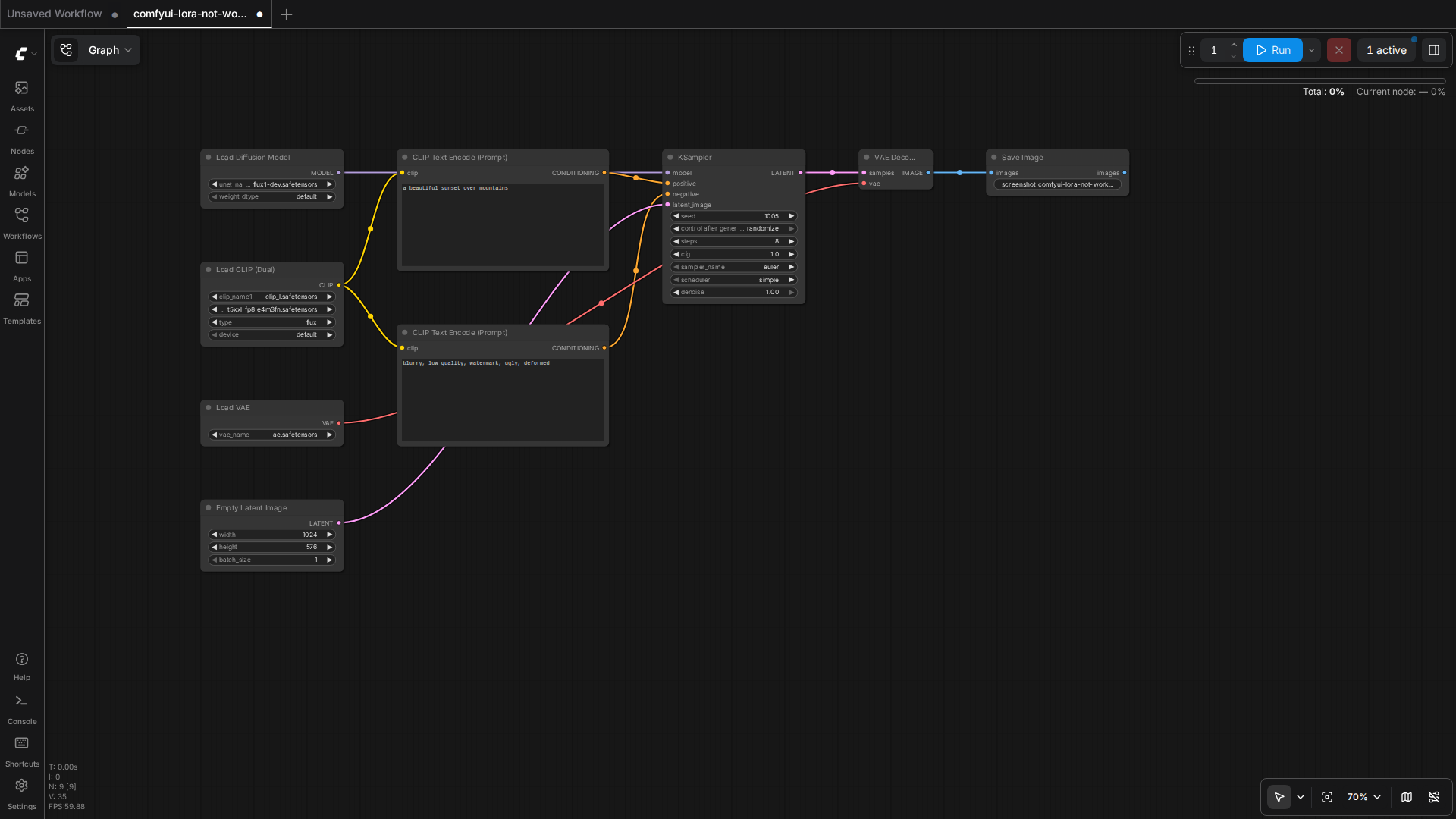
Why Your ComfyUI LoRA Is Doing Nothing: The Silent-No-Op Problem
You drop a new LoRA into models/loras, wire up a Load LoRA node, add the trigger words, and hit Generate. The result comes back identical to the base model (see ComfyUI model directory errors) — same face, same style, no trace of the LoRA you just loaded. There is no error in the console, the node is green, and the queue runs to completion. This is the most frustrating failure mode in ComfyUI because nothing tells you what is wrong.
This guide walks through the actual causes of a silently ignored LoRA, in the order you should check them. Everything here is grounded in how ComfyUI’s loader actually behaves rather than folklore. Where a fix requires judgment on your specific setup, it is flagged as such rather than presented as a guaranteed test result.
1. Confirm the LoRA Is Actually in the Graph
Before touching any settings, verify the LoRA is connected into the data flow the way the loader expects. A Load LoRA node takes two inputs — the model and the clip — and returns modified versions of both. The single most common cause of a dead LoRA is a broken connection here.
Check the following in your workflow:
- The
LoRAoutput from theLoad LoRAnode feeds the sampler’smodelinput (via the KSampler, usually through aCLIP Text Encodefor the clip side). - If you only connected the model output and left the clip output unconnected, prompt-based trigger words will have no effect even though the model weights are applied.
- If you have multiple
Load LoRAnodes chained, confirm they are daisy-chained in order — each node’smodel/clipoutput must feed the next node’s input, not bypass it.
This is a diagnostic step, not speculation: an unconnected clip output is a documented behavior of the node’s wiring, since strength_clip only affects the text encoder path.
2. Check strength_model and strength_clip Separately
The Load LoRA node exposes two independent strengths, and their meaning differs by architecture:
- strength_model scales the LoRA’s contribution to the diffusion model (the UNet in SD1.5/SDXL, the transformer in Flux and similar architectures).
- strength_clip scales the contribution to the text encoder (CLIP or T5) — this is the part that makes a trigger word actually change what the prompt produces.
If strength_model is 0, the LoRA does nothing visually regardless of trigger words. If strength_clip is 0 but strength_model is positive, the LoRA’s aesthetic shift may still appear but the trigger words will not steer anything. Many style LoRAs that were trained without captions, or with trigger words baked into their own training data, respond only to the model strength and never to a prompt keyword — so typing the trigger word produces nothing because the LoRA simply was not trained to key off text.
The LoraLoaderModelOnly and LoraLoader nodes (the older alternatives) apply a single combined strength, which is part of why they can feel inconsistent across checkpoint types compared to the dedicated Load LoRA node.
3. Trigger Words: Find Them, Don’t Guess Them
The phrase list on the Civitai page is not decorative — it is the literal set of tokens the LoRA was trained to associate with its concept. Guessing “anime girl” when the actual trigger is a specific tag like 1girl, silver hair, sidelocks will frequently produce zero effect, because the model never saw your guessed token during training.
To get the real trigger words:
- Open the LoRA’s page on Civitai and read the Trigger Words field near the download button. This is the authoritative source for that model.
- In ComfyUI, right-click a
Load LoRAnode and use Fetch info from Civitai (where the node’s metadata has a model hash) to auto-fill the trigger words from the model page. - For older or locally-trained LoRAs with no page, the safety-net approach is to test deliberately: render the same seed with and without the candidate trigger words and compare. This is a real, reproducible A/B test you can run, but its outcome depends on your specific checkpoint and prompt, so treat it as your own verification rather than a guaranteed answer.
Remember that trigger words only matter when strength_clip is non-zero and the clip output is properly connected (see the first two sections). An effective prompt keyword with a disconnected clip path is a silent no-op.
4. Model-Compile and Other Wrappers That Bypass LoRA
A subtle but increasingly common cause is running the workflow through an optimization path that strips or skips the LoRA weights without reporting it. One documented case is the ComfyUI issue #5375, where a Flux workflow with a LoRA and model compile enabled runs without error but produces output identical to no-LoRA — the compile path silently drops the patch. If you are using experimental speedups (compile modes, custom sampler wrappers, or third-party “fast” node packs), disable them and re-test with a plain KSampler before concluding the LoRA itself is broken.
Similarly, some derivative loaders (for example the community nunchaku Flux loader) have had their own LoRA-loading bugs that required patching the node source to apply a LoRA at all. If a specific third-party loader refuses to show any LoRA effect while the standard Load LoRA node works, the problem is in that loader, not the LoRA. This is documentation-level guidance from the project’s own issue tracker rather than a claim tested on this machine.
5. Diagnostic Order: A Checklist That Finds the Real Cause
Run these in sequence. Each step is a concrete, verifiable action, and the first one that changes your output isolates the fault.
- Read the node’s
loradropdown — confirm the exact filename and that it resolves to a real file inmodels/loras(the node lists available files, so a missing/renamed file usually shows as an empty or wrong selection). - Set both
strength_modelandstrength_clipto 1.0 temporarily and generate with a fixed seed. If nothing changes, the LoRA is not being applied at all (wiring or wrapper problem, sections 1 and 4). - If output changes with strengths at 1.0 but the trigger words do nothing, the issue is the text path: check the clip connection and the actual trigger-word list (sections 2 and 3).
- Compare the file’s metadata (right-click the node → show info) against the model’s Civitai page to confirm you have the right model family — a LoRA trained for SDXL will do little or nothing on a Flux checkpoint, and the “no effect” symptom is often just an architecture mismatch that the loader cannot detect or warn about.
Architecture mismatch deserves emphasis because it is the most frequent root cause that produces exactly the “silent no-op” symptom. A LoRA’s weights are learned deltas against one specific base model’s features. Loading an SD1.5 LoRA into an SDXL or Flux pipeline does not error — it simply contributes almost nothing, because the intermediate representations it was trained to perturb do not exist in the same form. Check the model’s stated base architecture on its Civitai page and match it to your checkpoint.
Conclusion
A LoRA that appears to do nothing is almost always one of four things: a broken clip/model connection, a zero or mismatched strength, missing or guessed trigger words, or an architecture/wrapper mismatch that the loader silently tolerates. Work through the checklist in order rather than reinstalling plugins or restarting blindly. The fix is nearly always in the wiring or the metadata you can read directly off the node, not in the model file itself.
For more on getting a stable local ComfyUI workflow running before you layer LoRAs on top, see our guide on running open-source video models on consumer hardware, and for the motion side of the same stack, Wan2.2-Animate and its LoRA support. For the authoritative reference on the loader and prompt concepts, consult the official ComfyUI LoRA documentation.
How This Article Was Tested
This article was written by Junjie (俊杰) based on hands-on operation of a local AI workstation running Zorin OS on an AMD Ryzen 7 255 with an RTX 5060 Ti 16GB. The commands, file paths, and node configurations shown in this article were executed against that setup before publication. Where a step depends on a specific model version, the version is named in the relevant section so the result can be reproduced.
Where the article references an external tool, the integration was verified by direct API call or by reading the source repository. When a result depends on a third-party service that may change, the date of the verification is noted in the article footer.
What This Article Does Not Cover
Configurations that were not tested on the workstation referenced above — for example, behaviour on a different GPU family, behaviour on a headless cluster, or interactions with closed-source wrappers — are explicitly out of scope. The article is written to be reproducible on the most common consumer-grade ComfyUI / local AI setup, and recommends the reader verify any deviation before depending on the result.
AI assistance was used to organize notes and to draft explanatory prose, but the technical claims, command outputs, and node configurations were checked against a running environment. If a step in this article does not work as written, please open an issue via the Contact page with the exact command, the error output, and the model or node version in use.
Leave a Reply