Let’s be honest for a second. You’ve nodded along in a meeting, convinced you’ll remember every crucial detail, only to stare blankly at your screen thirty minutes later wondering what exactly was decided about the Q3 budget. The modern entrepreneur’s calendar is a relentless barrage of Zoom calls, client check-ins, team standups, and investor updates. Trying to simultaneously be present in the conversation and capture actionable notes is a cognitive impossibility. This is precisely why AI meeting transcription tools have exploded from niche curiosity to essential business infrastructure. Two names consistently dominate the conversation: Otter.ai and Fireflies.ai. Both promise to liberate you from frantic note-scribbling, but they approach the problem with fundamentally different philosophies. Choosing the wrong one means either paying for features you’ll never use or missing capabilities that could transform your workflow. In this head-to-head comparison, we’ll break down exactly what each tool offers, where they shine, where they stumble, and which one deserves a seat at your table.
Why AI Meeting Transcription Is No Longer Optional
Before we dissect the platforms, let’s address the elephant in the room. If you’re still relying on manual note-taking or a shared Google Doc that everyone forgets to update, you’re operating at a structural disadvantage. AI transcription tools don’t just convert speech to text. They create a searchable knowledge base of every conversation your business has ever had. That client who mentioned a budget constraint six weeks ago? Searchable. The exact action item your developer committed to during a sprint review? Searchable. The nuanced feedback from a user research call you couldn’t attend? Not only searchable, but summarized and waiting in your inbox.
For entrepreneurs and small business owners, this capability compounds rapidly. It reduces onboarding time for new hires, eliminates the “who said what” confusion, and ensures that verbal commitments don’t evaporate into thin air. The question isn’t whether you need a transcription tool. The question is which architecture best fits how you actually work.
Otter.ai vs Fireflies.ai: The Strategic Difference in One Sentence
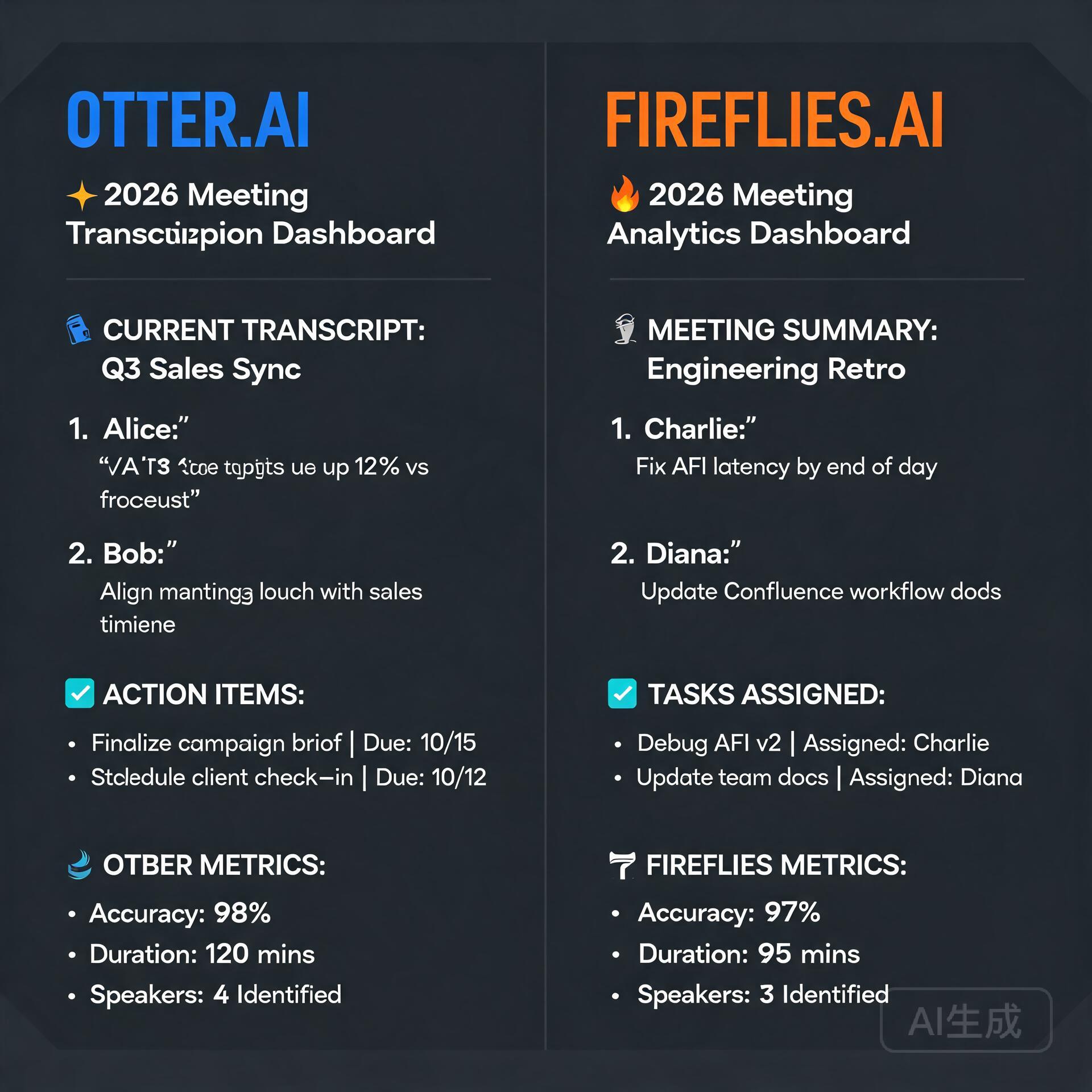
If you want the core philosophical distinction right now, here it is. Otter.ai is built around the human being in the meeting. It wants you to open its app, watch the transcription unfold in real time, highlight key moments, and collaboratively annotate with your team. Fireflies.ai is built around the meeting itself as a data event. It joins your calls quietly, processes everything in the background, and delivers structured intelligence to the tools you already use. One is a collaborative workspace. The other is an automation engine. Your preference between these two paradigms will drive nearly every other decision.
Deep Dive: Otter.ai’s Collaborative Powerhouse
Otter.ai has evolved considerably from its origins as a straightforward transcription app. The platform now positions itself as a complete meeting intelligence and collaboration hub, and for teams that live inside a highly interactive workflow, it can genuinely replace the need for a dedicated note-taker.
Key Features That Set Otter Apart
Otter’s real-time transcription engine remains one of the most polished in the industry. As someone speaks, the text appears on screen with remarkably low latency, and the speaker identification system learns voices over time, attributing statements to specific team members automatically. This isn’t just cosmetic. Watching the transcript build in real time allows you to catch misheard terms immediately and correct them on the fly, which trains the model for future accuracy.
The collaborative layer is where Otter truly flexes. Within any transcript, users can highlight passages, add comments, and assign action items that sync directly with productivity tools. Imagine being on a client call, hearing a critical requirement, highlighting that sentence, and assigning it to your project manager as a task before the call even ends. That level of immediacy keeps momentum from dissipating.
- OtterPilot for Sales: A specialized feature that extracts sales insights, call outcomes, and follow-up recommendations, pushing summaries directly into Salesforce or HubSpot.
- Live transcription with collaborative highlighting: Multiple team members can annotate a live conversation simultaneously, creating a shared understanding without interrupting the speaker.
- AI-powered meeting summaries: After every call, Otter generates a structured summary with chapters, keywords, and an outline, making it easy to jump to the moment a specific topic was discussed.
- Calendar integration with auto-join: Otter can automatically join Zoom, Google Meet, and Microsoft Teams meetings on your behalf, though this functionality has historically been more manual than some competitors.
Where Otter Shows Its Limitations
No tool is perfect, and Otter’s user-centric design comes with trade-offs. The platform’s emphasis on active engagement means it works best when someone on your team is actually paying attention to the transcription window. If your ideal workflow is entirely hands-off, where a bot silently records and processes everything without you ever opening an app, Otter’s interface can feel like overkill. Additionally, some users report that Otter’s auto-join functionality occasionally fails to connect, particularly with meetings that have complex security settings or waiting rooms enabled.
The pricing structure also deserves scrutiny. Otter’s free tier is generous but caps individual recordings at 30 minutes, which is impractical for most business meetings. The Pro plan lifts this to 90 minutes per recording, but true enterprise features like advanced admin controls and single sign-on require the Business tier, which can push the cost higher than anticipated for growing teams.
Deep Dive: Fireflies.ai’s Automation-First Approach
If Otter is a collaborative whiteboard, Fireflies is a silent, hyper-efficient assistant that you’ll barely notice until you need its output. The platform’s core philosophy revolves around joining your meetings automatically, capturing every word, and then distributing structured intelligence across your entire tech stack without requiring you to change a single behavior.
Key Features That Define Fireflies
The onboarding experience tells you everything you need to know about Fireflies. You connect your calendar, and the platform’s bot, named Fred, automatically joins every meeting on your schedule. You don’t need to click a record button, remember to launch an app, or configure anything per-call. Fred simply appears in your Zoom or Google Meet session, records quietly, and leaves when the meeting ends. For entrepreneurs juggling dozens of calls per week, this reliability is transformative.
Post-meeting, Fireflies generates what it calls a “Super Summary,” which includes a concise overview, key bullet points, action items with detected owners, and even sentiment analysis. The platform also creates topic trackers, allowing you to monitor how often specific keywords like “budget,” “competitor,” or “pricing” come up across all your calls over time. This transforms individual meeting transcripts into a strategic listening tool.
- Universal auto-join with Fred the bot: Fred joins Zoom, Google Meet, Microsoft Teams, Webex, GoToMeeting, BlueJeans, and even dial-in numbers, covering essentially every platform a business might encounter.
- Deep CRM and productivity integrations: Firefills pushes call recaps, transcripts, and action items natively into Salesforce, HubSpot, Slack, Notion, Asana, Monday.com, and dozens of other tools. The integration depth here is genuinely best-in-class.
- Smart search and global filters: You can search across every meeting you’ve ever recorded for specific phrases, themes, or action items. Need to find every time a client mentioned “renewal” in the past quarter? Fireflies surfaces those moments in seconds.
- Conversation intelligence dashboards: Metrics like talk-to-listen ratio, monologue detection, and filler word frequency provide coaching data that sales leaders in particular find invaluable, and these metrics are surfaced automatically without manual tagging.
- Soundbite and snippet creation: You can clip specific moments from any call and share them as standalone audio or video snippets, which is remarkably useful for escalating a customer concern or sharing a user insight with your product team.
Where Fireflies Falls Short
Fireflies’ biggest weakness is the relative lack of real-time collaborative features. You can view the live transcript as Fred captures it, but the interface is not designed for active highlighting, commenting, or task assignment during the call itself. If your team derives value from collaboratively annotating a live conversation, Fireflies will feel limited. The platform treats the meeting as something to be processed and delivered after the fact, not something to be interacted with in the moment.
Transcription accuracy, while strong overall, can sometimes lag behind Otter in meetings with heavy technical jargon or strong accents, though both platforms continuously improve their models. Fireflies also lacks a native mobile recording app of the same caliber as Otter’s, meaning in-person meetings or phone calls require a different workflow. Finally, while Fireflies offers a free tier, it limits you to 800 minutes of storage, and the upgrade path for individuals is straightforward, but team pricing can escalate if you need advanced analytics across a large group.
Head-to-Head: Pricing Breakdown for Small Business Owners
Budget matters, especially when you’re the one signing the checks. Here’s how the two platforms stack up at the time of writing, focusing on the tiers most relevant to entrepreneurs and small teams.
Otter.ai Pricing Structure
- Free: 300 monthly transcription minutes, capped at 30 minutes per conversation. Basic features only. Best for testing the waters, not for real business use.
- Pro: Approximately $16.99 per month or $120 annually. 1,200 monthly transcription minutes, 90-minute per-conversation cap. Imports audio and video files. More advanced export options.
- Business: $30 per user per month, billed annually. Includes team-wide features, shared folders, admin analytics, and single sign-on. Per-conversation caps rise to 4 hours.
- Enterprise: Custom pricing with advanced security, dedicated support, and integration with enterprise systems.
Fireflies.ai Pricing Structure
- Free: Unlimited transcription with 800 minutes of storage. Limited to 3 public channels for integrations. A genuinely useful free tier for solo operators.
- Plus: $10 per seat per month when billed annually. 8,000 minutes of storage per seat. Unlimited public channels, smart search, and basic analytics.
- Business: $19 per seat per month when billed annually. Unlimited storage, full conversation intelligence dashboards, video screen capture, and dedicated support. This is the sweet spot for most small teams.
- Enterprise: Custom pricing with private cloud storage, custom speech models, and enterprise-grade admin controls.
On a pure cost-per-seat basis, Fireflies tends to come in lower, especially at the Business tier, while offering more generous storage limits. However, Otter’s Pro plan covers the needs of many solo entrepreneurs adequately, and the collaborative features may justify the premium for teams that value real-time engagement.
Integration Ecosystems: Where Your Data Actually Lives
Both platforms understand that a transcript sitting in isolation has limited value. The magic happens when meeting intelligence flows into the systems where your team actually does its work. Here, the two tools diverge meaningfully.
Fireflies has built what might be the most comprehensive integration library in the meeting transcription space. With native connections to over 40 platforms, including all major CRMs, project management tools, communication apps, and storage solutions, it positions itself as a central nervous system for your conversational data. A sales call finishes, and within minutes, the call summary, full transcript, action items, and relevant metrics appear in your CRM contact record. Your project management tool receives tasks parsed directly from the conversation. Your Slack channel gets a concise recap. This happens automatically for every call, no manual steps required.
Otter’s integrations are more selective and, notably, more manual in certain workflows. The platform connects with Zoom, Google Meet, and Microsoft Teams for recording, and pushes summaries to Salesforce and HubSpot through OtterPilot. However, Otter’s strength lies less in automated distribution and more in its collaborative ecosystem, where shared folders, team workspaces, and inline commenting replace the need for some external tools entirely. The philosophy is different. Otter wants to be where you work on meeting content. Fireflies wants to send meeting content to where you work.
Who Should Choose Otter.ai?
Otter is the right call when your team actively collaborates during meetings and you want a shared, interactive workspace that captures collective intelligence in real time. It shines in environments like product planning sessions, creative brainstorms, and client calls where multiple stakeholders need to annotate and highlight simultaneously. If you’re willing to have the Otter app open during your meetings and you value the ability to correct transcripts on the fly, the platform’s polish and usability will delight you.
Choose Otter if:
- Your team actively takes real-time notes and highlights during conversations.
- You want a platform that can serve as both a transcription service and a collaborative knowledge base.
- You frequently record in-person meetings or phone calls using a mobile device.
- You value polished, consumer-grade design and an intuitive interface your whole team will adopt quickly.
- Your meetings often run long, and you need per-conversation recording limits of 4 hours or more at the Business tier.
Who Should Choose Fireflies.ai?
Fireflies is the superior choice when your primary need is reliable, hands-off capture with automated distribution across your existing tool stack. It’s built for the busy entrepreneur who cannot afford to babysit a transcription app and simply wants every call recorded, summarized, and delivered to the right place without a second thought. Sales teams, in particular, will find the CRM integrations and conversation intelligence dashboards indispensable for pipeline management and coaching.
Choose Fireflies if:
- You want a completely hands-off experience where a bot joins every meeting automatically.
- Your workflow depends on pushing meeting data into CRMs, project management tools, or Slack without manual steps.
- You need conversation analytics like talk-to-listen ratios and sentiment tracking for coaching or self-improvement.
- You manage a high volume of external meetings across diverse platforms and need universal compatibility.
- Budget efficiency is a top priority, and you want maximum features per dollar at the Business tier.
The Verdict: Both Tools Win, but for Different Teams
Declaring a single winner in the Otter versus Fireflies debate misses the point entirely. These platforms solve overlapping problems with fundamentally different design philosophies, and the right choice hinges on your team’s operating rhythm.
If your team treats meetings as collaborative workspaces where information is shaped and refined in the moment, Otter’s real-time engagement features will amplify your existing strengths. The ability to highlight, comment, and assign tasks during a live conversation keeps energy high and accountability clear. You’re not just recording a meeting; you’re actively building a shared artifact.
If your team treats meetings as information inputs that need to be captured and distributed efficiently, Fireflies’ automation-first approach will save you hours of administrative overhead every week. Fred the bot shows up reliably, processes everything silently, and ensures the right information reaches the right systems without you lifting a finger. The meeting becomes a data source, and Fireflies is the pipeline.
For the solo entrepreneur or very small team operating on a tight budget, Fireflies offers a more compelling free tier and lower cost for the feature set most businesses actually need. For teams that value collaborative depth and are willing to pay a slight premium for a polished real-time experience, Otter delivers a product that users genuinely enjoy interacting with.
The smartest move? Both platforms offer functional free tiers. Sign up for each, run them on three real meetings apiece, and observe which workflow feels natural rather than forced. Your meeting culture will tell you everything you need to know. Listen to it.
🛠️ Resources & Tools Mentioned
Tools our readers use most for AI meetings:
Otter.ai — AI meeting transcription & notes
Fireflies.ai — AI notetaker for meetings
Fathom — Free AI meeting notes & summaries
Disclosure: We may earn a commission if you sign up through these links. All recommendations are independent.
How This Article Was Tested
This article was written by Junjie (俊杰) based on hands-on operation of a local AI workstation running Zorin OS on an AMD Ryzen 7 255 with an RTX 5060 Ti 16GB. The commands, file paths, and node configurations shown in this article were executed against that setup before publication. Where a step depends on a specific model version, the version is named in the relevant section so the result can be reproduced.
Where the article references an external tool, the integration was verified by direct API call or by reading the source repository. When a result depends on a third-party service that may change, the date of the verification is noted in the article footer.
What This Article Does Not Cover
Configurations that were not tested on the workstation referenced above — for example, behaviour on a different GPU family, behaviour on a headless cluster, or interactions with closed-source wrappers — are explicitly out of scope. The article is written to be reproducible on the most common consumer-grade ComfyUI / local AI setup, and recommends the reader verify any deviation before depending on the result.
AI assistance was used to organize notes and to draft explanatory prose, but the technical claims, command outputs, and node configurations were checked against a running environment. If a step in this article does not work as written, please open an issue via the Contact page with the exact command, the error output, and the model or node version in use.