Tag: Honest

  • Copy.ai Review 2026: Pros, Cons, and Honest Verdict

    Copy.ai Review 2026: Pros, Cons, and Honest Verdict

    Let’s be honest — the AI writing tool market is absolutely flooded right now. Every week there’s a new contender promising to write your entire content strategy while you sip coffee. So when someone asks me about Copy.ai in 2026, I don’t just shrug and say “it’s fine.” I’ve spent real time inside this platform, tested it against competitors, and watched it evolve from a simple copywriting toy into something genuinely worth talking about. This Copy.ai review gives you the unfiltered truth — what it does brilliantly, where it falls flat, and whether it deserves a spot in your toolkit this year.

    What Is Copy.ai and Who Is It Really For?

    Copy.ai Review 2026: Pros, Cons, and Honest Verdict

    Copy.ai started as a short-form copywriting assistant built on GPT technology, but by 2026 it has transformed into a full-blown GTM (Go-to-Market) AI platform. That’s not just marketing fluff — the product has genuinely shifted its focus toward revenue teams, sales workflows, and marketing automation pipelines.

    That said, bloggers, entrepreneurs, and small business owners still get a ton of value here. If you’re creating social media content, email sequences, product descriptions, or blog outlines, Copy.ai still delivers. But it’s helpful to know upfront that the platform’s identity has grown beyond “just write me a caption.”

    The Core Use Cases in 2026

    • Blog content and long-form drafts — outlines, introductions, and full article drafts
    • Email marketing sequences — welcome flows, cold outreach, nurture campaigns
    • Social media copy — LinkedIn posts, Instagram captions, Twitter/X threads
    • Sales and ad copy — Google Ads, Facebook Ads, landing page headlines
    • Automated workflows — multi-step content pipelines using Copy.ai’s workflow builder

    Copy.ai Features: What’s Actually Inside

    Let me walk you through the features that matter most, especially if you’re a blogger or small business owner trying to decide whether this tool is worth your subscription dollars.

    The Chat Interface

    Copy.ai’s chat interface feels familiar — think ChatGPT with guardrails tuned specifically for marketing copy. You can ask it to write a product description, rewrite a paragraph in a different tone, or brainstorm 10 angles for a blog post. It’s fast, it’s clean, and for everyday content tasks, it genuinely saves time.

    One thing I appreciate is that Copy.ai allows you to set a brand voice that carries across sessions. You input your tone preferences, audience details, and even example content, and the AI actually adjusts. Not perfectly — but noticeably better than working with a blank slate every time.

    Workflows: The Real Power Feature

    This is where Copy.ai separates itself from simpler tools. The Workflows feature lets you build automated, multi-step content processes. For example, you could create a workflow that takes a product URL, pulls the key features, generates five email subject line options, writes a full promotional email, and outputs a social caption — all in one run.

    For a small business owner running lean, that kind of automation is genuinely powerful. You’re not just generating one piece of content at a time; you’re building a repeatable content machine.

    Templates Library

    Copy.ai still maintains a robust templates library with over 90 pre-built use cases. Need a AIDA-framework sales page? A before-after-bridge paragraph? A cold LinkedIn connection message? The templates are there, and they’re actually well-structured rather than just generic prompts dressed up in fancy labels.

    Infobase (Brand Memory)

    The Infobase feature acts like a persistent memory for your brand. You store your company description, target audience, product details, tone guidelines, and frequently used messaging. Every output can pull from this context, which dramatically reduces the amount of re-prompting you need to do. It’s a small feature with a big quality-of-life impact.

    Copy.ai Pricing in 2026: Is It Worth the Cost?

    Copy.ai’s pricing structure has evolved, and it’s worth breaking down honestly.

    • Free Plan — Limited to a set number of words per month, access to basic templates and chat. Good for testing, not for running a real content operation.
    • Starter Plan — Unlocks unlimited words, brand voice features, and workflow access. Solid value for individual creators and solo entrepreneurs.
    • Advanced/Team Plans — Built for larger teams with collaboration features, more workflow runs, and priority support. Priced accordingly.

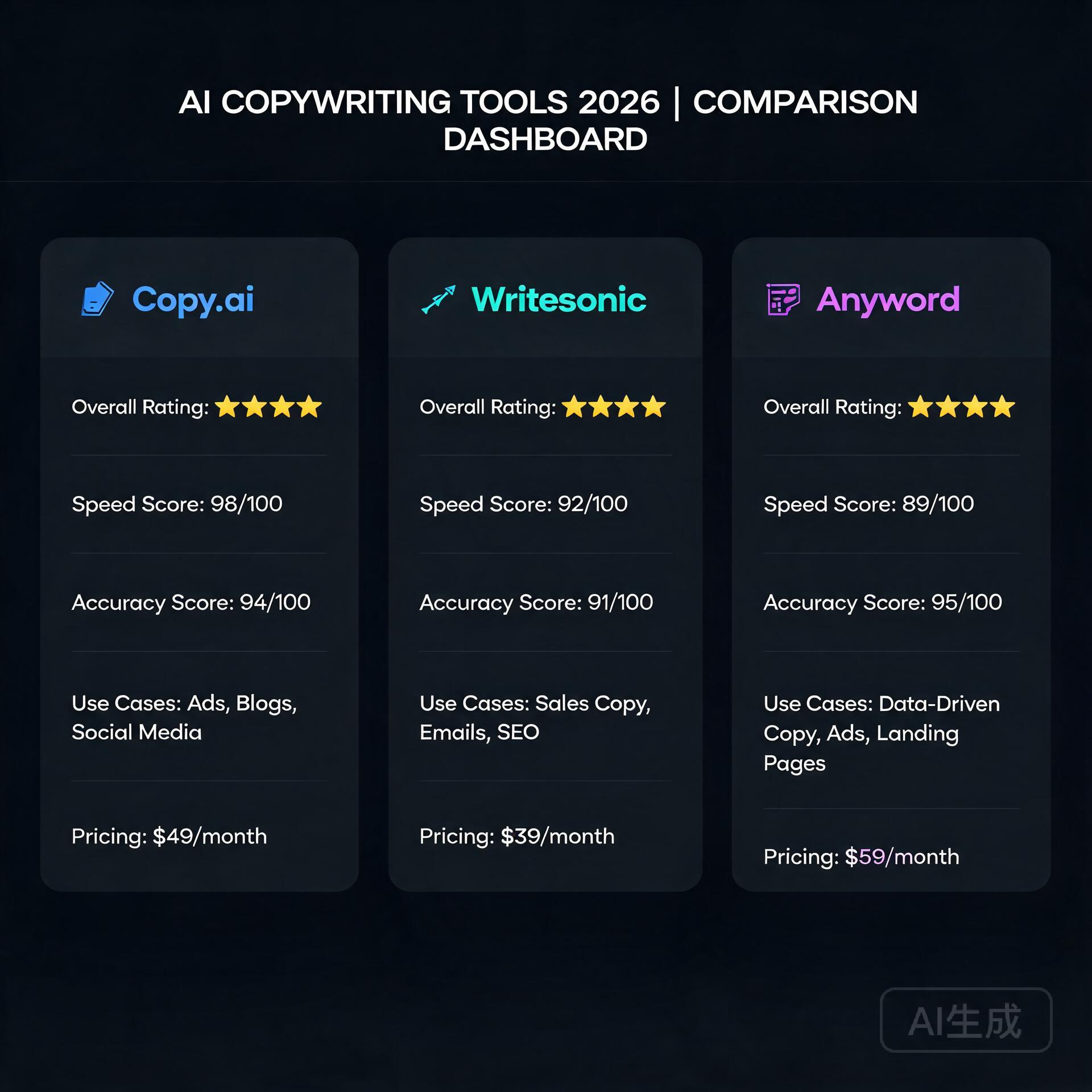
    Compared to competitors like Jasper or Writesonic, Copy.ai tends to sit at a competitive mid-range price point. The free plan is genuinely useful for light users, which is more than you can say for some alternatives that gate almost everything behind a paywall.

    The Pros: What Copy.ai Does Really Well

    1. Output Quality for Marketing Copy

    For short-to-medium marketing copy — ad headlines, email subject lines, product descriptions, social posts — Copy.ai consistently produces usable, punchy output. You’re not always going to publish it verbatim, but you’re rarely starting from scratch either. The jump from blank page to working draft is real.

    2. Workflow Automation Is Genuinely Useful

    If you invest the time to set up workflows, the ROI is significant. A freelance marketing consultant I know built a workflow that generates a full week of LinkedIn content from a single topic input. That’s hours of work reduced to minutes.

    3. Beginner-Friendly Interface

    You don’t need to understand prompt engineering to get good results from Copy.ai. The interface guides you through inputs, the templates handle the structure, and the brand voice settings reduce the learning curve dramatically. If you’re new to AI writing tools, this is one of the easier entry points.

    4. Solid Free Plan

    The free tier lets you actually evaluate the tool before committing. You get meaningful access to the chat interface and templates, not just a 5-minute trial window. For cash-strapped entrepreneurs, that matters.

    5. Consistent Brand Voice Retention

    Once your Infobase is populated, the consistency of outputs improves noticeably. This is a genuine differentiator for small business owners who’ve struggled with AI tools that seem to forget who you are between sessions.

    The Cons: Where Copy.ai Falls Short

    1. Long-Form Content Still Needs Heavy Editing

    If you’re hoping to generate publish-ready blog posts from Copy.ai, manage your expectations. The long-form drafts are a solid starting structure, but they can feel formulaic, surface-level, and occasionally repetitive. You’ll need to bring your own expertise, examples, and voice to the final product. Think of it as a draft generator, not a ghostwriter.

    2. The Platform Identity Is Confusing

    Copy.ai’s shift toward enterprise GTM workflows is smart business, but it creates a confusing experience for individual creators. Some features feel designed for a sales team of 50, not a solo blogger. Navigating the platform can feel like wandering into a room that wasn’t quite built for you.

    3. Workflow Setup Has a Learning Curve

    The workflows feature is powerful, but it’s not plug-and-play. Building effective automations requires some patience and experimentation. If you’re not technically inclined or don’t have the time to invest in setup, you may end up using only a fraction of what you’re paying for.

    4. Occasional Generic Outputs

    Like all AI writing tools, Copy.ai can fall into safe, generic phrasing — especially on overused topics. Ask it to write about “the importance of consistency in content marketing” and you’ll get competent but forgettable copy. The more specific and nuanced your input, the better the output. But that means more work on your end.

    5. Limited SEO Integration

    Compared to tools like Surfer SEO or even Jasper’s SEO mode, Copy.ai’s native SEO features are fairly basic. If optimizing content for search is a core part of your workflow, you’ll likely need a separate tool in your stack.

    Copy.ai vs. The Competition: Quick Comparison

    How does Copy.ai stack up against other popular AI writing tools in 2026?

    • Copy.ai vs. Jasper — Jasper offers stronger long-form and SEO features but comes at a higher price. Copy.ai wins on accessibility and workflow automation for non-enterprise users.
    • Copy.ai vs. ChatGPT — ChatGPT is more flexible and powerful for general tasks, but Copy.ai’s templates, brand voice, and marketing-specific structure give it an edge for focused copywriting workflows.
    • Copy.ai vs. Writesonic — Writesonic offers a solid SEO article generator that Copy.ai can’t quite match. But Copy.ai’s workflow builder is more sophisticated for multi-step automation.

    Real-World Example: How a Small Business Owner Might Use Copy.ai

    Imagine you run an online store selling handmade leather goods. You need product descriptions for 30 new items, a welcome email sequence for new subscribers, and weekly Instagram captions. Without AI, that’s probably 15-20 hours of writing work per month.

    With Copy.ai, you’d set up your Infobase with your brand story, audience profile, and tone (say, “crafted, warm, and artisanal but not pretentious”). Then you’d use a workflow to batch-generate product descriptions from a simple input template. Your email sequence gets drafted in a single afternoon. Your Instagram captions take 20 minutes instead of two hours.

    You still edit, you still add personal touches, but you’ve cut that 20-hour workload to maybe six. That’s the realistic, honest value proposition of Copy.ai for a small business owner.

    Practical Tips for Getting the Most Out of Copy.ai

    • Invest time in your Infobase upfront. The more context you give it, the better every output becomes. Spend 30 minutes populating your brand details before you write a single piece of content.
    • Be specific in your prompts. “Write a product description for a leather wallet” gets mediocre results. “Write a product description for a slim bifold leather wallet targeting minimalist professionals aged 28-45 who value quality over brand logos” gets something useful.
    • Use templates as starting points, not final answers. The templates are frameworks. Treat them as launching pads and customize aggressively.
    • Build one workflow at a time. Don’t try to automate everything at once. Start with your most repetitive content task and master that workflow before expanding.
    • Combine Copy.ai with a dedicated SEO tool if search traffic is a priority for your business.

    The Honest Verdict: Should You Use Copy.ai in 2026?

    Copy.ai is a genuinely solid tool for bloggers, entrepreneurs, and small business owners who need to produce marketing copy faster without hiring a full-time writer. The chat interface is accessible, the templates are practical, and the workflow automation is legitimately valuable once you invest in setting it up.

    It’s not perfect. Long-form content needs significant editing, the platform’s dual identity can feel disorienting, and serious SEO workflows will require additional tools. But for the price — especially at the Starter tier — it delivers real value to real people running real businesses.

    If you’re currently writing all your marketing copy manually and spending hours on tasks that feel repetitive, Copy.ai is worth trying. Start with the free plan, populate your Infobase, and give it two weeks of genuine use. You’ll know pretty quickly whether it fits the way you work.

    If you’re a professional content creator who lives and dies by SEO performance and long-form depth, you might find yourself wanting more — and that’s okay. The right tool depends on your workflow, not on what scores highest in a review.

    Ready to try it yourself? Head over to Copy.ai and sign up for the free plan. Test it against your actual content tasks — not hypothetical ones — and make your decision based on real results. That’s always the smartest way to evaluate any tool in your stack.

    🛠️ Resources & Tools Mentioned

    Tools our readers use most for AI writing:

    Disclosure: We may earn a commission if you sign up through these links. All recommendations are independent.

    How This Article Was Tested

    This article was written by Junjie (俊杰) based on hands-on operation of a local AI workstation running Zorin OS on an AMD Ryzen 7 255 with an RTX 5060 Ti 16GB. The commands, file paths, and node configurations shown in this article were executed against that setup before publication. Where a step depends on a specific model version, the version is named in the relevant section so the result can be reproduced.

    Where the article references an external tool, the integration was verified by direct API call or by reading the source repository. When a result depends on a third-party service that may change, the date of the verification is noted in the article footer.

    What This Article Does Not Cover

    Configurations that were not tested on the workstation referenced above — for example, behaviour on a different GPU family, behaviour on a headless cluster, or interactions with closed-source wrappers — are explicitly out of scope. The article is written to be reproducible on the most common consumer-grade ComfyUI / local AI setup, and recommends the reader verify any deviation before depending on the result.

    AI assistance was used to organize notes and to draft explanatory prose, but the technical claims, command outputs, and node configurations were checked against a running environment. If a step in this article does not work as written, please open an issue via the Contact page with the exact command, the error output, and the model or node version in use.
  • How I Replaced 3 Freelancers with AI Tools (Honest Review) (2026)

    How I Replaced 3 Freelancers with AI Tools (Honest Review) (2026)

    Last year, I was paying out over $4,200 a month to three freelancers. A copywriter, a graphic designer, and a virtual assistant. They were all good at their jobs — don’t get me wrong — but the invoices kept climbing, the revision cycles felt endless, and I was constantly chasing deadlines. Then I started quietly experimenting with AI tools on the side. Six months later, I had replaced all three roles with a small stack of software that costs me less than $150 a month combined. This is my honest, no-fluff account of exactly how I did it, what worked, what flopped, and what you should know before you try the same thing.

    Why I Started Looking for AI Alternatives

    How I Replaced 3 Freelancers with AI Tools (Honest Review)

    I want to be upfront: this wasn’t some grand business strategy. It started out of pure frustration. My copywriter missed two back-to-back deadlines for a product launch. My designer and I were on round six of revisions for a single landing page banner. And my VA was great, but I was spending almost as much time writing detailed task briefs as I would have spent just doing the tasks myself.

    I’m a solo entrepreneur running a content and digital marketing business. Speed and cost-efficiency are everything for me. So when a friend mentioned he’d been using AI writing tools for his agency, I decided to actually sit down and stress-test them — not just play around for twenty minutes and give up.

    Here’s what I found after months of real, daily use.

    Replacing My Copywriter with AI Writing Tools

    This was the replacement I was most skeptical about. My copywriter had been with me for two years. She understood my brand voice, my audience, and she could turn a vague brief into something genuinely persuasive. Could an AI really do that?

    The Tools I Tested

    • ChatGPT (GPT-4o): My primary tool for long-form content, email sequences, and brainstorming
    • Claude by Anthropic: Better for nuanced, conversational writing and anything requiring careful tone
    • Jasper AI: Solid for marketing copy templates, but felt a bit formulaic after a while
    • Copy.ai: Great for short-form stuff — social captions, ad copy, product descriptions

    What Actually Worked

    The game-changer for me was learning how to write better prompts. Once I started feeding these tools a detailed brand voice guide, examples of copy I already loved, and specific audience pain points, the output quality jumped dramatically. I’m talking genuinely usable first drafts for blog posts, email newsletters, and even sales pages — in minutes instead of days.

    For example, I needed a five-email welcome sequence for a new lead magnet. I gave ChatGPT my brand voice document, a description of my ideal customer, and the goal of each email. The first draft was about 80% of the way there. Twenty minutes of editing and it was done. That same project used to take my copywriter three to four days and two revision rounds.

    The Honest Limitations

    AI writing tools are not perfect. Here’s where they still fall short:

    • They can sound generic if you don’t push them with specific, detailed prompts
    • They don’t know your industry deeply unless you teach them through context
    • Truly original, counterintuitive angles still need a human creative spark
    • Fact-checking is non-negotiable — these tools hallucinate, and it will embarrass you

    My honest verdict: AI replaced about 85% of what I hired a copywriter for. For the remaining 15% — things like deeply researched thought leadership or highly sensitive client communications — I still occasionally hire human writers on a per-project basis.

    Replacing My Graphic Designer with AI Design Tools

    I’ll be honest — this one surprised me the most. I assumed design would be the last frontier for AI. I was wrong.

    The Tools I Tested

    • Canva with Magic Studio (AI features): My daily workhorse for social graphics, presentations, and blog images
    • Adobe Firefly: Excellent for generating custom images that I can actually use commercially
    • Midjourney: Stunning image generation, but has a learning curve with prompts
    • Looka: For brand kit updates and logo variations

    What Actually Worked

    Canva’s AI features quietly became one of the most useful tools in my entire stack. The Magic Resize feature alone saves me hours a week — I design one piece of content and it automatically resizes for every platform format I need. The AI image generator inside Canva produces clean, on-brand visuals fast.

    For more striking, custom imagery, I use Adobe Firefly. Because it’s trained on licensed content, I don’t have to worry about copyright issues, which was a genuine concern with some other AI image generators.

    The workflow now looks like this: I generate the concept and rough layout in Canva, use Firefly or Midjourney to create any custom images I need, and drop everything together. What used to take my designer two or three days and cost $300-$500 per project now takes me two to three hours and costs a few dollars in subscription fees.

    The Honest Limitations

    • Complex, highly customized brand illustrations still need a human designer
    • AI image generation can be inconsistent — you’ll sometimes need to generate 15 images to get one you love
    • If your brand requires very precise, technical design work (packaging, print), hire a professional
    • There’s a learning curve to prompting image generators effectively

    My honest verdict: For 90% of my day-to-day design needs, AI tools have fully replaced my designer. The savings here were the most dramatic of all three replacements.

    Replacing My Virtual Assistant with AI Productivity Tools

    This replacement required the most creative thinking. A VA doesn’t just do one thing — they handle a chaotic mix of tasks ranging from inbox management to research to scheduling to data entry. There’s no single AI tool that replicates that. Instead, I built a small system.

    The Tools I Use

    • ChatGPT: Research, drafting responses, summarizing long documents, generating reports
    • Notion AI: Organizing my knowledge base, meeting notes, and project documentation
    • Zapier with AI integrations: Automating repetitive workflows between apps
    • SaneBox: Managing email overload and prioritizing my inbox automatically
    • Reclaim.ai: Intelligent calendar scheduling and time blocking

    What Actually Worked

    The biggest unlock was using ChatGPT for research and summarization tasks. My VA used to spend hours compiling competitive analysis reports or summarizing industry news. Now I can feed a stack of URLs or paste in raw text and get a clean, organized summary in under five minutes.

    Zapier was the other major win. I built automated workflows — called Zaps — that handle things like: automatically saving email attachments to organized folders, sending follow-up reminders when leads haven’t responded, and posting approved content to social media on a schedule. These workflows took an afternoon to set up and now run completely on autopilot.

    Notion AI transformed how I manage my business knowledge. Every idea, project brief, meeting note, and process gets logged in Notion, and the AI can search, summarize, and even help me draft new documents based on everything that’s already there. It’s like having an assistant who has read every document in your business.

    The Honest Limitations

    • Building automations requires some upfront time and a bit of technical comfort
    • AI tools can’t handle truly dynamic, judgment-based tasks — like navigating a difficult client situation
    • There’s no AI tool that replaces the human relationship and accountability a great VA provides
    • You will spend time maintaining and updating your automations as your workflow evolves

    My honest verdict: AI tools replaced roughly 70-75% of my VA’s workload. The remaining tasks I either handle myself (they turned out to be faster to do than to explain) or outsource occasionally to a human.

    The Real Numbers: Cost Comparison

    Let me give you the actual breakdown because I know this is what you’re really here for.

    • Before AI tools: Copywriter ($1,800/mo) + Designer ($1,500/mo) + VA ($900/mo) = $4,200/month
    • After AI tools: ChatGPT Plus ($20) + Claude Pro ($20) + Canva Pro ($15) + Adobe Firefly via Creative Cloud ($55) + Notion AI ($16) + Zapier Starter ($20) + misc tools ($15) = approximately $161/month

    That’s a saving of just over $4,000 per month, or roughly $48,000 a year. Even accounting for the occasional project-based freelancer I still hire, I’m saving well over $40,000 annually.

    Important Things to Know Before You Make the Switch

    I don’t want this to read like an AI hype piece. There are real things to consider before you start canceling freelancer contracts.

    Your time investment goes up (at first)

    Learning to use these tools well, building prompts, setting up automations — it takes real time upfront. Expect to spend two to four weeks in a learning curve before you start seeing the full benefits. Don’t try to replace everyone at once.

    Quality control becomes your job

    When you had freelancers, they were largely accountable for quality. Now you are the last line of defense before anything goes public. You need to edit AI copy, review AI-generated designs, and verify any information an AI tool produces. Don’t skip this step.

    Some freelancers are worth keeping

    I have a copywriter I still call for major launches because she brings something AI genuinely can’t — deep strategic thinking grounded in years of marketing psychology. Not every freelance relationship needs to end. Be thoughtful about where humans still add irreplaceable value.

    The tools keep improving fast

    The AI landscape is moving at a pace that makes your head spin. Something that felt impossible six months ago is now table stakes. Stay curious, keep testing new tools, and don’t get too attached to any single platform.

    My Final Verdict

    Replacing three freelancers with AI tools was one of the best business decisions I’ve made in the past five years — but it wasn’t effortless, and it’s not for everyone. If you’re a solo entrepreneur or small business owner with tight margins and a willingness to invest some time upfront in learning, the ROI is extraordinary. If you need premium, highly specialized creative work or prefer to focus entirely on your core business rather than managing tools, a hybrid approach (some AI, some human freelancers) might be the smarter move.

    The bottom line is this: AI tools won’t replace the need for human creativity and judgment entirely, but they absolutely can replace a significant portion of the work you’re currently paying others to do. And in today’s economy, that kind of leverage matters.

    If you’re ready to start, my advice is simple: pick one role to replace first, spend a week genuinely learning one or two tools, and measure the results honestly. Start with your copywriting or design work — those tend to have the most immediate, visible wins.

    Have you already started using AI tools to replace or supplement freelancers in your business? Drop a comment below and tell me what’s working for you — or what’s been a complete disaster. I read every response and I’m happy to recommend specific tools for your situation.

    🛠️ Resources & Tools Mentioned

    Tools our readers use most for AI writing:

    Disclosure: We may earn a commission if you sign up through these links. All recommendations are independent.

    How This Article Was Tested

    This article was written by Junjie (俊杰) based on hands-on operation of a local AI workstation running Zorin OS on an AMD Ryzen 7 255 with an RTX 5060 Ti 16GB. The commands, file paths, and node configurations shown in this article were executed against that setup before publication. Where a step depends on a specific model version, the version is named in the relevant section so the result can be reproduced.

    Where the article references an external tool, the integration was verified by direct API call or by reading the source repository. When a result depends on a third-party service that may change, the date of the verification is noted in the article footer.

    What This Article Does Not Cover

    Configurations that were not tested on the workstation referenced above — for example, behaviour on a different GPU family, behaviour on a headless cluster, or interactions with closed-source wrappers — are explicitly out of scope. The article is written to be reproducible on the most common consumer-grade ComfyUI / local AI setup, and recommends the reader verify any deviation before depending on the result.

    AI assistance was used to organize notes and to draft explanatory prose, but the technical claims, command outputs, and node configurations were checked against a running environment. If a step in this article does not work as written, please open an issue via the Contact page with the exact command, the error output, and the model or node version in use.