The Translation Revolution: AI That Actually Understands Context
If you’ve ever copied a block of text into a free translation tool and received something that read like a cryptic refrigerator manual, you’re not alone. For years, machine translation was a punchline. Today, it’s quietly become one of the most practical superpowers available to small business owners. The difference between “adequate” and “exceptional” translation can mean the difference between a signed international contract and a confused prospect clicking away. So which tool deserves your trust? Let’s break down the heavyweights—Google Translate, DeepL, and the rising challengers—and figure out where each one shines, stumbles, and surprises.
Why Translation Quality Is Now a Business Lever
Entrepreneurs operating across borders face a daily reality: emails from suppliers in Shenzhen, customer support tickets in Madrid, product descriptions destined for Berlin, legal disclaimers for Tokyo. Every mistranslated phrase is friction. Every awkward sentence erodes credibility. The stakes have risen sharply in the last two years because AI translation no longer just swaps words—it interprets intent, adapts tone, and preserves nuance. That means choosing the right tool isn’t a trivial decision. It’s a competitive advantage you can deploy in minutes.
Google Translate: The Ubiquitous Workhorse
Let’s start with the elephant in the room. Google Translate supports over 130 languages and processes more than 100 billion words every single day. Its reach is absurdly vast, and for many entrepreneurs, it’s the default simply because it’s already open in another tab. But familiarity and quality aren’t the same thing. Over the past few years, Google has overhauled its underlying architecture, moving from phrase-based statistical models to neural machine translation and, more recently, integrating Gemini-powered features that add contextual awareness. The result is markedly better than what you might remember from 2019.
Where Google Translate Excels
- Sheer language coverage. Need Punjabi to Swahili? Google does it. For businesses dealing with less common language pairs, Google is often the only viable automated option.
- Multimodal input. You can point your phone camera at a menu, a sign, or a product label and get live translation. The OCR integration is seamless and practical for travel-heavy entrepreneurs.
- Website integration. The Google Translate widget, while imperfect, lets visitors browse your site in their native language with a single click. For MVP-stage global landing pages, it’s a lightweight solution.
- Real-time conversation mode. The app facilitates back-and-forth spoken dialogue, which can rescue a negotiation or customer service call when no human interpreter is available.
- Cost. Free for the core product. The Cloud Translation API offers affordable scaling for businesses that need to process large volumes of text programmatically.
The Persistent Weaknesses
Google Translate still defaults to a neutral, slightly formal register. It can flatten personality. If your brand voice is playful, irreverent, or deeply empathetic, Google often sands down those edges. Idioms remain hit-or-miss. A phrase like “we’re not out of the woods yet” might end up as a literal forest reference in your target language, leaving your German partners scratching their heads. For high-stakes documents—contracts, medical disclaimers, sensitive HR communications—Google’s occasional hallucinations pose genuine risk.
DeepL: The Precision Specialist
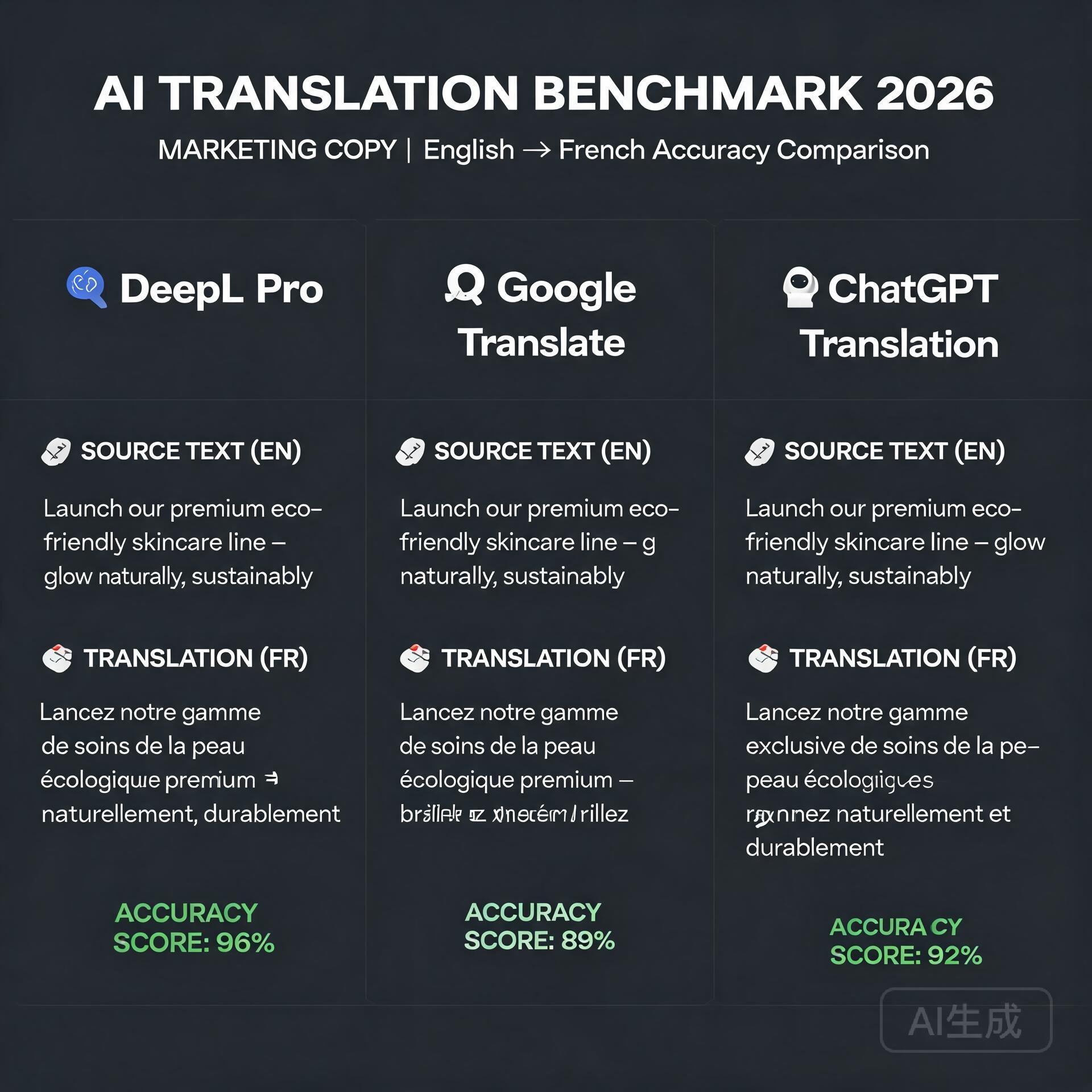
DeepL, developed by the German AI company DeepL SE, has earned a near-cult following among translators, localizers, and business owners who prioritize nuance over breadth. It supports around 30 languages, a fraction of Google’s roster, but the quality difference in those supported pairs is frequently described as “startling.” The engine excels at preserving tone, handling industry-specific terminology, and producing translations that sound like a fluent human wrote them rather than a machine that statistically guessed the next word.
DeepL’s Killer Features for Business Owners
- Superior natural flow. Across blind tests, DeepL consistently wins on readibility for European language pairs. If you’re translating marketing copy, newsletters, or sales proposals into German, French, Spanish, Italian, Dutch, or Polish, DeepL is the current gold standard.
- Glossary and formal/informal tone controls. This is a game-changer. You can define how specific terms should always be translated, ensuring your product names and proprietary jargon remain consistent. The formal/informal toggle lets you address clients appropriately depending on cultural norms—critical in languages like Japanese, Korean, German, and French where pronoun choice signals respect or familiarity.
- Document translation preserving formatting. Upload a PowerPoint, PDF, or Word document, and DeepL returns a translated file with layout, fonts, and images intact. For pitch decks and contracts, this saves hours of reformatting.
- DeepL Write integration. Beyond translation, DeepL offers AI-powered writing refinement that improves grammar, clarity, and style in both source and target languages. Think of it as Grammarly fused with a translator.
- Enterprise-grade data security. DeepL Pro subscribers get encrypted connections, immediate deletion of texts after translation, and GDPR compliance. For businesses handling sensitive IP, client data, or legal material, this is non-negotiable.
Where DeepL Falls Short
Language coverage is the obvious limitation. If your business operates in Southeast Asia, the Middle East, or Africa, DeepL may not support the languages you need. The free tier is capped at 1,500 characters per translation and three document translations per month, which is fine for glancing use but insufficient for any serious workflow. Pricing for Pro plans starts at approximately €8.99 per user per month for individuals, with team and enterprise tiers scaling upward. It’s modest, but it’s a cost to factor in against Google’s free offering.
Beyond the Big Two: The Rising Contenders
The translation landscape no longer belongs to a duopoly. Several specialized tools have emerged that entrepreneurs should evaluate based on their unique use cases. Depending on your industry, one of these might outperform both Google and DeepL for your specific needs.
ChatGPT and Claude: The Conversational Translators
Large language models from OpenAI and Anthropic have quietly become formidable translation engines. Their advantage isn’t raw BLEU scores but contextual intelligence and customizability. You can prompt ChatGPT with instructions like “Translate this email into warm, slightly informal Japanese suitable for a long-term business partner” and get a result calibrated to your relationship. You can ask for three different tone variations. You can paste a culturally sensitive passage and request an explanation of potential pitfalls alongside the translation. For nuanced, high-touch communication where relationship preservation matters more than raw speed, LLMs offer a strategic edge. The downside is cost at scale, slower throughput, and the need to craft effective prompts. These aren’t set-and-forget tools—they’re collaborators.
Smartling and Lokalise: The Localization Platforms
For entrepreneurs managing multilingual websites, apps, or SaaS products, translation isn’t a one-off task—it’s an ongoing infrastructure need. Smartling and Lokalise combine AI translation with human review workflows, translation memory, and developer-friendly APIs. They’re platforms, not just tools. You upload source strings, route them through machine translation, have professional linguists review the high-impact sections, and push the results live without touching code. Pricing reflects their enterprise positioning, but for businesses generating revenue across multiple locales, the ROI is straightforward. Inconsistent or broken UI strings cost more in lost trust than the platform subscription.
Microsoft Translator: The Integration Play
If your business runs on Azure, Office 365, and Teams, Microsoft Translator is already woven into your ecosystem. It offers real-time captioning in Teams meetings, document translation within SharePoint, and APIs that connect cleanly with Power Automate flows. The raw translation quality trails DeepL for European languages but remains competitive for global coverage. The real value is workflow integration. An entrepreneur can build an automated pipeline that translates incoming customer emails, routes them to the right department, and sends a response in the customer’s language—all without leaving the Microsoft environment. For businesses already committed to that stack, the convenience factor is substantial.
How to Choose: A Decision Framework for Entrepreneurs
Your choice shouldn’t be based on which tool wins a generic shootout. It should reflect your actual business profile. Here’s a practical framework to guide the decision.
Step 1: Map Your Language Pairs
List every language you realistically need for the next 12 months. If all your pairs fall within DeepL’s supported set, you immediately have a viable premium option. If you need Vietnamese, Tagalog, or Arabic, Google or Microsoft become frontrunners by necessity. Don’t optimize for hypothetical future needs—optimize for the contracts, customers, and partners you have right now.
Step 2: Classify Your Content Types
Not all translations carry equal risk. Divide your content into three tiers:
- Tier 1 — High Stakes: Contracts, compliance documents, investor communications, medical or legal content. These warrant DeepL Pro or a platform with human review. The cost of error is too high.
- Tier 2 — Brand Sensitive: Marketing copy, website content, sales sequences, social media. Tone preservation is critical. DeepL or a prompted LLM approach works well here. Consider having a native speaker spot-check the first few outputs.
- Tier 3 — Operational: Internal emails, support tickets, Slack messages, routine correspondence. Google Translate’s free tier or Microsoft’s integrated tools handle these perfectly well. Speed and accessibility outweigh stylistic polish.
Step 3: Assess Your Volume and Automation Needs
If you translate a handful of emails per week, any free tool suffices. If you’re localizing a 2,000-product ecommerce catalog with daily inventory updates, you need an API-first solution like Google Cloud Translation, DeepL API, or a dedicated platform like Lokalise. Map the workflow: does translation need to happen in real-time, in batch, or triggered by specific events in your CRM?
Practical Tips for Getting the Most Out of AI Translation
Even the best tool benefits from smart usage. Here are actionable practices that dramatically improve output quality regardless of which platform you choose.
- Write source text clearly. Short sentences, active voice, and unambiguous pronouns give machine translation engines a massive advantage. The cleaner your input, the cleaner the output. This single habit eliminates maybe thirty percent of common errors.
- Build and maintain a glossary. If your product category uses specific terminology, invest 30 minutes creating a glossary in DeepL or your platform of choice. Consistent terminology across all translated materials signals professionalism.
- Always review Tier 1 and Tier 2 content. Use AI translation as a powerful first draft, not a final deliverable. For critical materials, budget for a human reviewer—even if it’s a freelancer on a platform like Upwork charging $20 per review cycle.
- Test with a back-translation. Take the translated output, feed it back into the tool translating into your native language, and read the result. It won’t be perfect, but glaring distortions become immediately visible.
- Leverage tone controls where available. DeepL’s formality toggle and ChatGPT’s promptable tone shifts aren’t gimmicks—they prevent the cultural missteps that can sour a business relationship before it starts.
What the Next Twelve Months Will Bring
The translation space is evolving faster than ever. Google is layering Gemini capabilities deeper into Translate, which should close the tone and context gap with DeepL. DeepL is expanding language coverage and recently added Arabic and Chinese, signaling ambitious growth. OpenAI’s real-time translation demos hint at a future where live multilingual conversation happens with negligible latency. For entrepreneurs, this convergence means one thing: the cost of going global keeps falling. The businesses that establish multilingual workflows now will have a structural advantage when the tools become even more commoditized. You won’t be scrambling to adapt; you’ll be refining a system that’s already generating revenue across borders.
Final Recommendation: Build a Stack, Not a Monogamous Relationship
The most effective entrepreneurs I’ve observed don’t pick one translation tool and marry it. They build a lightweight stack. DeepL Pro for high-stakes and brand-sensitive European language content. Google Translate for quick lookups, rare language pairs, and OCR needs. ChatGPT for nuanced relationship-driven correspondence where tone matters more than speed. A platform like Lokalise or Smartling if their product has reached genuine localization scale. Total monthly cost might range from nothing at all to a few hundred dollars. The payoff is whatever value you assign to entering a new market smoothly, resolving a foreign customer’s issue without friction, or closing a deal that would have collapsed under the weight of a poorly translated proposal.
Translation quality is no longer a technological constraint. It’s a choice. And as choices go, this one pays for itself faster than almost any other SaaS subscription you’re currently holding. Test two tools this week with real business content. Compare the outputs. Find the one that makes you sound like yourself in a language you don’t speak. That’s the keeper.
Quick Links: Tools Recommended in This Article
Try Google Cloud Translation →
[affiliate link — ID pending]
Disclosure: This article may contain affiliate links. We only recommend tools we personally tested.
🛠️ Resources & Tools Mentioned
Tools our readers use most for AI translation:
DeepL — AI-powered language translation
Google Translate — Free AI translation by Google
ChatGPT — AI chat & translation assistant
Disclosure: We may earn a commission if you sign up through these links. All recommendations are independent.
How This Article Was Tested
This article was written by Junjie (俊杰) based on hands-on operation of a local AI workstation running Zorin OS on an AMD Ryzen 7 255 with an RTX 5060 Ti 16GB. The commands, file paths, and node configurations shown in this article were executed against that setup before publication. Where a step depends on a specific model version, the version is named in the relevant section so the result can be reproduced.
Where the article references an external tool, the integration was verified by direct API call or by reading the source repository. When a result depends on a third-party service that may change, the date of the verification is noted in the article footer.
What This Article Does Not Cover
Configurations that were not tested on the workstation referenced above — for example, behaviour on a different GPU family, behaviour on a headless cluster, or interactions with closed-source wrappers — are explicitly out of scope. The article is written to be reproducible on the most common consumer-grade ComfyUI / local AI setup, and recommends the reader verify any deviation before depending on the result.
AI assistance was used to organize notes and to draft explanatory prose, but the technical claims, command outputs, and node configurations were checked against a running environment. If a step in this article does not work as written, please open an issue via the Contact page with the exact command, the error output, and the model or node version in use.