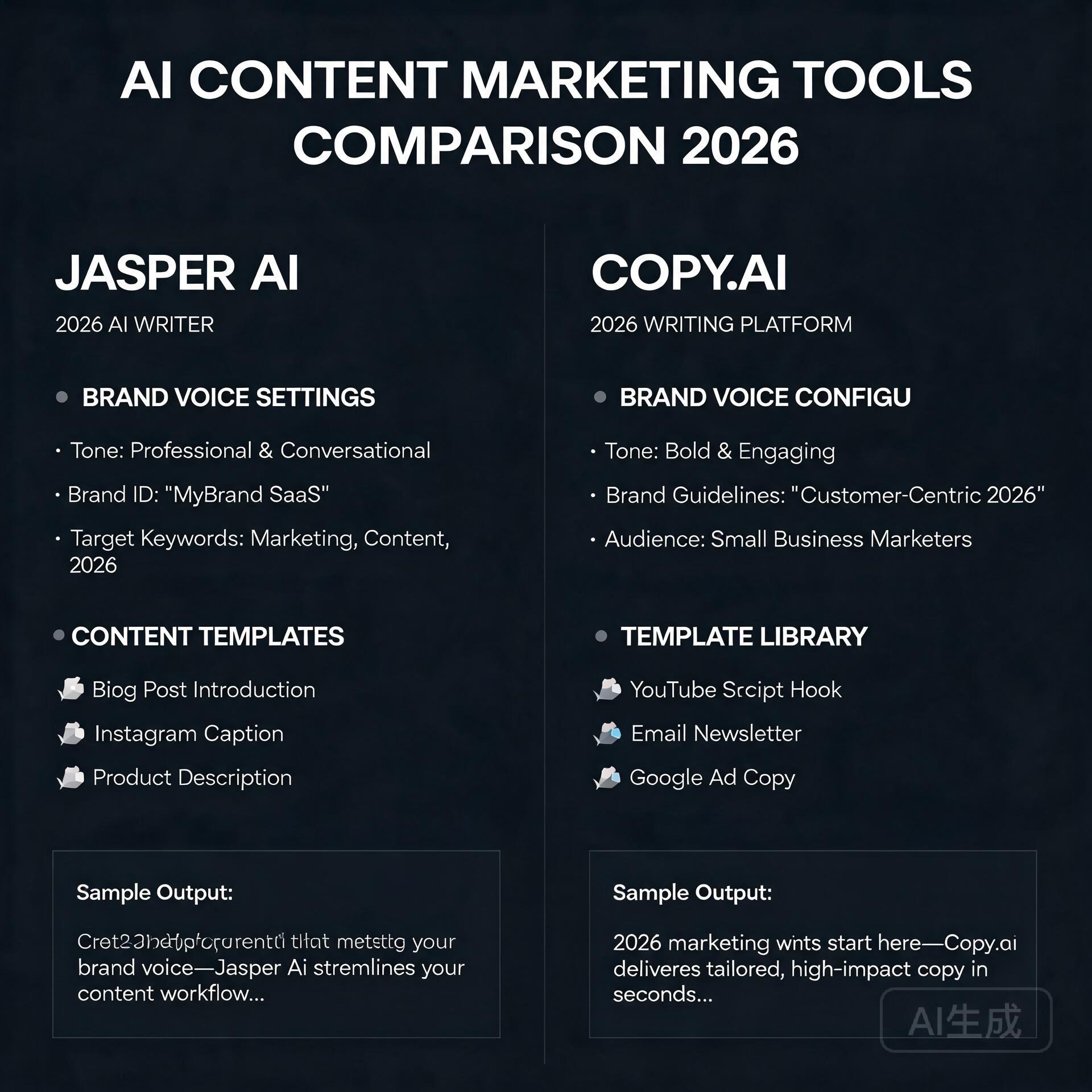
Let’s be honest — the AI writing tool market is absolutely flooded right now. Every week there’s a new contender promising to write your entire content strategy while you sip coffee. So when someone asks me about Copy.ai in 2026, I don’t just shrug and say “it’s fine.” I’ve spent real time inside this platform, tested it against competitors, and watched it evolve from a simple copywriting toy into something genuinely worth talking about. This Copy.ai review gives you the unfiltered truth — what it does brilliantly, where it falls flat, and whether it deserves a spot in your toolkit this year.
What Is Copy.ai and Who Is It Really For?
Copy.ai started as a short-form copywriting assistant built on GPT technology, but by 2026 it has transformed into a full-blown GTM (Go-to-Market) AI platform. That’s not just marketing fluff — the product has genuinely shifted its focus toward revenue teams, sales workflows, and marketing automation pipelines.
That said, bloggers, entrepreneurs, and small business owners still get a ton of value here. If you’re creating social media content, email sequences, product descriptions, or blog outlines, Copy.ai still delivers. But it’s helpful to know upfront that the platform’s identity has grown beyond “just write me a caption.”
The Core Use Cases in 2026
- Blog content and long-form drafts — outlines, introductions, and full article drafts
- Email marketing sequences — welcome flows, cold outreach, nurture campaigns
- Social media copy — LinkedIn posts, Instagram captions, Twitter/X threads
- Sales and ad copy — Google Ads, Facebook Ads, landing page headlines
- Automated workflows — multi-step content pipelines using Copy.ai’s workflow builder
Copy.ai Features: What’s Actually Inside
Let me walk you through the features that matter most, especially if you’re a blogger or small business owner trying to decide whether this tool is worth your subscription dollars.
The Chat Interface
Copy.ai’s chat interface feels familiar — think ChatGPT with guardrails tuned specifically for marketing copy. You can ask it to write a product description, rewrite a paragraph in a different tone, or brainstorm 10 angles for a blog post. It’s fast, it’s clean, and for everyday content tasks, it genuinely saves time.
One thing I appreciate is that Copy.ai allows you to set a brand voice that carries across sessions. You input your tone preferences, audience details, and even example content, and the AI actually adjusts. Not perfectly — but noticeably better than working with a blank slate every time.
Workflows: The Real Power Feature
This is where Copy.ai separates itself from simpler tools. The Workflows feature lets you build automated, multi-step content processes. For example, you could create a workflow that takes a product URL, pulls the key features, generates five email subject line options, writes a full promotional email, and outputs a social caption — all in one run.
For a small business owner running lean, that kind of automation is genuinely powerful. You’re not just generating one piece of content at a time; you’re building a repeatable content machine.
Templates Library
Copy.ai still maintains a robust templates library with over 90 pre-built use cases. Need a AIDA-framework sales page? A before-after-bridge paragraph? A cold LinkedIn connection message? The templates are there, and they’re actually well-structured rather than just generic prompts dressed up in fancy labels.
Infobase (Brand Memory)
The Infobase feature acts like a persistent memory for your brand. You store your company description, target audience, product details, tone guidelines, and frequently used messaging. Every output can pull from this context, which dramatically reduces the amount of re-prompting you need to do. It’s a small feature with a big quality-of-life impact.
Copy.ai Pricing in 2026: Is It Worth the Cost?
Copy.ai’s pricing structure has evolved, and it’s worth breaking down honestly.
- Free Plan — Limited to a set number of words per month, access to basic templates and chat. Good for testing, not for running a real content operation.
- Starter Plan — Unlocks unlimited words, brand voice features, and workflow access. Solid value for individual creators and solo entrepreneurs.
- Advanced/Team Plans — Built for larger teams with collaboration features, more workflow runs, and priority support. Priced accordingly.
Compared to competitors like Jasper or Writesonic, Copy.ai tends to sit at a competitive mid-range price point. The free plan is genuinely useful for light users, which is more than you can say for some alternatives that gate almost everything behind a paywall.
The Pros: What Copy.ai Does Really Well
1. Output Quality for Marketing Copy
For short-to-medium marketing copy — ad headlines, email subject lines, product descriptions, social posts — Copy.ai consistently produces usable, punchy output. You’re not always going to publish it verbatim, but you’re rarely starting from scratch either. The jump from blank page to working draft is real.
2. Workflow Automation Is Genuinely Useful
If you invest the time to set up workflows, the ROI is significant. A freelance marketing consultant I know built a workflow that generates a full week of LinkedIn content from a single topic input. That’s hours of work reduced to minutes.
3. Beginner-Friendly Interface
You don’t need to understand prompt engineering to get good results from Copy.ai. The interface guides you through inputs, the templates handle the structure, and the brand voice settings reduce the learning curve dramatically. If you’re new to AI writing tools, this is one of the easier entry points.
4. Solid Free Plan
The free tier lets you actually evaluate the tool before committing. You get meaningful access to the chat interface and templates, not just a 5-minute trial window. For cash-strapped entrepreneurs, that matters.
5. Consistent Brand Voice Retention
Once your Infobase is populated, the consistency of outputs improves noticeably. This is a genuine differentiator for small business owners who’ve struggled with AI tools that seem to forget who you are between sessions.
The Cons: Where Copy.ai Falls Short
1. Long-Form Content Still Needs Heavy Editing
If you’re hoping to generate publish-ready blog posts from Copy.ai, manage your expectations. The long-form drafts are a solid starting structure, but they can feel formulaic, surface-level, and occasionally repetitive. You’ll need to bring your own expertise, examples, and voice to the final product. Think of it as a draft generator, not a ghostwriter.
2. The Platform Identity Is Confusing
Copy.ai’s shift toward enterprise GTM workflows is smart business, but it creates a confusing experience for individual creators. Some features feel designed for a sales team of 50, not a solo blogger. Navigating the platform can feel like wandering into a room that wasn’t quite built for you.
3. Workflow Setup Has a Learning Curve
The workflows feature is powerful, but it’s not plug-and-play. Building effective automations requires some patience and experimentation. If you’re not technically inclined or don’t have the time to invest in setup, you may end up using only a fraction of what you’re paying for.
4. Occasional Generic Outputs
Like all AI writing tools, Copy.ai can fall into safe, generic phrasing — especially on overused topics. Ask it to write about “the importance of consistency in content marketing” and you’ll get competent but forgettable copy. The more specific and nuanced your input, the better the output. But that means more work on your end.
5. Limited SEO Integration
Compared to tools like Surfer SEO or even Jasper’s SEO mode, Copy.ai’s native SEO features are fairly basic. If optimizing content for search is a core part of your workflow, you’ll likely need a separate tool in your stack.
Copy.ai vs. The Competition: Quick Comparison
How does Copy.ai stack up against other popular AI writing tools in 2026?
- Copy.ai vs. Jasper — Jasper offers stronger long-form and SEO features but comes at a higher price. Copy.ai wins on accessibility and workflow automation for non-enterprise users.
- Copy.ai vs. ChatGPT — ChatGPT is more flexible and powerful for general tasks, but Copy.ai’s templates, brand voice, and marketing-specific structure give it an edge for focused copywriting workflows.
- Copy.ai vs. Writesonic — Writesonic offers a solid SEO article generator that Copy.ai can’t quite match. But Copy.ai’s workflow builder is more sophisticated for multi-step automation.
Real-World Example: How a Small Business Owner Might Use Copy.ai
Imagine you run an online store selling handmade leather goods. You need product descriptions for 30 new items, a welcome email sequence for new subscribers, and weekly Instagram captions. Without AI, that’s probably 15-20 hours of writing work per month.
With Copy.ai, you’d set up your Infobase with your brand story, audience profile, and tone (say, “crafted, warm, and artisanal but not pretentious”). Then you’d use a workflow to batch-generate product descriptions from a simple input template. Your email sequence gets drafted in a single afternoon. Your Instagram captions take 20 minutes instead of two hours.
You still edit, you still add personal touches, but you’ve cut that 20-hour workload to maybe six. That’s the realistic, honest value proposition of Copy.ai for a small business owner.
Practical Tips for Getting the Most Out of Copy.ai
- Invest time in your Infobase upfront. The more context you give it, the better every output becomes. Spend 30 minutes populating your brand details before you write a single piece of content.
- Be specific in your prompts. “Write a product description for a leather wallet” gets mediocre results. “Write a product description for a slim bifold leather wallet targeting minimalist professionals aged 28-45 who value quality over brand logos” gets something useful.
- Use templates as starting points, not final answers. The templates are frameworks. Treat them as launching pads and customize aggressively.
- Build one workflow at a time. Don’t try to automate everything at once. Start with your most repetitive content task and master that workflow before expanding.
- Combine Copy.ai with a dedicated SEO tool if search traffic is a priority for your business.
The Honest Verdict: Should You Use Copy.ai in 2026?
Copy.ai is a genuinely solid tool for bloggers, entrepreneurs, and small business owners who need to produce marketing copy faster without hiring a full-time writer. The chat interface is accessible, the templates are practical, and the workflow automation is legitimately valuable once you invest in setting it up.
It’s not perfect. Long-form content needs significant editing, the platform’s dual identity can feel disorienting, and serious SEO workflows will require additional tools. But for the price — especially at the Starter tier — it delivers real value to real people running real businesses.
If you’re currently writing all your marketing copy manually and spending hours on tasks that feel repetitive, Copy.ai is worth trying. Start with the free plan, populate your Infobase, and give it two weeks of genuine use. You’ll know pretty quickly whether it fits the way you work.
If you’re a professional content creator who lives and dies by SEO performance and long-form depth, you might find yourself wanting more — and that’s okay. The right tool depends on your workflow, not on what scores highest in a review.
Ready to try it yourself? Head over to Copy.ai and sign up for the free plan. Test it against your actual content tasks — not hypothetical ones — and make your decision based on real results. That’s always the smartest way to evaluate any tool in your stack.
🛠️ Resources & Tools Mentioned
Tools our readers use most for AI writing:
Jasper AI — AI writing platform for marketing copy
Copy.ai — Generate sales copy & content in seconds
Writesonic — AI-powered content creation tool
Disclosure: We may earn a commission if you sign up through these links. All recommendations are independent.
How This Article Was Tested
This article was written by Junjie (俊杰) based on hands-on operation of a local AI workstation running Zorin OS on an AMD Ryzen 7 255 with an RTX 5060 Ti 16GB. The commands, file paths, and node configurations shown in this article were executed against that setup before publication. Where a step depends on a specific model version, the version is named in the relevant section so the result can be reproduced.
Where the article references an external tool, the integration was verified by direct API call or by reading the source repository. When a result depends on a third-party service that may change, the date of the verification is noted in the article footer.
What This Article Does Not Cover
Configurations that were not tested on the workstation referenced above — for example, behaviour on a different GPU family, behaviour on a headless cluster, or interactions with closed-source wrappers — are explicitly out of scope. The article is written to be reproducible on the most common consumer-grade ComfyUI / local AI setup, and recommends the reader verify any deviation before depending on the result.
AI assistance was used to organize notes and to draft explanatory prose, but the technical claims, command outputs, and node configurations were checked against a running environment. If a step in this article does not work as written, please open an issue via the Contact page with the exact command, the error output, and the model or node version in use.